


Sponsored byWAE - We Are Engineer- Precision Engineered Education for engineering careers
BAT AI TOOLSBAT AI TOOLS
  • Tools
  • Category
  • Jobs
  • Pricing
  • PromoFREE
Free Submit
Sign In
  • Home
  • /
  • AI Code Assistant
  • /
  • Aider
Aider

Aider

Active
Tagline:AI pair programming in your terminal
Updated:-
Social Media:
AI Code AssistantAI Code GeneratorAI Developer ToolsOpen SourceFreeAPI AvailableSelf-HostedFor DevelopersLinux CompatibleMac CompatibleWindows Compatible
Open Website
Aider
Visit Website
|
  • About
  • Pricing

What is Aider?

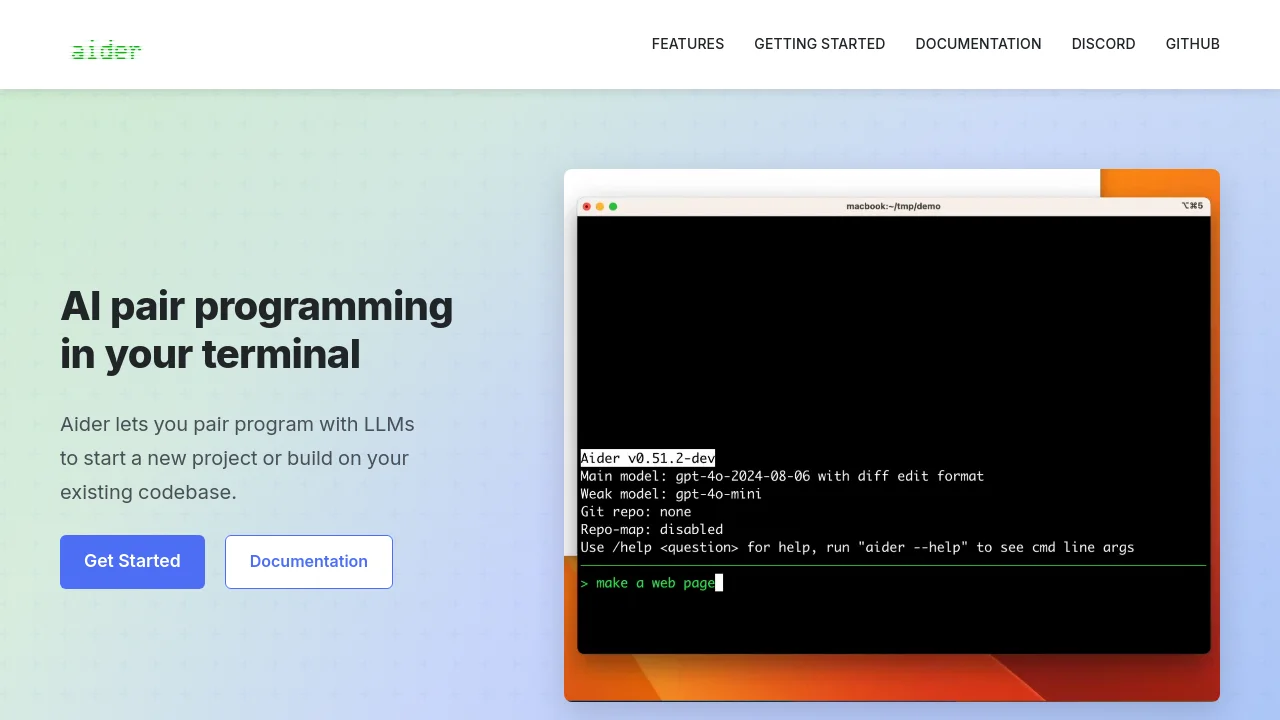
Aider lets you pair program with LLMs to start a new project or build on your existing codebase. It maps your entire codebase for larger projects, supports 100+ programming languages, and automatically commits changes with sensible git commit messages.

How to use Aider?

Install with `python -m pip install aider-install` and run `aider-install`. Change into your project directory, then launch aider with your preferred model and API key, for example `aider --model sonnet --api-key anthropic=<key>`.

Aider Core Features

01

Cloud and local LLMs

Works best with Claude 3.7 Sonnet, DeepSeek R1 & Chat V3, OpenAI o1, o3-mini & GPT-4o, and can connect to almost any LLM, including local models.

02

Maps your codebase

Aider makes a map of your entire codebase, which helps it work well in larger projects.

03

Git integration

Automatically commits changes with sensible commit messages. Use familiar git tools to diff, manage and undo AI changes.

04

100+ code languages

Works with most popular programming languages including Python, JavaScript, Rust, Ruby, Go, C++, PHP, HTML, CSS, and dozens more.

05

Linting & testing

Automatically lint and test your code every time aider makes changes, and fix problems detected by linters and test suites.

06

Voice-to-code

Speak with aider about your code to request new features, test cases or bug fixes using your voice.

Aider Use Cases

Start a new coding project with LLM pair programming in the terminal

Build on and refactor an existing git codebase with repository map context

Modify open source projects with automatic git commits and undo support

Aider Frequently Asked Questions

What is Aider AI LLC?

Aider AI LLC is the company behind the aider AI coding tool. Aider is open source and available on GitHub.

How can I add ALL the files to the chat?

Adding many or all repo files is usually not a good idea. It is best to add only the files that need to be changed for your task. Aider automatically provides additional context from your git repo via its repository map.

Can I Script Aider?

Yes. You can script aider via the command line or Python. See the Scripting aider documentation for details.

Aider Product Background & Official Links

Aider Support Email & Customer service contact & Refund contact etc.

More Contact, visit the about us page(https://aider.chat/docs/)

Aider Company Info

Aider Company name: Aider AI LLC

Aider Developer Type: company

More about Aider, Please visit the about us page(https://aider.chat/docs/)

Aider GitHub

Aider GitHub Link: https://github.com/Aider-AI/aider

Aider Pricing & Plans

Open Source

Free
Free
  • Open source on GitHub
  • No subscription for aider itself
  • Bring your own LLM API keys
  • Supports cloud and local LLM providers
Subscribe & upgrade now

Aider Tags

Open SourceFreeAPI AvailableSelf-HostedFor DevelopersLinux CompatibleMac CompatibleWindows CompatiblePrivacy-Focused

Best Suited Occupations for Aider

Software DevelopersIndie Hackers

Top Product Categories

LLMs & AI Agents

  • AI Chatbots
  • AI Agents
  • Prompt Engineering
  • AI Search Engine

Engineering & Code

  • AI Code Assistant
  • AI Code Generator
  • AI Developer Tools
  • No-Code & Low-Code

Image & Creative

  • AI Image Generator
  • AI Design Generator
  • AI Art Generator
  • Image-to-Image

Video & Animation

  • AI Video Generator
  • AI Short Video Maker
  • Digital Humans
  • AI Video Editor

Productivity & Office

  • AI Meeting Assistant
  • AI PDF Tools
  • AI Workflow
  • AI PPT Generator

Marketing & Sales

  • AI SEO Tools
  • AI Copywriting
  • AI Lead Generation
  • AI Sales Assistant

Audio & Voice

  • AI Voice Cloning
  • AI Text-to-Speech
  • AI Music Generator
  • AI Podcast Tools

Research & Data

  • AI Research Tools
  • AI Data Analytics
  • AI Knowledge Base
  • See All Categories >>
BAT AI TOOLS
  • Submit your AI tool
  • Pricing
  • Partnership
  • Feedback
  • About
WeChat QR
Scan QR code with WeChat
hi@bataitools.comClick icon to auto-copy email
English简体中文繁體中文EspañolالعربيةBahasa IndonesiaPortuguêsFrançais日本語РусскийDeutsch한국어TürkçeTiếng ViệtItalianoNederlandsPolskiไทยहिन्दीУкраїнськаفارسیবাংলাاردوSvenskaNorskDanskSuomiעברית

Copyright © 1970 BAT AI TOOLS. All Rights Reserved.

·Partnership·Privacy Policy·Terms of Service·Refund Policy