Sponsored byPlainScribe- Pay-as-you-go AI transcription & translation — no monthly plan
BAT AI TOOLSBAT AI TOOLS
  • Tools
  • Category
  • Jobs
  • Pricing
  • PromoFREE
Free Submit
Sign In
  • Home
  • /
  • AI Writing
  • /
  • AIWritingPal
AIWritingPal

AIWritingPal

Active
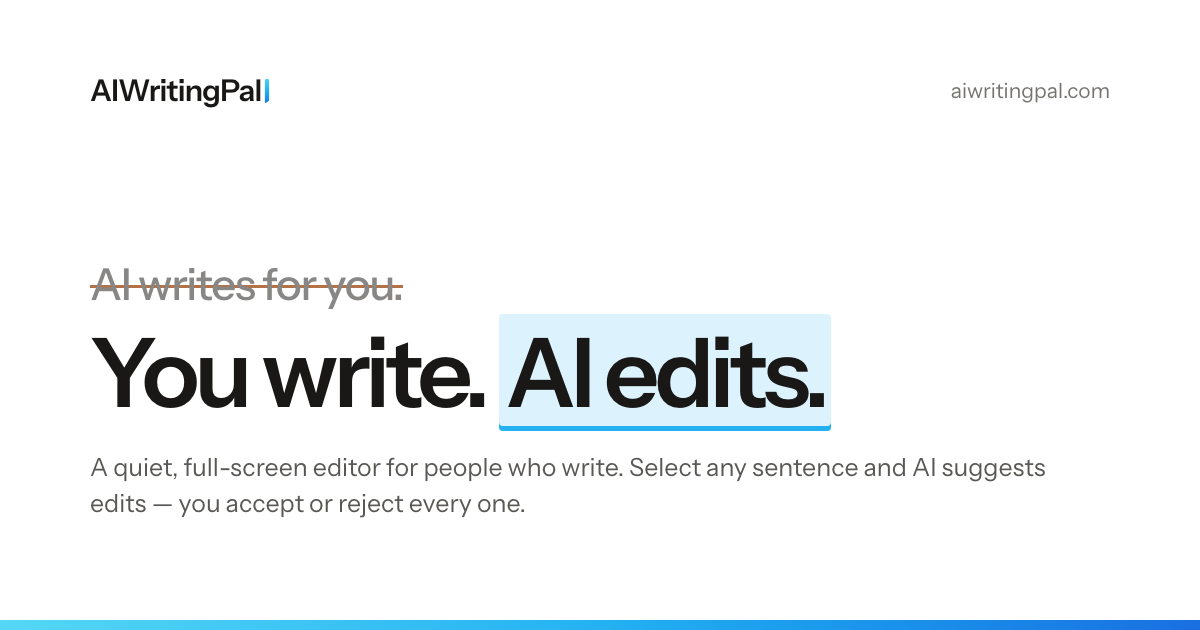
Tagline:You write. AI edits.
Updated:October 22, 2026
Domain Rating:
10Domain Rating by Ahrefs
Social Media:
AI WritingAI Rewriter & PolisherAI Grammar & Spell CheckerText Generation & EditingFreemiumWeb AppDesktop AppBrowser ExtensionMulti-languageSubscriptionMac CompatibleWindows Compatible
Open Website
AIWritingPal
Visit Website
|
  • About
  • Pricing

What is AIWritingPal?

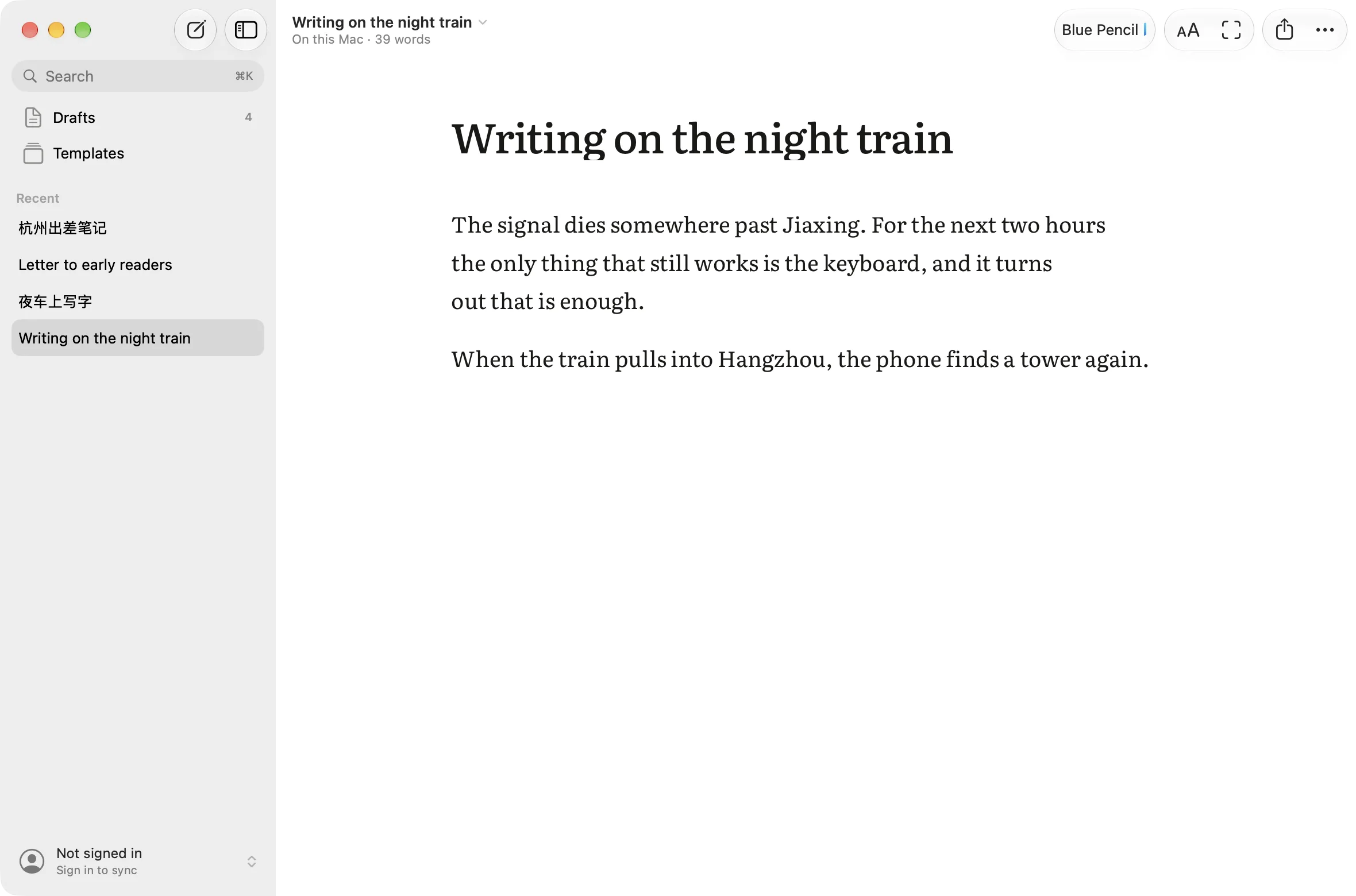
AIWritingPal is a quiet, full-screen writing editor. Its AI, Blue Pencil, marks up your draft with suggested edits you accept or reject — improve, shorten, expand, fix, translate or review the whole piece. Writing is free; unlimited AI editing is $1 a month. Export to Markdown, Word, PDF or HTML, and use it on the web, as a Mac or Windows app, or inside Safari and Chrome.
AIWritingPal screenshot 1
AIWritingPal screenshot 2

How to use AIWritingPal?

Open the editor and start typing — no sign-up needed. Select any text and press Ctrl+J to ask Blue Pencil to Improve, Shorten, Expand, Fix or Translate, or describe a change in your own words. Accept a change with Ctrl+Enter, reject with Esc. Press ⌘ for a full-screen focus mode.

AIWritingPal Core Features

01

Blue Pencil AI editing

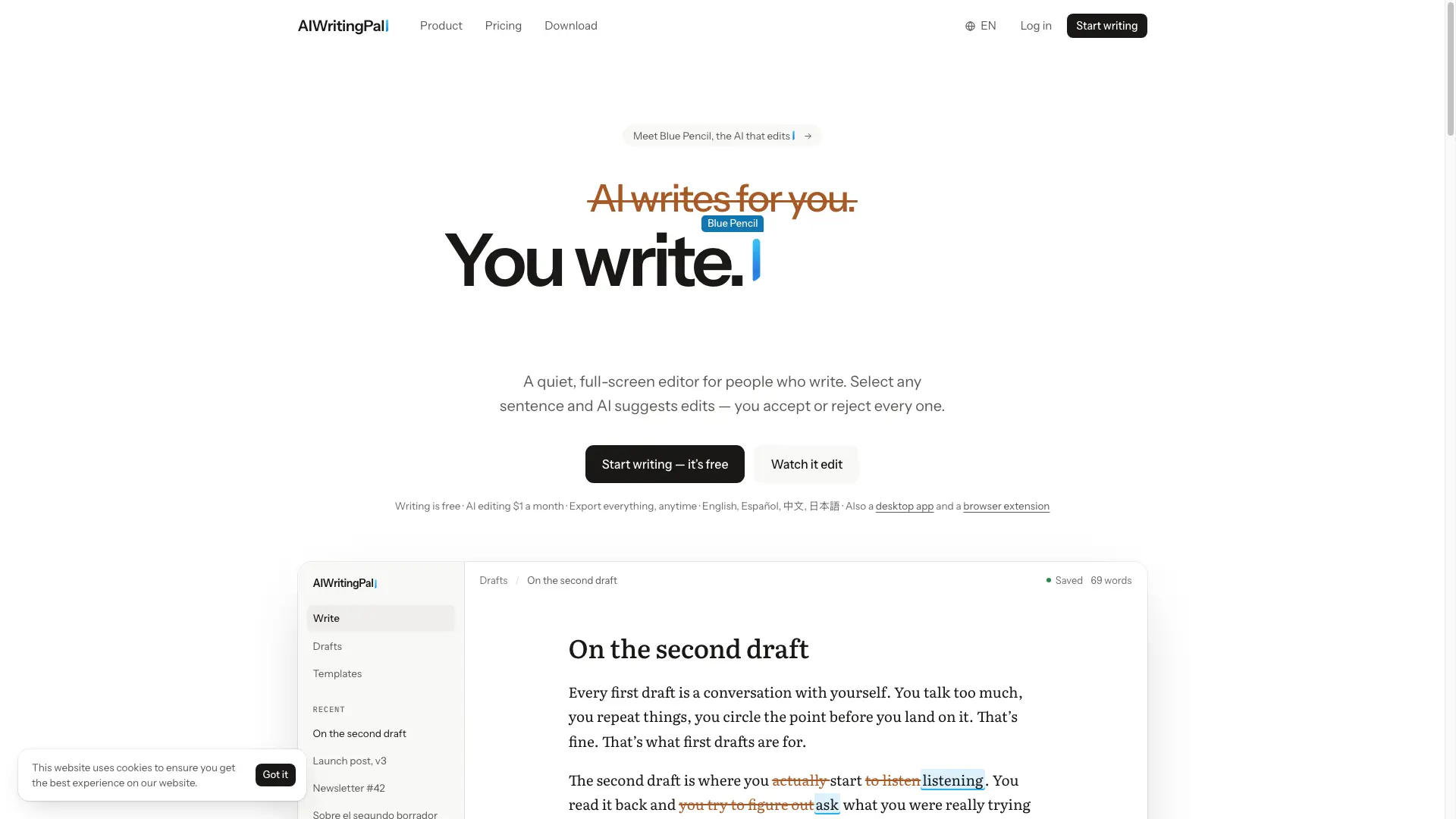
Select any sentence and Blue Pencil suggests edits marked up like an editor's markup. Choose Improve, Shorten, Expand, Fix or Translate, or describe a change yourself. Nothing touches your draft until you accept it.

02

Focus mode

Press ⌘ for a full-screen, distraction-free page with typewriter scrolling and paragraph focus. Esc leaves focus mode and brings the world back.

03

Native multilingual editing

Write in English, Spanish, Chinese or Japanese, each handled natively. Blue Pencil's prompts are written for each language, not translated from English; CJK text is counted by character with correct mixed-script spacing.

04

Export and ownership

Export every document to Markdown, Word, PDF or HTML, one file per document, zipped. Blue Pencil reads your text only when you call on it; no ads and no third-party data sales.

AIWritingPal Use Cases

Polish your own drafts — improve, shorten, expand, fix or translate any sentence and accept only the changes you want.

Write distraction-free in focus mode with full-screen typewriter scrolling and paragraph focus.

Edit what you type inside any web page — emails, replies, forms — with the Safari or Chrome extension.

Keep writing offline on the Mac or Windows app and sync your drafts when you reconnect.

AIWritingPal Frequently Asked Questions

What is AIWritingPal?

A quiet, full-screen editor for people who write. Its AI, Blue Pencil, only edits: select some text and it suggests changes, marked up the way an editor marks a page. You accept or reject every one.

Does the AI write for me?

Blue Pencil works on what you wrote: improve, shorten, expand, fix, translate, or any change you describe in your own words. Starter templates can draft a first version from a brief if you want one. Nothing enters your document until you accept it.

Is it free?

Writing is. The editor, focus mode and every export are free on every plan. AI editing (Blue Pencil) comes with 1,000 free words to try; after that Pro is $1 a month, billed $12 a year, with no limit, and a full refund within 14 days if it isn't for you.

Which languages does it support?

English, Spanish, Chinese and Japanese, natively. Blue Pencil's prompts are written for each language rather than translated from English, Chinese and Japanese are counted by character, and mixed scripts get the right spacing.

Does Blue Pencil read everything I write?

No. It reads only when you call on it: the text you selected plus a little context around it when you ask for an edit, or the whole draft when you use Ask or Review. While you are simply writing, Blue Pencil sees nothing.

Where are my documents stored?

In your account, so you can sign in on any device and pick up where you left off. You can also export everything whenever you like.

AIWritingPal Product Background & Official Links

AIWritingPal Support Email & Customer service contact & Refund contact etc.

AIWritingPal Support Email: support@aiwritingpal.com

More Contact, visit the about us page(https://aiwritingpal.com/faq)

AIWritingPal Company Info

AIWritingPal Company name: NEXLY LLC

AIWritingPal Developer Type: company

More about AIWritingPal, Please visit the about us page(https://aiwritingpal.com/faq)

AIWritingPal Pricing

AIWritingPal Pricing Link: https://aiwritingpal.com/pricing

AIWritingPal Pricing & Plans

Free

Free
Free
  • Writing and documents: unlimited
  • AI editing: 1,000 words to try
  • 9 starter templates
  • Focus mode, typewriter scrolling, paragraph focus
  • Export to Markdown, Word, PDF, HTML
  • English, Spanish, Chinese and Japanese
Subscribe & upgrade now
Most Popular

Pro

Recurring
$1 /month
  • Unlimited AI editing with Blue Pencil
  • Improve, Shorten, Expand, Fix, Translate and Review
  • 13 starter templates
  • Focus mode and all exports included
  • Sync across web, Mac and Windows
  • Billed $12 a year, full refund within 14 days
Subscribe & upgrade now

AIWritingPal Tags

FreemiumWeb AppDesktop AppBrowser ExtensionMulti-languageSubscriptionMac CompatibleWindows Compatible

Best Suited Occupations for AIWritingPal

Writers & MarketersStudentsSelf-Media & InfluencersGeneral ConsumersFreelancers

Top Product Categories

LLMs & AI Agents

  • AI Chatbots
  • AI Agents
  • Prompt Engineering
  • AI Search Engine

Engineering & Code

  • AI Code Assistant
  • AI Code Generator
  • AI Developer Tools
  • No-Code & Low-Code

Image & Creative

  • AI Image Generator
  • AI Design Generator
  • AI Art Generator
  • Image-to-Image

Video & Animation

  • AI Video Generator
  • AI Short Video Maker
  • Digital Humans
  • AI Video Editor

Productivity & Office

  • AI Meeting Assistant
  • AI PDF Tools
  • AI Workflow
  • AI PPT Generator

Marketing & Sales

  • AI SEO Tools
  • AI Copywriting
  • AI Lead Generation
  • AI Sales Assistant

Audio & Voice

  • AI Voice Cloning
  • AI Text-to-Speech
  • AI Music Generator
  • AI Podcast Tools

Research & Data

  • AI Research Tools
  • AI Data Analytics
  • AI Knowledge Base
  • See All Categories >>
BAT AI TOOLS
  • Submit your AI tool
  • Pricing
  • Partnership
  • Feedback
  • About
  • A2A Compatible
WeChat QR
Scan QR code with WeChat
hi@bataitools.comClick icon to auto-copy email
English简体中文繁體中文EspañolالعربيةBahasa IndonesiaPortuguêsFrançais日本語РусскийDeutsch한국어TürkçeTiếng ViệtItalianoNederlandsPolskiไทยहिन्दीУкраїнськаفارسیবাংলাاردوSvenskaNorskDanskSuomiעברית

Copyright © 1970 BAT AI TOOLS. All Rights Reserved.

·Partnership·Privacy Policy·Terms of Service·Refund Policy