BAT AI TOOLSBAT AI TOOLS
  • Tools
  • Category
  • Submit
  • Partnership
Sign In
  • Home
  • /
  • AI Chatbot
  • /
  • Agent for WhatsApp
Agent for WhatsApp

Agent for WhatsApp

Active
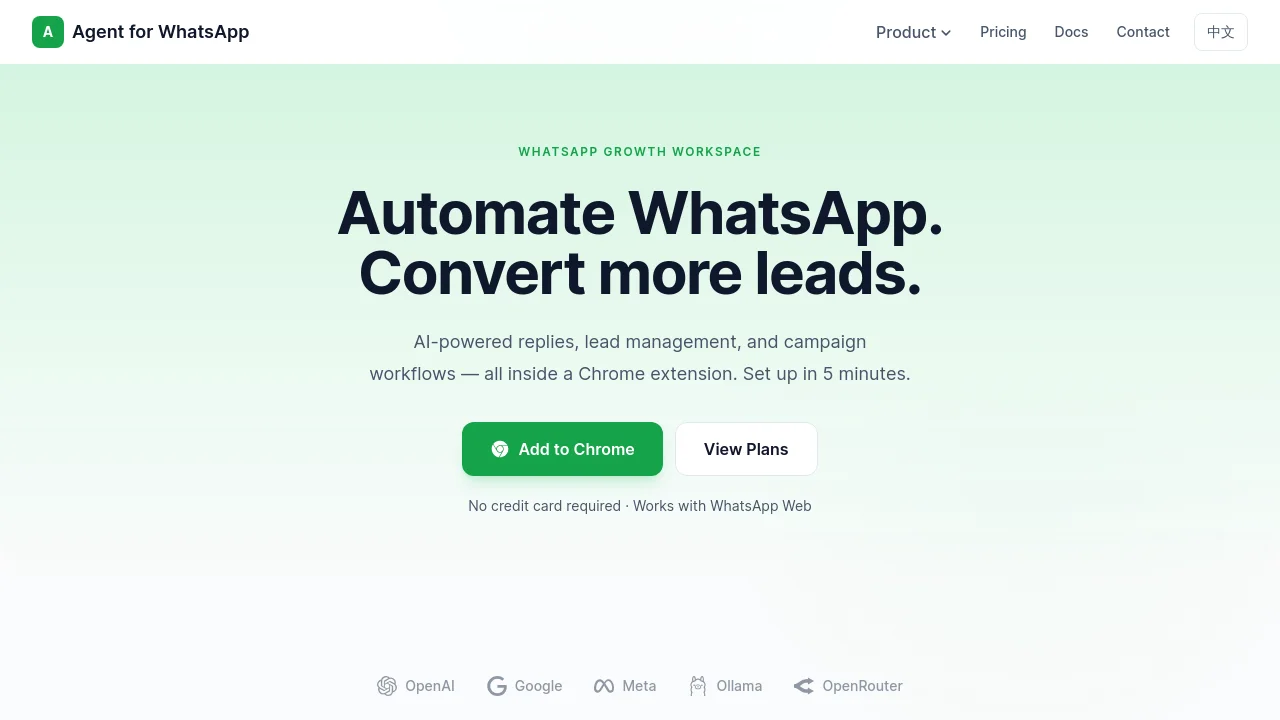
Tagline:Automate WhatsApp. Convert more leads.
Updated:-
Social Media:
AI ChatbotAI Customer ServiceAI WorkflowAI Sales AssistantOffice & ProductivityFreemiumSubscriptionChrome ExtensionBrowser ExtensionFree
Open Website
Agent for WhatsApp
Visit Website
Promote this product|Update this product
  • About
  • Pricing

What is Agent for WhatsApp?

Agent for WhatsApp is a Chrome extension for WhatsApp Web that automates AI replies, lead follow-up, and campaign workflows. Connect OpenAI, OpenRouter, Groq, Gemini, or local models such as Ollama. Set up in about 5 minutes with no credit card required on the free tier.
Agent for WhatsApp screenshot 1

How to use Agent for WhatsApp?

1. Install Agent for WhatsApp from the Chrome Web Store. 2. Open WhatsApp Web and sign in with your Google account inside the extension. 3. Connect an AI provider (OpenAI, OpenRouter, Groq, Gemini, or local). 4. Configure persona settings and message templates, then enable smart replies or lead workflows.

Agent for WhatsApp Core Features

01

AI Smart Reply

Automate responses with AI that understands context. Connect OpenAI, Groq, Gemini, or run local models with custom persona and tone control.

02

Lead Management

Capture, qualify, and track leads directly from WhatsApp conversations with AI inquiry qualification, structured lead context, and priority scoring.

03

Campaign Workflows

Send batch messages, schedule follow-ups, and reuse templates to move prospects through your funnel without a heavy CRM.

Agent for WhatsApp Use Cases

Automate first-line WhatsApp customer support replies

Qualify and track sales leads from WhatsApp conversations

Run batch outreach and scheduled follow-up campaigns

Agent for WhatsApp Frequently Asked Questions

How long does setup usually take?

Most users finish setup in about 5 minutes: install the extension, connect an AI provider, test the connection, and start with templates or manual assist.

Which AI models and providers are supported?

You can connect OpenAI, OpenRouter, Groq, Gemini, and local models such as Ollama or LM Studio. You can switch providers at any time.

What can I automate beyond simple auto-replies?

Agent for WhatsApp also includes message templates, batch sending, scheduled follow-ups, and lightweight lead management for real sales and support workflows.

Can I control when and how replies are sent?

Yes. You can configure persona rules, trigger modes, reply scope, quiet hours, and other safeguards so automation stays predictable.

What is the difference between Free, Pro, and Max?

Free is for evaluation and light use. Pro and Max unlock more automation capacity, stronger controls, and more advanced workflow features.

How do I know if it is working well for my team?

The dashboard helps you monitor connection status, bot activity, and usage trends so you can quickly see whether the workflow is stable and being used.

Agent for WhatsApp Product Background & Official Links

Agent for WhatsApp Support Email & Customer service contact & Refund contact etc.

Agent for WhatsApp Support Email: contact@aoq.me

More Contact, visit the about us page(https://aoq.me/docs)

Agent for WhatsApp Pricing

Agent for WhatsApp Pricing Link: https://aoq.me/pricing

Agent for WhatsApp Twitter

Agent for WhatsApp Twitter Link: https://twitter.com/ottimogo

Agent for WhatsApp Pricing & Plans

Free

Free
Free
  • No credit card required
  • 1 AI connector (OpenAI)
  • Basic persona settings
  • Manual reply assist
  • Usage analytics
  • Community support
Subscribe & upgrade now
Most Popular

Pro

Recurring
$9.9 /month
  • All AI connectors (OpenRouter, Groq, Local)
  • Advanced persona and tone control
  • Auto-reply and trigger rules
  • Toolbox: lead management
  • Message workflows
  • Priority support
Subscribe & upgrade now

Max

Recurring
$19.9 /month
  • Everything in Pro
  • Unlimited automation rules
  • Team-level controls and safety
  • Advanced usage analytics
  • Custom proxy server
  • Dedicated support
Subscribe & upgrade now

Agent for WhatsApp Tags

FreemiumSubscriptionChrome ExtensionBrowser ExtensionFree

Best Suited Occupations for Agent for WhatsApp

Small Business OwnersSales & Business DevelopmentCustomer Support TeamsFreelancers

Top Product Categories

LLMs & AI Agents

  • AI Chatbots
  • AI Agents
  • Prompt Engineering
  • AI Search Engine

Engineering & Code

  • AI Code Assistant
  • AI Code Generator
  • AI Developer Tools
  • No-Code & Low-Code

Image & Creative

  • AI Image Generator
  • AI Design Generator
  • AI Art Generator
  • Image-to-Image

Video & Animation

  • AI Video Generator
  • AI Short Video Maker
  • Digital Humans
  • AI Video Editor

Productivity & Office

  • AI Meeting Assistant
  • AI PDF Tools
  • AI Workflow
  • AI PPT Generator

Marketing & Sales

  • AI SEO Tools
  • AI Copywriting
  • AI Lead Generation
  • AI Sales Assistant

Audio & Voice

  • AI Voice Cloning
  • AI Text-to-Speech
  • AI Music Generator
  • AI Podcast Tools

Research & Data

  • AI Research Tools
  • AI Data Analytics
  • AI Knowledge Base
  • See All Categories >>
BAT AI TOOLS
  • Submit your AI tool
  • Pricing
  • About
  • Privacy Policy
  • Terms of Service
WeChat QR
Scan QR code with WeChat
contact@bataitools.comClick icon to auto-copy email
English简体中文繁體中文EspañolالعربيةBahasa IndonesiaPortuguêsFrançais日本語РусскийDeutsch한국어TürkçeTiếng ViệtItalianoNederlandsPolskiไทยहिन्दीУкраїнськаفارسیবাংলাاردوSvenskaNorskDanskSuomiעברית

Copyright © 2026 BAT AI TOOLS. All Rights Reserved.