Sponsored bySpringbase- Every model. Every meeting. Every agent. One workspace.
BAT AI TOOLSBAT AI TOOLS
  • Tools
  • Category
  • Jobs
  • Pricing
  • PromoFREE
Free Submit
Sign In
  • Home
  • /
  • Coding & Development
  • /
  • Baloon.dev
Baloon.dev

Baloon.dev

Active
Tagline:Assign JIRA tasks directly to AI agents and get PRs back in JIRA
Updated:-
Social Media:
Coding & DevelopmentAI Developer ToolsAI WorkflowAI AgentFor DevelopersAI Agent ReadyFreemium
Open Website
Baloon.dev
Visit Website
|
  • About
  • Pricing

What is Baloon.dev?

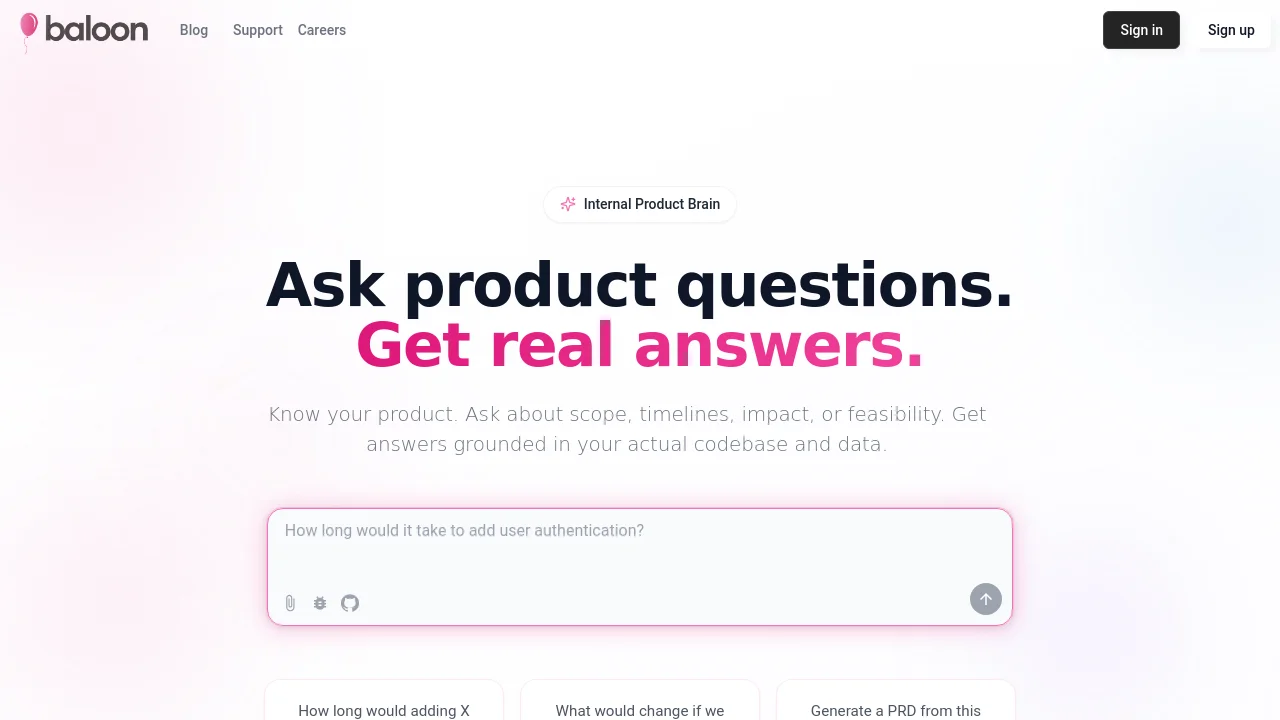
Baloon is a connector that lets you assign JIRA tasks directly to AI agents. Connect your Jira board to Baloon Agent or Cursor Agent, get task summaries and pull requests shared back to JIRA automatically, and ask product questions grounded in your codebase.

How to use Baloon.dev?

Install the Baloon Agent app from the Atlassian Marketplace, complete setup at baloon.dev/setup-agent, connect GitHub or a Cursor API key, map repository labels in Admin Settings, then assign JIRA tasks to the Baloon bot user or add the baloon label with your repo label.

Baloon.dev Core Features

01

JIRA integration

Connects with your JIRA instance to pick up tickets based on assignment, labels, and priority.

02

Automated code generation

Analyzes requirements and generates production-ready code following your project patterns and standards.

03

Pull request creation

Creates pull requests with descriptions linked to JIRA tickets and shares updates back to JIRA comments.

04

Product questions in JIRA

Answers scope, effort, impact, and feasibility questions using your codebase and project data without pulling in a developer.

Baloon.dev Use Cases

Assign small JIRA coding tasks to Baloon or Cursor agents

Get effort estimates and impact analysis from product questions in JIRA

Preview sandbox changes before merging AI-generated pull requests

Baloon.dev Frequently Asked Questions

What is Baloon Agent?

Baloon Agent lets you control and track AI agent tasks inside JIRA. It shares task summaries and pull requests back to JIRA automatically and can handle minor tasks, product questions, and PR previews.

How do I install Baloon in JIRA?

Install the Baloon Agent app from the Atlassian Marketplace in your JIRA instance. The app redirects you to baloon.dev/setup-agent to log in with JIRA, connect GitHub or a Cursor API key, and finish setup.

How do I assign work to Baloon from a JIRA ticket?

Create or invite the bot user baloon@baloon.dev on your board, or assign a task to that user with the baloon label plus your configured repository label. Baloon picks up the task, implements code, opens PRs, and posts updates in JIRA.

Baloon.dev Product Background & Official Links

Baloon.dev Support Email & Customer service contact & Refund contact etc.

Baloon.dev Support Email: hello@baloon.dev

More Contact, visit the about us page(https://baloon.dev/docs/baloon-agent)

Baloon.dev Twitter

Baloon.dev Twitter Link: https://x.com/BaloonDev

Baloon.dev LinkedIn

Baloon.dev LinkedIn Link: https://www.linkedin.com/company/baloon-dev

Baloon.dev Pricing & Plans

Sign up

Free
Free
  • JIRA Agent app installation
  • Connect GitHub or Cursor API key
  • Assign tickets to Baloon or Cursor agents
  • Automatic PRs and summaries in JIRA
Subscribe & upgrade now

Baloon.dev Tags

For DevelopersAI Agent ReadyFreemium

Best Suited Occupations for Baloon.dev

Software DevelopersProduct ManagersProject & Program Managers

Top Product Categories

LLMs & AI Agents

  • AI Chatbots
  • AI Agents
  • Prompt Engineering
  • AI Search Engine

Engineering & Code

  • AI Code Assistant
  • AI Code Generator
  • AI Developer Tools
  • No-Code & Low-Code

Image & Creative

  • AI Image Generator
  • AI Design Generator
  • AI Art Generator
  • Image-to-Image

Video & Animation

  • AI Video Generator
  • AI Short Video Maker
  • Digital Humans
  • AI Video Editor

Productivity & Office

  • AI Meeting Assistant
  • AI PDF Tools
  • AI Workflow
  • AI PPT Generator

Marketing & Sales

  • AI SEO Tools
  • AI Copywriting
  • AI Lead Generation
  • AI Sales Assistant

Audio & Voice

  • AI Voice Cloning
  • AI Text-to-Speech
  • AI Music Generator
  • AI Podcast Tools

Research & Data

  • AI Research Tools
  • AI Data Analytics
  • AI Knowledge Base
  • See All Categories >>
BAT AI TOOLS
  • Submit your AI tool
  • Pricing
  • Partnership
  • Feedback
  • About
WeChat QR
Scan QR code with WeChat
hi@bataitools.comClick icon to auto-copy email
English简体中文繁體中文EspañolالعربيةBahasa IndonesiaPortuguêsFrançais日本語РусскийDeutsch한국어TürkçeTiếng ViệtItalianoNederlandsPolskiไทยहिन्दीУкраїнськаفارسیবাংলাاردوSvenskaNorskDanskSuomiעברית

Copyright © 1970 BAT AI TOOLS. All Rights Reserved.

·Partnership·Privacy Policy·Terms of Service·Refund Policy