Sponsored byKaiso- Get audit-ready. Stay audit-ready.
BAT AI TOOLSBAT AI TOOLS
  • Tools
  • Category
  • Jobs
  • Pricing
  • PromoFREE
Free Submit
Sign In
  • Home
  • /
  • AI Testing Tools
  • /
  • BrowserBash
BrowserBash

BrowserBash

Active
Tagline:Free, open-source plain-English browser automation CLI
Updated:-
Social Media:
AI Testing ToolsAI Developer ToolsCoding & DevelopmentAI AgentOpen SourceFreeFor DevelopersAI Agent ReadyAPI AvailableCloud-based
Open Website
Visit Website
Promote this product|Claim this product
  • About
  • Pricing

What is BrowserBash?

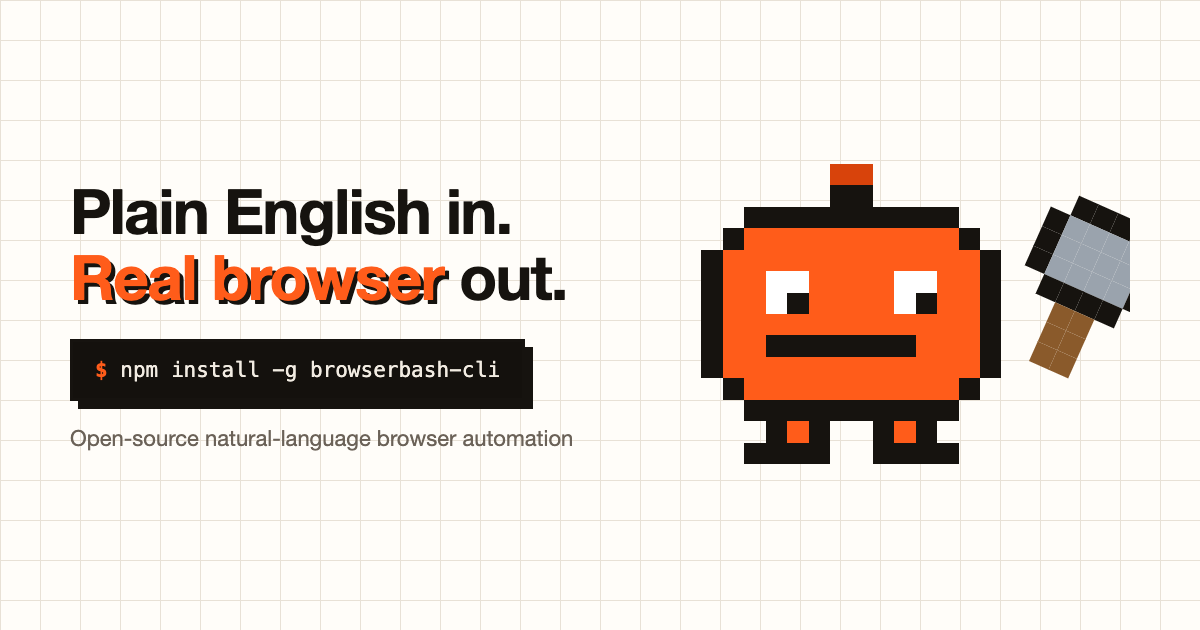
BrowserBash is a free, open-source natural language browser automation CLI. Describe an objective in plain English and an AI agent drives a real Chrome browser to complete it — no selectors, no code, and no API keys required to start. It runs on free local models via Ollama or free OpenRouter models, writes Markdown *_test.md files, exposes an MCP server for coding agents, and returns CI-friendly exit codes with optional session recording.
BrowserBash screenshot 1

How to use BrowserBash?

Install the CLI with `npm install -g browserbash-cli`, pull a free local model such as `ollama pull qwen3`, then run a plain-English objective like `browserbash run "Open https://example.com and store the heading as 'h1'"`. Save flows as `*_test.md` files with `browserbash testmd run`, add `--agent` for NDJSON output in CI, and optionally connect a free cloud account with `browserbash connect` to upload recordings.

BrowserBash Core Features

01

Plain-English objectives

Describe what you want — such as logging in and adding a product to the cart — and the agent figures out the clicks and typing without CSS selectors, XPath, or code to maintain.

02

MCP server for coding agents

`browserbash mcp` plugs into Claude Code, Cursor, Codex, or any MCP host and exposes run_objective, run_test_file, and run_suite tools with structured verdicts instead of guesswork.

03

Deterministic Verify assertions

Verify steps compile to real Playwright checks with expected-vs-actual evidence on failure, so a pass means the condition held without model judgment.

04

Markdown test files

Save scenarios as readable `*_test.md` files with `@import` composition, variable templating, and secret masking so shared setup stays in one place across your suite.

05

Free models, zero keys

Run on free local models with Ollama or free models on OpenRouter with zero API keys and no credit card; bring your own Anthropic or OpenRouter key only if you want.

06

Real browsers and cloud grids

Drive local Chrome, any CDP endpoint, or cloud providers including Browserbase, LambdaTest, and BrowserStack from the same plain-English tests.

BrowserBash Use Cases

Run natural-language E2E smoke tests in CI with NDJSON output and exit codes 0/1/2/3

Let coding agents validate UI changes through MCP after every edit

Convert or import Playwright suites into committable plain-English Markdown tests

Monitor production flows on an interval and alert Slack or webhooks on pass/fail changes

Replay saved login sessions across runs and suites without re-authenticating in CI

BrowserBash Frequently Asked Questions

Is BrowserBash really free?

Yes. BrowserBash is free and open-source under the Apache-2.0 license. Install it with `npm install -g browserbash-cli` and run unlimited automations locally at no cost. The optional cloud dashboard is free with an account, and only optional extended cloud retention may be paid later.

Do I need an API key or a credit card?

No. BrowserBash runs on free local models through Ollama or free OpenRouter models with zero API keys and no credit card. You can optionally bring your own Anthropic or OpenRouter key, but it is never required to get started.

How is this different from Playwright or Selenium?

Playwright and Selenium make you write code and brittle selectors that break when the UI changes. BrowserBash takes a plain-English objective and lets an AI agent figure out the actions on a real browser — no selectors and no code — while still offering Markdown test files, NDJSON agent mode, CI exit codes, and session recording.

Can I run it in CI/CD?

Yes. BrowserBash emits structured NDJSON in agent mode and returns standard CI exit codes (0/1/2/3) so your pipeline can pass or fail on the result. Markdown *_test.md files with @import composition let you organize and reuse flows across a suite.

Does my data leave my machine?

By default, no. The CLI is local-first: objectives, pages visited, screenshots, recordings, variables, and credentials stay on your computer. Data only reaches BrowserBash servers if you create a free account and explicitly link the CLI or upload a run with --upload.

BrowserBash Product Background & Official Links

BrowserBash Support Email & Customer service contact & Refund contact etc.

BrowserBash Support Email: thetestingacademy@gmail.com

More Contact, visit the about us page(https://browserbash.com/learn)

BrowserBash Company Info

BrowserBash Company name: The Testing Academy

More about BrowserBash, Please visit the about us page(https://browserbash.com/learn)

BrowserBash Pricing

BrowserBash Pricing Link: https://browserbash.com/pricing

BrowserBash GitHub

BrowserBash GitHub Link: https://github.com/PramodDutta/browserbash

BrowserBash Pricing & Plans

Free

Free
$0 / forever
  • Full open-source CLI with every command and no locked features
  • Plain-English automation on local Chrome, CDP, Browserbase, LambdaTest, or BrowserStack
  • Free local models via Ollama or free OpenRouter models with zero API keys
  • Markdown *_test.md tests, NDJSON agent mode, and session recording with --record
  • Free local web dashboard and free cloud account with 15-day run history
Subscribe & upgrade now

Supporter

contact
Coming soon
  • Everything in Free
  • Extended cloud run retention beyond the free 15-day window
  • Directly supports ongoing open-source development
Subscribe & upgrade now

BrowserBash Tags

Open SourceFreeFor DevelopersAI Agent ReadyAPI AvailableCloud-based

Best Suited Occupations for BrowserBash

Software DevelopersIT Ops & SecurityProduct Managers

Top Product Categories

LLMs & AI Agents

  • AI Chatbots
  • AI Agents
  • Prompt Engineering
  • AI Search Engine

Engineering & Code

  • AI Code Assistant
  • AI Code Generator
  • AI Developer Tools
  • No-Code & Low-Code

Image & Creative

  • AI Image Generator
  • AI Design Generator
  • AI Art Generator
  • Image-to-Image

Video & Animation

  • AI Video Generator
  • AI Short Video Maker
  • Digital Humans
  • AI Video Editor

Productivity & Office

  • AI Meeting Assistant
  • AI PDF Tools
  • AI Workflow
  • AI PPT Generator

Marketing & Sales

  • AI SEO Tools
  • AI Copywriting
  • AI Lead Generation
  • AI Sales Assistant

Audio & Voice

  • AI Voice Cloning
  • AI Text-to-Speech
  • AI Music Generator
  • AI Podcast Tools

Research & Data

  • AI Research Tools
  • AI Data Analytics
  • AI Knowledge Base
  • See All Categories >>
BAT AI TOOLS
  • Submit your AI tool
  • Pricing
  • Partnership
  • Feedback
  • About
WeChat QR
Scan QR code with WeChat
hi@bataitools.comClick icon to auto-copy email
English简体中文繁體中文EspañolالعربيةBahasa IndonesiaPortuguêsFrançais日本語РусскийDeutsch한국어TürkçeTiếng ViệtItalianoNederlandsPolskiไทยहिन्दीУкраїнськаفارسیবাংলাاردوSvenskaNorskDanskSuomiעברית

Copyright © 2026 BAT AI TOOLS. All Rights Reserved.

·Partnership·Privacy Policy·Terms of Service·Refund Policy