Sponsored byNemoVideo- Pro AI video editing agent to chat your way to viral content
BAT AI TOOLSBAT AI TOOLS
  • Tools
  • Category
  • Jobs
  • Pricing
  • PromoFREE
Free Submit
Sign In
  • Home
  • /
  • AI Spreadsheet Tools
  • /
  • Commabot
Commabot

Commabot

Active
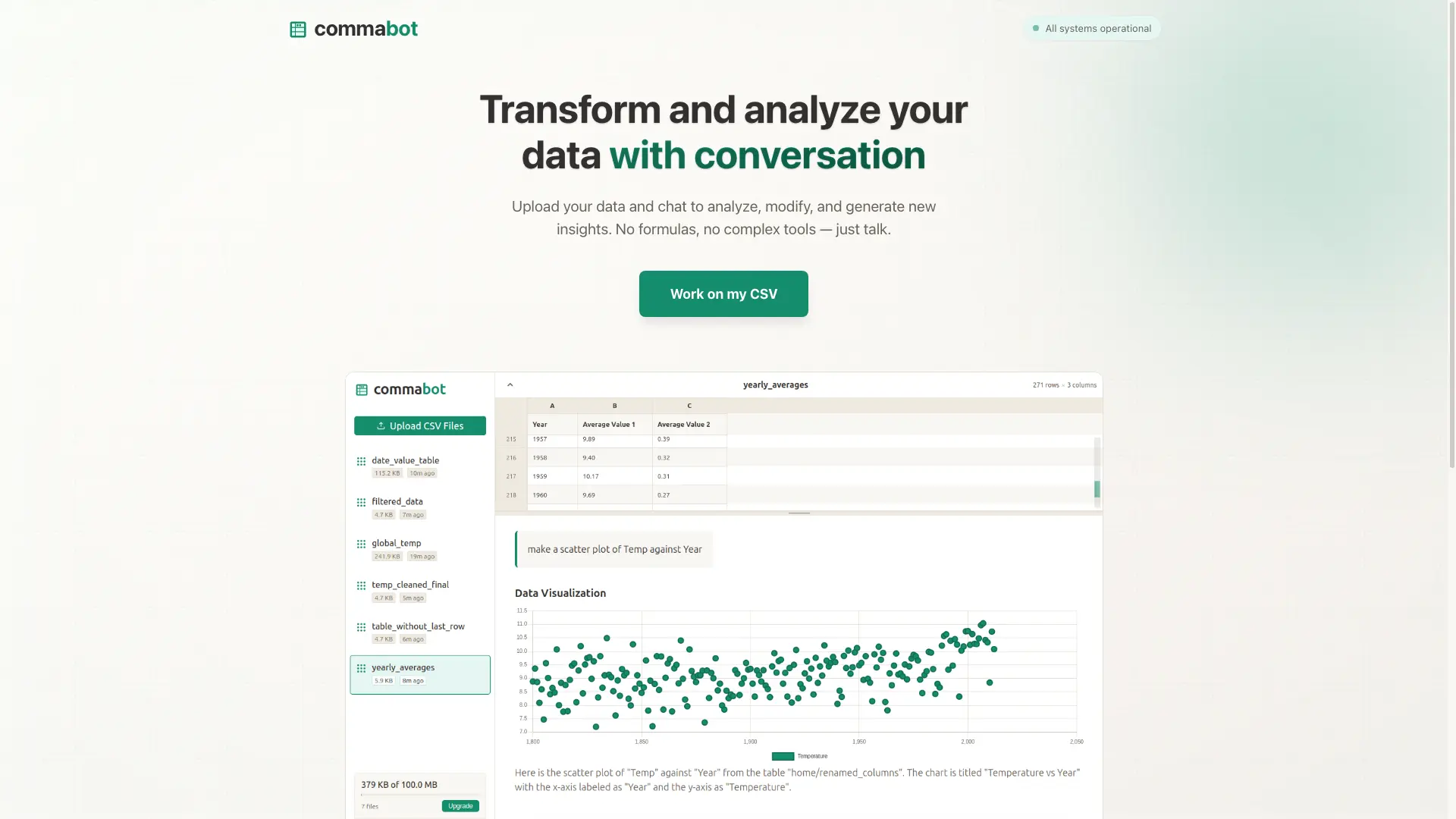
Tagline:Transform and analyze your data with conversation
Updated:September 5, 2026
Domain Rating:
5Domain Rating by Ahrefs
Social Media:
AI Spreadsheet ToolsAI Data AnalyticsResearch & Data AnalysisAI WorkflowAI ChatbotAI CRMOffice & ProductivityAI AssistantAI Lead GenerationFreeFreemiumSubscriptionWeb AppCloud-basedZero SetupNo-CodeReal-time
Open Website
Commabot
Visit Website
|
  • About
  • Pricing

What is Commabot?

Upload your data and chat to analyze, modify, and generate new insights. No formulas, no complex tools — just talk. Commabot is a web-based CSV processing and analysis tool that lets you interact with an uploaded file through a conversational interface, plus a library of ready-made workflows for contact list prep: phone number formatting, deduplication, unsubscribe removal, and Hubspot or Salesforce import mapping. Uploaded CSV files are processed in memory and deleted after the session unless you explicitly save them to your account.
Commabot screenshot 1

How to use Commabot?

1. Open the CSV workspace from "Work on my CSV" on the homepage. 2. Sign in — an account is required to upload and manage files. 3. Upload a CSV file (single file only). 4. Ask questions in plain English, or pick a workflow from the sidebar library and run it on the file. 5. Optionally add extra requirements to a workflow — which columns to include or exclude, filtering or cleaning rules, output format, rows to skip — or attach an example CSV so the workflow matches your expected output. 6. Review the generated table and confirm "Yes - Keep Table" or "No - Delete Table". 7. Download the resulting CSV.

Commabot Core Features

01

Conversational CSV workspace

Upload your data and chat to analyze, modify, and generate new insights. No formulas, no complex tools — just talk.

02

Questions in plain English

Ask questions about the uploaded file in plain English instead of writing spreadsheet formulas or custom scripts.

03

Charts and summaries

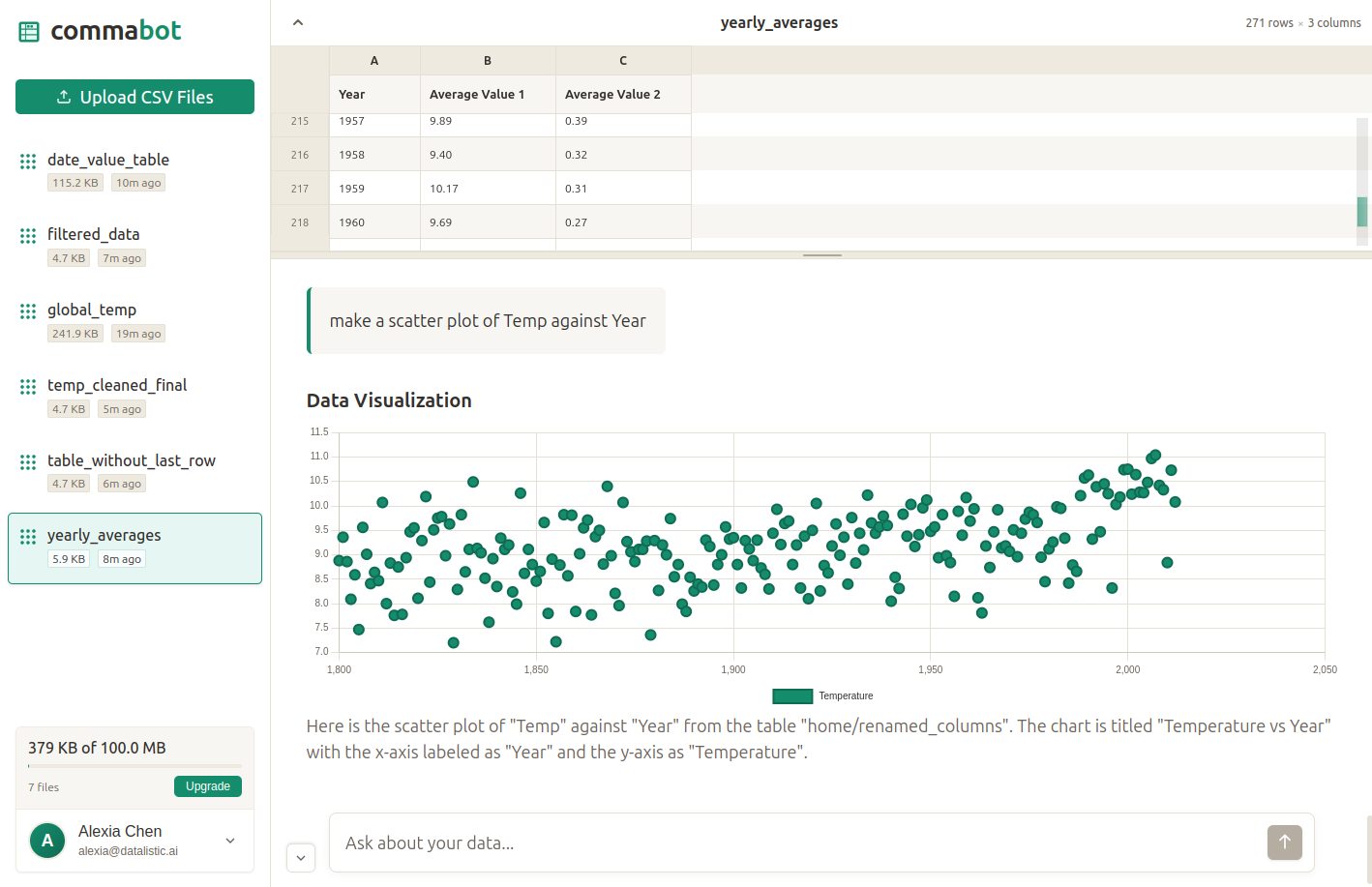
Generate charts and summaries from the uploaded data inside the chat session.

04

Clean and transform data

Clean and transform columns through chat requests, then confirm whether to keep or delete the resulting table.

05

Workflow library

Six ready-made public workflows grouped as Cleaning, Import and Merging: Format Phone Numbers, Remove Duplicates, Remove Unsubscribes, Hubspot Import, Salesforce Import, Merge Lists. Each workflow shows how many times it has been used and its average processing time.

06

Phone number standardization

The phone workflow converts values to international E.164 format such as +15551234567, cleaning formats like (555) 123-4567 or 555.123.4567 by removing spaces, dashes, dots and parentheses.

07

CRM-ready field mapping

The Hubspot and Salesforce workflows rewrite headers to each platform's required field names and split full names into separate first and last name columns.

08

Custom workflow requirements

Add specific instructions on top of a workflow's master prompt — columns to include or exclude, filtering rules, output format preferences, rows to skip — and attach an optional example CSV of up to 2MB to show the expected result.

09

In-memory processing

CSV files are processed in memory and automatically deleted after your session unless explicitly saved. Saved chat conversations are encrypted and stored on Google Cloud Platform infrastructure.

Commabot Use Cases

Prepare a prospect list for Hubspot import with the exact First name, Last name and Email field names the platform requires

Standardize phone numbers in a contact export to E.164 format before loading them into a CRM

Remove contacts that appear in an unsubscribe list before sending an email campaign

Deduplicate a recruiter's candidate database after combining exports from several sources

Ask questions about a sales report or survey CSV and generate a chart without writing formulas

Merge two contact lists into one consolidated dataset

Commabot Frequently Asked Questions

What files can I upload?

CSV files only, and one file at a time. When you build or customize a workflow you can also attach an optional example CSV of up to 2MB so the workflow matches the output you expect.

Are my uploaded files stored?

CSV files are processed in memory and automatically deleted after your session unless you explicitly save them to your account. Saved chat conversations are encrypted and stored on secure Google Cloud Platform infrastructure.

Is my data sold or used to train models?

No. Commabot states it does not peek at your contacts, sell them, or use them for training models, and its privacy policy says personal information and CSV data are not sold, traded or transferred to third parties — except when required by law, to protect its rights, or with service providers bound by strict confidentiality agreements.

Do I need an account?

Yes to work with files — the file panel asks you to sign in to upload and manage CSV files. An account is created with an email address and authentication data.

Which workflows are available?

Six public workflows: Format Phone Numbers, Remove Duplicates and Remove Unsubscribes under Cleaning, Hubspot Import and Salesforce Import under Import, and Merge Lists under Merging.

Are there processing limits?

Yes. The terms of service state that the service has limitations on file sizes, processing time and usage frequency, and that reasonable limits may be applied to ensure fair access for all users.

How much does Extended Access cost?

The regular price shown is $17 per month; joining the waitlist locks in $9 per month, a 47% saving. No credit card is required and you can cancel anytime.

Commabot Product Background & Official Links

Commabot Support Email & Customer service contact & Refund contact etc.

Commabot Support Email: support@commabot.com

More Contact, visit the about us page(https://commabot.com/about)

Commabot Pricing & Plans

Free

Free
Free
  • Conversational CSV workspace
  • Questions in plain English, charts and summaries
  • Library of six public workflows
  • Save files and chat history to your account
Subscribe & upgrade now

Extended Access

Recurring
$17 /month
  • Higher limits on CSV processing & analysis
  • Early access to features
  • Export results in multiple formats
  • Cancel anytime
Subscribe & upgrade now
Most Popular

Extended Access (Waitlist)

Recurring
$9 /month
  • Limited-time waitlist price, 47% off the $17 regular price
  • Higher limits on CSV processing & analysis
  • Early access to features
  • Export results in multiple formats
  • No credit card required, cancel anytime
Subscribe & upgrade now

Commabot Tags

FreeFreemiumSubscriptionWeb AppCloud-basedZero SetupNo-CodeReal-timeBulk ProcessingSecure DataSolopreneur

Best Suited Occupations for Commabot

Sales & Business DevelopmentWriters & MarketersHR Professionals & RecruitersSmall Business OwnersData ScientistsFreelancersGeneral Consumers

Top Product Categories

LLMs & AI Agents

  • AI Chatbots
  • AI Agents
  • Prompt Engineering
  • AI Search Engine

Engineering & Code

  • AI Code Assistant
  • AI Code Generator
  • AI Developer Tools
  • No-Code & Low-Code

Image & Creative

  • AI Image Generator
  • AI Design Generator
  • AI Art Generator
  • Image-to-Image

Video & Animation

  • AI Video Generator
  • AI Short Video Maker
  • Digital Humans
  • AI Video Editor

Productivity & Office

  • AI Meeting Assistant
  • AI PDF Tools
  • AI Workflow
  • AI PPT Generator

Marketing & Sales

  • AI SEO Tools
  • AI Copywriting
  • AI Lead Generation
  • AI Sales Assistant

Audio & Voice

  • AI Voice Cloning
  • AI Text-to-Speech
  • AI Music Generator
  • AI Podcast Tools

Research & Data

  • AI Research Tools
  • AI Data Analytics
  • AI Knowledge Base
  • See All Categories >>
BAT AI TOOLS
  • Submit your AI tool
  • Pricing
  • Partnership
  • Feedback
  • About
  • A2A Compatible
WeChat QR
Scan QR code with WeChat
hi@bataitools.comClick icon to auto-copy email
English简体中文繁體中文EspañolالعربيةBahasa IndonesiaPortuguêsFrançais日本語РусскийDeutsch한국어TürkçeTiếng ViệtItalianoNederlandsPolskiไทยहिन्दीУкраїнськаفارسیবাংলাاردوSvenskaNorskDanskSuomiעברית

Copyright © 1970 BAT AI TOOLS. All Rights Reserved.

·Partnership·Privacy Policy·Terms of Service·Refund Policy