

Sponsored byXquik- X Twitter data through REST, MCP & SDKs.
BAT AI TOOLSBAT AI TOOLS
  • Tools
  • Category
  • Jobs
  • Pricing
  • PromoFREE
Free Submit
Sign In
  • Home
  • /
  • AI Code Assistant
  • /
  • Dosmos
Dosmos

Dosmos

Active
Tagline:Point, click and let AI code.
Updated:October 23, 2026
Domain Rating:
11Domain Rating by Ahrefs
Social Media:
AI Code AssistantAI Developer ToolsAI UI/UX DesignCoding & DevelopmentFreeOpen SourceDesktop AppMac CompatibleWindows CompatibleFor DevelopersFor DesignersAI Agent Ready
Open Website
Dosmos
Visit Website
|
  • About
  • Pricing

What is Dosmos?

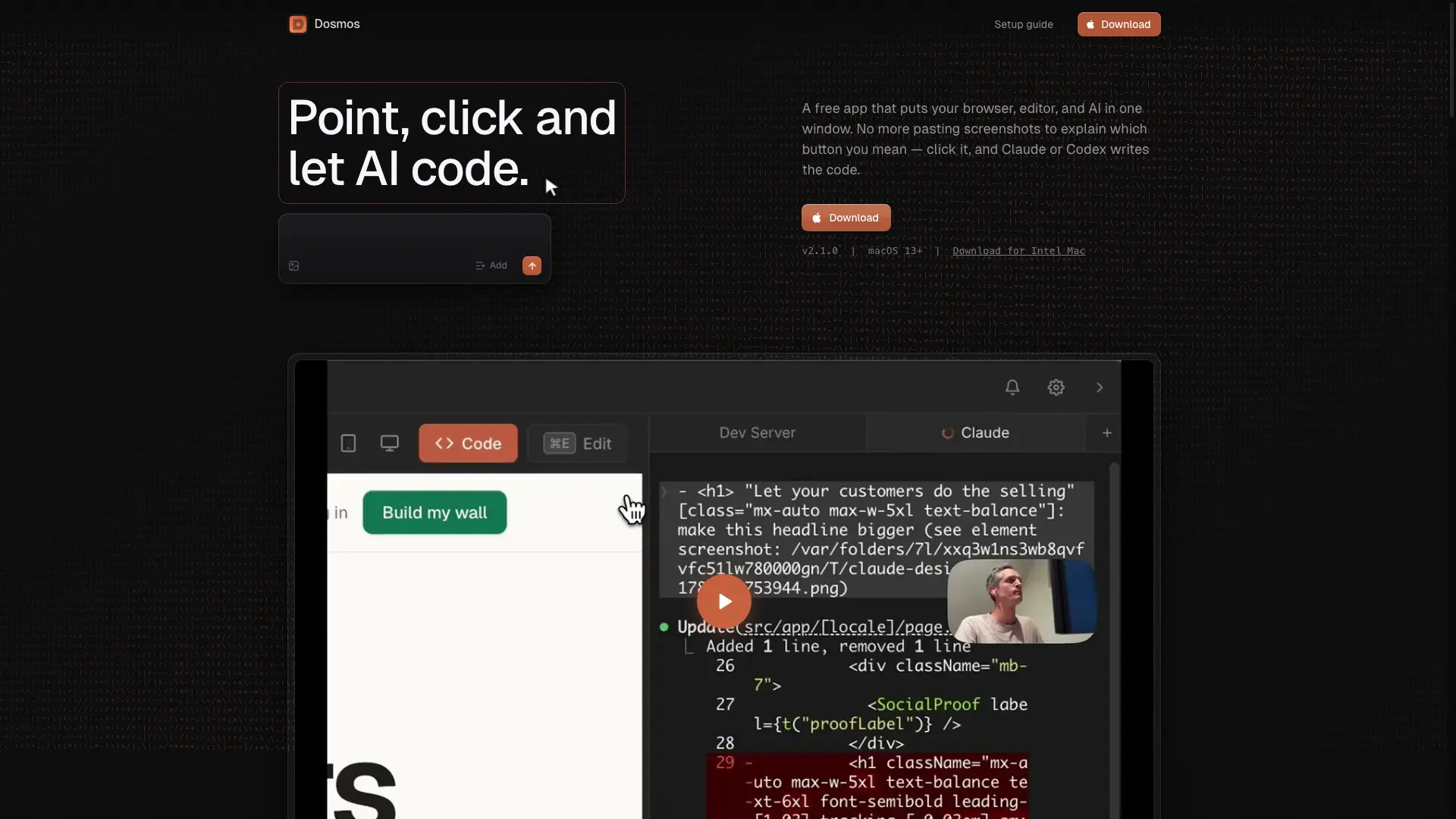
Dosmos is a free, open-source desktop app that puts a browser, code editor, terminal, and Chrome DevTools in one window. Click any element on your running site and your AI coding agent gets the exact source file and line number, so you never have to describe or screenshot what you mean. It connects to Claude Code, Cursor, Codex, Antigravity, or Qwen.

How to use Dosmos?

Install Node.js and a coding agent (Claude Code, Cursor, Codex, Antigravity, or Qwen), download Dosmos for macOS or Windows, then click elements in your running site to send precise source locations straight to your AI agent.

Dosmos Core Features

01

Point & Click

Click any element on your running site; your AI agent receives the exact source file and line number. No screenshots needed.

02

Area Select

Drag a box around any region to give the AI the visual context it needs before making a change.

03

Multi-Edit

Select several elements, queue up changes, and send them all to your AI agent in one go.

04

Built-in Code Editor

Click an element and its source opens on the exact line. CMD+P jumps to any file, CMD+S saves and hot-reloads.

05

Chrome DevTools

Full Chrome Inspector, console, and network panel docked inside the app — no leaving the window to debug.

06

Design Tokens & CSS Inspector

Type > to search Tailwind tokens and write them instead of hardcoded values; hold ALT to inspect computed styles and colours.

Dosmos Use Cases

Tweak UI spacing, colours, and copy without describing which element you mean

Build and debug web frontends with browser, editor, terminal, and DevTools in one window

Keep AI edits inside your design system by referencing Tailwind tokens instead of hardcoded values

Responsive-test designs across desktop, tablet, and mobile viewports

Onboard to an unfamiliar codebase by clicking elements to jump straight to their source

Dosmos Frequently Asked Questions

What is Dosmos?

Dosmos is a free, open-source desktop app that puts a browser, a code editor, a terminal, and Chrome DevTools in one window. You click an element on your running site and your AI coding agent receives the exact source file and line number to change, so you never have to describe or screenshot the element you mean.

Which AI coding agents does Dosmos work with?

Dosmos runs on top of the command-line coding agent you already use: Claude Code, Cursor, Codex, Antigravity, or Qwen. It does not ship its own model and does not require a separate AI subscription.

How much does Dosmos cost?

Dosmos is free and open source. There is no account, no subscription, and no paid tier — you download it and start building. You continue to pay only for whichever AI coding agent you already use.

Which operating systems does Dosmos support?

Dosmos runs on macOS 13 or newer, with separate builds for Apple Silicon and Intel Macs, and on Windows 10 or newer.

How is Dosmos different from browser DevTools?

Browser DevTools edits styles in the page only, so the change disappears on refresh. Dosmos maps the element you clicked back to its source file and line, so your AI agent edits the real code in your project and the change persists.

Do I need to know how to code to use Dosmos?

No. The Dosmos setup guide walks you from a brand-new Mac or Windows PC to a running project in plain English, covering how to install Node.js, install a coding agent, and open your first project.

Does Dosmos send my code anywhere?

No. Your code, your projects, and your API keys stay on your device. Product analytics are opt-in, auto-updates only check for new releases, and Dosmos has no accounts and no payments.

Dosmos Product Background & Official Links

Dosmos Support Email & Customer service contact & Refund contact etc.

More Contact, visit the about us page(https://dosmos.app/setup)

Dosmos Twitter

Dosmos Twitter Link: https://x.com/assentorp

Dosmos GitHub

Dosmos GitHub Link: https://github.com/assentorp/dosmos

Dosmos Pricing & Plans

Most Popular

Free

Free
Free
  • Free and open-source desktop app
  • No account or subscription required
  • Runs on macOS 13+ and Windows 10+
  • Connects to Claude Code, Cursor, Codex, Antigravity, or Qwen
Subscribe & upgrade now

Dosmos Tags

FreeOpen SourceDesktop AppMac CompatibleWindows CompatibleFor DevelopersFor DesignersAI Agent Ready

Best Suited Occupations for Dosmos

Software DevelopersIndie HackersFreelancersStudents

Top Product Categories

LLMs & AI Agents

  • AI Chatbots
  • AI Agents
  • Prompt Engineering
  • AI Search Engine

Engineering & Code

  • AI Code Assistant
  • AI Code Generator
  • AI Developer Tools
  • No-Code & Low-Code

Image & Creative

  • AI Image Generator
  • AI Design Generator
  • AI Art Generator
  • Image-to-Image

Video & Animation

  • AI Video Generator
  • AI Short Video Maker
  • Digital Humans
  • AI Video Editor

Productivity & Office

  • AI Meeting Assistant
  • AI PDF Tools
  • AI Workflow
  • AI PPT Generator

Marketing & Sales

  • AI SEO Tools
  • AI Copywriting
  • AI Lead Generation
  • AI Sales Assistant

Audio & Voice

  • AI Voice Cloning
  • AI Text-to-Speech
  • AI Music Generator
  • AI Podcast Tools

Research & Data

  • AI Research Tools
  • AI Data Analytics
  • AI Knowledge Base
  • See All Categories >>
BAT AI TOOLS
  • Submit your AI tool
  • Pricing
  • Partnership
  • Feedback
  • About
  • A2A Compatible
WeChat QR
Scan QR code with WeChat
hi@bataitools.comClick icon to auto-copy email
English简体中文繁體中文EspañolالعربيةBahasa IndonesiaPortuguêsFrançais日本語РусскийDeutsch한국어TürkçeTiếng ViệtItalianoNederlandsPolskiไทยहिन्दीУкраїнськаفارسیবাংলাاردوSvenskaNorskDanskSuomiעברית

Copyright © 1970 BAT AI TOOLS. All Rights Reserved.

·Partnership·Privacy Policy·Terms of Service·Refund Policy