

Sponsored byPix Me!- Snap Your Polaroid — upload a photo to get started
BAT AI TOOLSBAT AI TOOLS
  • Tools
  • Category
  • Jobs
  • Pricing
  • PromoFREE
Free Submit
Sign In
  • Home
  • /
  • AI Video Editor
  • /
  • Eklipse
Eklipse

Eklipse

Active
Tagline:Turn a full stream into clips worth posting
Updated:-
Social Media:
AI Video EditorAI Video GeneratorAI Short Video GeneratorFreemiumSubscriptionWeb AppMobile AppFor CreatorsNo Watermark
Open Website
Eklipse
Visit Website
Promote this product|Claim this product
  • About
  • Pricing

What is Eklipse?

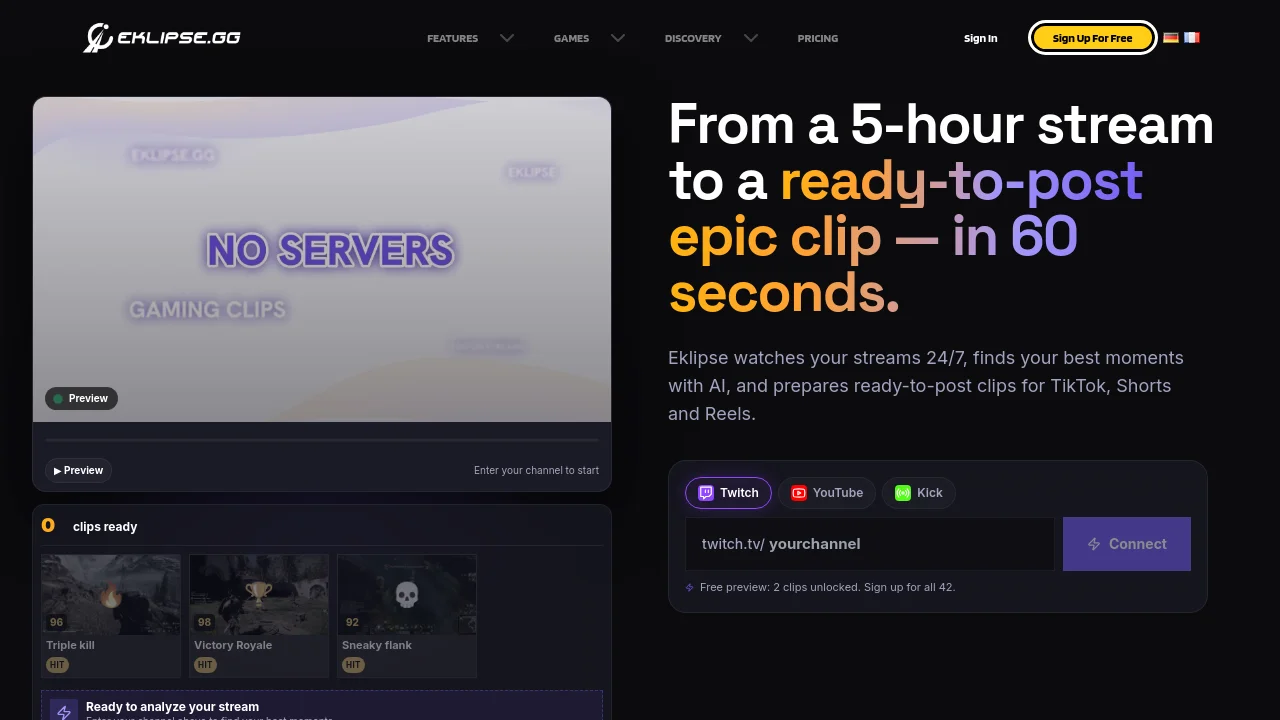
Eklipse is an AI clipping tool that connects to Twitch, Kick, or YouTube, finds the best moments in your streams, cuts them into vertical clips, and prepares them for TikTok, Shorts, and Reels. It supports 3,000+ games and also detects useful moments in Just Chatting, podcasts, and other stream formats.
Eklipse screenshot 1

How to use Eklipse?

Create a free account, connect your Twitch, Kick, or YouTube channel, and let Eklipse analyze your next stream VOD. Review the AI-detected highlights, edit in Eklipse Studio if needed, then export or schedule posts to TikTok, YouTube Shorts, and Instagram Reels.

Eklipse Core Features

01

AI Highlights

Game-aware AI detects clutches, multi-kills, reactions, and audience spikes from full stream VODs on Twitch, Kick, YouTube, and Facebook.

02

AI Edit

Turns detected moments into social-ready vertical clips with automatic cuts, captions, gaming memes, stickers, and effects that stay editable in Studio.

03

Voice Command

Say "clip it" mid-stream without a hotkey or alt-tab, and Eklipse saves that portion of the video as a clip while you keep playing.

04

Vertical Converter

Reframes landscape gameplay to 9:16 with gameplay and facecam stacked for TikTok, Shorts, and Reels.

05

Auto-Post to Socials

Publish finished clips now or schedule a week of posts to TikTok, YouTube Shorts, and Instagram Reels from one dashboard.

Eklipse Use Cases

Turn Twitch, Kick, or YouTube VODs into TikTok and Shorts after a long gaming session

Clip Call of Duty, Valorant, and League of Legends highlights without scrubbing the full match

Post consistently from Just Chatting, IRL, and podcast streams with non-gameplay detection

Edit and share console streams from PS5 or Xbox without a capture card workflow

Schedule a week of short-form posts instead of uploading clips one by one

Eklipse Frequently Asked Questions

What is Eklipse.gg?

Eklipse is an AI clipping tool that connects to your Twitch, Kick, or YouTube channel, finds the best moments in your streams, cuts them into vertical clips, and publishes them to TikTok, Reels, and Shorts. It supports 3,000+ games.

Is Eklipse free?

Signing up and connecting your channel is free, and you can preview clips from a recent stream scan before paying. Creating and exporting clips requires an Eklipse Premium subscription.

Does Eklipse find clips automatically?

Yes. Eklipse analyses connected stream VODs and detects moments such as gameplay events, reactions, and audience spikes. You can review and adjust every clip before exporting.

Which streaming platforms can I connect?

Eklipse supports Twitch, Kick, YouTube, and Facebook stream workflows. Exact access depends on your plan.

Can I post directly to social media?

Yes. Finished clips can be published or scheduled for TikTok, YouTube Shorts, and Instagram Reels from inside Eklipse.

Eklipse Product Background & Official Links

Eklipse Support Email & Customer service contact & Refund contact etc.

Eklipse Support Email: support@eklipse.gg

More Contact, visit the about us page(https://eklipse.gg/help)

Eklipse Company Info

Eklipse Company name: Main Spring Technology Pte Ltd

Eklipse Developer Type: company

More about Eklipse, Please visit the about us page(https://eklipse.gg/help)

Eklipse Pricing

Eklipse Pricing Link: https://eklipse.gg/help/how-much-does-eklipse-premium-cost

Eklipse Youtube

Eklipse Youtube Link: https://www.youtube.com/c/EklipseHighlights

Eklipse Twitter

Eklipse Twitter Link: https://x.com/Eklipse_gg

Eklipse Facebook

Eklipse Facebook Link: https://www.facebook.com/Eklipse-Highlights-106189965167087

Eklipse Instagram

Eklipse Instagram Link: https://www.instagram.com/eklipse_highlights/

Eklipse Pricing & Plans

Free Account

Free
Free
  • Create an account and connect Twitch, Kick, or YouTube
  • Preview AI-detected clips from a recent stream scan
  • No payment required to sign up
Subscribe & upgrade now

Premium Monthly

Recurring
$24.99 /month
  • Unlimited AI clipping across your streams
  • Up to 1080p 60fps exports with no watermark
  • AI editing with captions, jumpcuts, memes, and effects
  • 1000+ premium templates
  • Priority AI processing and support
Subscribe & upgrade now

Premium Semi-Annual

Recurring
$112.99 every 6 months
  • All Premium features
  • Lower cost than paying month to month
  • Billed every 6 months on web
Subscribe & upgrade now
Most Popular

Premium Annual

Recurring
$179.99 /year
  • All Premium features
  • About $14.99 per month when billed yearly
  • Saves $119.89 per year vs monthly billing on web
Subscribe & upgrade now

Eklipse Tags

FreemiumSubscriptionWeb AppMobile AppFor CreatorsNo Watermark

Best Suited Occupations for Eklipse

Gamers & StreamersAudio & Video ProducersSelf-Media & Influencers

Top Product Categories

LLMs & AI Agents

  • AI Chatbots
  • AI Agents
  • Prompt Engineering
  • AI Search Engine

Engineering & Code

  • AI Code Assistant
  • AI Code Generator
  • AI Developer Tools
  • No-Code & Low-Code

Image & Creative

  • AI Image Generator
  • AI Design Generator
  • AI Art Generator
  • Image-to-Image

Video & Animation

  • AI Video Generator
  • AI Short Video Maker
  • Digital Humans
  • AI Video Editor

Productivity & Office

  • AI Meeting Assistant
  • AI PDF Tools
  • AI Workflow
  • AI PPT Generator

Marketing & Sales

  • AI SEO Tools
  • AI Copywriting
  • AI Lead Generation
  • AI Sales Assistant

Audio & Voice

  • AI Voice Cloning
  • AI Text-to-Speech
  • AI Music Generator
  • AI Podcast Tools

Research & Data

  • AI Research Tools
  • AI Data Analytics
  • AI Knowledge Base
  • See All Categories >>
BAT AI TOOLS
  • Submit your AI tool
  • Pricing
  • Partnership
  • Feedback
  • About
WeChat QR
Scan QR code with WeChat
hi@bataitools.comClick icon to auto-copy email
English简体中文繁體中文EspañolالعربيةBahasa IndonesiaPortuguêsFrançais日本語РусскийDeutsch한국어TürkçeTiếng ViệtItalianoNederlandsPolskiไทยहिन्दीУкраїнськаفارسیবাংলাاردوSvenskaNorskDanskSuomiעברית

Copyright © 2026 BAT AI TOOLS. All Rights Reserved.

·Partnership·Privacy Policy·Terms of Service·Refund Policy