


Sponsored byPlainScribe- Pay-as-you-go AI transcription & translation — no monthly plan
BAT AI TOOLSBAT AI TOOLS
  • Tools
  • Category
  • Jobs
  • Pricing
  • PromoFREE
Free Submit
Sign In
  • Home
  • /
  • AI Content Summarizer
  • /
  • ExplainTXT
ExplainTXT

ExplainTXT

Active
Tagline:Press ⌘⇧E on any website to summarize or explain highlighted text instantly
Updated:October 22, 2026
Domain Rating:
1Domain Rating by Ahrefs
Social Media:
AI Content SummarizerAI ReaderAI Article SummarizerAI AssistantFreeFreemiumSubscriptionChrome ExtensionBrowser ExtensionZero SetupCloud-basedFor Students
Open Website
ExplainTXT
Visit Website
|
  • About
  • Pricing

What is ExplainTXT?

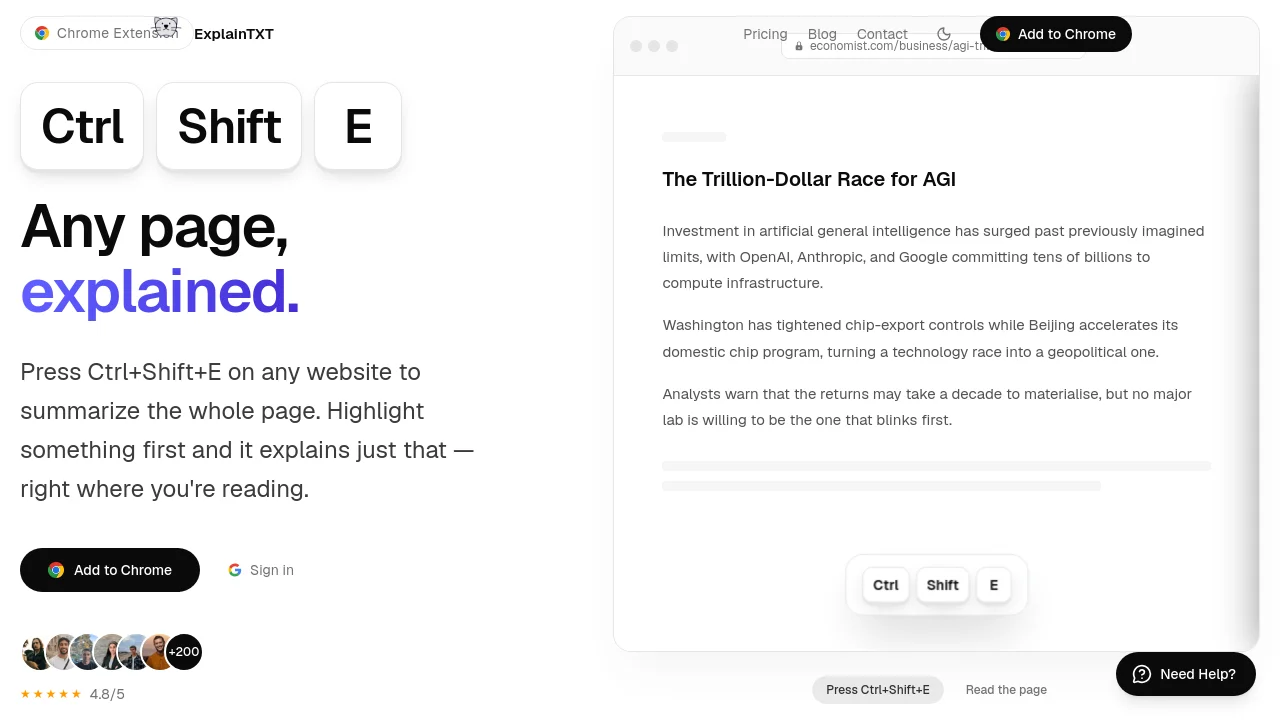
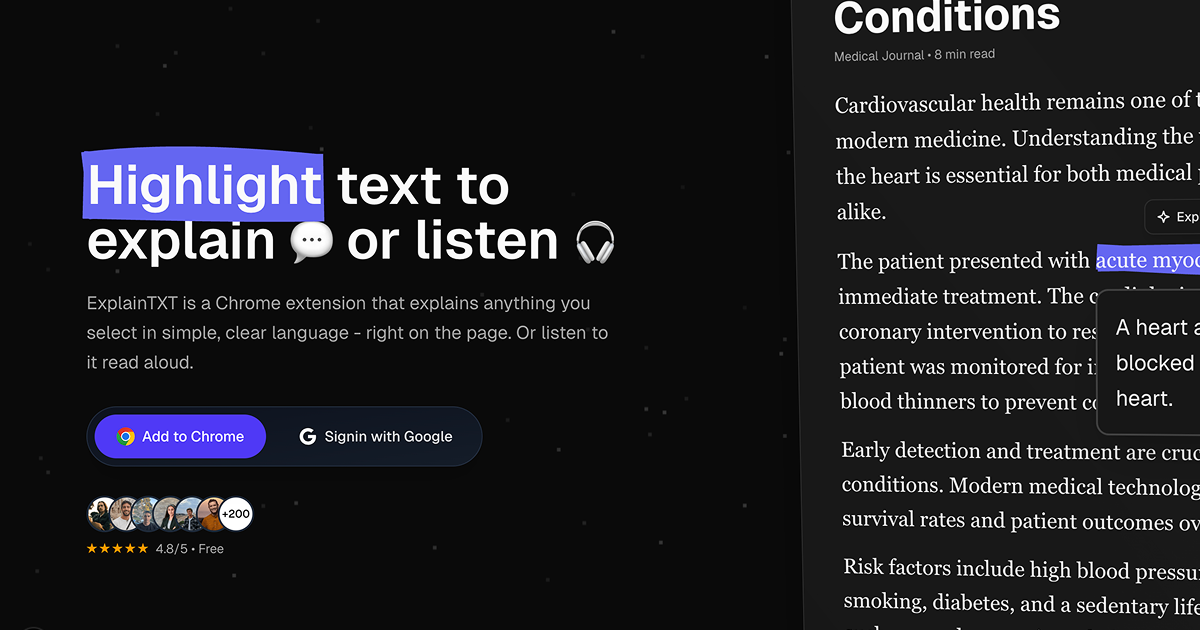
ExplainTXT is an on-site AI reading assistant Chrome extension. Press ⌘⇧E to summarize the entire web page, or highlight specific text to get plain-language explanations and ask follow-up questions directly in the sidebar.
ExplainTXT screenshot 1

How to use ExplainTXT?

1. Install the ExplainTXT Chrome extension from the Chrome Web Store. 2. Press ⌘⇧E on any webpage to generate an instant page summary. 3. Alternatively, highlight any confusing text to see an explanation and ask follow-up questions in the sidebar.

ExplainTXT Core Features

01

One-Key Full Page Summaries

Press ⌘⇧E with nothing selected to open a sidebar summary breaking down dense articles, documents, or comment threads into key takeaways.

02

Highlight & Explain

Select jargon, technical clauses, or difficult sentences to get instant plain-language explanations right where you are reading.

03

Interactive Follow-Up Chat

Ask follow-up questions directly in the extension sidebar to clarify details without switching tabs or context.

ExplainTXT Use Cases

Summarizing long articles and research papers

Clarifying complex legal clauses and terms of service

Understanding technical documentation while browsing

ExplainTXT Frequently Asked Questions

How do I activate ExplainTXT on a web page?

Press the ⌘⇧E shortcut (or customize it in Chrome), click the toolbar icon, or highlight any text to open the sidebar.

What is included in the Free plan?

The Free plan provides 10 reads per day, works on any website, includes follow-up chat, and requires no credit card.

Can I ask follow-up questions after an explanation?

Yes, every summary or explanation comes with a built-in follow-up chat in the sidebar so you can dig deeper into the content.

ExplainTXT Product Background & Official Links

ExplainTXT Support Email & Customer service contact & Refund contact etc.

ExplainTXT Support Email: support@explaintxt.com

More Contact, visit the about us page(https://explaintxt.com)

ExplainTXT Pricing

ExplainTXT Pricing Link: https://explaintxt.com/pricing

ExplainTXT Pricing & Plans

Free

Free
Free
  • 10 reads per day
  • Works on any website
  • Follow-up chat on every result
  • No credit card required
Subscribe & upgrade now
Most Popular

Pro

Recurring
$10.00 /month
  • 100 reads per day
  • Everything in Free
  • Priority support
  • Cancel anytime
Subscribe & upgrade now

ExplainTXT Tags

FreeFreemiumSubscriptionChrome ExtensionBrowser ExtensionZero SetupCloud-basedFor Students

Best Suited Occupations for ExplainTXT

StudentsAcademic ResearchersGeneral ConsumersWriters & Marketers

Top Product Categories

LLMs & AI Agents

  • AI Chatbots
  • AI Agents
  • Prompt Engineering
  • AI Search Engine

Engineering & Code

  • AI Code Assistant
  • AI Code Generator
  • AI Developer Tools
  • No-Code & Low-Code

Image & Creative

  • AI Image Generator
  • AI Design Generator
  • AI Art Generator
  • Image-to-Image

Video & Animation

  • AI Video Generator
  • AI Short Video Maker
  • Digital Humans
  • AI Video Editor

Productivity & Office

  • AI Meeting Assistant
  • AI PDF Tools
  • AI Workflow
  • AI PPT Generator

Marketing & Sales

  • AI SEO Tools
  • AI Copywriting
  • AI Lead Generation
  • AI Sales Assistant

Audio & Voice

  • AI Voice Cloning
  • AI Text-to-Speech
  • AI Music Generator
  • AI Podcast Tools

Research & Data

  • AI Research Tools
  • AI Data Analytics
  • AI Knowledge Base
  • See All Categories >>
BAT AI TOOLS
  • Submit your AI tool
  • Pricing
  • Partnership
  • Feedback
  • About
  • A2A Compatible
WeChat QR
Scan QR code with WeChat
hi@bataitools.comClick icon to auto-copy email
English简体中文繁體中文EspañolالعربيةBahasa IndonesiaPortuguêsFrançais日本語РусскийDeutsch한국어TürkçeTiếng ViệtItalianoNederlandsPolskiไทยहिन्दीУкраїнськаفارسیবাংলাاردوSvenskaNorskDanskSuomiעברית

Copyright © 1970 BAT AI TOOLS. All Rights Reserved.

·Partnership·Privacy Policy·Terms of Service·Refund Policy