

BAT AI TOOLSBAT AI TOOLS
  • Tools
  • Category
  • Submit
  • Partnership
Sign In
  • Home
  • /
  • Image Generation & Editing
  • /
  • Ezier.AI
Ezier.AI

Ezier.AI

Active
Tagline:All-in-one AI workspace for images, videos, and audio.
Updated:-
Social Media:
Image Generation & EditingAI Image GeneratorVideo & AnimationAI Video GeneratorWeb AppFreemiumMulti-languageHigh DefinitionNo WatermarkReal-timeHighly Customizable
Open Website
Ezier.AI
Visit Website
Promote this product|Update this product
  • About
  • Pricing

What is Ezier.AI?

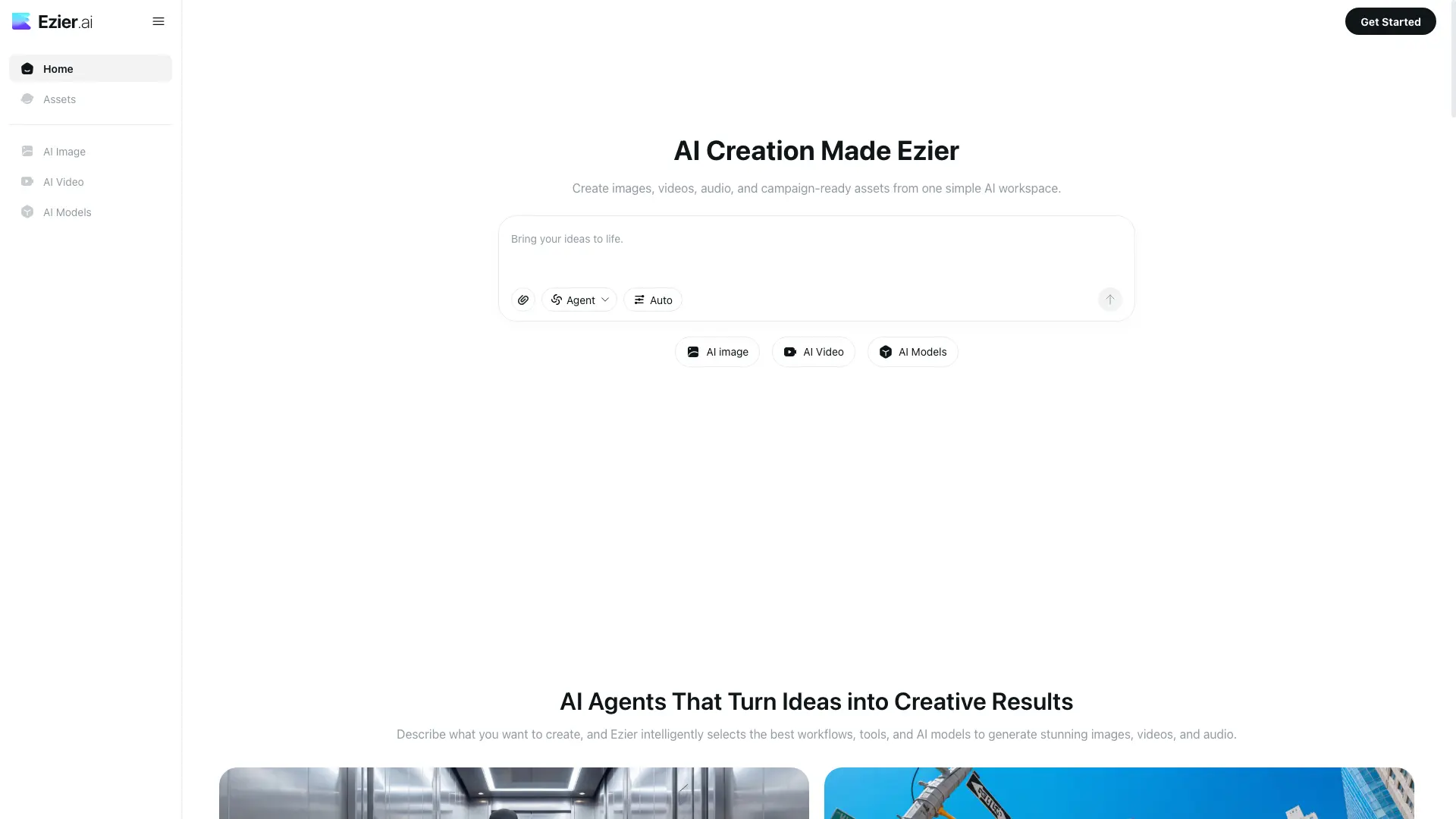
Ezier.AI is an AI creation workspace that turns prompts, reference images, and rough campaign ideas into usable assets. It brings generation, editing, enhancement, model choice, and follow-up refinement into one place, so a draft can move from first idea to usable image, video, audio, or campaign asset.

How to use Ezier.AI?

1. Open ezier.ai and sign in. 2. Choose Agent or Auto if the job is not yet clear, or pick a specific tool or model. 3. Enter a prompt or upload a reference image, then run generation. 4. Continue with editing tools (Background Remover, Object Remover, Upscaler, Lip Sync, Video Extender) until the asset is ready. 5. Export the final image, video, or audio file.

Ezier.AI Core Features

01

20+ top AI image and video models in one workspace

Access image models such as GPT Image 2, Nano Banana 2, Nano Banana Pro, Qwen Image, and Wan Image, plus video models such as Veo 3.1, Kling 3.0, Seedance, and Hailuo, without rebuilding your workflow across separate platforms.

02

Agent and Auto routing

Describe what you want to create and Ezier picks the workflows, tools, and AI models. Useful when the job is not yet clear or when comparing results across models.

03

13+ image tools for every creative workflow

Text-to-image, image-to-image, Background Remover, Object Remover, AI Logo Generator, Image Upscaler, Image Enhancer, and AI Wallpaper Generator cover generation, editing, and cleanup.

04

AI video studio for ads, social, and e-commerce

Text-to-video, image-to-video, video-to-video, AI Video Editor, Lip Sync, AI Video Extender, Video Enhancer, and Video Upscaler handle short clips, motion, and polishing in one place.

05

Credit-based, multi-model pricing

Use credits on the model or tool you choose instead of paying for several model subscriptions. Heavier models and advanced outputs cost more credits than simple edits.

Ezier.AI Use Cases

Product visuals, poster concepts, and reference-led image directions before final layout

Social media post graphics, source images, and social-ready still assets

Ad clips, motion demos, and campaign-ready video assets for marketing

Short videos, lip-synced clips, and product stories for e-commerce launches

Logos, emblems, brand marks, and device-ready wallpapers

Ezier.AI Frequently Asked Questions

What is Ezier.AI?

Ezier.AI is an AI creation workspace for turning prompts, reference images, and rough campaign ideas into usable assets. It brings generation, editing, enhancement, model choice, and follow-up refinement into one place, so a draft can move from first idea to usable image, video, audio, or campaign asset.

Is Ezier only an AI image generator?

No. Ezier includes image tools for text-to-image, image-to-image, background removal, object removal, text removal, upscaling, enhancement, and unblurring. It also supports video work such as text-to-video, image-to-video, lip sync, video extension, video upscaling, video enhancement, and unblurring when a still asset needs motion or cleanup.

How does Ezier make AI creation easier?

Ezier gives you two ways to start. If the job is clear, choose the specific tool or model. If it is not clear yet, use Agent or Auto to route the prompt first. From there, a product visual can be cleaned, sharpened, upscaled, or tested as image-to-video without rebuilding the brief elsewhere.

Who should use Ezier?

Ezier is useful for creators, marketers, e-commerce teams, designers, founders, and small teams that need visual output often. Common jobs include product scenes, listing images, social posts, ad concepts, thumbnails, logo drafts, wallpapers, short videos, lip-synced clips, and campaign variations.

Does Ezier support leading AI models?

Yes. Ezier includes image model options such as GPT Image 2, Nano Banana 2, Nano Banana Pro, GPT Image, Qwen Image, and Wan Image, plus video model options such as Veo 3.1, Kling 3.0, Seedance, and Hailuo. Ezier also follows new model releases and adds useful options quickly.

How do Ezier credits work?

Ezier credits are used for generation, editing, and enhancement inside the workspace. Instead of opening separate paid plans just to test different image models, video models, removers, upscalers, or enhancers, you use credits based on the model or tool you choose. Heavier models and more advanced outputs may cost more credits than simple edits.

How is Ezier different from using separate AI tools?

Separate tools can be fine for one quick test, but they often split the work across different uploads, prompts, model pickers, exports, and billing systems. Ezier is built for multi-step creation, where the result from one step can become the starting point for the next edit or model choice.

Ezier.AI Product Background & Official Links

Ezier.AI Support Email & Customer service contact & Refund contact etc.

Ezier.AI Support Email: hi@ezier.ai

More Contact, visit the about us page(https://ezier.ai)

Ezier.AI Company Info

Ezier.AI Company name: Ezier.AI

More about Ezier.AI, Please visit the about us page(https://ezier.ai)

Ezier.AI Pricing & Plans

Free

Free
Free
  • Test core generation and editing tools
  • Standard image and short video outputs
  • Community support
Subscribe & upgrade now
Most Popular

Creator

Recurring
Contact for pricing
  • More credits for regular image and video work
  • Access to top image and video models
  • Priority generation queue
Subscribe & upgrade now

Pro

Recurring
Contact for pricing
  • Higher credit volume for production use
  • Advanced models and longer video outputs
  • Priority support and team features
Subscribe & upgrade now

Business

contact
Contact sales
  • Custom credit allocation
  • Team workspaces and admin controls
  • Dedicated support and onboarding
Subscribe & upgrade now

Ezier.AI Tags

Web AppFreemiumMulti-languageHigh DefinitionNo WatermarkReal-timeHighly Customizable

Best Suited Occupations for Ezier.AI

Audio & Video ProducersWriters & MarketersE-commerce MerchantsGeneral Consumers

Top Product Categories

LLMs & AI Agents

  • AI Chatbots
  • AI Agents
  • Prompt Engineering
  • AI Search Engine

Engineering & Code

  • AI Code Assistant
  • AI Code Generator
  • AI Developer Tools
  • No-Code & Low-Code

Image & Creative

  • AI Image Generator
  • AI Design Generator
  • AI Art Generator
  • Image-to-Image

Video & Animation

  • AI Video Generator
  • AI Short Video Maker
  • Digital Humans
  • AI Video Editor

Productivity & Office

  • AI Meeting Assistant
  • AI PDF Tools
  • AI Workflow
  • AI PPT Generator

Marketing & Sales

  • AI SEO Tools
  • AI Copywriting
  • AI Lead Generation
  • AI Sales Assistant

Audio & Voice

  • AI Voice Cloning
  • AI Text-to-Speech
  • AI Music Generator
  • AI Podcast Tools

Research & Data

  • AI Research Tools
  • AI Data Analytics
  • AI Knowledge Base
  • See All Categories >>
BAT AI TOOLS
  • Submit your AI tool
  • Pricing
  • About
  • Privacy Policy
  • Terms of Service
WeChat QR
Scan QR code with WeChat
contact@bataitools.comClick icon to auto-copy email
English简体中文繁體中文EspañolالعربيةBahasa IndonesiaPortuguêsFrançais日本語РусскийDeutsch한국어TürkçeTiếng ViệtItalianoNederlandsPolskiไทยहिन्दीУкраїнськаفارسیবাংলাاردوSvenskaNorskDanskSuomiעברית

Copyright © 2026 BAT AI TOOLS. All Rights Reserved.