Sponsored byTypingflow- Automate daily publishing with AI agents
BAT AI TOOLSBAT AI TOOLS
  • Tools
  • Category
  • Jobs
  • Pricing
  • PromoFREE
Free Submit
Sign In
  • Home
  • /
  • AI Assistant
  • /
  • Muddy
Muddy

Muddy

Active
Tagline:A new kind of browser — applications, messaging, and intelligence for ambitious teams.
Updated:-
Social Media:
AI AssistantAI AgentAI Search EngineAI Knowledge BaseAI WorkflowFreeDesktop AppMac CompatibleWindows CompatibleLinux CompatibleTeam CollaborationPrivacy-FocusedAI Agent Ready
Open Website
Muddy
Visit Website
|
  • About
  • Pricing

What is Muddy?

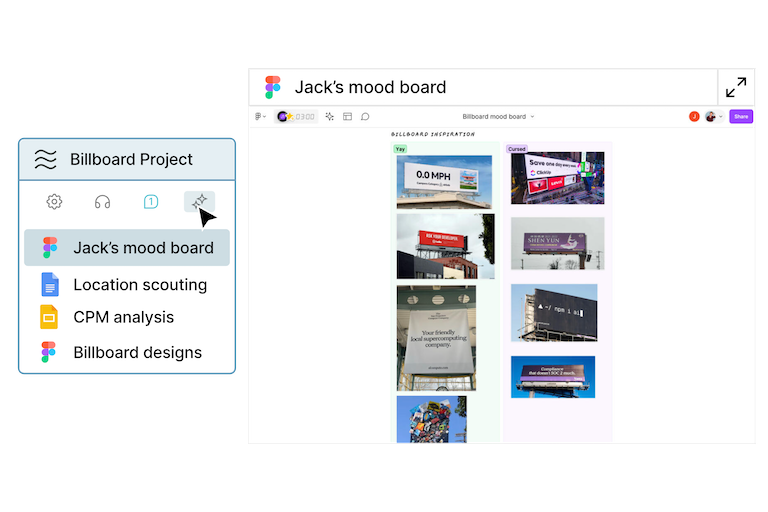
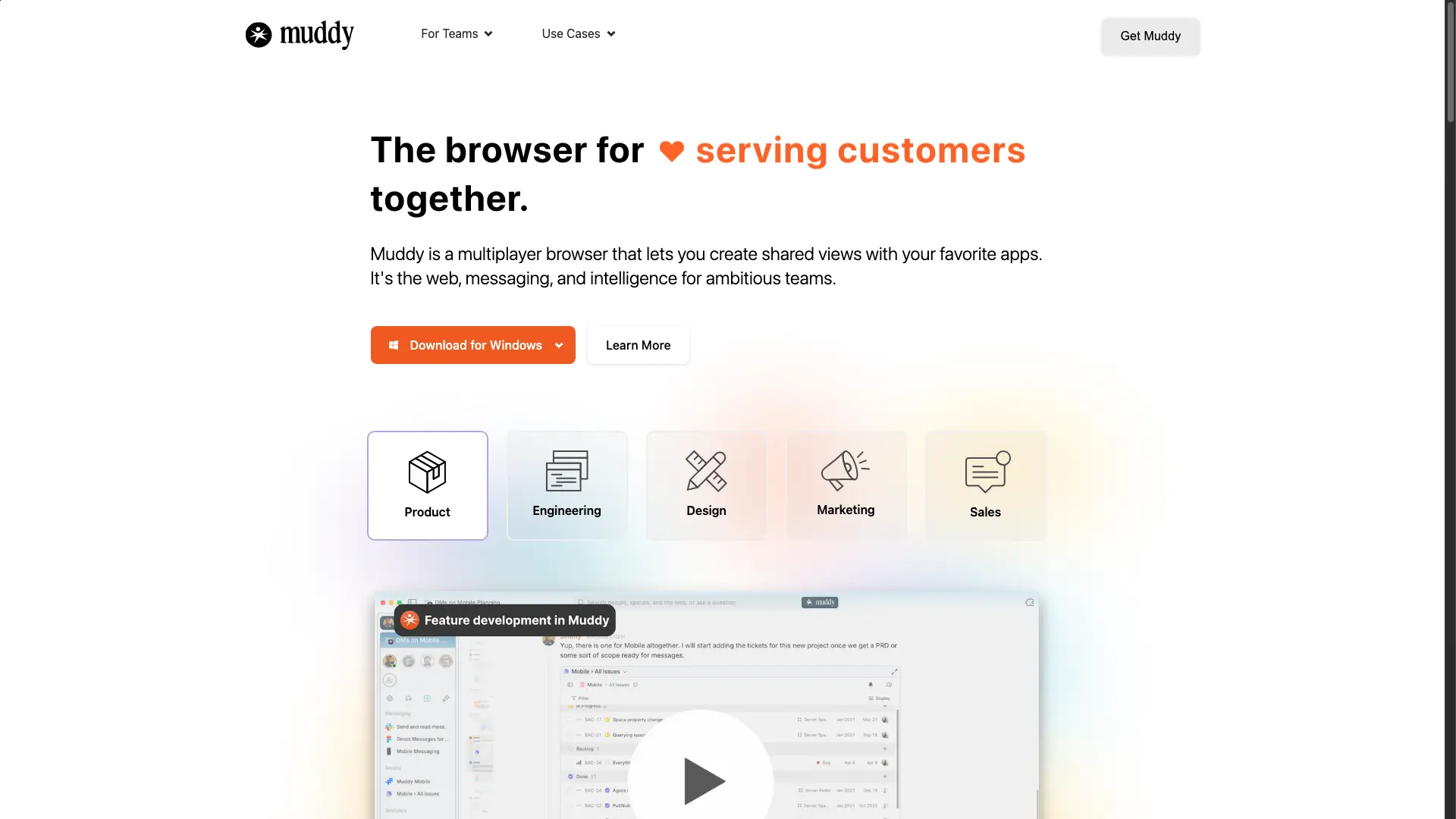
Muddy is a multiplayer AI browser that brings your apps, messaging, and team intelligence into one shared workspace. Its AI categorizes your tabs, answers real-time questions from your apps and conversations, and rewinds across everything you have opened.
Muddy screenshot 1
Muddy screenshot 2

How to use Muddy?

Download Muddy for macOS, Windows, or Linux and open it as your default work browser. Create a shared space, invite your team, and let Muddy organize your tabs and answer questions. No app connections required to start — Muddy's AI browses the web for you out of the box.

Muddy Core Features

01

Shared workspace tailored to you

Muddy's AI renders and categorizes your tabs based on what matters most, so you never have to clean up your workspace again.

02

Infinite rewind across apps and chat

Scrub through the entire space of apps, files, and conversations, then jump anywhere and start using the app or site right away.

03

Universal commenting

Highlight, click, and send. Use apps and talk in one place with Slack-style threads across every app and site on the web.

04

The whole team, one click away

See what everyone is doing across projects and join right inside the app or conversation with multiplayer presence.

05

Ask questions that actually matter

Muddy learns from the apps you use and the conversations you have, then answers hard, real-time questions only a coworker could.

Muddy Use Cases

Browse the web and run your work apps in one shared team space

Ask Muddy's AI questions grounded in your real apps and chats

Comment and discuss directly inside any app or website

Rewind and reload any app, file, or conversation instantly

See teammates' live presence and jump into their work

Muddy Frequently Asked Questions

Does Muddy replace Chrome?

Most users open apps and websites directly in Muddy and use it as their default browser for work. Muddy makes it easy to import your history, passwords, and logins too.

Can I use Muddy by myself?

Muddy is designed to make teamwork easy, but spaces are also powerful for individuals. You can build out a workspace by yourself first and share it with others later.

Do I have to connect my apps to use Muddy's AI?

There is no setup required. Out of the box, Muddy's AI can start browsing the web to help answer questions. As you create projects, it automatically uses that context to retrieve websites and answer questions.

What apps does Muddy support?

Anything that works inside your browser today, including Chrome extensions.

How does Muddy manage my privacy?

All your cookies and passwords are stored locally and never on our server. Our business model is around selling collaboration services and enterprise features, not ads.

Does opening all those apps make my computer slow?

Muddy takes care of app and tab management for you. Memory and battery life are optimized by hibernating old tabs automatically and waking them up when needed.

Muddy Product Background & Official Links

Muddy Support Email & Customer service contact & Refund contact etc.

More Contact, visit the about us page(https://www.feelmuddy.com)

Muddy Company Info

Muddy Company name: Steiner Waller, LLC

Muddy Developer Type: company

More about Muddy, Please visit the about us page(https://www.feelmuddy.com)

Muddy Twitter

Muddy Twitter Link: https://x.com/feelmuddy

Muddy Pricing & Plans

Free

Free
Free
  • Download for macOS, Windows, and Linux
  • AI web browsing and question answering
  • Personal workspace with automatic tab organization
  • Import history, passwords, and logins from other browsers
Subscribe & upgrade now

Enterprise

contact
Contact sales
  • Team collaboration and shared spaces
  • Multiplayer presence across all your apps
  • Cloud-based collaboration services
  • Enterprise features and admin controls
Subscribe & upgrade now

Muddy Tags

FreeDesktop AppMac CompatibleWindows CompatibleLinux CompatibleTeam CollaborationPrivacy-FocusedAI Agent ReadyReal-timeCloud-based

Best Suited Occupations for Muddy

Product ManagersProject & Program ManagersSmall Business OwnersExecutives & Decision MakersGeneral ConsumersSoftware Developers

Top Product Categories

LLMs & AI Agents

  • AI Chatbots
  • AI Agents
  • Prompt Engineering
  • AI Search Engine

Engineering & Code

  • AI Code Assistant
  • AI Code Generator
  • AI Developer Tools
  • No-Code & Low-Code

Image & Creative

  • AI Image Generator
  • AI Design Generator
  • AI Art Generator
  • Image-to-Image

Video & Animation

  • AI Video Generator
  • AI Short Video Maker
  • Digital Humans
  • AI Video Editor

Productivity & Office

  • AI Meeting Assistant
  • AI PDF Tools
  • AI Workflow
  • AI PPT Generator

Marketing & Sales

  • AI SEO Tools
  • AI Copywriting
  • AI Lead Generation
  • AI Sales Assistant

Audio & Voice

  • AI Voice Cloning
  • AI Text-to-Speech
  • AI Music Generator
  • AI Podcast Tools

Research & Data

  • AI Research Tools
  • AI Data Analytics
  • AI Knowledge Base
  • See All Categories >>
BAT AI TOOLS
  • Submit your AI tool
  • Pricing
  • Partnership
  • Feedback
  • About
WeChat QR
Scan QR code with WeChat
hi@bataitools.comClick icon to auto-copy email
English简体中文繁體中文EspañolالعربيةBahasa IndonesiaPortuguêsFrançais日本語РусскийDeutsch한국어TürkçeTiếng ViệtItalianoNederlandsPolskiไทยहिन्दीУкраїнськаفارسیবাংলাاردوSvenskaNorskDanskSuomiעברית

Copyright © 1970 BAT AI TOOLS. All Rights Reserved.

·Partnership·Privacy Policy·Terms of Service·Refund Policy