Sponsored byAgno- The Agent Platform That Builds Itself
BAT AI TOOLSBAT AI TOOLS
  • Tools
  • Category
  • Jobs
  • Pricing
  • PromoFREE
Free Submit
Sign In
  • Home
  • /
  • AI Chatbot
  • /
  • GetAskAI
GetAskAI

GetAskAI

Active
Tagline:Free AI assistant in the browser: no account, cited web sources, PDF and photo reading
Updated:October 22, 2026
Domain Rating:
0Domain Rating by Ahrefs
Social Media:
AI ChatbotAI AssistantAI Search EngineAI PDF ToolsAI Research ToolsAI Homework HelperFreeWeb AppZero SetupMobile FriendlyMulti-languageFor Students
Open Website
GetAskAI
Visit Website
|
  • About
  • Pricing

What is GetAskAI?

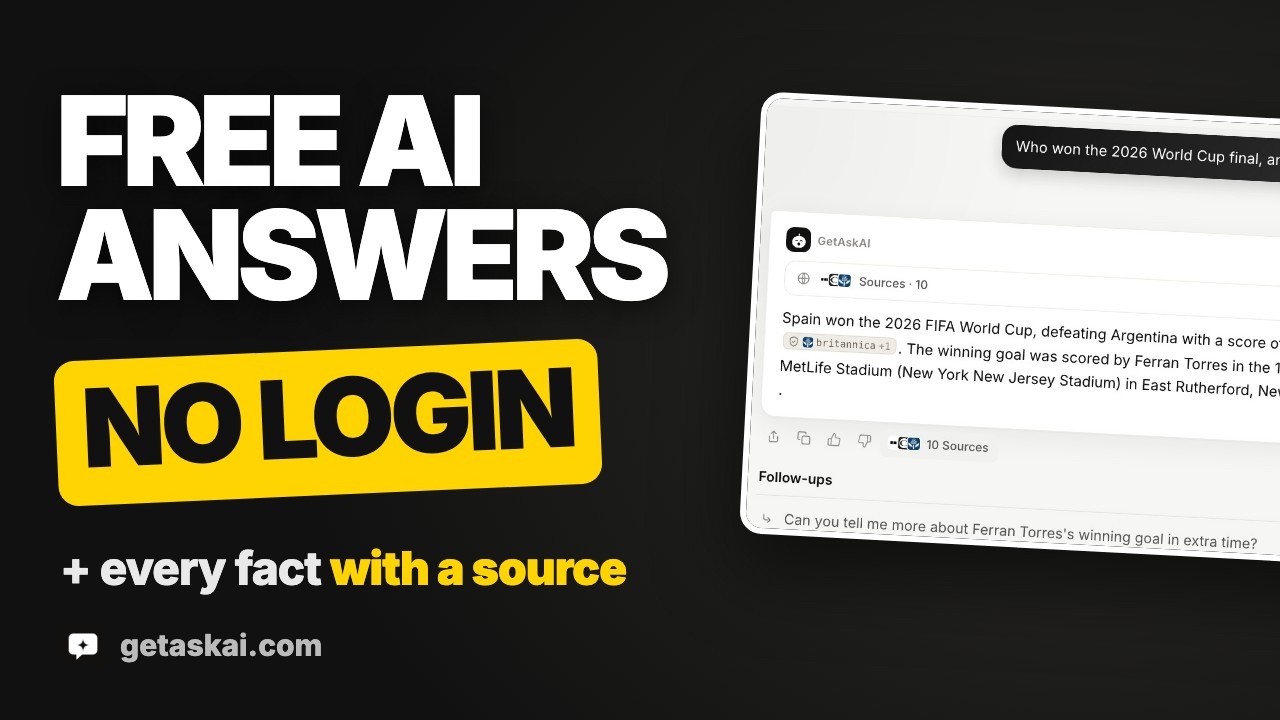
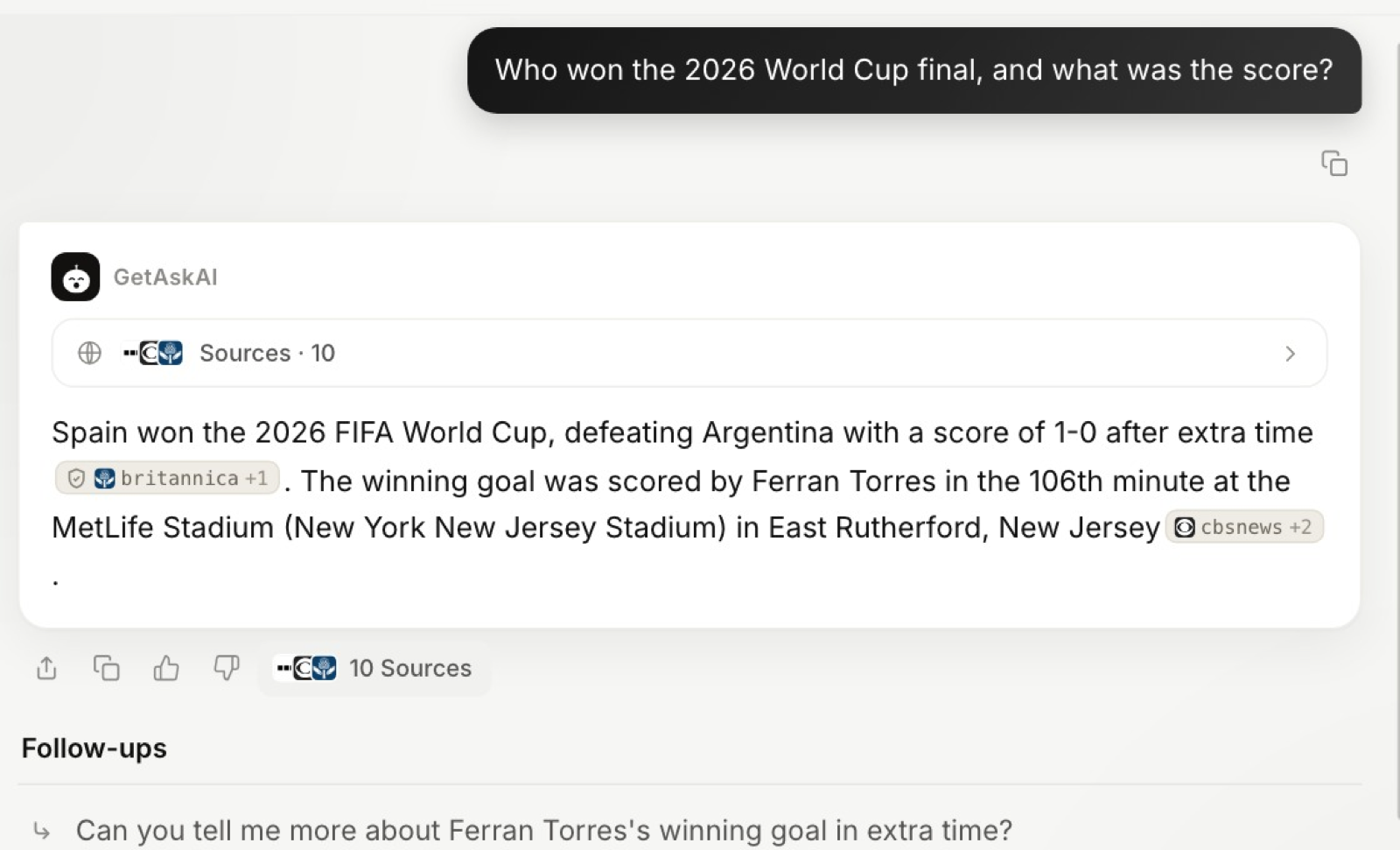
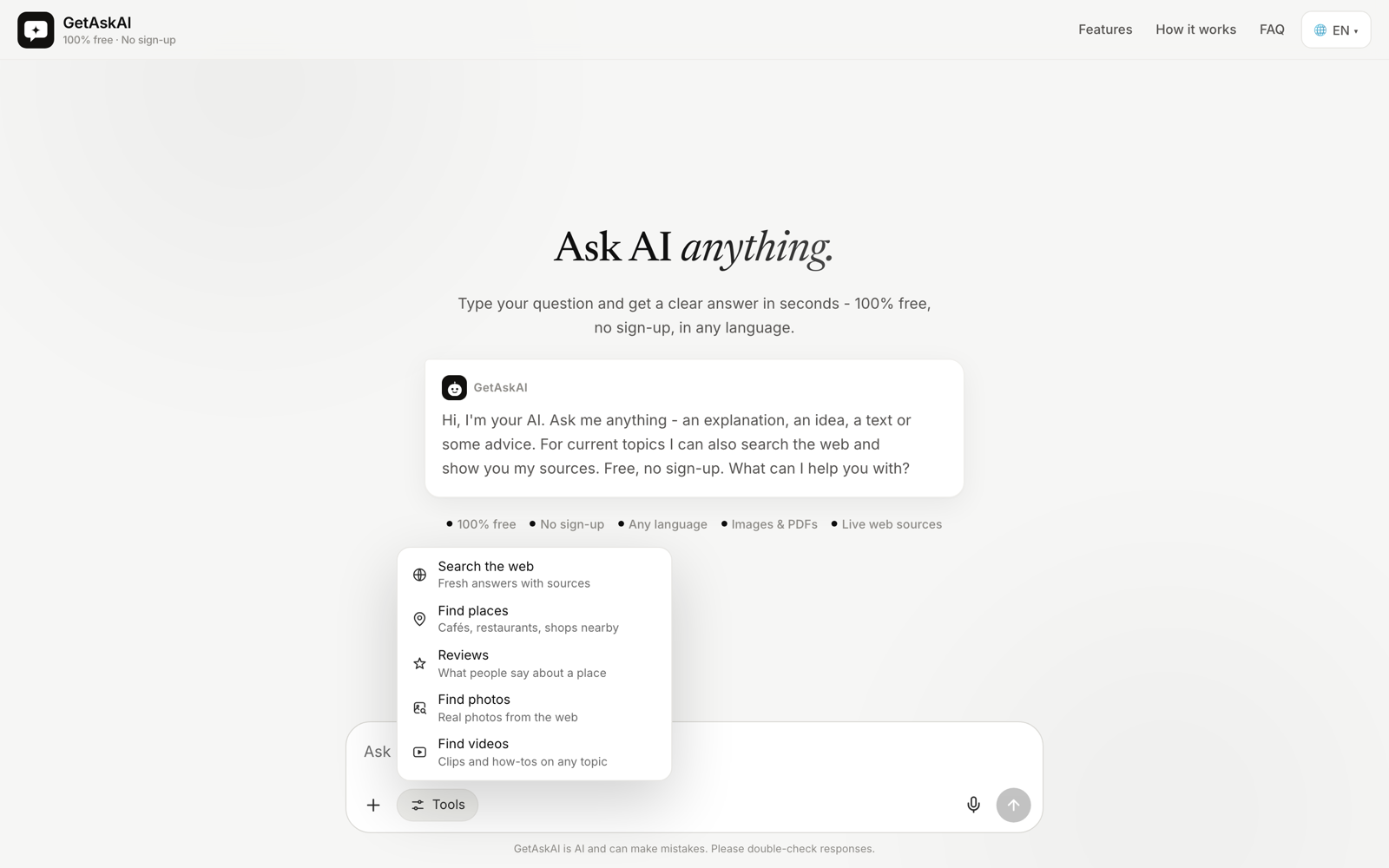
GetAskAI answers questions for free in any web browser, with no registration step. For anything time-sensitive (prices, schedules, news) it consults the web and puts numbered source links beneath the reply; other questions get a direct reply. You can attach a PDF or a photo, ask by voice, and use the Tools menu to look up nearby places, venue reviews, images or videos. Ads keep the lights on; there is no subscription tier. Answers are machine-generated and occasionally wrong, so checking the linked pages is worth the few seconds.
GetAskAI video 1
GetAskAI screenshot 2
GetAskAI screenshot 3
GetAskAI screenshot 4
GetAskAI video 5
GetAskAI screenshot 6

How to use GetAskAI?

1. Open getaskai.com; the interface is available in 14 languages. 2. Type a question, or tap the microphone and dictate it. 3. If needed, attach a PDF or a photo, or pick an option from the Tools menu such as nearby places or video search. 4. Read the answer, open the numbered sources to check details, and continue with a follow-up question. 5. To keep it one tap away, install the site as a web app (PWA).

GetAskAI Core Features

01

Answers with numbered sources

Time-sensitive questions trigger a web lookup, and every page consulted shows up as a numbered link under the reply.

02

PDF and photo reading

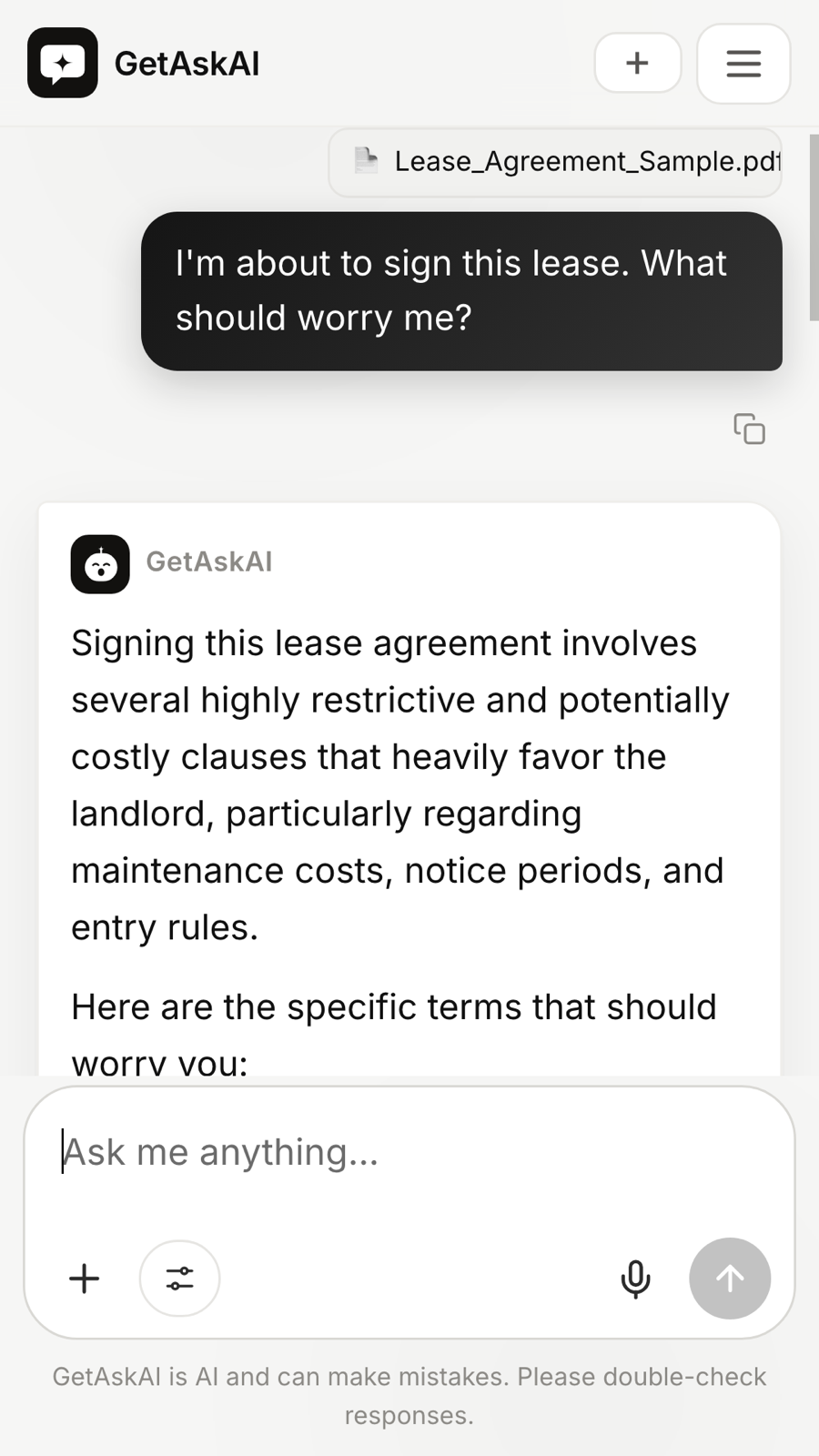
Attach a PDF or a photo, such as a contract, a bill, homework or an error code on an appliance display, and ask about its content.

03

Tools menu

Find nearby places with ratings and addresses, read reviews of a venue, and search for images or videos on a topic.

04

No account needed

Works in the browser without sign-up, email or password, and there is nothing to download.

05

Voice input and follow-ups

Dictate questions with the microphone, tap suggested follow-up questions, and copy or share an answer.

06

14 languages, installable web app

The interface comes in 14 languages. Android, iOS and desktop browsers can pin it as a PWA; no app store download exists.

GetAskAI Use Cases

Checking a recent fact or news topic and opening the sources behind the answer

Getting a summary or an explanation of a PDF contract, bill or report

Reading a photo of homework or of a device error code and asking what it means

Finding a nearby pharmacy, restaurant or repair shop with ratings and reviews

GetAskAI Frequently Asked Questions

Do I need to sign up or install anything?

No. Open the page, type your question and send it. No email, phone number or download is required.

Is there a message limit?

Normal daily use does not run into a cap. A fair-use limit, set well above everyday use, exists to stop bots and automated abuse.

Can GetAskAI search the web?

Yes. If a question is about something recent, it runs a web search and places the links it relied on under the reply.

Can I upload images or PDFs?

Yes. Attach a photo or a PDF and ask about it, for example to summarize a document or to read the text in an image.

How is GetAskAI paid for?

Advertising covers the costs, so using it costs nothing. There is no premium plan and no hidden fee.

GetAskAI Product Background & Official Links

GetAskAI Support Email & Customer service contact & Refund contact etc.

GetAskAI Support Email: info@getaskai.com

More Contact, visit the about us page(https://getaskai.com)

GetAskAI Youtube

GetAskAI Youtube Link: https://www.youtube.com/@getaskai

GetAskAI Twitter

GetAskAI Twitter Link: https://x.com/getaskaicom

GetAskAI GitHub

GetAskAI GitHub Link: https://github.com/getaskaicom

GetAskAI Pricing & Plans

Free

Free
Free
  • No account or registration
  • Web search with numbered sources
  • PDF and photo reading
  • Supported by ads, no paid plan
  • Fair-use limit against bots and automated abuse
Subscribe & upgrade now

GetAskAI Tags

FreeWeb AppZero SetupMobile FriendlyMulti-languageFor Students

Best Suited Occupations for GetAskAI

General ConsumersStudentsTeachers & InstructorsAcademic ResearchersSmall Business OwnersFreelancers

Top Product Categories

LLMs & AI Agents

  • AI Chatbots
  • AI Agents
  • Prompt Engineering
  • AI Search Engine

Engineering & Code

  • AI Code Assistant
  • AI Code Generator
  • AI Developer Tools
  • No-Code & Low-Code

Image & Creative

  • AI Image Generator
  • AI Design Generator
  • AI Art Generator
  • Image-to-Image

Video & Animation

  • AI Video Generator
  • AI Short Video Maker
  • Digital Humans
  • AI Video Editor

Productivity & Office

  • AI Meeting Assistant
  • AI PDF Tools
  • AI Workflow
  • AI PPT Generator

Marketing & Sales

  • AI SEO Tools
  • AI Copywriting
  • AI Lead Generation
  • AI Sales Assistant

Audio & Voice

  • AI Voice Cloning
  • AI Text-to-Speech
  • AI Music Generator
  • AI Podcast Tools

Research & Data

  • AI Research Tools
  • AI Data Analytics
  • AI Knowledge Base
  • See All Categories >>
BAT AI TOOLS
  • Submit your AI tool
  • Pricing
  • Partnership
  • Feedback
  • About
  • A2A Compatible
WeChat QR
Scan QR code with WeChat
hi@bataitools.comClick icon to auto-copy email
English简体中文繁體中文EspañolالعربيةBahasa IndonesiaPortuguêsFrançais日本語РусскийDeutsch한국어TürkçeTiếng ViệtItalianoNederlandsPolskiไทยहिन्दीУкраїнськаفارسیবাংলাاردوSvenskaNorskDanskSuomiעברית

Copyright © 1970 BAT AI TOOLS. All Rights Reserved.

·Partnership·Privacy Policy·Terms of Service·Refund Policy