


Camp
Active
What is Camp?

How to use Camp?
Camp Core Features
AI Content Detection
Camp guesses why you took a screenshot and extracts only the most relevant info — a song, place, outfit, or saved text.
Automatic Titles & Tags
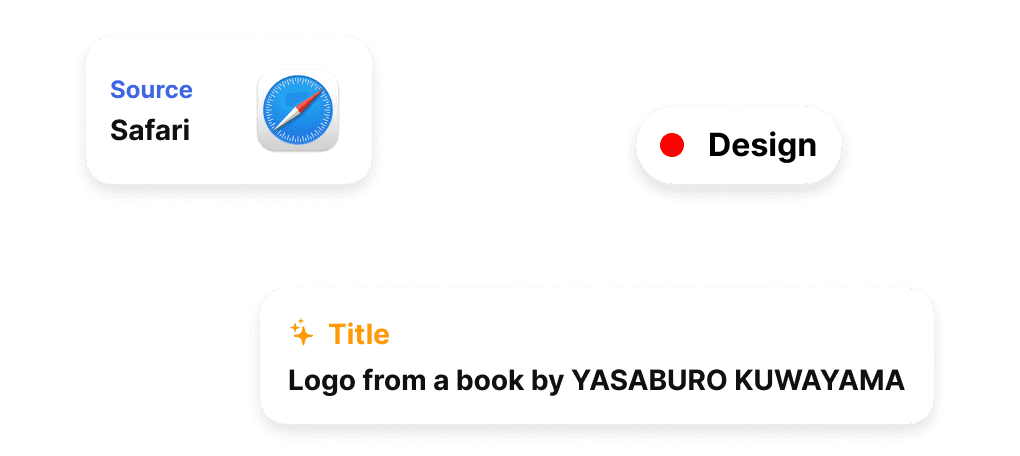
Every capture is auto-titled and tagged by AI, with the source app and a content label attached.
Three Capture Modes
Region, window, and menu-bar captures with shortcuts ⌘1, ⌘2, ⌘3.
Local-First Privacy
All your data stays on your device — nothing leaves your Mac or iPhone.
Instant Search
Search captures fast and filter by tag and source app like Safari, Maps, or Figma.
Pin & Annotate
Pin captures to float above the desktop, then expand, edit, copy, or hand-annotate them.
Camp Use Cases
Save a music recommendation from a screenshot instead of letting it die in Photos
Remember a place or restaurant someone shared by capturing and auto-tagging it
Clip outfit ideas and shopping finds into an organized visual scrapbook
Pull saved text, links, or notes out of screenshots via the share sheet without context switching
Camp Frequently Asked Questions
Which platforms does Camp support?
Is my data private?
How does Camp know why I took a screenshot?
Is there a free trial?
How do I capture a screenshot with Camp?
Camp Product Background & Official Links
Camp Support Email & Customer service contact & Refund contact etc.
More Contact, visit the about us page(https://www.getcamp.xyz)
Camp Team Info
Camp Team name: Studiolanes
Camp Developer Type: team
More about Camp, Please visit the about us page(https://www.getcamp.xyz)
Camp Pricing
Camp Pricing Link: https://apps.apple.com/us/app/camp-a-scrapbook/id1658539800
Camp Twitter
Camp Twitter Link: https://x.com/studiolanes
Camp Pricing & Plans
Free
Free- Region, window, and menu-bar capture
- AI auto-title and tagging
- Local storage on device
Pro
Recurring- Full AI content detection
- Unlimited captures and search
- Pin & annotate favorites