Sponsored byWAE - We Are Engineer- Precision Engineered Education for engineering careers
BAT AI TOOLSBAT AI TOOLS
  • Tools
  • Category
  • Jobs
  • Pricing
  • PromoFREE
Free Submit
Sign In
  • Home
  • /
  • AI Project Management
  • /
  • GitScrum
GitScrum

GitScrum

Active
Tagline:Agile project management with AI-generated user stories, Kanban boards, sprints, and client invoicing
Updated:-
Social Media:
AI Project ManagementAI Task ManagementAI Product ManagerOffice & ProductivityAI WorkflowFreemiumFreeSubscriptionWeb AppCloud-basedReal-timeTeam CollaborationFor Developers
Open Website
GitScrum
Visit Website
|
  • About
  • Pricing

What is GitScrum?

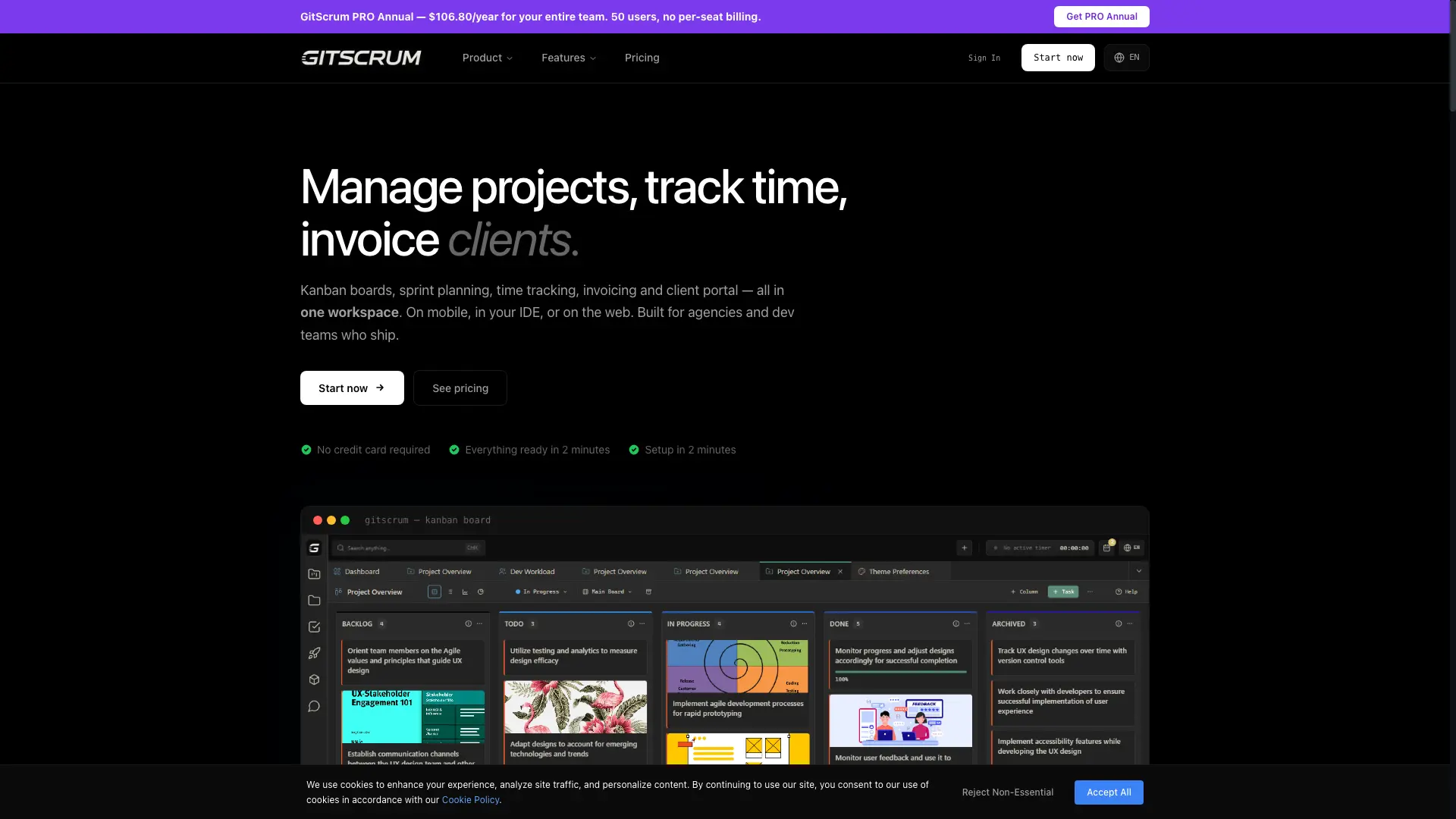
GitScrum is an agile project management workspace for agencies and dev teams. Write user stories with an AI assistant, plan sprints with burndown and velocity charts, track time, and send client invoices from one place. It runs in the browser, a VS Code extension, and on Android, with GitHub and GitLab sync.
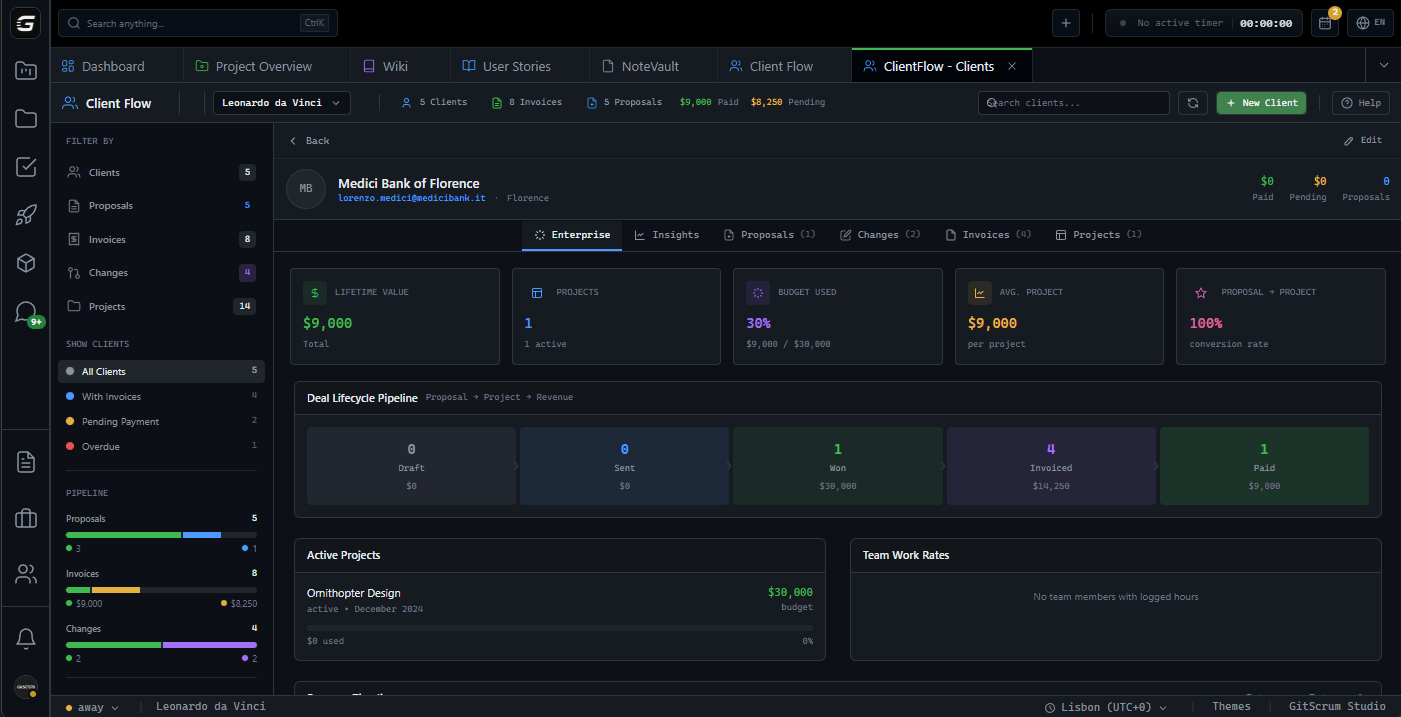
GitScrum screenshot 1
GitScrum screenshot 2
GitScrum screenshot 3
GitScrum screenshot 4

How to use GitScrum?

1. Sign up at studio.gitscrum.com and create a workspace. 2. Capture requirements as user stories with personas, acceptance criteria, and story points. 3. Use the AI assistant to generate user stories and break them into tasks automatically. 4. Plan sprints, vote to prioritize, and track progress on Kanban boards. 5. Log time and send invoices to clients from the same workspace.

GitScrum Core Features

01

AI User Story Generator

Turn a feature idea into a structured user story with acceptance criteria using the AI assistant, so sprint planning starts in seconds instead of hours.

02

User Stories & Epics

Write requirements as 'As a [persona], I want… so that…' stories, group them into color-coded epics, and break each into tasks on Kanban boards.

03

Sprints & Analytics

Plan sprints with burndown charts, velocity, and health-score KPIs; Pro analytics show effort distribution and team workload.

04

Time Tracking

Log worked hours per project, export reports for billing, and keep budget overviews current across all clients.

05

ClientFlow Invoicing

Manage clients, send proposals and invoices, and track billable hours so agencies stop losing revenue to untracked work.

06

VS Code & Integrations

Manage tasks from a VS Code sidebar extension and sync with GitHub and GitLab; an Android app keeps the team connected on mobile.

GitScrum Use Cases

Agencies turning client requests into scoped user stories with clear acceptance criteria

Dev teams planning sprints and tracking velocity without leaving VS Code

Project managers prioritizing the backlog with team votes and epic grouping

Agencies billing clients with integrated proposals, time tracking, and invoices

GitScrum Frequently Asked Questions

What's the user story format?

User stories follow the standard format: As a [persona], I want [feature], so that [benefit]. You can add detailed descriptions, acceptance criteria, and assign them to epics for grouping.

How does team voting work?

Any team member can vote on a user story with one click. Stories can be sorted by vote count to surface what the team considers most important. Each person gets one vote per story.

Can I track story points?

Yes. Each user story can have story points assigned for effort estimation. The analytics dashboard shows effort distribution and helps with sprint planning.

How do epics work?

Epics are color-coded groups for organizing related user stories. Create epics for features, releases, or themes, and filter your backlog by epic to focus on specific initiatives.

What analytics are available?

Pro users get full analytics: task status distribution, type breakdown, team member workload, effort distribution, and completion timelines.

Can clients submit user stories?

Yes, with appropriate permissions. Clients can write feature requests as user stories from their perspective, which helps capture actual customer needs.

GitScrum Product Background & Official Links

GitScrum Support Email & Customer service contact & Refund contact etc.

More Contact, visit the about us page(https://gitscrum.com/en/features/user-stories)

GitScrum Pricing & Plans

Free

Free
Free
  • No credit card required
  • Core Kanban and Scrum boards
  • Basic user stories and time tracking
Subscribe & upgrade now
Most Popular

PRO Annual

Recurring
$106.80 /year
  • Up to 50 users
  • No per-seat billing
  • Annual subscription
  • AI-assisted user stories
Subscribe & upgrade now

GitScrum Tags

FreemiumFreeSubscriptionWeb AppCloud-basedReal-timeTeam CollaborationFor DevelopersVS Code ExtensionMobile App

Best Suited Occupations for GitScrum

Software DevelopersProduct ManagersProject & Program ManagersSmall Business OwnersFreelancers

Top Product Categories

LLMs & AI Agents

  • AI Chatbots
  • AI Agents
  • Prompt Engineering
  • AI Search Engine

Engineering & Code

  • AI Code Assistant
  • AI Code Generator
  • AI Developer Tools
  • No-Code & Low-Code

Image & Creative

  • AI Image Generator
  • AI Design Generator
  • AI Art Generator
  • Image-to-Image

Video & Animation

  • AI Video Generator
  • AI Short Video Maker
  • Digital Humans
  • AI Video Editor

Productivity & Office

  • AI Meeting Assistant
  • AI PDF Tools
  • AI Workflow
  • AI PPT Generator

Marketing & Sales

  • AI SEO Tools
  • AI Copywriting
  • AI Lead Generation
  • AI Sales Assistant

Audio & Voice

  • AI Voice Cloning
  • AI Text-to-Speech
  • AI Music Generator
  • AI Podcast Tools

Research & Data

  • AI Research Tools
  • AI Data Analytics
  • AI Knowledge Base
  • See All Categories >>
BAT AI TOOLS
  • Submit your AI tool
  • Pricing
  • Partnership
  • Feedback
  • About
WeChat QR
Scan QR code with WeChat
hi@bataitools.comClick icon to auto-copy email
English简体中文繁體中文EspañolالعربيةBahasa IndonesiaPortuguêsFrançais日本語РусскийDeutsch한국어TürkçeTiếng ViệtItalianoNederlandsPolskiไทยहिन्दीУкраїнськаفارسیবাংলাاردوSvenskaNorskDanskSuomiעברית

Copyright © 1970 BAT AI TOOLS. All Rights Reserved.

·Partnership·Privacy Policy·Terms of Service·Refund Policy