

The GPT Who Lived
ActiveTagline:Ask Harry Potter questions and get answers from GPT with book knowledge
Updated:October 22, 2026
Domain Rating:
What is The GPT Who Lived?
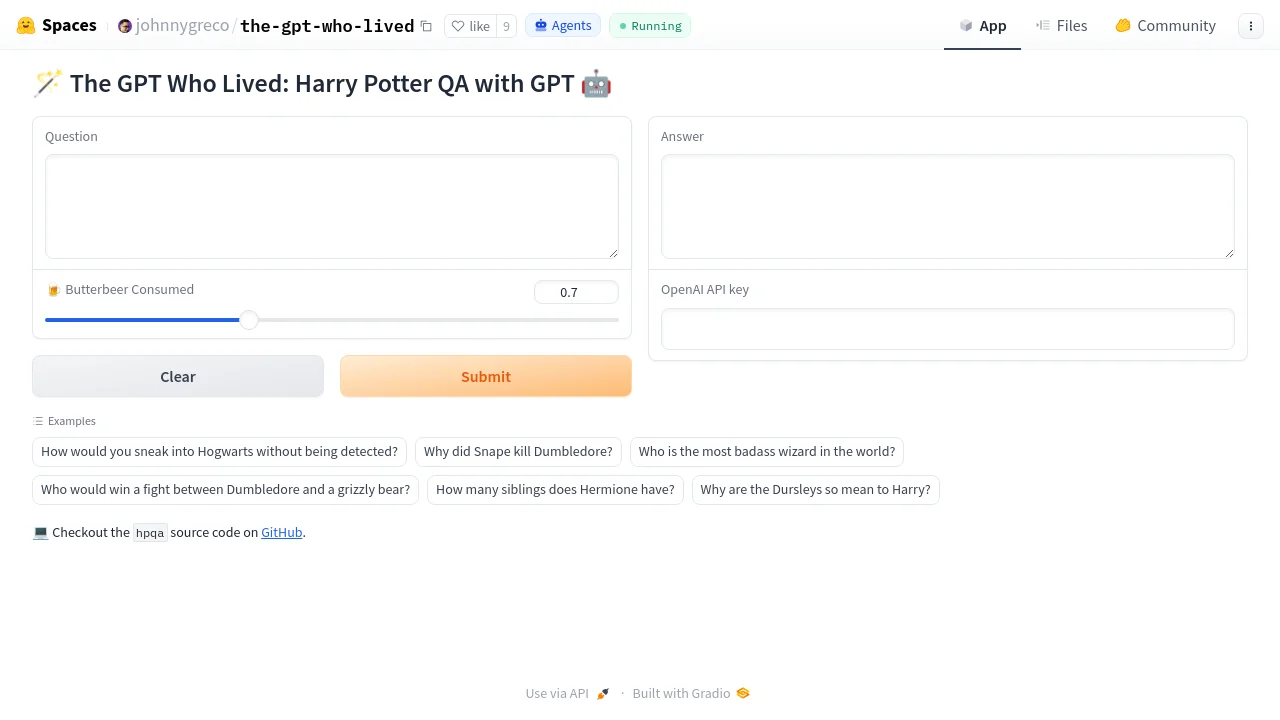
This app gives OpenAI GPT access to all the Harry Potter books plus associated Wikipedia plot summaries so you can ask questions and get answers. Text is indexed with Faiss and interactions are handled through LangChain. Increase the Butterbeer Consumed slider (temperature) to make answers more unpredictable.

How to use The GPT Who Lived?
Open the Hugging Face Space, enter a Harry Potter question, optionally adjust the Butterbeer Consumed temperature slider, paste your OpenAI API key, and click Submit. You can also pick from built-in example questions.
The GPT Who Lived Core Features
01
Harry Potter book knowledge
Retrieval over all Harry Potter books and related Wikipedia plot summaries via a Faiss vector index.
02
LangChain retrieval QA
Uses LangChain RetrievalQA with OpenAI to answer questions grounded in indexed text.
03
Adjustable temperature
Butterbeer Consumed slider from 0.0 to 2.0 controls GPT temperature for more or less unpredictable answers.
The GPT Who Lived Use Cases
Ask plot and character questions about the Harry Potter series
Explore fun what-if scenarios with adjustable answer randomness
Try example prompts such as sneaking into Hogwarts or comparing Dumbledore to a grizzly bear
The GPT Who Lived Frequently Asked Questions
Do I need an OpenAI API key?
What does the Butterbeer Consumed slider do?
Where is the source code?
The GPT Who Lived Product Background & Official Links
The GPT Who Lived Support Email & Customer service contact & Refund contact etc.
The GPT Who Lived Support Email: jgreco.ai@gmail.com
More Contact, visit the about us page(https://github.com/johnnygreco/hpqa)
The GPT Who Lived Individual Info
The GPT Who Lived Individual name: Johnny Greco
The GPT Who Lived Developer Type: individual
More about The GPT Who Lived, Please visit the about us page(https://github.com/johnnygreco/hpqa)
The GPT Who Lived LinkedIn
The GPT Who Lived LinkedIn Link: https://linkedin.com/in/johnnygreco
The GPT Who Lived GitHub
The GPT Who Lived GitHub Link: https://github.com/johnnygreco/hpqa
The GPT Who Lived Pricing & Plans
Free
FreeFree
- Free Hugging Face Space demo
- Bring your own OpenAI API key
- Open-source MIT-licensed code on GitHub