Sponsored byAgno- The Agent Platform That Builds Itself
BAT AI TOOLSBAT AI TOOLS
  • Tools
  • Category
  • Jobs
  • Pricing
  • PromoFREE
Free Submit
Sign In
  • Home
  • /
  • AI Image Editor
  • /
  • Image Editor Online
Image Editor Online

Image Editor Online

Active
Tagline:Free AI image editor — edit photos with text prompts, no watermark, no sign-up
Updated:October 22, 2026
Domain Rating:
29Domain Rating by Ahrefs
Social Media:
AI Image EditorAI Image EnhancerAI Image GeneratorImage-to-ImageAI Image RestorationFreeFreemiumWeb AppNo Watermark
Open Website
Image Editor Online
Visit Website
|
  • About
  • Pricing

What is Image Editor Online?

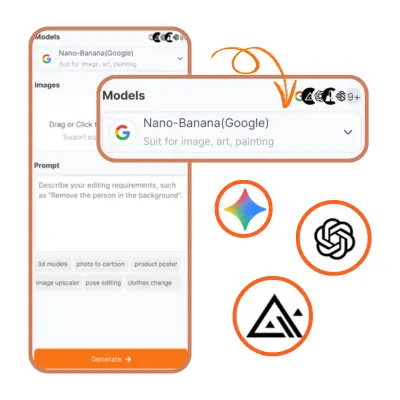
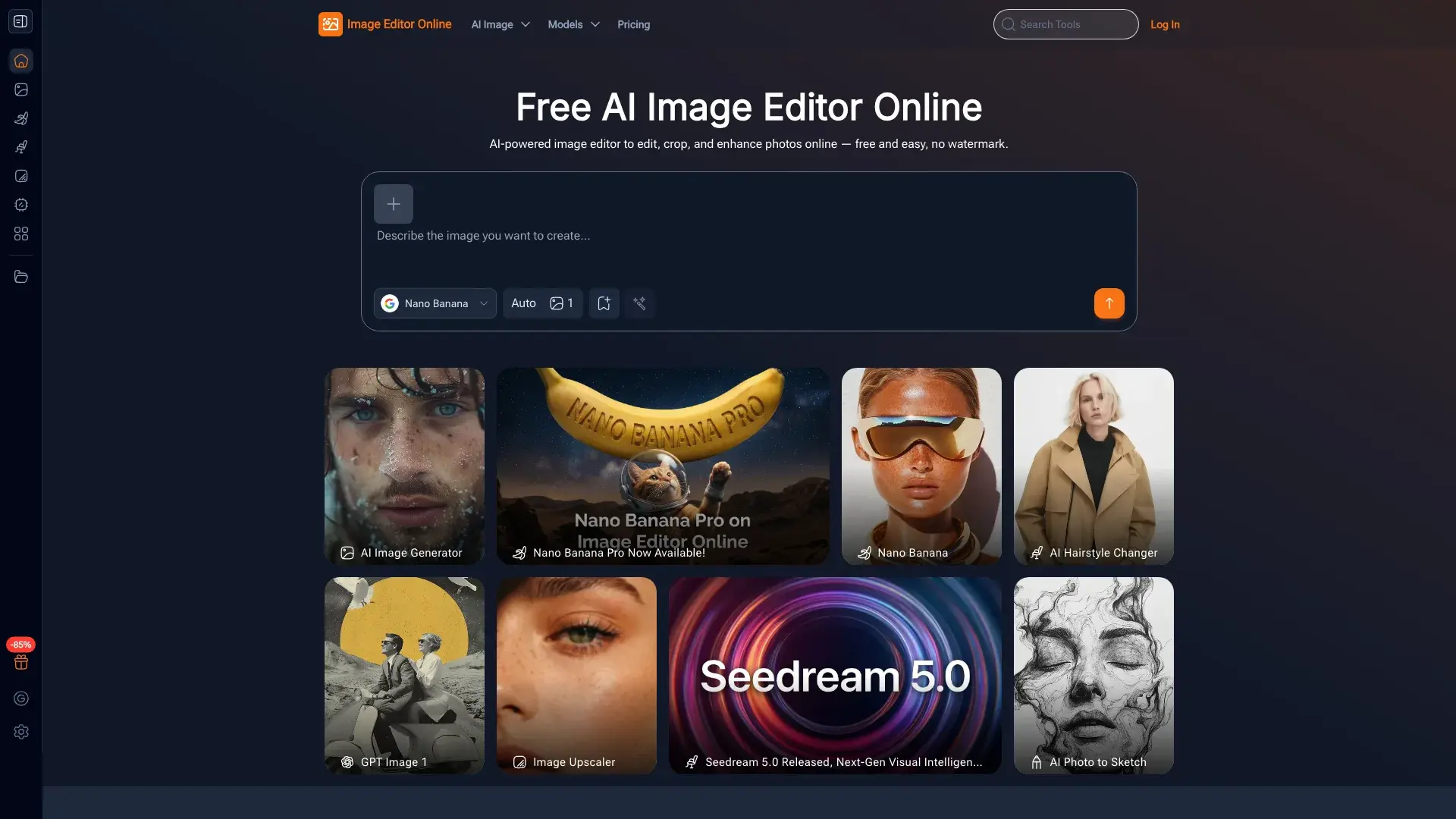
Image Editor Online is a free, web-based AI image editor. Describe an edit in plain text and the AI applies it using models like Nano Banana, Flux Kontext, Seedream, and GPT — for background removal, style changes, upscaling, and more. Download results in high resolution with no watermark.
Image Editor Online screenshot 1
Image Editor Online screenshot 2
Image Editor Online screenshot 3

How to use Image Editor Online?

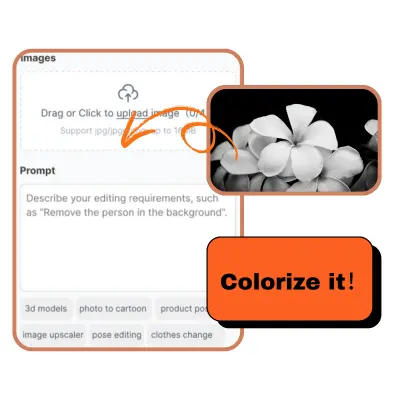
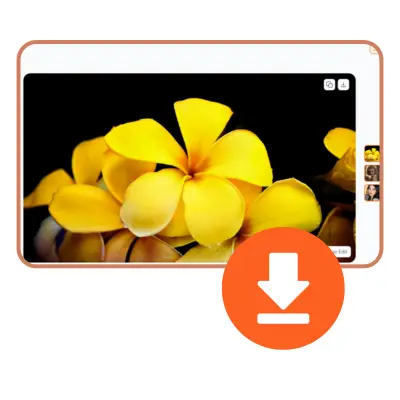
1. Choose an AI model that fits your task. 2. Upload your image and apply a preset prompt or type what you want changed. 3. Generate and download your high-resolution edit.

Image Editor Online Core Features

01

Edit with natural language

Describe the change you want in plain text; the AI handles the editing automatically — no design skills needed.

02

Multiple AI models

Pick from Nano Banana, Flux Kontext, Seedream, and GPT, each suited to different editing and generation tasks.

03

Hundreds of preset prompts

Click ready-made templates, prompts, and styles instead of writing your own — fast, professional-looking results.

04

One-stop continuous editing

Refine the same image repeatedly in one place, trying multiple styles until you are satisfied.

05

High-quality free downloads

Download edited photos, posters, or social content in high resolution at no cost and with no watermark.

Image Editor Online Use Cases

Optimize and retouch personal photos

Create social media posts and banners

Design posters and promotional graphics

Make learning materials and diagrams for teaching

Image Editor Online Frequently Asked Questions

What is Image Editor Online?

Image Editor Online is a free, web-based AI image editor. You describe edits in plain text and the AI applies them using models such as Nano Banana, Flux Kontext, Seedream, and GPT — for background removal, style changes, upscaling, and more.

How do I get started?

Choose an AI model, upload your image, then pick a preset prompt or type what you want changed. The AI processes it in a few seconds to a minute, and you preview and download the result.

Do I need to create an account?

No. You can edit and download for free without signing up. Creating a free account lets you collect daily login credits to keep generating.

What types of images can I enhance?

You can enhance photos, portraits, product shots, and social content. The editor handles background removal, style transfer, upscaling, and general retouching across common image types.

What features are available?

Natural-language editing, multiple AI models, hundreds of preset prompts and styles, one-stop continuous editing, and high-resolution downloads with no watermark.

In what formats can I download?

Edited images download in high resolution for free. The editor outputs standard raster formats suitable for social media, posters, and print.

Why is my image not uploading?

Check that your file is a supported image format and under the size limit, and that your connection is stable. Try a smaller image or a different browser if the upload stalls.

The result doesn't look right?

Try rephrasing your prompt, switching to a different AI model, or applying a preset style. Continuous editing lets you refine the same image until it looks right.

Why is download not working?

Make sure the generation finished and the preview loaded. If the download button is unresponsive, refresh the page or try a different browser; your result stays in the editor until you download.

Is Image Editor Online free to use?

Yes. Core editing and high-resolution downloads are free with daily login credits and no watermark. Paid credit plans add higher limits and full model access.

Are there any usage limits?

Free use is capped by your daily credit allowance; once credits run out you can return the next day or upgrade to a subscription or lifetime credit plan for more generations.

Image Editor Online Product Background & Official Links

Image Editor Online Support Email & Customer service contact & Refund contact etc.

Image Editor Online Support Email: imageeditorai@gmail.com

More Contact, visit the about us page(https://imageeditor.online/help-center)

Image Editor Online Company Info

Image Editor Online Company name: Image Editor Online, Inc.

Image Editor Online Developer Type: company

More about Image Editor Online, Please visit the about us page(https://imageeditor.online/help-center)

Image Editor Online Twitter

Image Editor Online Twitter Link: https://x.com/imageeditorai

Image Editor Online Pricing & Plans

Free

Free
Free
  • Daily free credits when you log in
  • Text-prompt and preset-style editing
  • High-resolution downloads, no watermark
  • Background removal and core AI models
Subscribe & upgrade now
Most Popular

Subscription

Recurring
Monthly subscription
  • Monthly credit allowance
  • All AI models (Nano Banana, Flux Kontext, Seedream, GPT)
  • Higher daily generation limits
  • Priority processing
Subscribe & upgrade now

Lifetime

flat
One-time lifetime credits
  • One-time credit purchase
  • Credits never expire
  • Full model access
Subscribe & upgrade now

Image Editor Online Tags

FreeFreemiumWeb AppNo Watermark

Best Suited Occupations for Image Editor Online

Writers & MarketersGeneral ConsumersStudentsSmall Business Owners

Top Product Categories

LLMs & AI Agents

  • AI Chatbots
  • AI Agents
  • Prompt Engineering
  • AI Search Engine

Engineering & Code

  • AI Code Assistant
  • AI Code Generator
  • AI Developer Tools
  • No-Code & Low-Code

Image & Creative

  • AI Image Generator
  • AI Design Generator
  • AI Art Generator
  • Image-to-Image

Video & Animation

  • AI Video Generator
  • AI Short Video Maker
  • Digital Humans
  • AI Video Editor

Productivity & Office

  • AI Meeting Assistant
  • AI PDF Tools
  • AI Workflow
  • AI PPT Generator

Marketing & Sales

  • AI SEO Tools
  • AI Copywriting
  • AI Lead Generation
  • AI Sales Assistant

Audio & Voice

  • AI Voice Cloning
  • AI Text-to-Speech
  • AI Music Generator
  • AI Podcast Tools

Research & Data

  • AI Research Tools
  • AI Data Analytics
  • AI Knowledge Base
  • See All Categories >>
BAT AI TOOLS
  • Submit your AI tool
  • Pricing
  • Partnership
  • Feedback
  • About
  • A2A Compatible
WeChat QR
Scan QR code with WeChat
hi@bataitools.comClick icon to auto-copy email
English简体中文繁體中文EspañolالعربيةBahasa IndonesiaPortuguêsFrançais日本語РусскийDeutsch한국어TürkçeTiếng ViệtItalianoNederlandsPolskiไทยहिन्दीУкраїнськаفارسیবাংলাاردوSvenskaNorskDanskSuomiעברית

Copyright © 1970 BAT AI TOOLS. All Rights Reserved.

·Partnership·Privacy Policy·Terms of Service·Refund Policy