


Sponsored byWAE - We Are Engineer- Precision Engineered Education for engineering careers
BAT AI TOOLSBAT AI TOOLS
  • Tools
  • Category
  • Jobs
  • Pricing
  • PromoFREE
Free Submit
Sign In
  • Home
  • /
  • AI Video Editor
  • /
  • Kommodo
Kommodo

Kommodo

Active
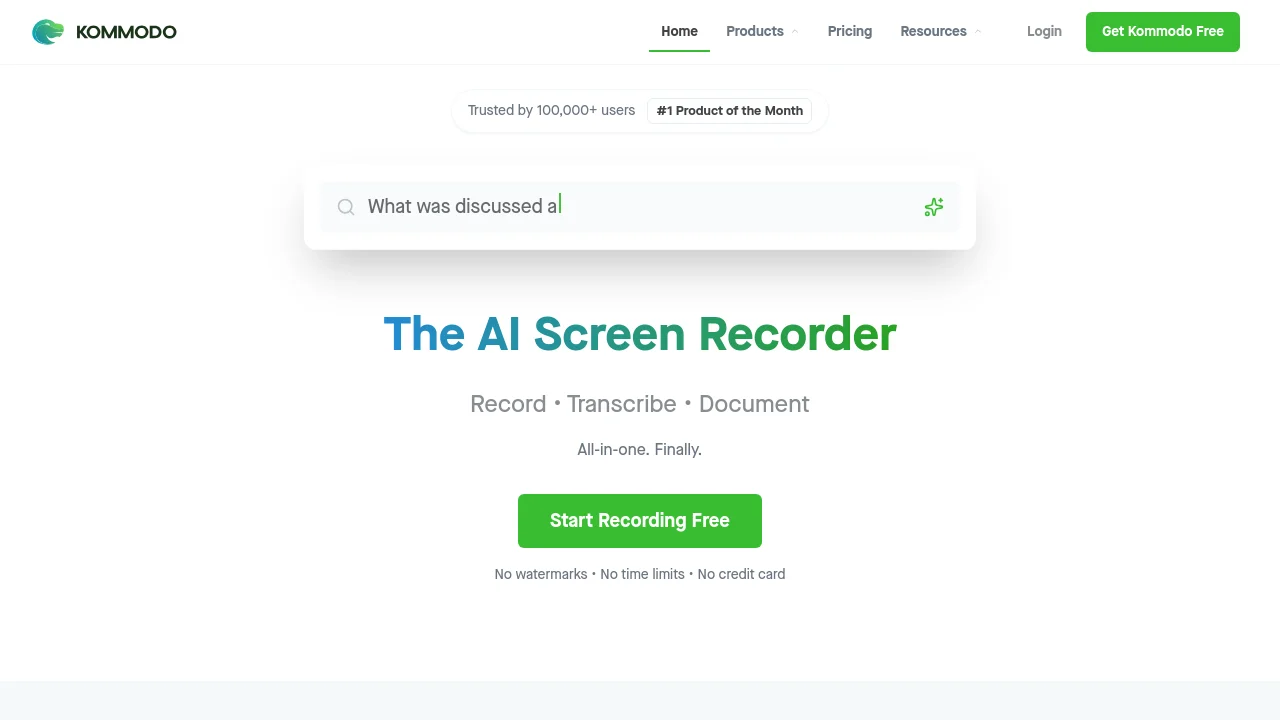
Tagline:The AI Screen Recorder — Record, Transcribe, Document. All-in-one.
Updated:-
Social Media:
AI Video EditorAI Meeting AssistantAI Speech-to-TextAI Content SummarizerAI Note TakerAI Knowledge BaseFreemiumDesktop AppMobile AppChrome ExtensionMac CompatibleWindows CompatibleTeam CollaborationNo Watermark
Open Website
Kommodo
Visit Website
|
  • About
  • Pricing

What is Kommodo?

Kommodo is an AI-powered screen recorder and SOP generator that helps teams create training videos, documentation, and guides in seconds. It combines unlimited screen recording with AI transcription, automatic summaries, action item extraction, and step-by-step guide generation. Available on macOS, Windows, Chrome, iOS, and Android with no watermarks and no time limits.
Kommodo screenshot 1
Kommodo screenshot 2
Kommodo screenshot 3

How to use Kommodo?

Download the app for macOS, Windows, Chrome, iOS, or Android from kommodo.ai/download. Start recording your screen with one click. Kommodo automatically transcribes the recording, generates a summary, creates action items, and converts the video into a step-by-step guide. Share the recording or guide with your team via a link.

Kommodo Core Features

01

AI Screen Recording

Unlimited screen recording with no watermarks and no time limits. Available on macOS, Windows, Chrome, iOS, and Android.

02

AI Transcription & Summaries

Automatically transcribes recordings and generates summaries with action items. Supports multi-language transcription.

03

Automatic SOP Generation

Converts recordings into step-by-step guides and documentation automatically. Recordings become docs.

04

Video Editor

Edit, rerecord, or overdub recordings using CaptureFusion technology. Annotate and customize videos before sharing.

05

AI Meeting Recorder

Syncs with Google Calendar to record meetings. Includes an AI notetaker and assistant that extracts key information and insights.

06

Team Collaboration

Share recordings with team members, collaborate on guides, leave comments, and organize content in shared workspaces.

07

Knowledge Base & Library Search

Search across your entire recording library to find anything. Kommodo AI intelligently extracts key information and insights from all recordings.

Kommodo Use Cases

Create training videos and onboarding documentation for new hires

Generate SOPs from screen recordings for standard processes

Record and transcribe meetings with automatic action items

Build a searchable knowledge base from team recordings

Create sales enablement and customer success walkthroughs

Produce educational content and presentation videos

Kommodo Frequently Asked Questions

What is Kommodo?

Kommodo is an AI-powered screen recorder and SOP generator that helps teams create training videos, documentation, and guides in seconds. It includes unlimited free recording with advanced features like AI transcription, automatic summaries, and step-by-step guide generation.

Is Kommodo really free?

Yes, Kommodo offers a generous Starter plan with unlimited screen recordings, basic editing features, and AI-powered transcription at no cost. Premium upgrades unlock advanced analytics, unlimited storage, and priority support.

How does the AI assistant work?

The AI assistant automatically transcribes your recordings, generates summaries, creates action items, and converts videos into step-by-step guides. It also intelligently extracts key information and insights from your entire recording library.

Can I use Kommodo for team collaboration?

Absolutely. Kommodo is built for teams. You can share recordings with team members, collaborate on guides, leave comments, and organize content in shared workspaces.

What platforms is Kommodo available on?

Kommodo is available on macOS, Windows, Chrome Extension, iOS App, and Android App. You can download the right app for your platform from kommodo.ai/download.

Kommodo Product Background & Official Links

Kommodo Support Email & Customer service contact & Refund contact etc.

Kommodo Support Email: support@komododecks.com

More Contact, visit the about us page(https://kommodo.ai/developer)

Kommodo Company Info

Kommodo Company name: Komodo Technologies, Inc

Kommodo Developer Type: company

Kommodo Company address: New Jersey, United States

More about Kommodo, Please visit the about us page(https://kommodo.ai/developer)

Kommodo Pricing

Kommodo Pricing Link: https://kommodo.ai/pricing

Kommodo Twitter

Kommodo Twitter Link: https://x.com/KommodoAI

Kommodo Facebook

Kommodo Facebook Link: https://www.facebook.com/KomodoDecks/

Kommodo LinkedIn

Kommodo LinkedIn Link: https://www.linkedin.com/company/kommodo-ai

Kommodo Pricing & Plans

Starter

Free
Free
  • Unlimited screen recordings
  • Basic editing features
  • AI-powered transcription
  • No watermarks
  • No credit card required
Subscribe & upgrade now

Premium Monthly

Recurring
$15 /month
  • Full access with AI features
  • Unlimited storage
  • Team collaboration
  • Advanced analytics
  • Priority support
Subscribe & upgrade now
Most Popular

Premium Yearly

Recurring
$9 /month
  • Full access with AI features
  • Unlimited storage
  • Team collaboration
  • 40% discount vs monthly
  • Advanced analytics
  • Priority support
Subscribe & upgrade now

Kommodo Tags

FreemiumDesktop AppMobile AppChrome ExtensionMac CompatibleWindows CompatibleTeam CollaborationNo WatermarkMulti-languageFree

Best Suited Occupations for Kommodo

Product ManagersProject & Program ManagersCustomer Support TeamsTeachers & InstructorsSmall Business OwnersSales & Business Development

Top Product Categories

LLMs & AI Agents

  • AI Chatbots
  • AI Agents
  • Prompt Engineering
  • AI Search Engine

Engineering & Code

  • AI Code Assistant
  • AI Code Generator
  • AI Developer Tools
  • No-Code & Low-Code

Image & Creative

  • AI Image Generator
  • AI Design Generator
  • AI Art Generator
  • Image-to-Image

Video & Animation

  • AI Video Generator
  • AI Short Video Maker
  • Digital Humans
  • AI Video Editor

Productivity & Office

  • AI Meeting Assistant
  • AI PDF Tools
  • AI Workflow
  • AI PPT Generator

Marketing & Sales

  • AI SEO Tools
  • AI Copywriting
  • AI Lead Generation
  • AI Sales Assistant

Audio & Voice

  • AI Voice Cloning
  • AI Text-to-Speech
  • AI Music Generator
  • AI Podcast Tools

Research & Data

  • AI Research Tools
  • AI Data Analytics
  • AI Knowledge Base
  • See All Categories >>
BAT AI TOOLS
  • Submit your AI tool
  • Pricing
  • Partnership
  • Feedback
  • About
WeChat QR
Scan QR code with WeChat
hi@bataitools.comClick icon to auto-copy email
English简体中文繁體中文EspañolالعربيةBahasa IndonesiaPortuguêsFrançais日本語РусскийDeutsch한국어TürkçeTiếng ViệtItalianoNederlandsPolskiไทยहिन्दीУкраїнськаفارسیবাংলাاردوSvenskaNorskDanskSuomiעברית

Copyright © 1970 BAT AI TOOLS. All Rights Reserved.

·Partnership·Privacy Policy·Terms of Service·Refund Policy