Sponsored byGpt Image 2 AI- Create images with GPT Image 2 AI, Seedream 5, upscaling and background removal
BAT AI TOOLSBAT AI TOOLS
  • Tools
  • Category
  • Jobs
  • Pricing
  • PromoFREE
Free Submit
Sign In
  • Home
  • /
  • AI Assistant
  • /
  • Littlebird
Littlebird

Littlebird

Active
Tagline:One quiet assistant that remembers your work, sits in on your meetings, and acts when it matters.
Updated:September 13, 2026
Domain Rating:
44Domain Rating by Ahrefs
Social Media:
AI AssistantAI AgentAI Meeting AssistantAI Note TakerAI Knowledge BaseAI Search EngineAI ChatbotAI Email AssistantAI Task ManagementFreeFreemiumSubscriptionFree TrialDesktop AppMobile AppMac CompatiblePrivacy-Focused
Open Website
Littlebird
Visit Website
|
  • About
  • Pricing

What is Littlebird?

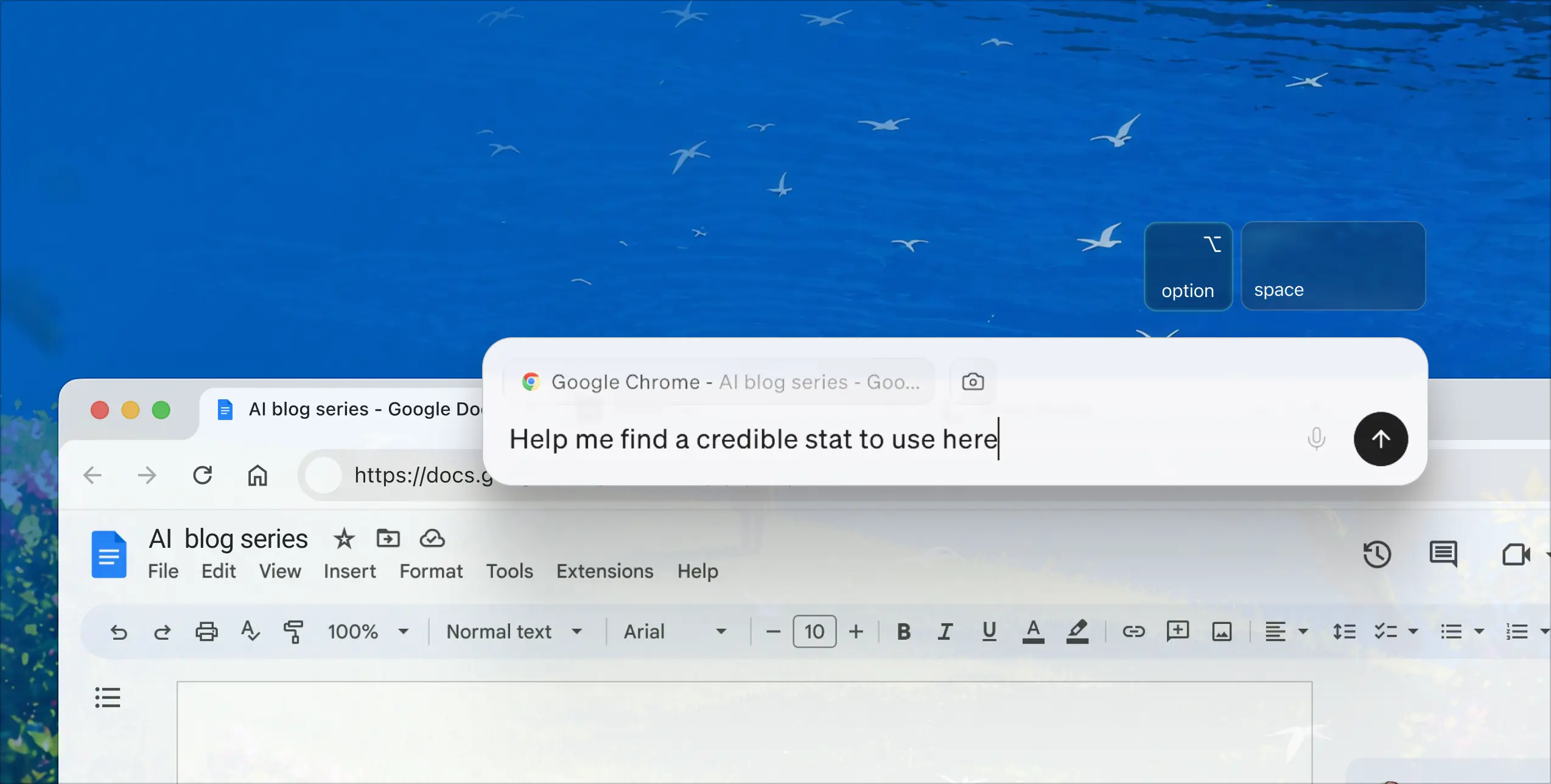
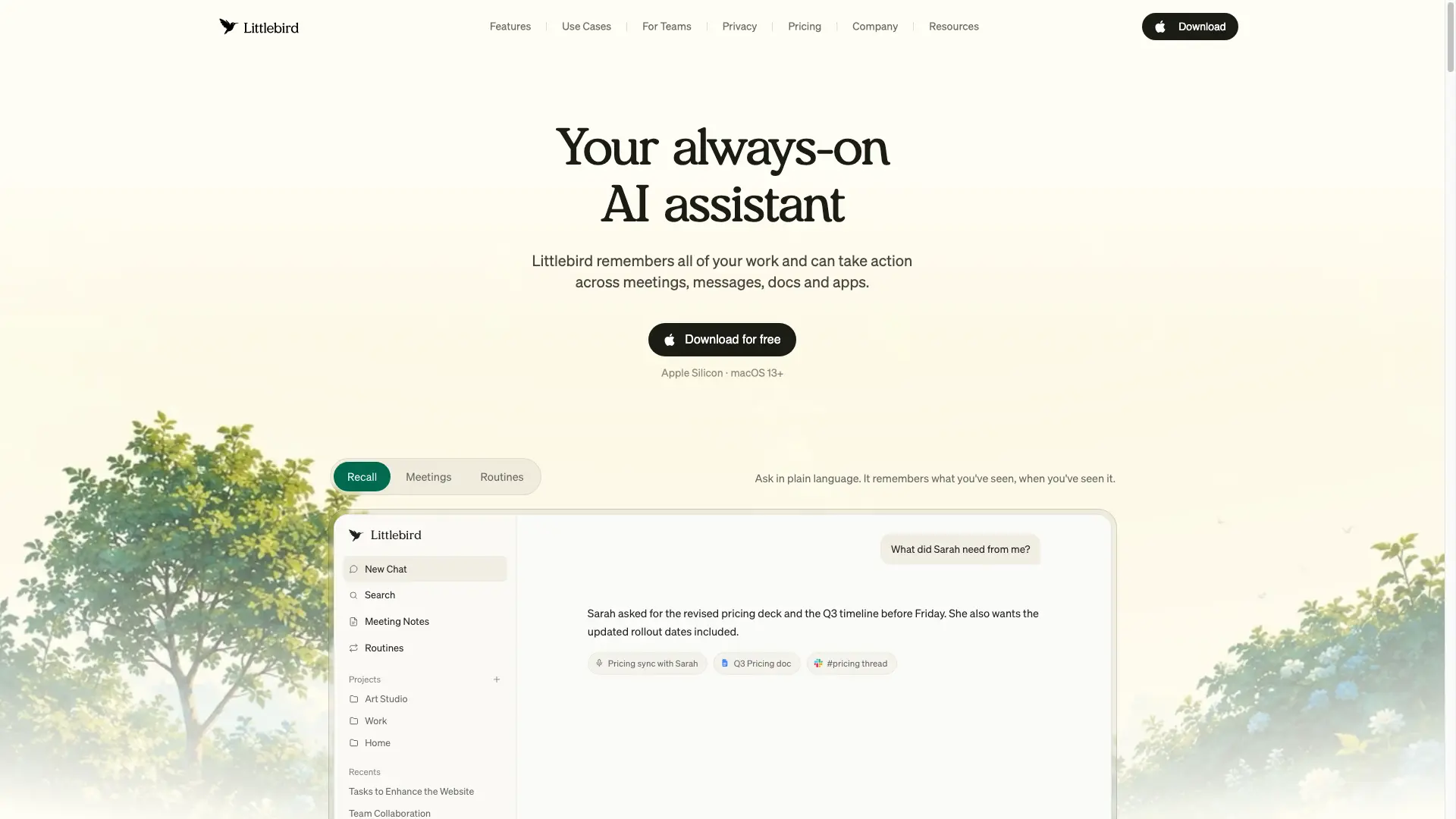
Littlebird is a desktop AI assistant for Mac and Windows that remembers your work across your screen, meetings, messages, docs, and apps. It writes meeting notes, runs daily routines and briefings, and connects to other AI tools through MCP. It works automatically by observing your screen, and optionally deepens access through hundreds of integrations.
Littlebird video 1
Littlebird screenshot 2

How to use Littlebird?

Download the Littlebird desktop app for Mac or Windows and sign in. Littlebird begins learning from your screen, meetings, and the apps you connect. Ask questions in chat, set up routines for briefings and updates, and connect integrations from Settings whenever you want deeper access.

Littlebird Core Features

01

Chat

Your always-on AI assistant. Littlebird remembers all your work and can take action across meetings, messages, docs, and apps.

02

Meeting Notes

Never take meeting notes again. Get perfect notes from every meeting you've had, with full prep for the meetings you haven't. Notes are available in 10+ languages.

03

Routines

Automate your schedules and briefs. Set up a daily routine — a morning briefing, a weekly project update — whenever you want it.

04

Hover

Littlebird wherever you're working. Hover over anything on screen to ask, summarize, or act without leaving your app.

05

MCP

Your work memory in every AI tool. Connect your Littlebird memory to other AI tools like Claude and Cursor through the Model Context Protocol.

06

Integrations

Connect the tools your work lives in. Hundreds of integrations across project management, CRM, finance, email, and more, all optional.

Littlebird Use Cases

Business leaders and founders keep decisions, context, and agendas in one quiet memory.

Creative professionals like marketers and designers draft and iterate in their own voice.

Developers and product managers bring work memory into Claude and Cursor via MCP.

Client-facing teams walk into every call with automatic notes and prep briefs.

Researchers and students organize readings, notes, and sources across all their apps.

Individuals manage personal life and household tasks with a daily assistant.

Littlebird Frequently Asked Questions

How does Littlebird understand my work?

Littlebird learns by seeing what you see. It pays attention to the active window on your screen, like the document you're writing or the website you're browsing. During meetings, it listens along to take notes. It can also connect to tools you already use, like email and calendar, to pull in context and take actions on your behalf.

Do I need to connect all my apps for Littlebird to work?

No. Littlebird works automatically by seeing what's on your screen, giving you a unified memory across all your apps without any setup. Hundreds of integrations are also available so you can give Littlebird deeper access to the tools you use most, such as Google Calendar for scheduling meetings.

What integrations does Littlebird support?

Littlebird supports hundreds of integrations, including project management (Notion, Linear, ClickUp, monday.com, Atlassian Rovo), design and collaboration (Canva, Miro, Lucid), developer tools (Axiom, Cloudflare, PlanetScale, Honeycomb), CRM and sales (Intercom, Outreach, Close, Day AI), finance (Mercury, Ramp, PayPal, Stripe), meetings (Calendly, Fireflies, Granola, Krisp, Circleback), marketing, analytics, knowledge and docs, and email and calendar.

Why should I use Littlebird instead of a general AI assistant or chatbot?

General AI assistants have no context about your work, so you have to catch them up by copying and pasting information. Littlebird already understands the work behind your requests: your documents, conversations, and projects. It gives more relevant answers and stronger starting points, making it faster, more personal, and far more useful for day-to-day work.

Is my data secure with Littlebird?

Yes. Your data is always encrypted when stored on our servers, and any connection between Littlebird and third-party services you authorize is encrypted in transit. We are SOC 2 certified, GDPR and CCPA compliant, and you can delete your data at any time.

Where is my data stored?

To provide a reliable, high-quality service, Littlebird securely stores your data in the cloud, hosted on Amazon Web Services (AWS). While Littlebird runs on your computer and you control what it sees, the data it captures is encrypted and stored in the cloud.

Littlebird Product Background & Official Links

Littlebird Support Email & Customer service contact & Refund contact etc.

More Contact, visit the about us page(https://littlebird.ai/about-us)

Littlebird Pricing

Littlebird Pricing Link: https://littlebird.ai/pricing

Littlebird Youtube

Littlebird Youtube Link: https://www.youtube.com/@Littlebird-AI

Littlebird Twitter

Littlebird Twitter Link: https://x.com/littlebirdai

Littlebird Instagram

Littlebird Instagram Link: https://www.instagram.com/littlebird.ai

Littlebird LinkedIn

Littlebird LinkedIn Link: https://www.linkedin.com/company/littlebirdai/

Littlebird Pricing & Plans

Basic

Free
Free
  • Full context from day one
  • Full context from your screen, apps and meetings
  • Daily usage credits for chats and routines
  • Limited meeting notes
  • Meeting notes in 10+ languages
  • Web search and quick access
  • Chat on mobile apps
  • Connect calendar, email, and more
  • Instant, cross-app search
  • Community support
  • Privacy and data protection
Subscribe & upgrade now
Most Popular

Plus

Recurring
$17 /month
  • Everything in Basic
  • Advanced intelligence in chat
  • Enhanced memory and personalization
  • Monthly usage credits for chats and routines
  • Access to usage packs, available anytime and never expire
  • Unlimited meeting notes
  • Access to image generation
  • Access to max intelligence for complex tasks and deep research
Subscribe & upgrade now

Power

Recurring
$42 /month
  • Everything in Plus
  • 2.5x the usage credits of Plus
  • Access to Littlebird MCP
  • Premium image generation
  • Priority support
Subscribe & upgrade now

Pro

Recurring
From $100 /month
  • Everything in Power
  • 5x or 12x the usage credits of Plus
  • Best for heavy use
  • Auto-detect language in meeting notes
  • Early access to new features
Subscribe & upgrade now

Team

Recurring
From $17 /month per seat
  • Team seat management
  • Advanced intelligence in chat
  • Enhanced memory and personalization
  • Daily and monthly usage credits for chats and routines
  • Access to usage packs, available anytime and never expire
  • Unlimited meeting notes
  • Access to image generation
  • Access to max intelligence for complex tasks and deep research
  • Priority support
Subscribe & upgrade now

Enterprise

contact
Custom
  • Everything in Team
  • SSO and centralized user management
  • Self-hosted deployments
  • Custom security and data controls
  • Dedicated account manager
  • Custom contract and invoicing
Subscribe & upgrade now

Littlebird Tags

FreeFreemiumSubscriptionFree TrialDesktop AppMobile AppMac CompatiblePrivacy-FocusedCloud-basedMulti-languageTeam CollaborationSecure Data

Best Suited Occupations for Littlebird

Executives & Decision MakersFreelancersWriters & MarketersProduct ManagersProject & Program ManagersGeneral ConsumersStudentsAcademic ResearchersSales & Business DevelopmentSelf-Media & Influencers

Top Product Categories

LLMs & AI Agents

  • AI Chatbots
  • AI Agents
  • Prompt Engineering
  • AI Search Engine

Engineering & Code

  • AI Code Assistant
  • AI Code Generator
  • AI Developer Tools
  • No-Code & Low-Code

Image & Creative

  • AI Image Generator
  • AI Design Generator
  • AI Art Generator
  • Image-to-Image

Video & Animation

  • AI Video Generator
  • AI Short Video Maker
  • Digital Humans
  • AI Video Editor

Productivity & Office

  • AI Meeting Assistant
  • AI PDF Tools
  • AI Workflow
  • AI PPT Generator

Marketing & Sales

  • AI SEO Tools
  • AI Copywriting
  • AI Lead Generation
  • AI Sales Assistant

Audio & Voice

  • AI Voice Cloning
  • AI Text-to-Speech
  • AI Music Generator
  • AI Podcast Tools

Research & Data

  • AI Research Tools
  • AI Data Analytics
  • AI Knowledge Base
  • See All Categories >>
BAT AI TOOLS
  • Submit your AI tool
  • Pricing
  • Partnership
  • Feedback
  • About
  • A2A Compatible
WeChat QR
Scan QR code with WeChat
hi@bataitools.comClick icon to auto-copy email
English简体中文繁體中文EspañolالعربيةBahasa IndonesiaPortuguêsFrançais日本語РусскийDeutsch한국어TürkçeTiếng ViệtItalianoNederlandsPolskiไทยहिन्दीУкраїнськаفارسیবাংলাاردوSvenskaNorskDanskSuomiעברית

Copyright © 1970 BAT AI TOOLS. All Rights Reserved.

·Partnership·Privacy Policy·Terms of Service·Refund Policy