

Sponsored byAstria- AI image production for fashion and identity.
BAT AI TOOLSBAT AI TOOLS
  • Tools
  • Category
  • Jobs
  • Pricing
  • PromoFREE
Free Submit
Sign In
  • Home
  • /
  • Office & Productivity
  • /
  • MailTime
MailTime

MailTime

Active
Tagline:Email, as simple as texting.
Updated:-
Social Media:
Office & ProductivityAI Email AssistantMobile AppMobile Friendly
Open Website
Visit Website
Promote this product|Claim this product
  • About
  • Pricing

What is MailTime?

MailTime is an email messenger that reformats cluttered email threads into clean bubble chats. Connect Gmail, Yahoo, Outlook, iCloud, or corporate mail in one app. Messages still appear as normal emails to people not using MailTime.
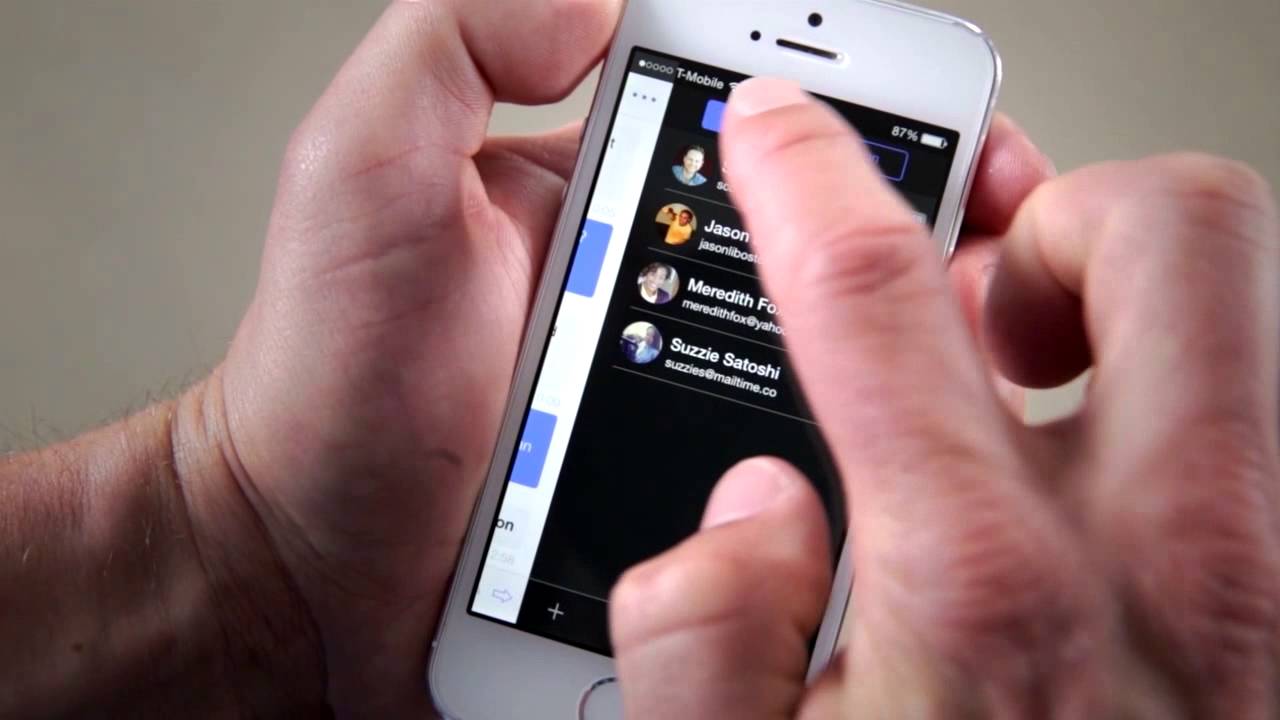
MailTime video 1

How to use MailTime?

Download MailTime from the App Store or Google Play, connect your email accounts, and start reading and replying to messages in a chat-style conversation view.

MailTime Core Features

01

Email Messaging

View your emails as conversations, not threads. MailTime cuts out metadata and presents emails in clean bubbles.

02

One App for All

Use one app for all your email accounts, including Gmail, Yahoo, Outlook, iCloud, and corporate mail.

03

Private & Secure

MailTime is GDPR compliant and lets users opt in or out of data sharing directly in the app.

MailTime Use Cases

Manage multiple personal and work email accounts in one mobile app

Read and reply to long email threads in a chat-style conversation view

Send emails that still look like normal messages to recipients not using MailTime

MailTime Frequently Asked Questions

Does my friend need to use MailTime to chat with me?

No. Whatever email client your friends use, they can still send messages to you via your email address.

Does it change my email look for receivers not using MailTime?

No. To non-MailTime users, messages appear as normal emails.

How do I log in with 2-step verification?

If your email account uses 2-step verification, follow the in-app tutorials for your provider and enable IMAP in your email settings before connecting.

MailTime Product Background & Official Links

MailTime Support Email & Customer service contact & Refund contact etc.

MailTime Support Email: support@mailtime.com

More Contact, visit the about us page(https://support.mailtime.com/)

MailTime Company Info

MailTime Company name: Mobile Internet Limited

MailTime Developer Type: company

More about MailTime, Please visit the about us page(https://support.mailtime.com/)

MailTime Youtube

MailTime Youtube Link: https://www.youtube.com/watch?v=roevLoWw-dY

MailTime Twitter

MailTime Twitter Link: https://x.com/MailTimeApp

MailTime Pricing & Plans

Free

Free
Free
  • Free to download, install, and use
  • Connect a limited number of email accounts
  • In-app purchase available for additional accounts
Subscribe & upgrade now

Premium

flat
One-time payment
  • One-time upfront payment at download
  • Connect an unlimited number of email accounts
  • Full MailTime premium app access
Subscribe & upgrade now

MailTime Tags

Mobile AppMobile Friendly

Best Suited Occupations for MailTime

General ConsumersSmall Business Owners

Top Product Categories

LLMs & AI Agents

  • AI Chatbots
  • AI Agents
  • Prompt Engineering
  • AI Search Engine

Engineering & Code

  • AI Code Assistant
  • AI Code Generator
  • AI Developer Tools
  • No-Code & Low-Code

Image & Creative

  • AI Image Generator
  • AI Design Generator
  • AI Art Generator
  • Image-to-Image

Video & Animation

  • AI Video Generator
  • AI Short Video Maker
  • Digital Humans
  • AI Video Editor

Productivity & Office

  • AI Meeting Assistant
  • AI PDF Tools
  • AI Workflow
  • AI PPT Generator

Marketing & Sales

  • AI SEO Tools
  • AI Copywriting
  • AI Lead Generation
  • AI Sales Assistant

Audio & Voice

  • AI Voice Cloning
  • AI Text-to-Speech
  • AI Music Generator
  • AI Podcast Tools

Research & Data

  • AI Research Tools
  • AI Data Analytics
  • AI Knowledge Base
  • See All Categories >>
BAT AI TOOLS
  • Submit your AI tool
  • Pricing
  • Partnership
  • Feedback
  • About
WeChat QR
Scan QR code with WeChat
hi@bataitools.comClick icon to auto-copy email
English简体中文繁體中文EspañolالعربيةBahasa IndonesiaPortuguêsFrançais日本語РусскийDeutsch한국어TürkçeTiếng ViệtItalianoNederlandsPolskiไทยहिन्दीУкраїнськаفارسیবাংলাاردوSvenskaNorskDanskSuomiעברית

Copyright © 2026 BAT AI TOOLS. All Rights Reserved.

·Partnership·Privacy Policy·Terms of Service·Refund Policy