Sponsored byAI Video Cut- Turn long videos into catchy YouTube Shorts, TikToks, viral ads, and trailers effortlessly.
BAT AI TOOLSBAT AI TOOLS
  • Tools
  • Category
  • Jobs
  • Pricing
  • PromoFREE
Free Submit
Sign In
  • Home
  • /
  • AI App Builder
  • /
  • Makeasite
Makeasite

Makeasite

Active
Tagline:Focus on your product, not the plumbing
Updated:-
Social Media:
AI App BuilderAI Code AssistantNo-Code & Low-Code DevelopmentAI Agent ReadyFor StartupsFor DevelopersCloud-basedWeb App
Open Website
Makeasite
Visit Website
|
  • About
  • Pricing

What is Makeasite?

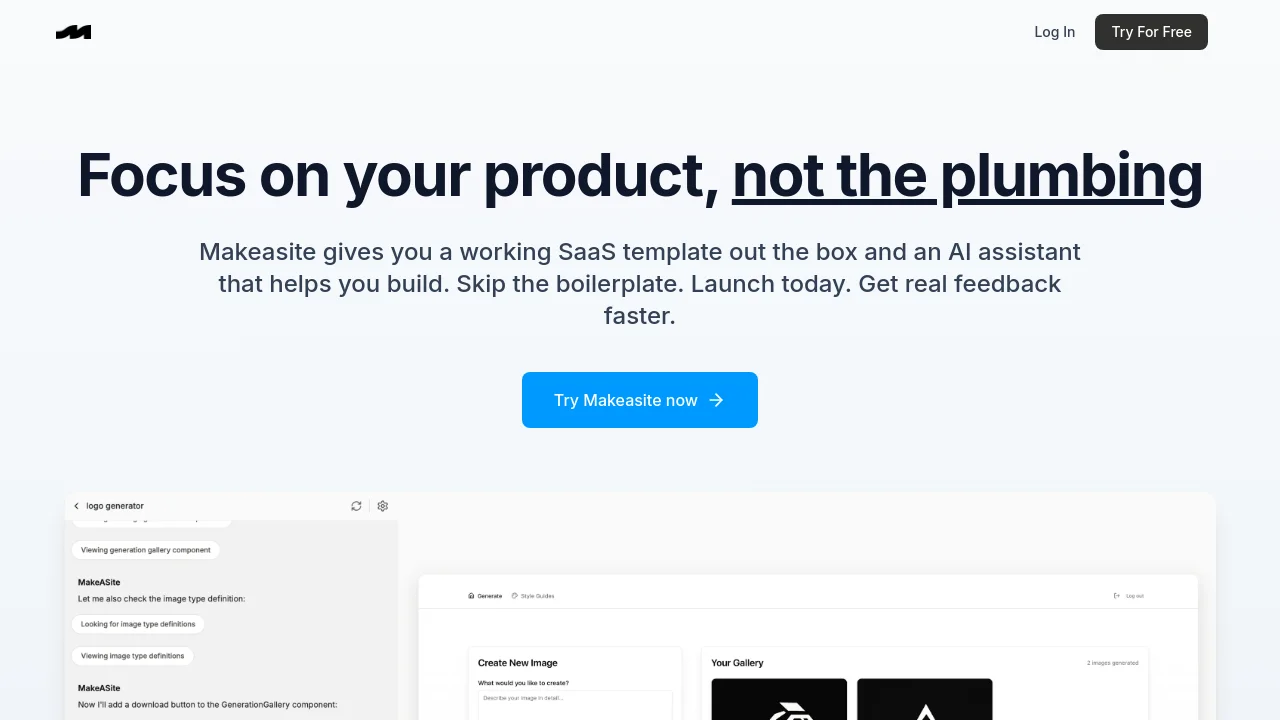
Makeasite gives you a working SaaS template out the box and an AI assistant that helps you build. It configures Supabase, PostHog, Stripe, and Google Auth on your Next.js app so you can validate ideas faster without stitching together databases, authentication, billing, and analytics.
Makeasite screenshot 1

How to use Makeasite?

Click Try For Free or Log In on makeasite.io to start with the pre-built SaaS template, then use the AI assistant in chat to edit code, manage your database, and ship your product.

Makeasite Core Features

01

Edit files

Ask the assistant to find, update, or generate code across your project.

02

Manage your database

Create migrations, run queries, and inspect your database logs directly from chat.

03

Debug issues

Ask the assistant to surface frontend errors and trace issues without digging through logs or consoles.

04

Search your project

Search across files or folders and navigate your codebase conversationally.

05

Pull in external context

Ask the assistant to search the web, scrape content, take screenshots, and apply what it finds to your project.

06

Track changes

Versioning is built in, so you can snapshot your project and roll back whenever you need to.

Makeasite Use Cases

Launch a SaaS MVP with Supabase, Stripe, PostHog, and Google Auth already wired up

Validate a startup idea in days instead of spending months on boilerplate setup

Use an AI assistant to edit code, run migrations, and debug issues from chat

Makeasite Frequently Asked Questions

What integrations does Makeasite configure on my Next.js app?

Makeasite helps you configure Supabase, PostHog, Stripe, and Google Auth on your Next.js app.

What can the Makeasite assistant help me do?

It can edit code, run database migrations, debug issues, search your project, pull in external web context, and track project changes with built-in versioning.

How do I get started?

Use Try For Free or Log In on makeasite.io to access the SaaS template and start building with the AI assistant.

Makeasite Product Background & Official Links

Makeasite Support Email & Customer service contact & Refund contact etc.

Makeasite Support Email: founders@internetfriends.io

More Contact, visit the about us page(https://makeasite.io)

Makeasite Pricing & Plans

Free

Free
Free
  • Try Makeasite for free
  • Pre-built Next.js SaaS template
  • AI assistant for code, database, and debugging tasks
Subscribe & upgrade now

Makeasite Tags

AI Agent ReadyFor StartupsFor DevelopersCloud-basedWeb App

Best Suited Occupations for Makeasite

Software DevelopersIndie HackersProduct Managers

Top Product Categories

LLMs & AI Agents

  • AI Chatbots
  • AI Agents
  • Prompt Engineering
  • AI Search Engine

Engineering & Code

  • AI Code Assistant
  • AI Code Generator
  • AI Developer Tools
  • No-Code & Low-Code

Image & Creative

  • AI Image Generator
  • AI Design Generator
  • AI Art Generator
  • Image-to-Image

Video & Animation

  • AI Video Generator
  • AI Short Video Maker
  • Digital Humans
  • AI Video Editor

Productivity & Office

  • AI Meeting Assistant
  • AI PDF Tools
  • AI Workflow
  • AI PPT Generator

Marketing & Sales

  • AI SEO Tools
  • AI Copywriting
  • AI Lead Generation
  • AI Sales Assistant

Audio & Voice

  • AI Voice Cloning
  • AI Text-to-Speech
  • AI Music Generator
  • AI Podcast Tools

Research & Data

  • AI Research Tools
  • AI Data Analytics
  • AI Knowledge Base
  • See All Categories >>
BAT AI TOOLS
  • Submit your AI tool
  • Pricing
  • Partnership
  • Feedback
  • About
WeChat QR
Scan QR code with WeChat
hi@bataitools.comClick icon to auto-copy email
English简体中文繁體中文EspañolالعربيةBahasa IndonesiaPortuguêsFrançais日本語РусскийDeutsch한국어TürkçeTiếng ViệtItalianoNederlandsPolskiไทยहिन्दीУкраїнськаفارسیবাংলাاردوSvenskaNorskDanskSuomiעברית

Copyright © 1970 BAT AI TOOLS. All Rights Reserved.

·Partnership·Privacy Policy·Terms of Service·Refund Policy