

BAT AI TOOLSBAT AI TOOLS
  • Tools
  • Category
  • Submit
  • Partnership
Sign In
  • Home
  • /
  • Art & Creative Design
  • /
  • Muse Pro
Muse Pro

Muse Pro

Active
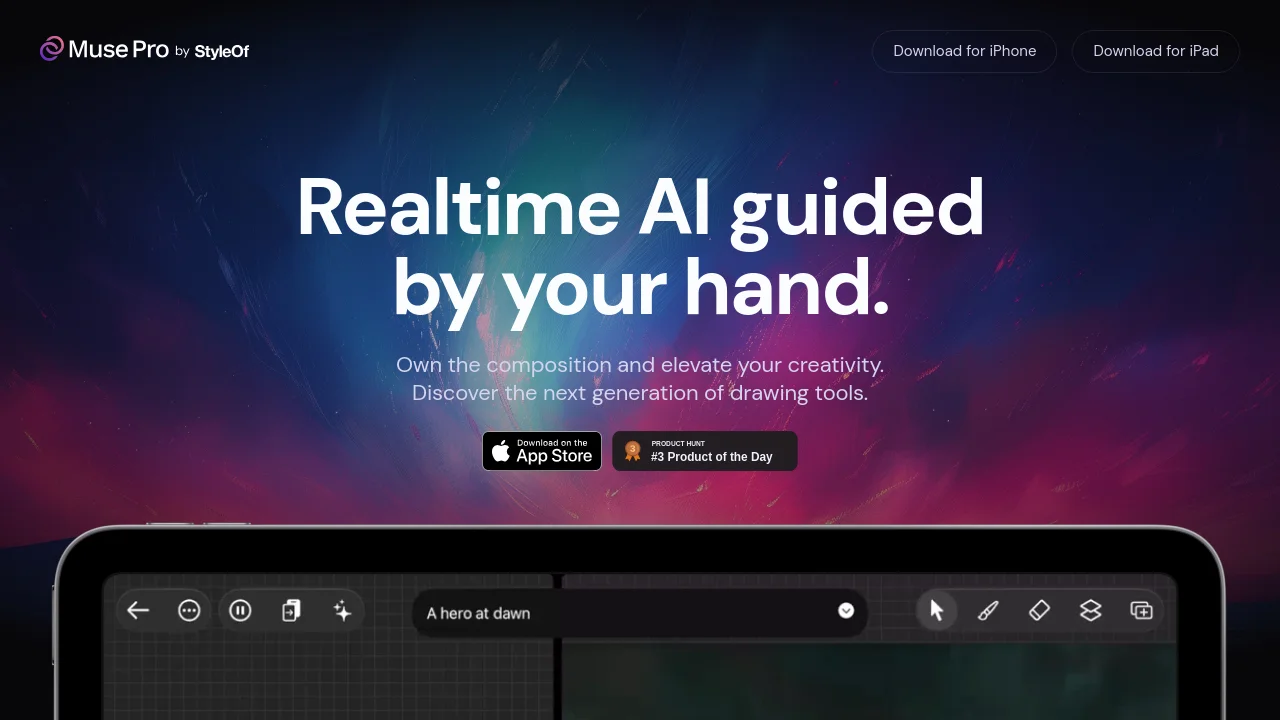
Tagline:Realtime AI guided by your hand.
Updated:-
Social Media:
Art & Creative DesignAI Art GeneratorAI Image EnhancerImage Generation & EditingMobile AppFreemiumFree TrialReal-timeMac Compatible
Open Website
Muse Pro
Visit Website
Promote this product|Update this product
  • About
  • Pricing

What is Muse Pro?

Muse Pro is an AI-powered art studio for iPad and iPhone. Sketch and paint with handcrafted brushes, layers, and familiar design tools while realtime AI generation follows your strokes at up to 30 fps. Enhanced by GPT-4 Vision for image-to-prompt and a prompt enhancer; includes creative upscaling up to 4x for print-ready outputs.
Muse Pro video 1
Muse Pro video 2
Muse Pro screenshot 3

How to use Muse Pro?

Download Muse Pro from the App Store on iPhone or iPad. Open a canvas, choose brushes from the library, and draw with Apple Pencil (pressure sensitivity supported). Use prompts, randomize, or enhance to guide AI generation in realtime. Adjust AI strength with sliders, shuffle the seed, or pause collaboration. Export layered .musepro files or high-quality PNG.

Muse Pro Core Features

01

Realtime AI generation

Watch your vision unfold as your strokes guide the AI at up to 30 fps. Supports Apple Pencil with pressure sensitivity.

02

Prompting

Guide the AI with text prompts, quickly change directions with words, randomize to avoid a blank canvas, enhance details with a tap, and use Vision to have your drawing described by AI.

03

AI Control

Fine-tune the AI with intuitive sliders. Shuffle the seed to explore possibilities or pause to put AI collaboration on hold.

04

Enhance & upscale

Enhance details and polish your work with one tap. Upscale drawings up to 4x for print-ready outputs; sliders help bring rough concepts to life.

05

Layers, assets & brushes

Experiment with layers, infuse art with shapes, images, and text, and paint with a diverse brush library including import/export for custom .brushset brushes.

Muse Pro Use Cases

Sketch and paint expressive illustrations on iPad with AI following your strokes in realtime

Turn rough concepts into polished artwork using enhance and 4x upscaling for print

Explore creative directions with prompts, randomize, and seed shuffle without starting from a blank canvas

Muse Pro Frequently Asked Questions

Which devices does Muse Pro support?

Muse Pro runs on iPhone (iOS 16.4+), iPad (iPadOS 16.4+), Mac with Apple M1 or later (macOS 13.3+), and Apple Vision (visionOS 1.0+).

What subscription options are available?

The app is free to download with in-app purchases: Muse Pro Weekly at $8.99 and Muse Pro Monthly at $29.99 via the App Store.

Does Muse Pro work with Apple Pencil?

Yes. Muse Pro supports Apple Pencil with pressure sensitivity, double-tap tool switching, and dynamic flow and opacity adjustments.

Muse Pro Product Background & Official Links

Muse Pro Support Email & Customer service contact & Refund contact etc.

Muse Pro Support Email: hello@styleof.com

More Contact, visit the about us page(https://musepro.app/)

Muse Pro Company Info

Muse Pro Company name: StyleOf, Inc.

Muse Pro Developer Type: company

More about Muse Pro, Please visit the about us page(https://musepro.app/)

Muse Pro Pricing

Muse Pro Pricing Link: https://apps.apple.com/us/app/muse-pro/id6475118587

Muse Pro Twitter

Muse Pro Twitter Link: https://twitter.com/styleofapp

Muse Pro Instagram

Muse Pro Instagram Link: https://www.instagram.com/styleof.app

Muse Pro Pricing & Plans

Free

Free
Free
  • Download and try Muse Pro at no cost
  • Core drawing tools, brushes, and layers
  • In-app purchases for premium access
Subscribe & upgrade now

Weekly

Recurring
$8.99 /week
  • Weekly subscription via App Store
  • Realtime AI generation and enhance tools
  • GPT-4 Vision image-to-prompt and prompt enhancer
Subscribe & upgrade now
Most Popular

Monthly

Recurring
$29.99 /month
  • Monthly subscription via App Store
  • Full access to AI features and upscaling
  • Export layered .musepro or PNG files
Subscribe & upgrade now

Muse Pro Tags

Mobile AppFreemiumFree TrialReal-timeMac Compatible

Best Suited Occupations for Muse Pro

General ConsumersFreelancersAudio & Video Producers

Top Product Categories

LLMs & AI Agents

  • AI Chatbots
  • AI Agents
  • Prompt Engineering
  • AI Search Engine

Engineering & Code

  • AI Code Assistant
  • AI Code Generator
  • AI Developer Tools
  • No-Code & Low-Code

Image & Creative

  • AI Image Generator
  • AI Design Generator
  • AI Art Generator
  • Image-to-Image

Video & Animation

  • AI Video Generator
  • AI Short Video Maker
  • Digital Humans
  • AI Video Editor

Productivity & Office

  • AI Meeting Assistant
  • AI PDF Tools
  • AI Workflow
  • AI PPT Generator

Marketing & Sales

  • AI SEO Tools
  • AI Copywriting
  • AI Lead Generation
  • AI Sales Assistant

Audio & Voice

  • AI Voice Cloning
  • AI Text-to-Speech
  • AI Music Generator
  • AI Podcast Tools

Research & Data

  • AI Research Tools
  • AI Data Analytics
  • AI Knowledge Base
  • See All Categories >>
BAT AI TOOLS
  • Submit your AI tool
  • Pricing
  • About
  • Privacy Policy
  • Terms of Service
WeChat QR
Scan QR code with WeChat
contact@bataitools.comClick icon to auto-copy email
English简体中文繁體中文EspañolالعربيةBahasa IndonesiaPortuguêsFrançais日本語РусскийDeutsch한국어TürkçeTiếng ViệtItalianoNederlandsPolskiไทยहिन्दीУкраїнськаفارسیবাংলাاردوSvenskaNorskDanskSuomiעברית

Copyright © 2026 BAT AI TOOLS. All Rights Reserved.