Sponsored byAgno- The Agent Platform That Builds Itself
BAT AI TOOLSBAT AI TOOLS
  • Tools
  • Category
  • Jobs
  • Pricing
  • PromoFREE
Free Submit
Sign In
  • Home
  • /
  • AI Meeting Assistant
  • /
  • Daisy
Daisy

Daisy

Active
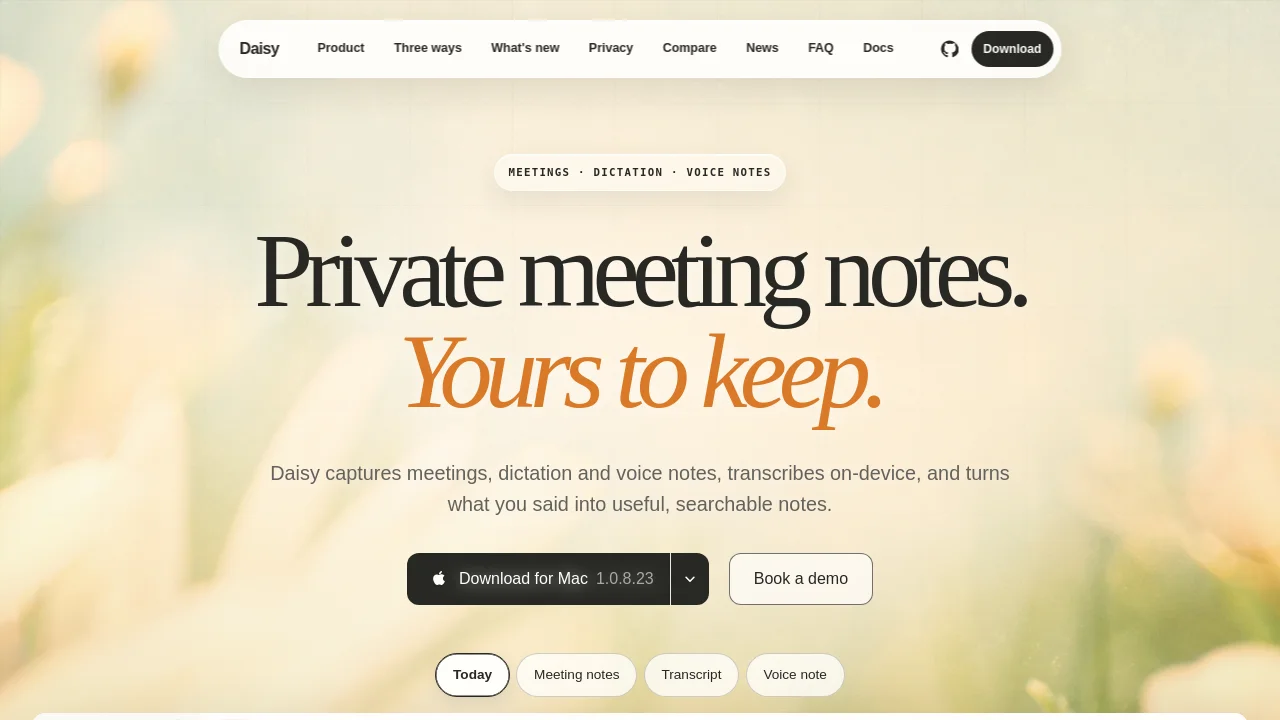
Tagline:Private meeting notes, dictation and voice notes with on-device transcription.
Updated:October 22, 2026
Domain Rating:
3Domain Rating by Ahrefs
Social Media:
AI Meeting AssistantAI Note TakerAI Speech-to-TextAI Content SummarizerOffice & ProductivityOpen SourceDesktop AppMac CompatiblePrivacy-FocusedOffline SupportFreeReal-timeMulti-language
Open Website
Daisy
Visit Website
|
  • About
  • Pricing

What is Daisy?

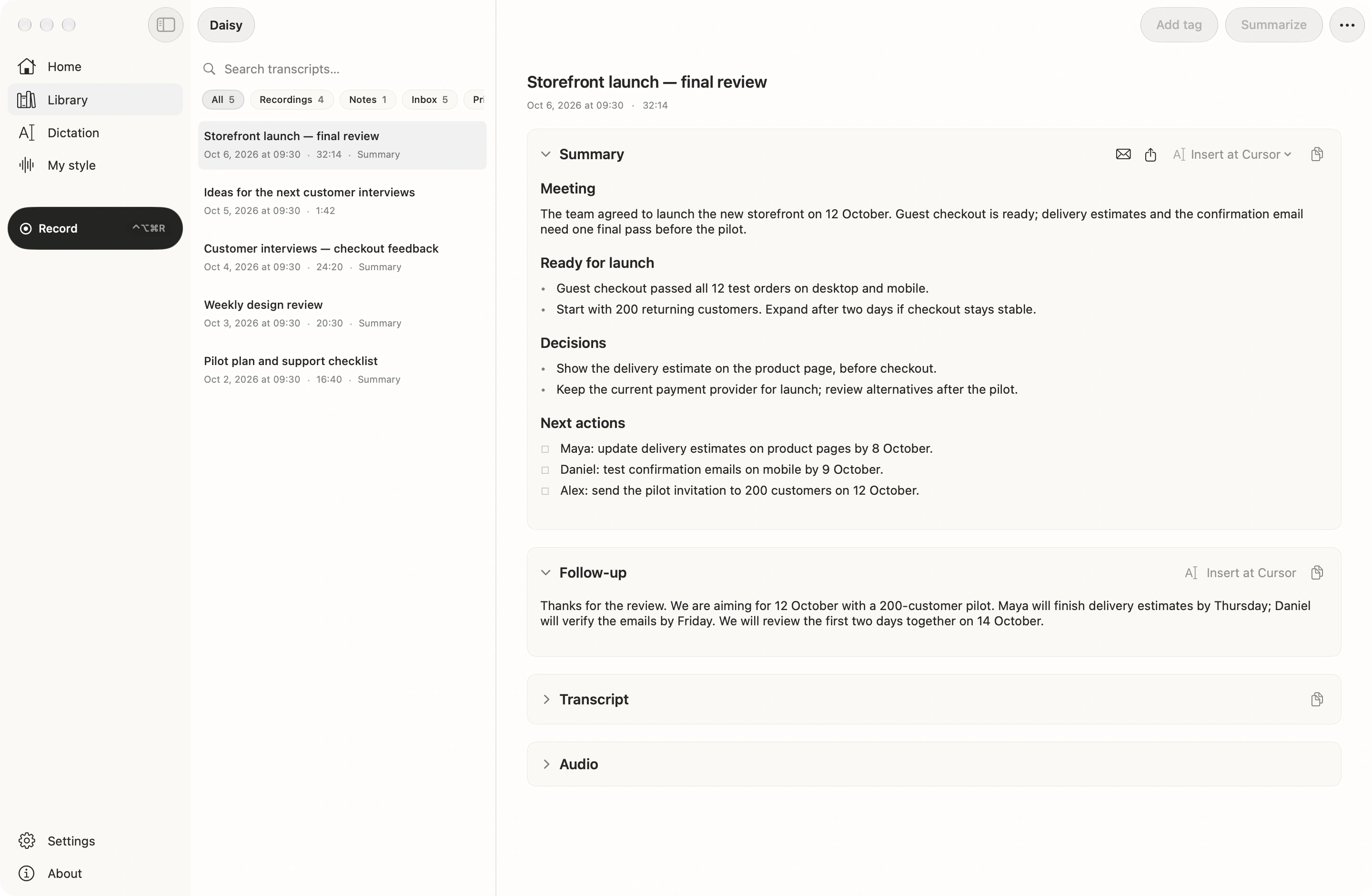
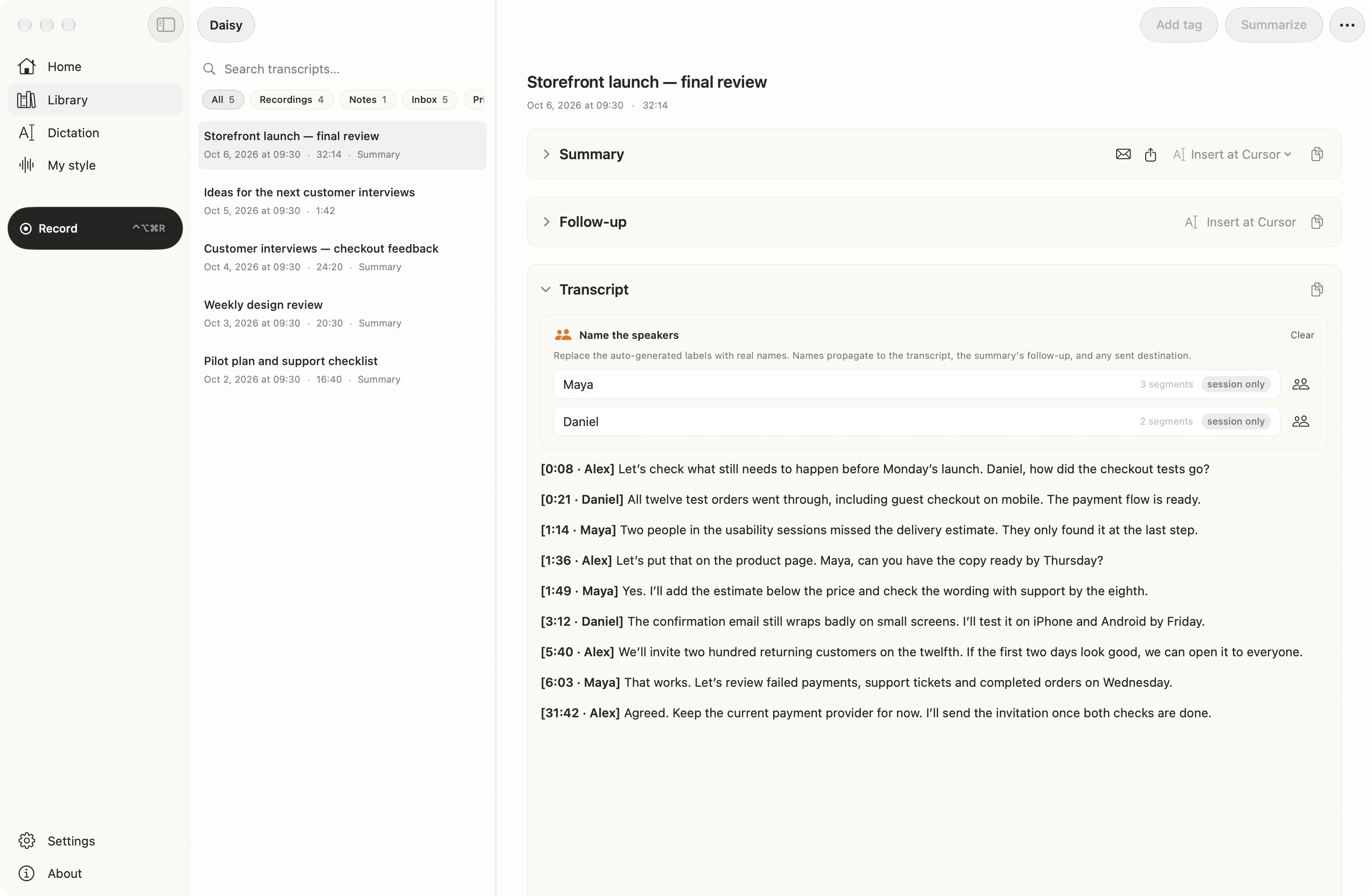
Daisy captures meetings, dictation, and voice notes with on-device transcription, turning conversations into searchable Markdown notes. It records both sides of a call without a bot and keeps audio and transcripts entirely on your Mac. External AI summaries and connections via MCP or webhooks are optional.
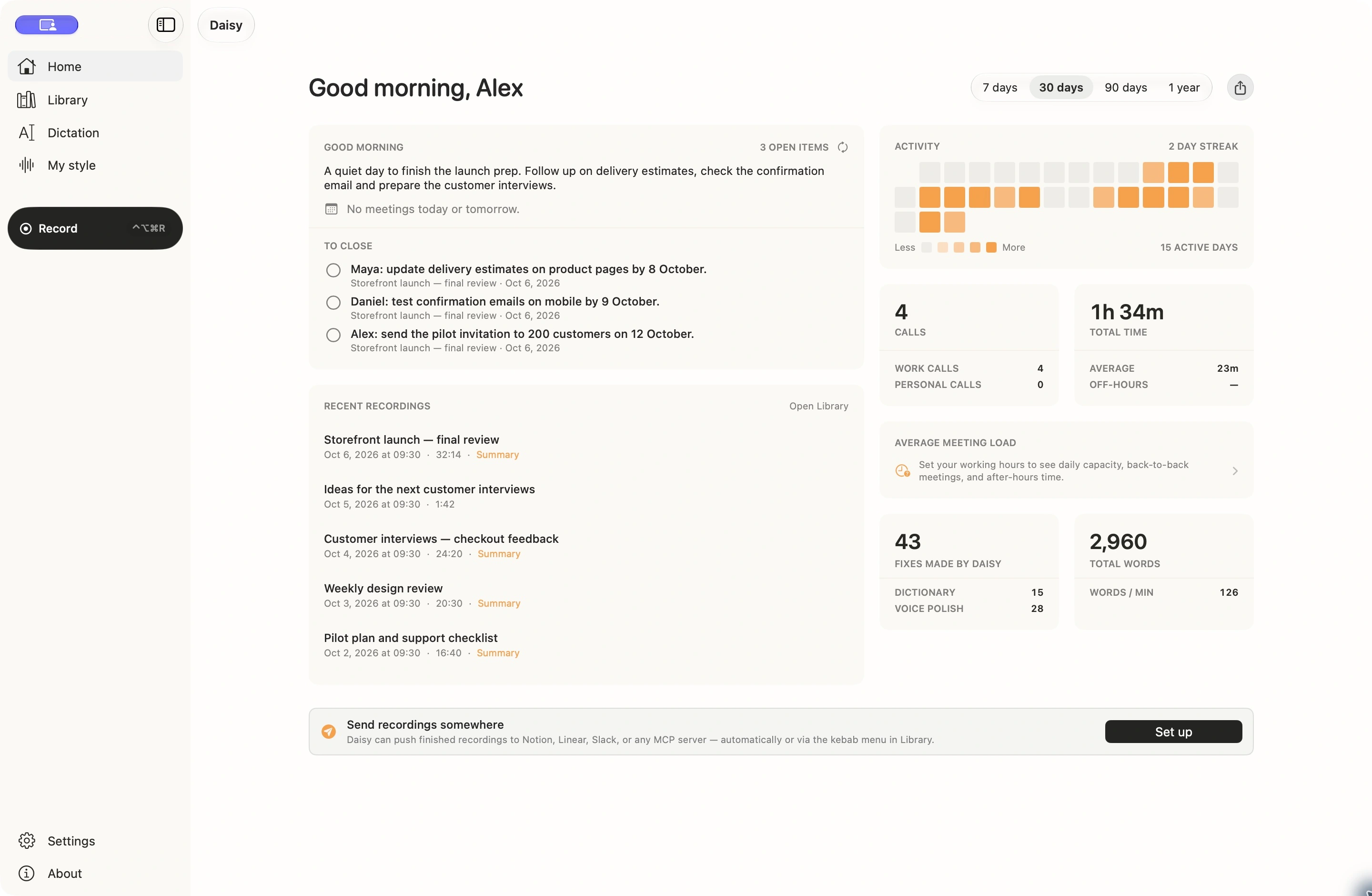
Daisy screenshot 1
Daisy screenshot 2
Daisy screenshot 3
Daisy screenshot 4

How to use Daisy?

1. Download and install Daisy for Mac (macOS 14+ on Apple Silicon). 2. Select your capture mode: record calls, hold a hotkey for direct dictation, or capture quick voice notes. 3. Keep transcripts locally in Markdown or optionally connect external AI models via MCP, ChatGPT account, or API keys.

Daisy Core Features

01

Both sides, no bot

Records microphone and Mac system audio without bots joining meetings, separating speakers into structured notes.

02

Hotkey dictation

Hold a hotkey and speak naturally with on-device transcription that pastes text directly where your cursor is.

03

Standalone voice notes

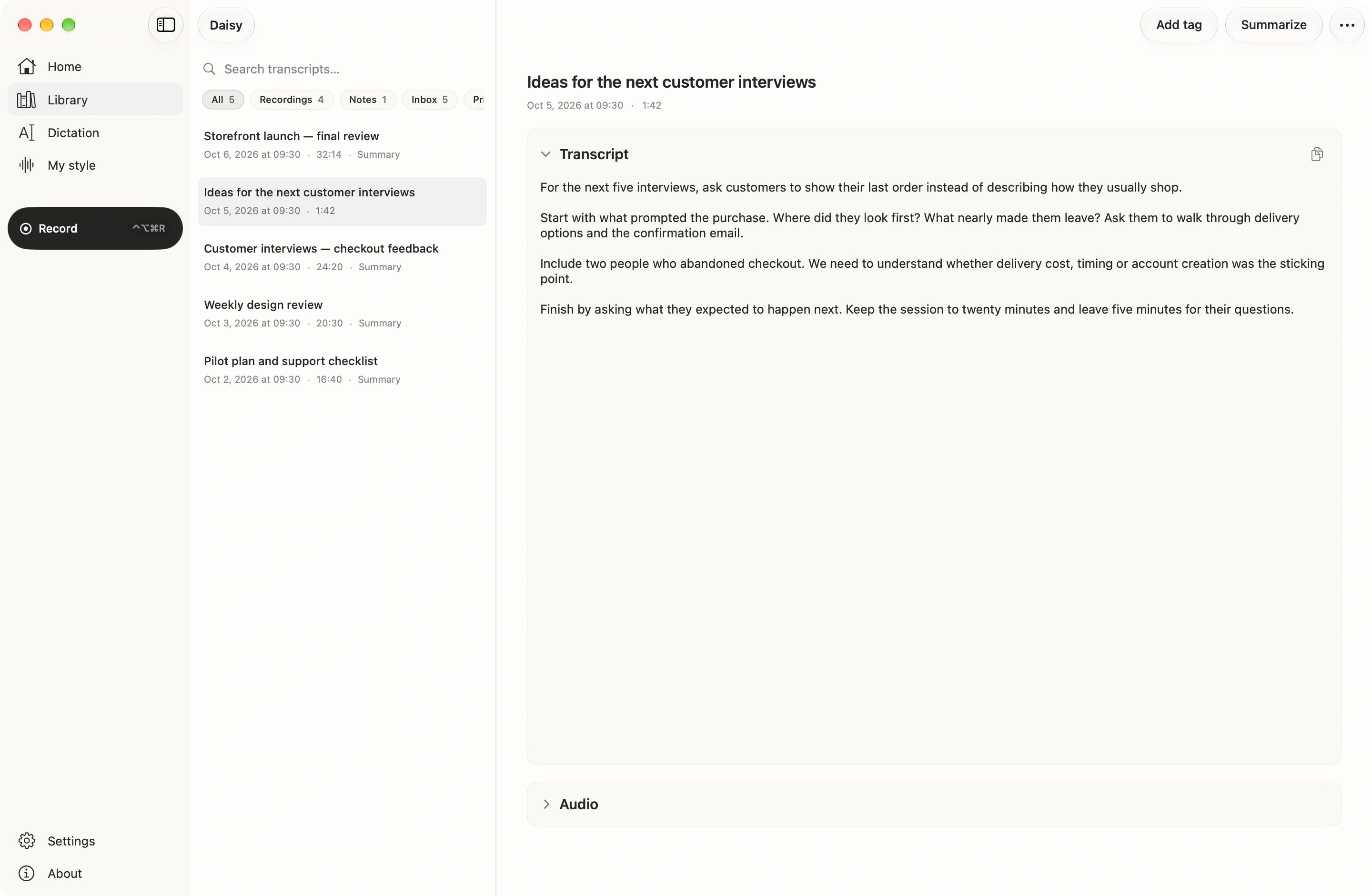
Tap a hotkey to capture quick thoughts as titled, searchable notes in your local library.

04

On-device transcription

Runs speech-to-text locally across 12 languages with no audio sent to cloud servers.

05

Local archive and MCP

Saves notes as plain Markdown files in a chosen folder and connects to AI clients like Claude or Cursor via MCP.

Daisy Use Cases

Confidential client and legal meetings

Private therapy and medical session notes

Everyday voice dictation into active apps

Capturing quick thoughts into a local Markdown vault

Meeting recaps and action item tracking without bots

Daisy Frequently Asked Questions

Does Daisy send my recordings to the cloud?

Recording, transcription and your Markdown archive live on your Mac. If you choose an external summary provider or destination, that specific content is sent directly from your Mac to the provider you selected — Daisy is not a proxy and does not keep a cloud archive.

Does a bot join my meeting?

No. Daisy captures your microphone and the audio already playing through your Mac. Nothing joins the meeting, announces itself, or appears in the participant list.

Which platforms does Daisy support?

Daisy is currently available for Apple Silicon Macs running macOS 14 or newer. Windows and iOS versions are in development; they are not yet available to download.

Which languages does Daisy support?

Daisy offers transcription in 12 selectable languages: English, Russian, Ukrainian, Polish, Spanish, German, French, Italian, Portuguese, Japanese, Korean and Chinese. Auto-detect is also available. Summary-language support depends on the AI provider you choose.

How much does Daisy cost?

Daisy is free for now. Any external AI usage is billed directly by the provider you choose. Pricing will be announced in advance.

Daisy Product Background & Official Links

Daisy Support Email & Customer service contact & Refund contact etc.

Daisy Support Email: support@mydaisy.io

More Contact, visit the about us page(https://mydaisy.io/docs)

Daisy LinkedIn

Daisy LinkedIn Link: https://www.linkedin.com/products/adddsgn-daisy/

Daisy GitHub

Daisy GitHub Link: https://github.com/ca33u/daisy-app

Daisy Pricing & Plans

Free

Free
Free
  • On-device transcription
  • Meeting recording without bots
  • Hotkey dictation
  • Local Markdown archive
  • MCP integration support
Subscribe & upgrade now

Daisy Tags

Open SourceDesktop AppMac CompatiblePrivacy-FocusedOffline SupportFreeReal-timeMulti-languageAI Agent ReadySecure Data

Best Suited Occupations for Daisy

Software DevelopersProduct ManagersProject & Program ManagersLegal & ComplianceSales & Business DevelopmentExecutives & Decision MakersAcademic ResearchersGeneral Consumers

Top Product Categories

LLMs & AI Agents

  • AI Chatbots
  • AI Agents
  • Prompt Engineering
  • AI Search Engine

Engineering & Code

  • AI Code Assistant
  • AI Code Generator
  • AI Developer Tools
  • No-Code & Low-Code

Image & Creative

  • AI Image Generator
  • AI Design Generator
  • AI Art Generator
  • Image-to-Image

Video & Animation

  • AI Video Generator
  • AI Short Video Maker
  • Digital Humans
  • AI Video Editor

Productivity & Office

  • AI Meeting Assistant
  • AI PDF Tools
  • AI Workflow
  • AI PPT Generator

Marketing & Sales

  • AI SEO Tools
  • AI Copywriting
  • AI Lead Generation
  • AI Sales Assistant

Audio & Voice

  • AI Voice Cloning
  • AI Text-to-Speech
  • AI Music Generator
  • AI Podcast Tools

Research & Data

  • AI Research Tools
  • AI Data Analytics
  • AI Knowledge Base
  • See All Categories >>
BAT AI TOOLS
  • Submit your AI tool
  • Pricing
  • Partnership
  • Feedback
  • About
  • A2A Compatible
WeChat QR
Scan QR code with WeChat
hi@bataitools.comClick icon to auto-copy email
English简体中文繁體中文EspañolالعربيةBahasa IndonesiaPortuguêsFrançais日本語РусскийDeutsch한국어TürkçeTiếng ViệtItalianoNederlandsPolskiไทยहिन्दीУкраїнськаفارسیবাংলাاردوSvenskaNorskDanskSuomiעברית

Copyright © 1970 BAT AI TOOLS. All Rights Reserved.

·Partnership·Privacy Policy·Terms of Service·Refund Policy