Sponsored byIllusion Diffusion AI- Turn any design, text, or photo into captivating illusion art
BAT AI TOOLSBAT AI TOOLS
  • Tools
  • Category
  • Jobs
  • Pricing
  • PromoFREE
Free Submit
Sign In
  • Home
  • /
  • AI Writing
  • /
  • JotBot
JotBot

JotBot

Active
Tagline:Writing and research, without the busy work.
Updated:-
Social Media:
AI WritingAI Content SummarizerAI ChatbotAI PDF ToolsOffice & ProductivityFreemiumSubscriptionWeb AppCloud-basedTeam CollaborationFor Students
Open Website
Visit Website
|
  • About
  • Pricing

What is JotBot?

JotBot is an AI-powered writing assistant that mimics your personal writing style, with real-time note-taking, source management, and advanced editing tools. It offers AI autocomplete, in-document research and citation, draft generation in your voice, and chat with imported PDFs, websites, or text. Loved by over 1,000,000 writers, students, teams, and researchers.
JotBot video 1

How to use JotBot?

Go to app.myjotbot.com and click Start Writing to create a free account. Import sources or start a new document, then use autocomplete, draft generation, AI commands, or chat with JotBot inside your document. See the how-to tutorial video on myjotbot.com/how-to-use-jotbot-ai for a walkthrough.

JotBot Core Features

01

AI Autocomplete

When you hit writer's block, JotBot jumps in and picks up writing where you left off.

02

Find and Cite Sources

Do your research with just a few clicks, all without leaving your document.

03

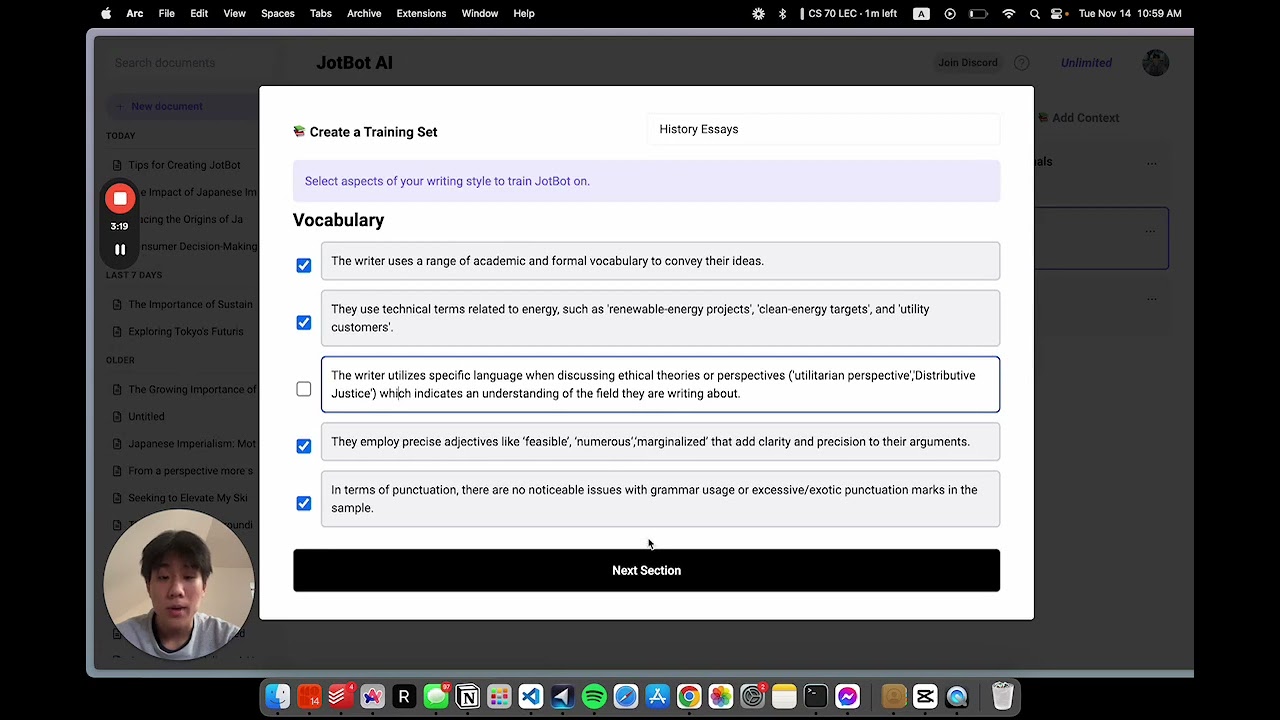
Generate Drafts in Your Voice

Use the draft generator to analyze your writing and recreate your unique writing style.

04

Ask JotBot Anything

Quickly chat with JotBot in your document to receive research, writing, or editing help.

05

Write & Edit with AI Commands

Prompt JotBot to make revisions or generate text directly in your document.

06

Chat with Your Sources

Ask questions, clarify points, or get summaries of any PDF, website, or text.

JotBot Use Cases

Draft essays and papers with AI autocomplete and voice-matched drafts

Find academic sources and cite them without leaving your document

Import PDFs or videos and ask questions or generate summaries from your sources

JotBot Frequently Asked Questions

What are credits?

Credits are used for actions in JotBot, such as generating text, sending console messages, and taking video notes. Most actions use 1 credit, and actions with Ultra Mode use double credits.

What is Ultra Mode?

Ultra Mode uses more advanced AI models like OpenAI's GPT-4. Responses are slower, but higher quality. Actions in Ultra Mode use double credits.

Can I cancel my subscription?

Yes, you can cancel your subscription at any time. Click the settings icon on the main page of the app and click 'Manage Subscription'.

What payment methods do you accept?

We accept all major credit and debit cards. Please contact us if your preferred payment method is not supported.

Do you offer group discounts?

Yes, we offer group discounts for teams of 4 or more. Please contact us for more information.

JotBot Product Background & Official Links

JotBot Support Email & Customer service contact & Refund contact etc.

JotBot Support Email: support@myjotbot.com

More Contact, visit the about us page(https://myjotbot.com/how-to-use-jotbot-ai)

JotBot Company Info

JotBot Company name: SLAM Ventures, LLC

JotBot Developer Type: company

More about JotBot, Please visit the about us page(https://myjotbot.com/how-to-use-jotbot-ai)

JotBot Pricing

JotBot Pricing Link: https://app.myjotbot.com/pricing

JotBot Youtube

JotBot Youtube Link: https://www.youtube.com/watch?v=WUIS0IvtA50

JotBot Instagram

JotBot Instagram Link: https://www.instagram.com/myjotbot

JotBot TikTok

JotBot TikTok Link: https://www.tiktok.com/@jotbot.official/

JotBot Pricing & Plans

Free

Free
$0 /month
  • 10 credits per day
  • Up to 3 sources
  • Access to basic features
Subscribe & upgrade now
Most Popular

Unlimited

Recurring
$14 /month
  • Unlimited credits
  • Unlimited autocomplete
  • Unlimited sources
  • Unlimited video upload
  • Upgraded AI models
  • Priority access to new features
Subscribe & upgrade now

JotBot Tags

FreemiumSubscriptionWeb AppCloud-basedTeam CollaborationFor Students

Best Suited Occupations for JotBot

StudentsAcademic ResearchersWriters & Marketers

Top Product Categories

LLMs & AI Agents

  • AI Chatbots
  • AI Agents
  • Prompt Engineering
  • AI Search Engine

Engineering & Code

  • AI Code Assistant
  • AI Code Generator
  • AI Developer Tools
  • No-Code & Low-Code

Image & Creative

  • AI Image Generator
  • AI Design Generator
  • AI Art Generator
  • Image-to-Image

Video & Animation

  • AI Video Generator
  • AI Short Video Maker
  • Digital Humans
  • AI Video Editor

Productivity & Office

  • AI Meeting Assistant
  • AI PDF Tools
  • AI Workflow
  • AI PPT Generator

Marketing & Sales

  • AI SEO Tools
  • AI Copywriting
  • AI Lead Generation
  • AI Sales Assistant

Audio & Voice

  • AI Voice Cloning
  • AI Text-to-Speech
  • AI Music Generator
  • AI Podcast Tools

Research & Data

  • AI Research Tools
  • AI Data Analytics
  • AI Knowledge Base
  • See All Categories >>
BAT AI TOOLS
  • Submit your AI tool
  • Pricing
  • Partnership
  • Feedback
  • About
WeChat QR
Scan QR code with WeChat
hi@bataitools.comClick icon to auto-copy email
English简体中文繁體中文EspañolالعربيةBahasa IndonesiaPortuguêsFrançais日本語РусскийDeutsch한국어TürkçeTiếng ViệtItalianoNederlandsPolskiไทยहिन्दीУкраїнськаفارسیবাংলাاردوSvenskaNorskDanskSuomiעברית

Copyright © 1970 BAT AI TOOLS. All Rights Reserved.

·Partnership·Privacy Policy·Terms of Service·Refund Policy