


Sponsored byNemoVideo- Pro AI video editing agent to chat your way to viral content
BAT AI TOOLSBAT AI TOOLS
  • Tools
  • Category
  • Jobs
  • Pricing
  • PromoFREE
Free Submit
Sign In
  • Home
  • /
  • Research & Data Analysis
  • /
  • Onvo AI
Onvo AI

Onvo AI

Active
Tagline:Your data, connected. Live dashboards, instantly.
Updated:September 7, 2026
Domain Rating:
13Domain Rating by Ahrefs
Social Media:
Research & Data AnalysisAI Data AnalyticsAI Spreadsheet ToolsAI Report GeneratorAI Data MiningAI PredictionsNo-Code & Low-Code DevelopmentAI AssistantOffice & ProductivityPaidSubscriptionFree TrialWeb AppCloud-basedSelf-HostedNo-CodeAPI Available
Open Website
Onvo AI
Visit Website
|
  • About
  • Pricing

What is Onvo AI?

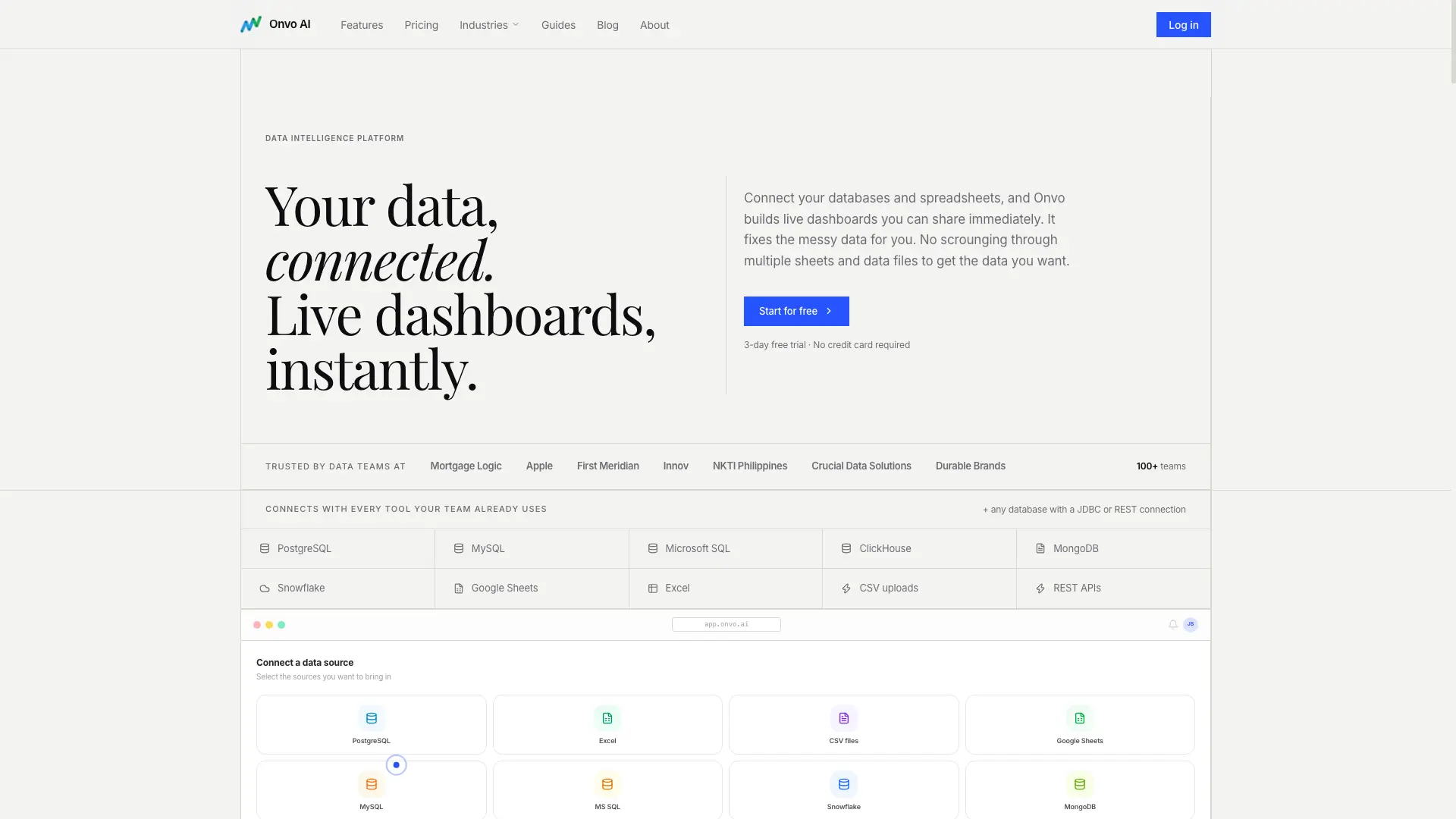
Connect your databases and spreadsheets, and Onvo builds live dashboards you can share immediately. It fixes the messy data for you: merged cells, broken dates, #VALUE! errors and mixed formats are cleaned before anything gets built, and you see exactly what changed. Ask a question in plain English and Onvo queries your data and explains what it found, with supporting charts. Dashboards refresh on the schedule you set, and can be embedded in your own product, shared as a public link, or exported to PDF.

How to use Onvo AI?

1. Connect your data: paste a database URL, upload a spreadsheet, or drag in a CSV. No configuration needed. 2. Onvo cleans it up: it finds broken rows, inconsistent dates and merged cells and fixes them before anything gets built, and shows you exactly what changed. 3. Start exploring: ask questions, build charts, and schedule reports. Everything updates live as your data changes.

Onvo AI Core Features

01

Any data source

Connects to PostgreSQL, MySQL, Microsoft SQL Server, MongoDB, ClickHouse, Firestore, Snowflake, BigQuery, Google Sheets, Excel, Airtable, CSV uploads and REST APIs, plus any database with a JDBC or REST connection.

02

Automatic clean-up

Onvo scans for merged cells, inconsistent date formats, mixed currency symbols, empty rows, #VALUE! errors and duplicates, fixes them automatically, and shows what was changed before saving anything.

03

Always up to date

Choose how often your data refreshes: hourly, daily, or on a custom schedule. Dashboards stay current without any manual work.

04

Table relationships

Onvo maps the relationships between your tables and works out which ones join to which, so there is no modelling layer to configure by hand.

05

Company guidelines

Set your brand colours, terminology and chart style once, and Onvo follows those rules in every chart it builds.

06

AI analyst

Type a question like "Why did sales drop last week?" or "Show me top customers by region" and Onvo queries your data and gives a readable answer with supporting charts you can add to a dashboard in one click.

07

Change any chart with a prompt

Describe what you want, such as "make this a bar chart" or "show only the top 5 values", and Onvo rebuilds it. Nine chart families are available: bar, line, area, pie and donut, scatter, radar, funnel, treemap and radial.

08

Embed and share dashboards

Put a live dashboard inside your own product with iFrame or SDK embed, white-labelled with your colours and fonts, with per-user data isolation and separate workspaces per client. You can also send a public link or export to PDF.

09

Scheduled reports and anomaly alerts

A PDF of your dashboard is emailed on a daily, weekly or monthly schedule with no login needed to read it, and threshold rules flag a metric the moment it moves outside the range you set.

Onvo AI Use Cases

Track product performance, marketing ROI, inventory health and customer behaviour for an ecommerce or retail team

Unify client, project and financial data for a consultancy and track performance and utilisation in real time

Embed per-client analytics inside your own product so each customer only sees their own data

Turn a CSV or Excel export full of merged cells, mixed date formats and #VALUE! errors into a working dashboard

Email a PDF of the Q4 sales dashboard to the same recipients every Monday at 8am

Get an alert when daily revenue falls below the target you set

Let a marketing lead pull inventory levels and pricing trends without waiting for the data team to compile a report

Onvo AI Frequently Asked Questions

Do I need to know SQL or coding to use Onvo?

Not at all. Onvo is built specifically for non-technical users. You connect your data source, and Onvo handles the cleaning, modelling, and dashboard building automatically. You can explore your data by asking questions in plain English.

What data sources and file formats do you support?

Onvo connects to PostgreSQL, MySQL, Snowflake, BigQuery, Google Sheets, Excel (.xlsx), CSV files, HubSpot, Salesforce, MongoDB, Stripe, Airtable, and any REST API. If you have a JDBC-compatible database, we can connect to it.

How does the AI data cleaning work?

When you upload or connect a data source, Onvo's AI scans for common issues: merged cells, inconsistent date formats, mixed currency symbols, empty rows, #VALUE! errors, and duplicate entries. It fixes them automatically and shows you exactly what was changed before saving anything.

Is my data secure?

Yes. Onvo is SOC 2 Type II compliant. Data is encrypted in transit (TLS 1.3) and at rest (AES-256). We never share your data with third parties or use it to train AI models. Enterprise customers get dedicated tenancy with full data isolation per user.

Can I share dashboards with people who don't have an Onvo account?

Yes. You can share dashboards via a public link; recipients can view and filter the data without signing up. You can also export any dashboard as a branded PDF and email it directly, or schedule automatic PDF delivery to any inbox.

What's the difference between the Starter and Enterprise plans?

Starter includes up to 50 dashboards, up to 20 datasources, the AI assistant, custom styling, and PDF exports. Enterprise adds unlimited dashboards and datasources, 20x AI usage limits, scheduled reports and anomaly alerts, iFrame/SDK embedding into your product with per-user data isolation, SSO/SAML, and custom integrations with dedicated support.

Onvo AI Product Background & Official Links

Onvo AI Support Email & Customer service contact & Refund contact etc.

Onvo AI Support Email: hello@onvo.ai

More Contact, visit the about us page(https://www.onvo.ai/guides)

Onvo AI Company Info

Onvo AI Company name: Onvo AI Inc.

Onvo AI Developer Type: company

Onvo AI Company address: Delaware, United States

More about Onvo AI, Please visit the about us page(https://www.onvo.ai/guides)

Onvo AI Pricing

Onvo AI Pricing Link: https://www.onvo.ai/#pricing

Onvo AI Twitter

Onvo AI Twitter Link: https://twitter.com/onvoai

Onvo AI LinkedIn

Onvo AI LinkedIn Link: https://linkedin.com/company/onvoai

Onvo AI GitHub

Onvo AI GitHub Link: https://github.com/onvo-ai

Onvo AI Pricing & Plans

Most Popular

Starter

Recurring
$20 / user / month
  • Up to 50 dashboards
  • Up to 20 datasources
  • AI Assistant
  • Fair AI usage limits
  • Custom styling
  • PDF exports
  • Annual billing works out at $17 per user per month, billed $204 per user per year (save 15%)
  • 3-day free trial, no credit card required
Subscribe & upgrade now

Enterprise

contact
Custom
  • Tailored pricing based on your team size and usage
  • Unlimited dashboards & datasources
  • AI Assistant with 20x usage limits
  • Schedules, alerts & embedding
  • Custom integrations
  • Email, Slack and call support
  • Dedicated tenancy with full data isolation per user
Subscribe & upgrade now

Onvo AI Tags

PaidSubscriptionFree TrialWeb AppCloud-basedSelf-HostedNo-CodeAPI AvailableReal-timeTeam CollaborationSecure DataHighly CustomizableFor Enterprise

Best Suited Occupations for Onvo AI

Data ScientistsExecutives & Decision MakersProduct ManagersSoftware DevelopersSmall Business OwnersFinance & AccountantsSales & Business DevelopmentWriters & Marketers

Top Product Categories

LLMs & AI Agents

  • AI Chatbots
  • AI Agents
  • Prompt Engineering
  • AI Search Engine

Engineering & Code

  • AI Code Assistant
  • AI Code Generator
  • AI Developer Tools
  • No-Code & Low-Code

Image & Creative

  • AI Image Generator
  • AI Design Generator
  • AI Art Generator
  • Image-to-Image

Video & Animation

  • AI Video Generator
  • AI Short Video Maker
  • Digital Humans
  • AI Video Editor

Productivity & Office

  • AI Meeting Assistant
  • AI PDF Tools
  • AI Workflow
  • AI PPT Generator

Marketing & Sales

  • AI SEO Tools
  • AI Copywriting
  • AI Lead Generation
  • AI Sales Assistant

Audio & Voice

  • AI Voice Cloning
  • AI Text-to-Speech
  • AI Music Generator
  • AI Podcast Tools

Research & Data

  • AI Research Tools
  • AI Data Analytics
  • AI Knowledge Base
  • See All Categories >>
BAT AI TOOLS
  • Submit your AI tool
  • Pricing
  • Partnership
  • Feedback
  • About
  • A2A Compatible
WeChat QR
Scan QR code with WeChat
hi@bataitools.comClick icon to auto-copy email
English简体中文繁體中文EspañolالعربيةBahasa IndonesiaPortuguêsFrançais日本語РусскийDeutsch한국어TürkçeTiếng ViệtItalianoNederlandsPolskiไทยहिन्दीУкраїнськаفارسیবাংলাاردوSvenskaNorskDanskSuomiעברית

Copyright © 1970 BAT AI TOOLS. All Rights Reserved.

·Partnership·Privacy Policy·Terms of Service·Refund Policy