


PasteGuard
Active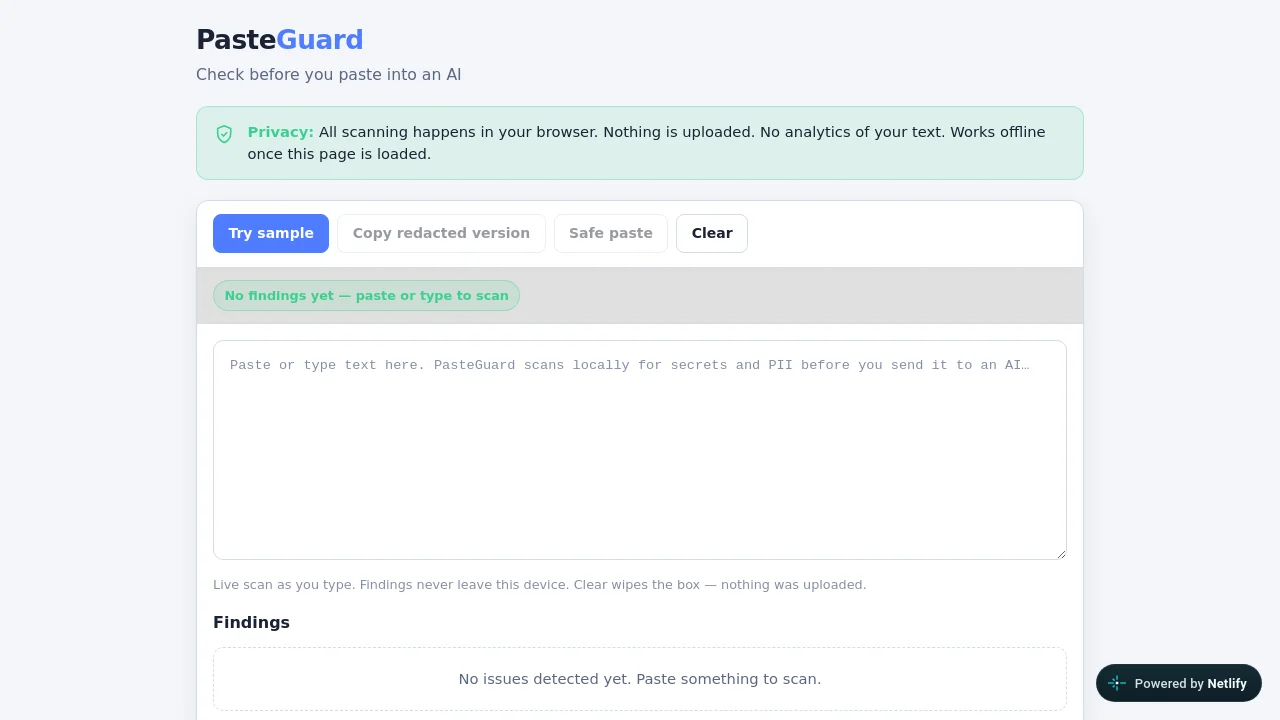
What is PasteGuard?

How to use PasteGuard?
PasteGuard Core Features
Local-only scanning
All detection runs in your browser. Pasted text is never uploaded to a server.
Secrets and PII patterns
Flags API keys, bearer tokens, private keys, env-style secrets, emails, phones, IBANs, and card-like numbers.
Redacted copy
Copy a scrubbed version with placeholders so you can still share context with an AI safely.
No account required
Free static web app with no signup, ads, or analytics that read pasted content.
Offline after load
Once the page and assets load, scanning works without a network connection.
PasteGuard Use Cases
Check .env snippets or logs before pasting into ChatGPT or Claude
Redact API keys and tokens from support or debug text
Teach safer AI paste habits for teams and students
Self-host a privacy-first pre-paste scanner on any static host
PasteGuard Frequently Asked Questions
Does PasteGuard upload my text?
Is PasteGuard free?
What kinds of secrets does it detect?
Can I self-host it?
PasteGuard Product Background & Official Links
PasteGuard Support Email & Customer service contact & Refund contact etc.
More Contact, visit the about us page(https://github.com/ExtendedUser/pasteguard)
PasteGuard Individual Info
PasteGuard Individual name: ExtendedUser
PasteGuard Developer Type: individual
More about PasteGuard, Please visit the about us page(https://github.com/ExtendedUser/pasteguard)
PasteGuard Pricing
PasteGuard Pricing Link: https://pasteguard-exp2.netlify.app
PasteGuard GitHub
PasteGuard GitHub Link: https://github.com/ExtendedUser/pasteguard
PasteGuard Pricing & Plans
Free
Free- Unlimited local scans
- No account
- Open source on GitHub
- Self-hostable static files