


Sponsored bySpringbase- Every model. Every meeting. Every agent. One workspace.
BAT AI TOOLSBAT AI TOOLS
  • Tools
  • Category
  • Jobs
  • Pricing
  • PromoFREE
Free Submit
Sign In
  • Home
  • /
  • AI Project Management
  • /
  • Plansom
Plansom

Plansom

Active
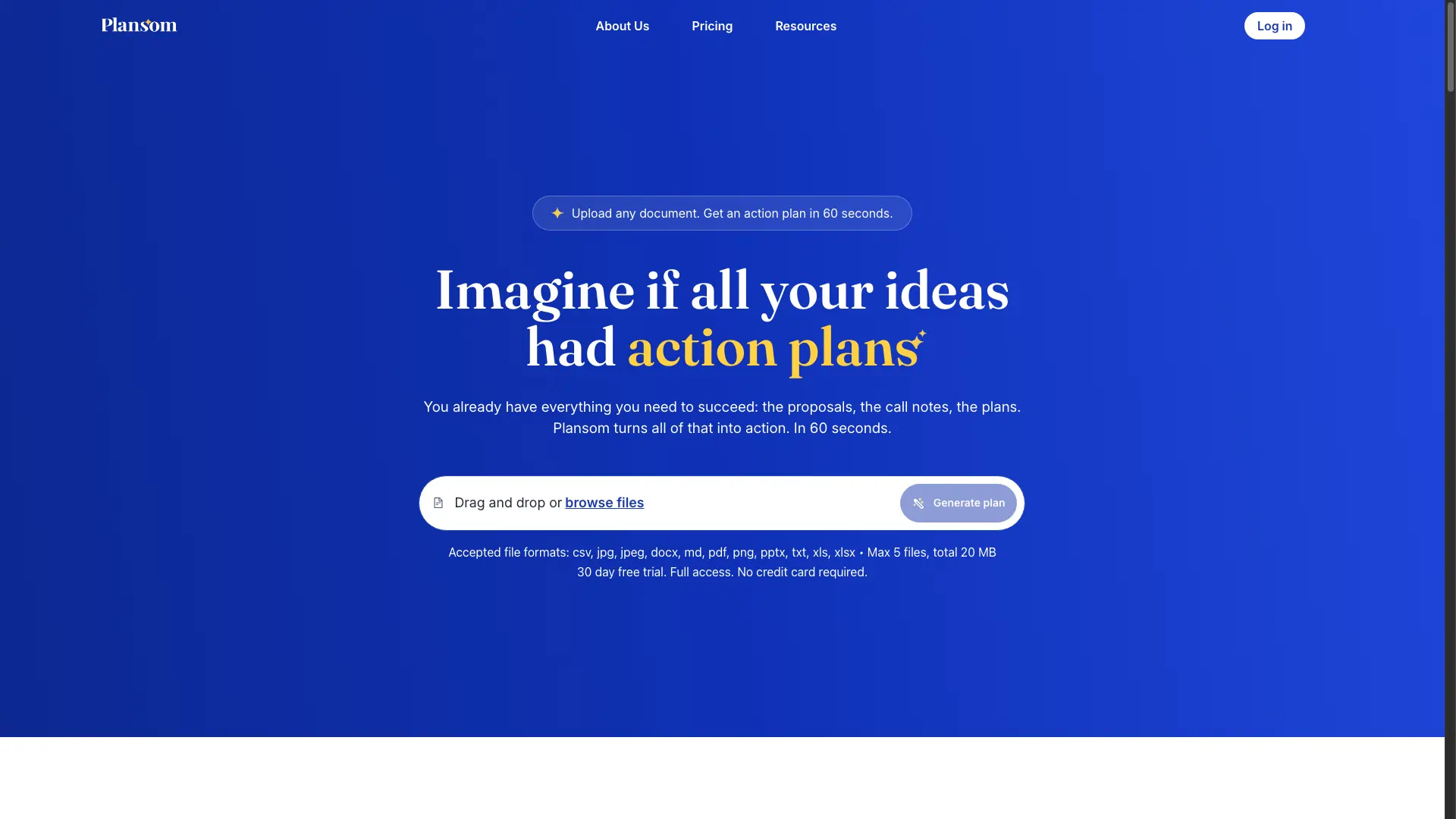
Tagline:Upload any document. Get an action plan in 60 seconds.
Updated:-
Social Media:
AI Project ManagementAI Task ManagementOffice & ProductivityAI WorkflowAI AgentAI Product ManagerFreemiumSubscriptionWeb AppCloud-basedTeam CollaborationAI Agent Ready
Open Website
Plansom
Visit Website
|
  • About
  • Pricing

What is Plansom?

Plansom turns the documents teams already have — call notes, proposals, strategy decks, email threads, spreadsheets — into a structured, shareable action plan with goals, tasks and priorities in about 60 seconds. AI reads the context and extracts what matters, then the whole team executes against one shared plan with clear ownership and accountability.

How to use Plansom?

Drag and drop or browse to upload up to 5 files (up to 20MB total) in PDF, Word, spreadsheet, image, text, Markdown or CSV format. Click Generate plan and Plansom produces a structured plan in about 60 seconds. Share it with a link — viewers need no account.

Plansom Core Features

01

AI Plan generation

Upload any document — call notes, a strategy deck, a spreadsheet — and AI Plan reads it, understands the context and turns it into goals, tasks and priorities structured into a clear, actionable plan.

02

Sharing and delegation

Everything in Plansom has its own link. Share a goal with a client, a task with a contractor or a thread with anyone who needs context. They see exactly what is relevant, instantly, with no account required.

03

AI Manage and Execute

AI helps the whole team work on the right things and execute effectively, not just log tasks. Plansom keeps everyone accountable as work moves forward.

04

AI Reporting and success metrics

Every plan includes success metrics that define what winning looks like. AI reporting tracks outcomes automatically and bottleneck alerts warn you before things slip.

05

Secure by design

Data is encrypted at rest and in transit and hosted on Microsoft Azure with data residency in your region. AI processing runs on Azure AI and Plansom is built to SOC 2 and GDPR standards.

Plansom Use Cases

Turn sales proposals into client-ready action plans they can react to, not just read.

Convert meeting call notes into a structured plan with named owners and deadlines.

Share a single goal or task with a contractor through a link — no account needed.

Track outcomes with success metrics and bottleneck alerts instead of a static task list.

Plansom Frequently Asked Questions

What types of documents can I upload?

Almost anything. AI Plan accepts PDFs, Word documents, spreadsheets, images, plain text, Markdown and CSV files — up to 5 files and 20MB per plan. Call notes, proposals, strategy documents, briefs and emails saved as PDFs all work; if the information is in the document, AI Plan will extract it.

Do my clients need a Plansom account to view the plan?

No. Shared plans are fully accessible via a link — no login and no signup required. Your client clicks the link and sees the complete execution plan immediately.

Is Plansom just another way to track tasks?

No. Task tracking is a means, not an end. Plansom is built around outcomes — every plan includes success metrics that define what winning looks like, and AI reporting tells you when you have got there. Goals have named owners and deadlines, and bottleneck alerts warn you before things slip.

How is Plansom different from a project management tool?

Most tools tell you what is happening. Plansom tells you whether you are winning. Every plan is built around goals with defined success criteria, not just tasks with statuses. AI reporting tracks outcomes automatically, bottleneck alerting flags problems before they escalate, and success metrics tell you when the work is genuinely done.

How long does it take to get started?

Upload a document and you have a shareable execution plan in 60 seconds. There is no configuration, no onboarding session and no integration required to get your first plan out the door.

Is my data secure?

Yes. All data is encrypted at rest and in transit and hosted on Microsoft Azure with data residency in your region. AI processing is governed by Microsoft's terms and conditions, and Plansom is built to SOC 2 and GDPR standards.

What happens when my 30-day trial ends?

You can continue on the free plan or upgrade to Pro at $28 per user per month. No credit card is required to start the trial and you will not be charged automatically.

Plansom Product Background & Official Links

Plansom Support Email & Customer service contact & Refund contact etc.

More Contact, visit the about us page(https://plansom.com/)

Plansom Pricing

Plansom Pricing Link: https://plansom.com/

Plansom Youtube

Plansom Youtube Link: https://www.youtube.com/@Plansom

Plansom Facebook

Plansom Facebook Link: https://www.facebook.com/people/Plansom/61568509101315/

Plansom Instagram

Plansom Instagram Link: https://www.instagram.com/plansomapp/

Plansom LinkedIn

Plansom LinkedIn Link: https://www.linkedin.com/company/plansom/

Plansom Pricing & Plans

Free

Free
Free
  • 5 goals
  • 100 tasks
  • 1 AI Plan per month
  • Sharing and delegation
  • AI Manage, Execute and Reporting
  • Bottleneck alerts and success metrics
  • No credit card required
Subscribe & upgrade now
Most Popular

Pro

Recurring
$28 Per User, Per Month
  • 1,000 goals
  • Unlimited tasks
  • Unlimited AI Plans
  • Advanced tools and customization
  • Everything in the Free plan
  • 30-day free trial, full access
Subscribe & upgrade now

Enterprise

contact
Contact sales
  • Enterprise, agency and partner pricing
  • Exclusive offers for Enterprise
  • Custom volume pricing
Subscribe & upgrade now

Plansom Tags

FreemiumSubscriptionWeb AppCloud-basedTeam CollaborationAI Agent Ready

Best Suited Occupations for Plansom

Project & Program ManagersProduct ManagersSmall Business Owners

Top Product Categories

LLMs & AI Agents

  • AI Chatbots
  • AI Agents
  • Prompt Engineering
  • AI Search Engine

Engineering & Code

  • AI Code Assistant
  • AI Code Generator
  • AI Developer Tools
  • No-Code & Low-Code

Image & Creative

  • AI Image Generator
  • AI Design Generator
  • AI Art Generator
  • Image-to-Image

Video & Animation

  • AI Video Generator
  • AI Short Video Maker
  • Digital Humans
  • AI Video Editor

Productivity & Office

  • AI Meeting Assistant
  • AI PDF Tools
  • AI Workflow
  • AI PPT Generator

Marketing & Sales

  • AI SEO Tools
  • AI Copywriting
  • AI Lead Generation
  • AI Sales Assistant

Audio & Voice

  • AI Voice Cloning
  • AI Text-to-Speech
  • AI Music Generator
  • AI Podcast Tools

Research & Data

  • AI Research Tools
  • AI Data Analytics
  • AI Knowledge Base
  • See All Categories >>
BAT AI TOOLS
  • Submit your AI tool
  • Pricing
  • Partnership
  • Feedback
  • About
WeChat QR
Scan QR code with WeChat
hi@bataitools.comClick icon to auto-copy email
English简体中文繁體中文EspañolالعربيةBahasa IndonesiaPortuguêsFrançais日本語РусскийDeutsch한국어TürkçeTiếng ViệtItalianoNederlandsPolskiไทยहिन्दीУкраїнськаفارسیবাংলাاردوSvenskaNorskDanskSuomiעברית

Copyright © 1970 BAT AI TOOLS. All Rights Reserved.

·Partnership·Privacy Policy·Terms of Service·Refund Policy