Sponsored byPl@ntNet- Identify one plant from a picture and join a citizen science project on plant biodiversity
BAT AI TOOLSBAT AI TOOLS
  • Tools
  • Category
  • Jobs
  • Pricing
  • PromoFREE
Free Submit
Sign In
  • Home
  • /
  • AI Data Analytics
  • /
  • PlotStudio AI
PlotStudio AI

PlotStudio AI

Active
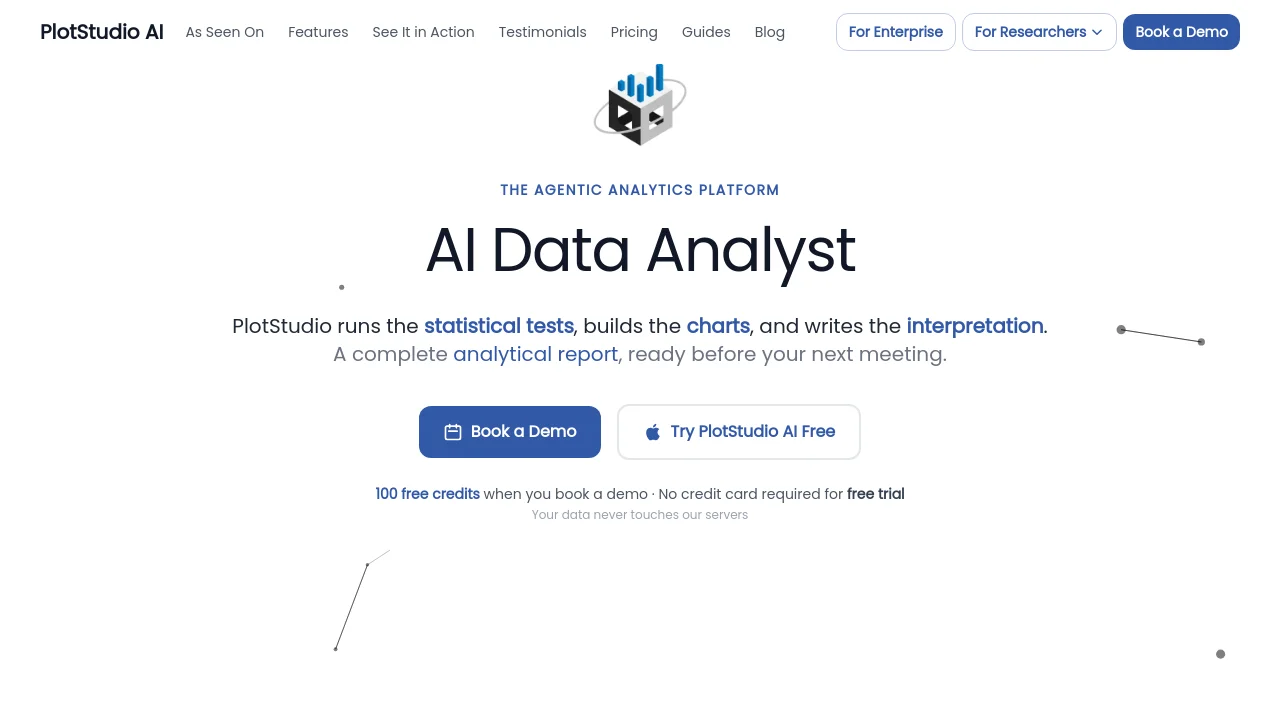
Tagline:Agentic analytics platform — turn questions into publication-ready analysis pages
Updated:-
Social Media:
AI Data AnalyticsAI Report GeneratorResearch & Data AnalysisAI AgentFree TrialDesktop AppPrivacy-FocusedPaidSubscriptionAI Agent ReadyMac CompatibleWindows Compatible
Open Website
PlotStudio AI
Visit Website
Promote this product|Claim this product
  • About
  • Pricing

What is PlotStudio AI?

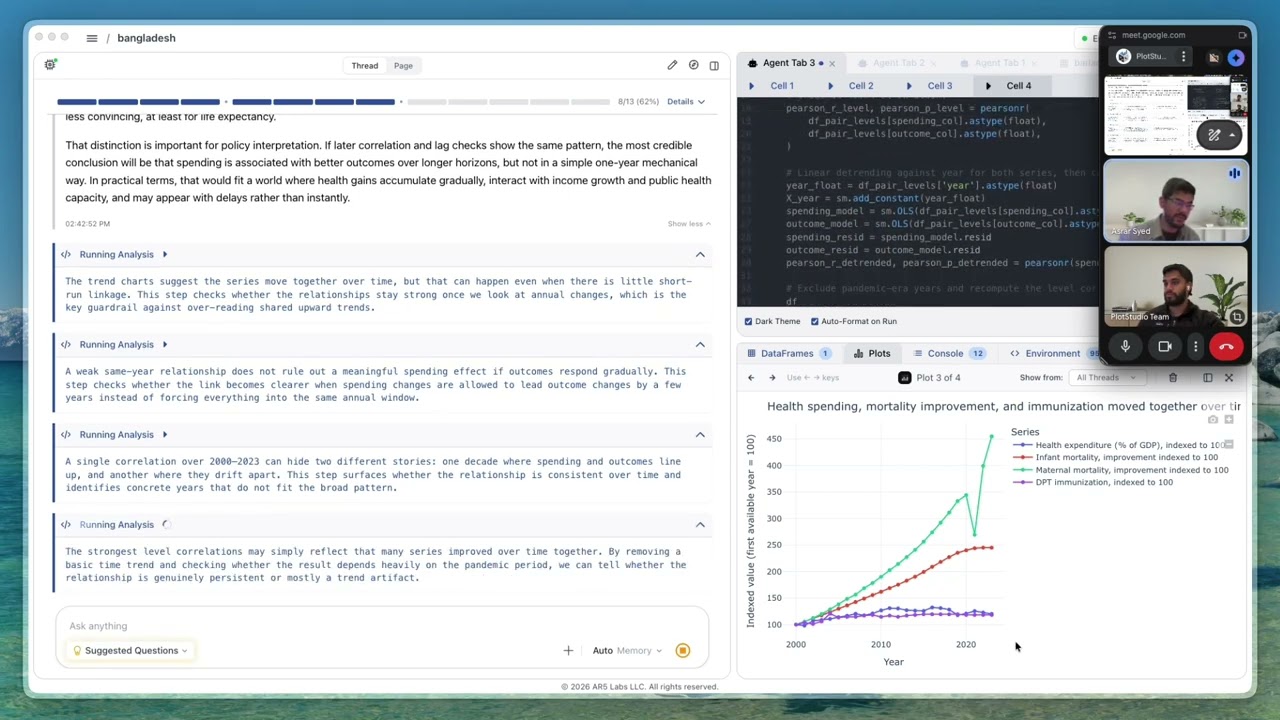
PlotStudio AI is a desktop application for agentic data analytics. Upload a CSV or Parquet dataset, ask questions in plain English, and specialized AI agents plan the approach, write Python, execute code locally, self-correct on errors, and produce analysis pages with charts, statistical tests, and written interpretation. Your data files stay on your machine; Managed Credits or BYOK modes route AI queries without PlotStudio storing your datasets.
PlotStudio AI video 1

How to use PlotStudio AI?

Download PlotStudio for macOS or Windows, create an account, and start with the free 30-credit trial. Upload a CSV or Parquet file, review the automatic data profile, then ask a question in plain English or pick a Smart Prompt. Review the AI plan in Verification Mode if needed, run the analysis, and export results as a PDF or Jupyter notebook.

PlotStudio AI Core Features

01

Data Profiling

Scores data quality as Clean, Usable, or Needs Cleaning on upload, writes a cleaning plan, and generates an executive summary with story angles before you ask a question.

02

Agentic Analysis

AI agents plan the investigation, write Python with pandas/NumPy/SciPy/scikit-learn/Plotly, execute locally, self-correct on errors, and show chain-of-thought reasoning with live plots and tables.

03

Analysis Pages

Every question produces a permanent analysis page with tables, charts, statistical tests, and interpretation. Your workspace remembers prior pages so new work builds on earlier findings.

04

Domain Intelligence

Auto-detects your field from the data or lets you pick up to two of 12 domains, applying methods like IV/2SLS, GARCH, or Cox PH when specialized analysis is needed.

05

Data Privacy

Data files are processed on your machine. PlotStudio does not store your datasets. Managed Credits route through a gateway that omits query bodies; BYOK sends queries directly from your machine to OpenAI.

06

Export

Export any analysis page to a publication-ready PDF with embedded charts and formatted tables, or as a Jupyter notebook with code and outputs for full reproducibility.

PlotStudio AI Use Cases

Business analysts who need churn models and statistical tests without waiting on a data team

Researchers and academics who need auditable methodology with data that never leaves their laptop

Consultants delivering client-ready PDF reports from CSV or Parquet uploads

Product managers building a searchable workspace of past analyses for their team

Data scientists who want to review AI-written Python instead of writing boilerplate code

PlotStudio AI Frequently Asked Questions

What exactly does PlotStudio AI do?

PlotStudio AI is a desktop application for agentic data analytics. You upload a dataset, ask questions in plain English, and specialized AI agents plan, code, execute, and narrate multi-step analyses. The result is publication-ready analysis with code, visualizations, statistics, and executive-grade narrative.

Do I need to know Python or SQL?

No. PlotStudio is designed for plain English questions. The AI handles all the code, but every line it writes is fully visible and editable for data scientists who want to inspect or modify the workflow.

Is my data secure?

PlotStudio is desktop-first — your data files never leave your machine. Built-in PII anonymization can mask sensitive fields before AI calls. In Managed Credits mode, the API gateway omits query and response bodies. In BYOK mode, queries go directly from your machine to OpenAI.

What file formats are supported?

PlotStudio currently supports CSV and Parquet files. After upload, the AI profiles column types, assesses data quality, flags cleaning needs, and generates an executive summary of the dataset.

Can I export my analyses?

Yes. Every analysis generates a standalone Analysis Page. You can export to a publication-ready PDF with embedded charts and formatted tables, or as a Jupyter notebook with code and outputs.

PlotStudio AI Product Background & Official Links

PlotStudio AI Support Email & Customer service contact & Refund contact etc.

PlotStudio AI Support Email: support@plotstudio.ai

More Contact, visit the about us page(https://www.plotstudio.ai)

PlotStudio AI Team Info

PlotStudio AI Team name: AR5 Labs

PlotStudio AI Developer Type: team

More about PlotStudio AI, Please visit the about us page(https://www.plotstudio.ai)

PlotStudio AI Pricing

PlotStudio AI Pricing Link: https://www.plotstudio.ai/pricing

PlotStudio AI Youtube

PlotStudio AI Youtube Link: https://www.youtube.com/@ar5labs

PlotStudio AI LinkedIn

PlotStudio AI LinkedIn Link: https://www.linkedin.com/company/ar5-labs/

PlotStudio AI GitHub

PlotStudio AI GitHub Link: https://github.com/ar5labs/plotstudio-ai-demo

PlotStudio AI Pricing & Plans

Free Trial

Free
Free
  • 30 free credits
  • No credit card required
  • No API key needed
  • Direct access to the team
  • Onboarding support
Subscribe & upgrade now
Most Popular

Managed Credits

Recurring
$69.99 /month
  • 300 credits per month
  • No API key needed
  • Purchase additional credits
  • Predictable monthly billing
  • Direct access to the team
  • Onboarding support
Subscribe & upgrade now

Bring Your Own Key

Recurring
$39.99 /month
  • Use your own OpenAI API key
  • Unlimited queries
  • No markup on tokens
  • Cheaper at scale
  • Direct access to the team
  • Onboarding support
Subscribe & upgrade now

PlotStudio AI Tags

Free TrialDesktop AppPrivacy-FocusedPaidSubscriptionAI Agent ReadyMac CompatibleWindows Compatible

Best Suited Occupations for PlotStudio AI

Data ScientistsProduct ManagersAcademic ResearchersFreelancersFinance & AccountantsSmall Business Owners

Top Product Categories

LLMs & AI Agents

  • AI Chatbots
  • AI Agents
  • Prompt Engineering
  • AI Search Engine

Engineering & Code

  • AI Code Assistant
  • AI Code Generator
  • AI Developer Tools
  • No-Code & Low-Code

Image & Creative

  • AI Image Generator
  • AI Design Generator
  • AI Art Generator
  • Image-to-Image

Video & Animation

  • AI Video Generator
  • AI Short Video Maker
  • Digital Humans
  • AI Video Editor

Productivity & Office

  • AI Meeting Assistant
  • AI PDF Tools
  • AI Workflow
  • AI PPT Generator

Marketing & Sales

  • AI SEO Tools
  • AI Copywriting
  • AI Lead Generation
  • AI Sales Assistant

Audio & Voice

  • AI Voice Cloning
  • AI Text-to-Speech
  • AI Music Generator
  • AI Podcast Tools

Research & Data

  • AI Research Tools
  • AI Data Analytics
  • AI Knowledge Base
  • See All Categories >>
BAT AI TOOLS
  • Submit your AI tool
  • Pricing
  • Partnership
  • Feedback
  • About
WeChat QR
Scan QR code with WeChat
hi@bataitools.comClick icon to auto-copy email
English简体中文繁體中文EspañolالعربيةBahasa IndonesiaPortuguêsFrançais日本語РусскийDeutsch한국어TürkçeTiếng ViệtItalianoNederlandsPolskiไทยहिन्दीУкраїнськаفارسیবাংলাاردوSvenskaNorskDanskSuomiעברית

Copyright © 2026 BAT AI TOOLS. All Rights Reserved.

·Partnership·Privacy Policy·Terms of Service·Refund Policy