Sponsored byWAE - We Are Engineer- Precision Engineered Education for engineering careers
BAT AI TOOLSBAT AI TOOLS
  • Tools
  • Category
  • Jobs
  • Pricing
  • PromoFREE
Free Submit
Sign In
  • Home
  • /
  • AI Email & Letter Writer
  • /
  • PolitePost
PolitePost

PolitePost

Active
Tagline:Rewriting your emails with AI to be professional
Updated:-
Social Media:
AI Email & Letter WriterAI Email AssistantAI Rewriter & PolisherAI WritingText Generation & EditingOffice & ProductivityFreeWeb AppReal-timeCloud-basedFor Students
Open Website
PolitePost
Visit Website
|
  • About
  • Pricing

What is PolitePost?

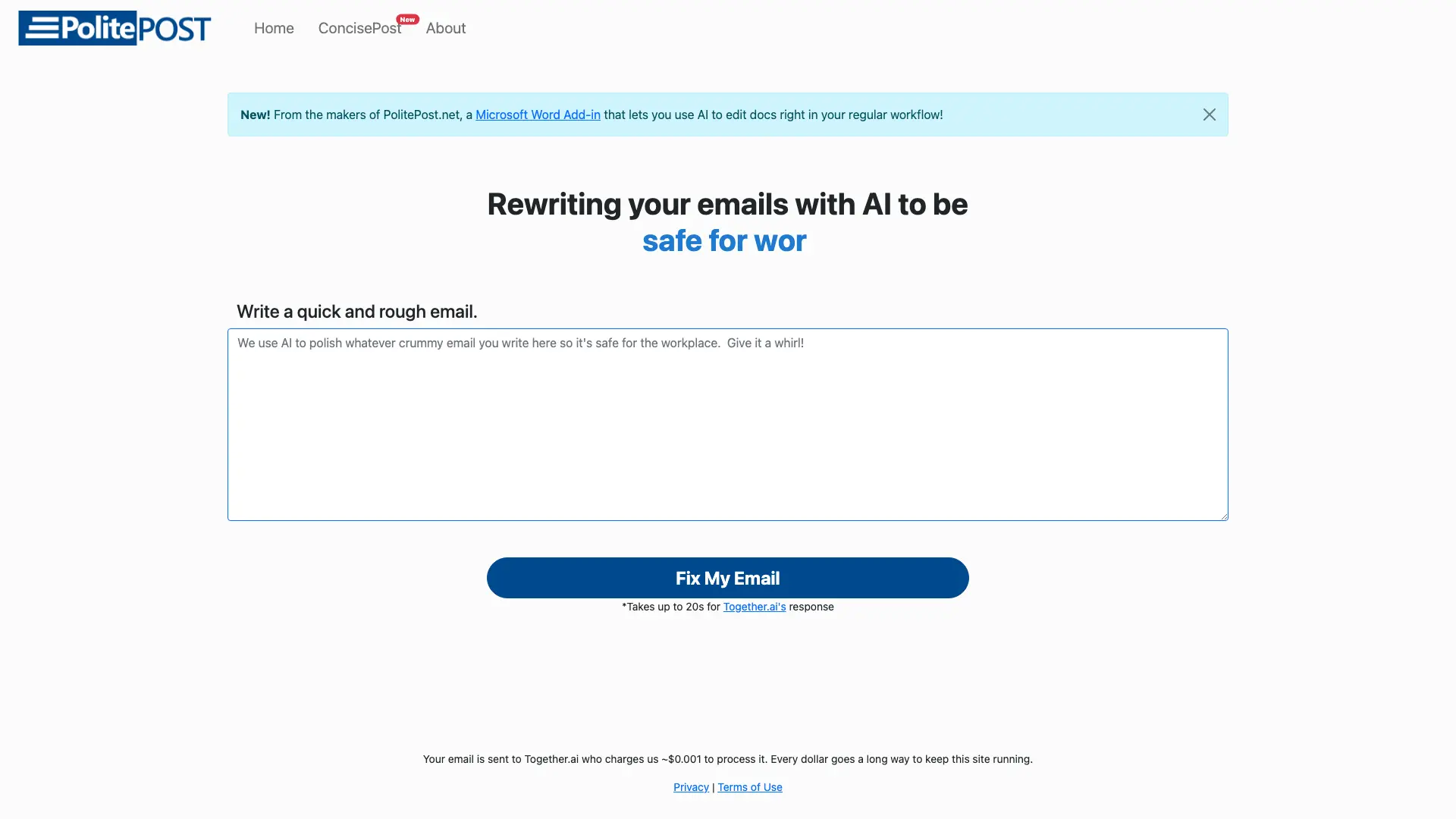
PolitePost rewrites your rough email drafts into clear, professional workplace messages. Paste in text with slang or expletives and the AI polishes it into polite, courteous copy in seconds. It also offers ConcisePost, which shortens long, formal emails into concise, readable text.

How to use PolitePost?

1. Type or paste your rough draft into the text box (up to 2,000 characters). 2. Click Fix My Email and wait a few seconds for the AI to rewrite it. 3. Copy the polished result and paste it into your email client. For long messages, switch to ConcisePost to shorten them.

PolitePost Core Features

01

AI Email Polishing

Paste a rough draft with slang or expletives and the AI rewrites it into clear, professional, workplace-ready language.

02

ConcisePost Mode

Flip the process around: paste a long, formal email and the AI shortens it into concise, readable text.

03

Free and No Sign-up

Use the tool without an account or payment. It runs on Together.ai and is kept alive by optional coffee donations.

04

Microsoft Word Add-in

A companion Word add-in lets you polish and edit documents with AI without leaving your normal writing workflow.

PolitePost Use Cases

Clean up casual messages before sending them to a manager or client

Turn a blunt or angry draft into a polite, professional reply

Shorten a long, rambling email so the key point lands faster

Help non-native English speakers write workplace-appropriate emails

PolitePost Frequently Asked Questions

Is PolitePost free to use?

Yes. PolitePost is free and requires no account. It runs on Together.ai's inference and is kept online through optional Buy Me a Coffee donations.

Is there a limit on email length?

The input box accepts drafts up to 2,000 characters. Paste your message, click Fix My Email, and the AI returns a polished version.

What is ConcisePost?

ConcisePost is the companion mode that shortens long, formal emails into concise, readable text — the reverse of PolitePost's polishing.

Who made PolitePost?

PolitePost was created by Anson Lai and launched in December 2022. It has run on models from Together.ai, OpenAI, Anyscale, and Microsoft over time.

PolitePost Product Background & Official Links

PolitePost Support Email & Customer service contact & Refund contact etc.

More Contact, visit the about us page(https://politepost.net/about.html)

PolitePost Individual Info

PolitePost Individual name: Anson Lai

PolitePost Developer Type: individual

More about PolitePost, Please visit the about us page(https://politepost.net/about.html)

PolitePost Twitter

PolitePost Twitter Link: https://twitter.com/PharaohsVizier

PolitePost Pricing & Plans

Free

Free
Free
  • No account or payment required
  • Emails up to 2,000 characters
  • PolitePost and ConcisePost modes
  • Donation-supported via Buy Me a Coffee
Subscribe & upgrade now

PolitePost Tags

FreeWeb AppReal-timeCloud-basedFor Students

Best Suited Occupations for PolitePost

StudentsFreelancersSmall Business OwnersWriters & Marketers

Top Product Categories

LLMs & AI Agents

  • AI Chatbots
  • AI Agents
  • Prompt Engineering
  • AI Search Engine

Engineering & Code

  • AI Code Assistant
  • AI Code Generator
  • AI Developer Tools
  • No-Code & Low-Code

Image & Creative

  • AI Image Generator
  • AI Design Generator
  • AI Art Generator
  • Image-to-Image

Video & Animation

  • AI Video Generator
  • AI Short Video Maker
  • Digital Humans
  • AI Video Editor

Productivity & Office

  • AI Meeting Assistant
  • AI PDF Tools
  • AI Workflow
  • AI PPT Generator

Marketing & Sales

  • AI SEO Tools
  • AI Copywriting
  • AI Lead Generation
  • AI Sales Assistant

Audio & Voice

  • AI Voice Cloning
  • AI Text-to-Speech
  • AI Music Generator
  • AI Podcast Tools

Research & Data

  • AI Research Tools
  • AI Data Analytics
  • AI Knowledge Base
  • See All Categories >>
BAT AI TOOLS
  • Submit your AI tool
  • Pricing
  • Partnership
  • Feedback
  • About
WeChat QR
Scan QR code with WeChat
hi@bataitools.comClick icon to auto-copy email
English简体中文繁體中文EspañolالعربيةBahasa IndonesiaPortuguêsFrançais日本語РусскийDeutsch한국어TürkçeTiếng ViệtItalianoNederlandsPolskiไทยहिन्दीУкраїнськаفارسیবাংলাاردوSvenskaNorskDanskSuomiעברית

Copyright © 1970 BAT AI TOOLS. All Rights Reserved.

·Partnership·Privacy Policy·Terms of Service·Refund Policy