


PrankGPT
ActiveTagline:AI phone prank calls with custom voice and prompt
Updated:October 22, 2026
Domain Rating:
Social Media:-
What is PrankGPT?
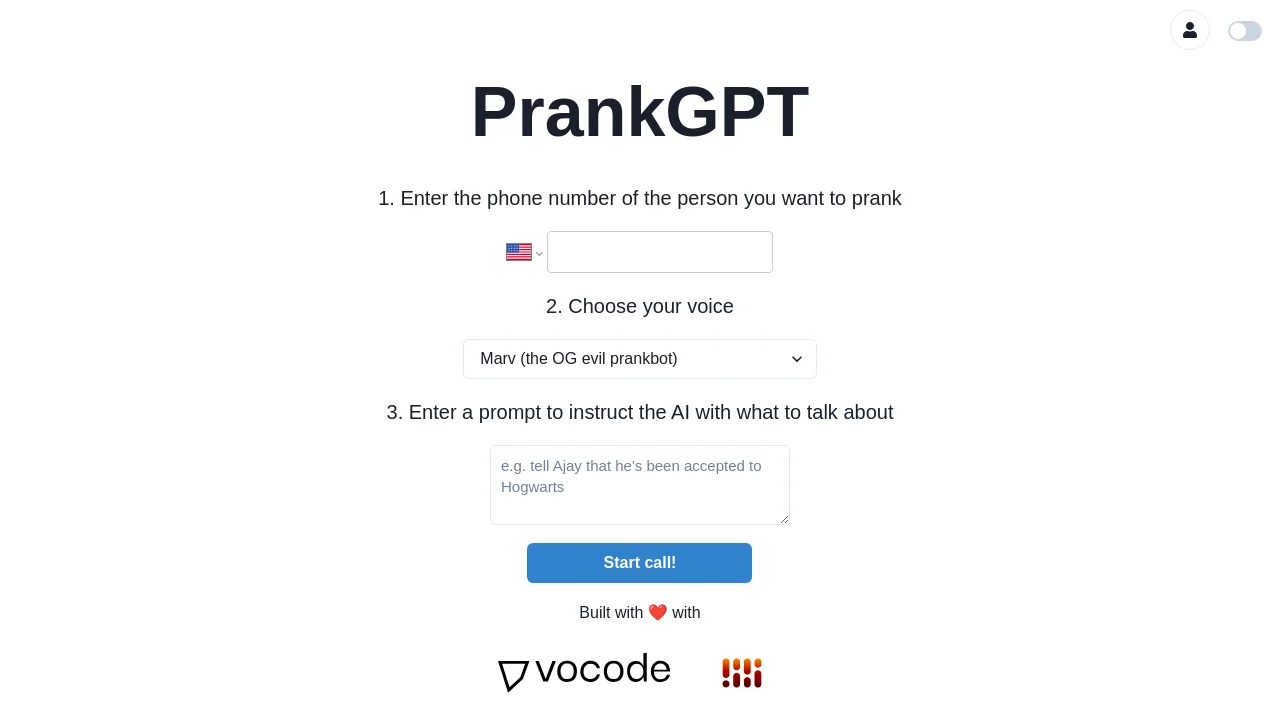
PrankGPT lets you place AI-powered phone pranks. Enter a phone number, pick a voice like Marv or Zephyr, write a prompt for what the AI should say, and start the call. Built with the open-source Vocode voice LLM library; voices are provided via Rime Labs and Google Cloud.
How to use PrankGPT?
1. Enter the phone number of the person you want to prank. 2. Choose your voice (Marv or Zephyr). 3. Enter a prompt to instruct the AI with what to talk about. 4. Start the call. Verify your caller ID when prompted if required.
PrankGPT Core Features
01
AI voice prank calls
Place outbound calls where an AI speaks on your behalf using your chosen voice and prompt.
02
Multiple voice options
Choose Marv (the OG evil prankbot) or Zephyr (the gen Z queen; voice by rime.ai).
03
Custom conversation prompts
Enter a prompt to instruct the AI with what to talk about during the call.
04
Caller ID verification
Set up your phone's caller ID in the system; enter the verification code when you receive the setup call.
PrankGPT Use Cases
Lighthearted prank calls with friends using AI voices
Testing voice-based LLM apps built with Vocode
Trying different AI voice personas like Marv or Zephyr
PrankGPT Frequently Asked Questions
How do I start a prank call?
Which voices are available?
What technology powers PrankGPT?
PrankGPT Product Background & Official Links
PrankGPT Support Email & Customer service contact & Refund contact etc.
More Contact, visit the about us page(https://prankgpt.com)
PrankGPT Team Info
PrankGPT Team name: vocodedev
PrankGPT Developer Type: team
More about PrankGPT, Please visit the about us page(https://prankgpt.com)
PrankGPT GitHub
PrankGPT GitHub Link: https://github.com/vocodedev/prankgpt-frontend
PrankGPT Pricing & Plans
Free Trial
FreeFree trial
- Limited free trial minutes
- AI voice prank calls
- Marv and Zephyr voice options
Subscription
RecurringSubscribe
- Additional call minutes beyond free trial
- Manage or cancel subscription from profile
- Stripe checkout for billing