Sponsored byAI Video Cut- Turn long videos into catchy YouTube Shorts, TikToks, viral ads, and trailers effortlessly.
BAT AI TOOLSBAT AI TOOLS
  • Tools
  • Category
  • Jobs
  • Pricing
  • PromoFREE
Free Submit
Sign In
  • Home
  • /
  • AI Spreadsheet Tools
  • /
  • Quadratic
Quadratic

Quadratic

Active
Tagline:The AI spreadsheet that connects to your data and helps you understand it fast.
Updated:-
Social Media:
AI Spreadsheet ToolsAI Data AnalyticsResearch & Data AnalysisAI Developer ToolsOffice & ProductivityWeb AppFor DevelopersFor StartupsFor EnterpriseTeam CollaborationReal-timeCloud-basedAI Agent Ready
Open Website
Quadratic
Visit Website
|
  • About
  • Pricing

What is Quadratic?

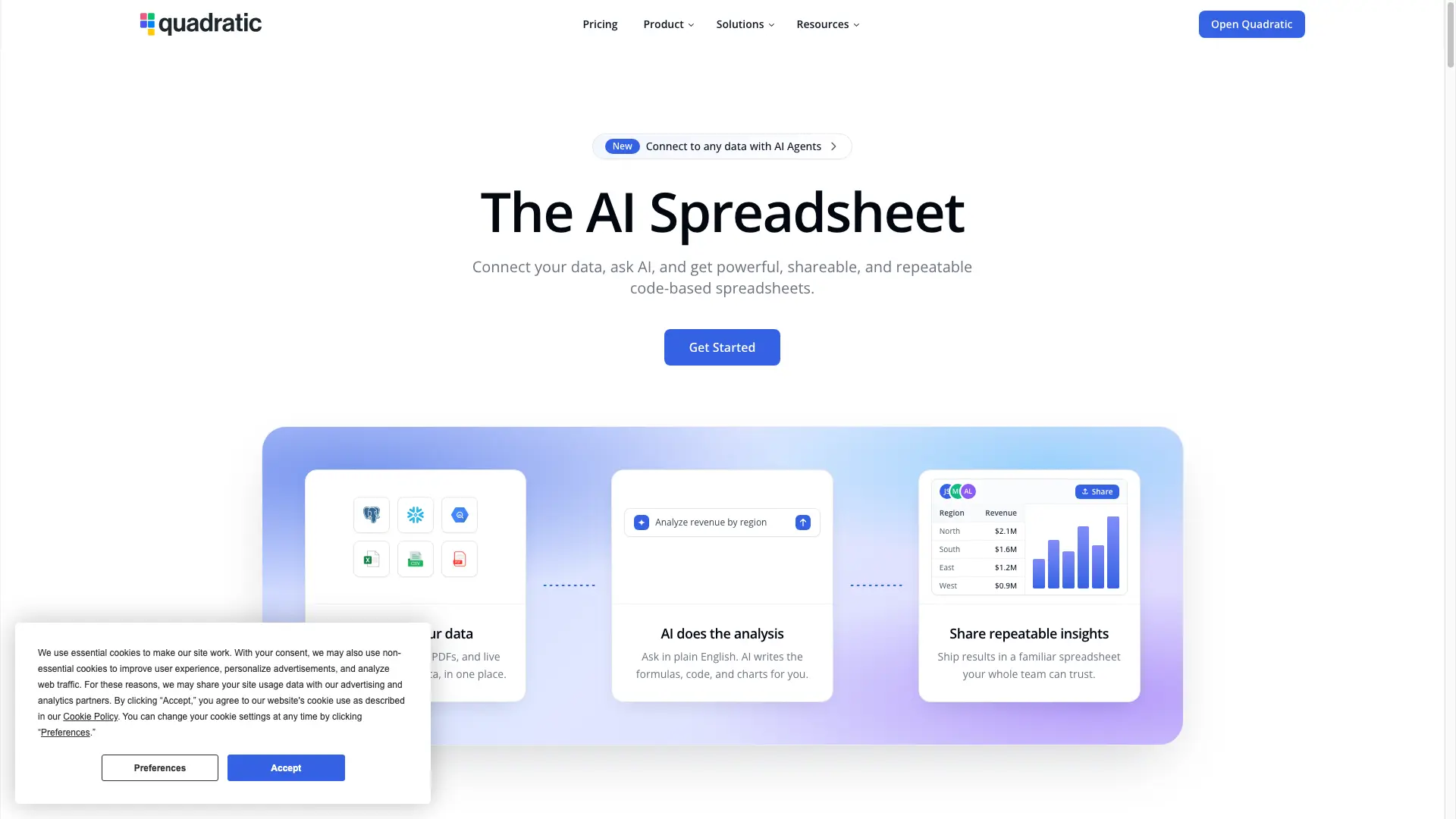
Quadratic is an AI spreadsheet that connects to your data sources for live, up-to-date information and turns questions into fast, explainable, and shareable insights. Ask in natural language and AI builds the spreadsheet for you — or writes Python and SQL cells you can open and edit. Connect databases, Plaid, QuickBooks, and more, then collaborate with your team on verifiable analysis.
Quadratic screenshot 1

How to use Quadratic?

Open Quadratic in your browser at app.quadratichq.com and sign in with a free account. Connect a data source — a database, Plaid, QuickBooks, or an uploaded file — then ask the AI in plain language to build a sheet, write Python or SQL cells, or analyze your data. Share the file with your team and refresh connections anytime.

Quadratic Core Features

01

AI does the hard work

Ask questions in simple natural language — formulas optional. Quadratic builds genius spreadsheets faster than ever, with results that are clear, correct, and easy to understand.

02

Connect to anything

Quadratic connects to all your data sources for live, up-to-date data you can trust. Pull balances, transactions, and cash flow from 12,000+ financial institutions via Plaid, or bring QuickBooks P&L and invoices straight into a sheet — no CSV exports.

03

Code insights you can trust

Not a black box. Beyond formulas, Quadratic AI writes Python and SQL cells so you can do anything with your data. Open and edit any cell to check AI's work and make changes if needed.

04

Any agent, any tool, in your spreadsheet

Quadratic speaks the Model Context Protocol — the open standard for connecting AI to the software you already use. Bring agents and external tools directly into your grid.

05

Built for teams of any size

Move faster and collaborate with your team on verifiable analysis. Individuals get rapid access to data, small teams get collaborative analysis, and enterprises get secure, governed access with AI.

Quadratic Use Cases

Automate personal finance — pull balances, transactions, and cash flow from 12,000+ institutions via Plaid into self-refreshing budgets and net-worth dashboards.

Keep QuickBooks financials live — pull P&L, balance sheet, and invoice data straight into a sheet and refresh anytime.

Run macro and exploratory analysis — pull real-time data through APIs and scan huge tables to find missing or inconsistent values.

Give enterprises secure, governed access to their data with AI, Single Sign-On, and a self-hosting option.

Quadratic Frequently Asked Questions

Is there a free trial?

If you would like to test out Quadratic for free, sign up for a free account. The Personal plan is free to use.

What happens if I exceed my sharing limit?

Sharing is limited on the Personal plan. Upgrading to the Pro plan allows for unlimited shared files.

Can I add more users to my Pro plan after subscribing?

Yes. Pro is billed per user for the whole team. When you upgrade, all existing and new team members are billed at the Pro price.

What is the difference between Pro and Business?

Business includes higher AI usage limits, AI on-demand usage, and all features from Pro. It is designed for teams that need more capacity and flexibility.

Can I downgrade my plan?

Yes, you can cancel and downgrade your plan at any time.

What payment methods do you accept?

We accept most major credit and debit cards, as well as Stripe Link, Google Pay, and Apple Pay. All payments are processed through Stripe.

Quadratic Product Background & Official Links

Quadratic Support Email & Customer service contact & Refund contact etc.

Quadratic Support Email: support@quadratichq.com

More Contact, visit the about us page(https://docs.quadratichq.com)

Quadratic Company Info

Quadratic Company name: Quadratic Growth Inc.

Quadratic Developer Type: company

Quadratic Company address: Colorado, United States

More about Quadratic, Please visit the about us page(https://docs.quadratichq.com)

Quadratic Pricing

Quadratic Pricing Link: https://www.quadratichq.com/pricing

Quadratic Youtube

Quadratic Youtube Link: https://www.youtube.com/@quadraticai/videos

Quadratic Pricing & Plans

Personal

Free
Free
  • Limited AI usage
  • Limited sharing, files, and connections
  • Limited support
Subscribe & upgrade now
Most Popular

Pro

Recurring
$18 /user/month
  • $20 in AI credits / month
  • Access to additional models
  • Additional privacy controls
  • Unlimited sharing, files, and connections
Subscribe & upgrade now

Business

Recurring
$36 /user/month
  • $40 in AI credits / month
  • Purchase additional AI credits on-demand
  • Everything in Pro
Subscribe & upgrade now

Enterprise

contact
Custom
  • Custom AI usage
  • Single Sign-On (SSO)
  • Self-hosting option
  • Dedicated support
Subscribe & upgrade now

Quadratic Tags

Web AppFor DevelopersFor StartupsFor EnterpriseTeam CollaborationReal-timeCloud-basedAI Agent ReadySecure Data

Best Suited Occupations for Quadratic

Software DevelopersData ScientistsFinance & AccountantsProduct ManagersAcademic ResearchersExecutives & Decision Makers

Top Product Categories

LLMs & AI Agents

  • AI Chatbots
  • AI Agents
  • Prompt Engineering
  • AI Search Engine

Engineering & Code

  • AI Code Assistant
  • AI Code Generator
  • AI Developer Tools
  • No-Code & Low-Code

Image & Creative

  • AI Image Generator
  • AI Design Generator
  • AI Art Generator
  • Image-to-Image

Video & Animation

  • AI Video Generator
  • AI Short Video Maker
  • Digital Humans
  • AI Video Editor

Productivity & Office

  • AI Meeting Assistant
  • AI PDF Tools
  • AI Workflow
  • AI PPT Generator

Marketing & Sales

  • AI SEO Tools
  • AI Copywriting
  • AI Lead Generation
  • AI Sales Assistant

Audio & Voice

  • AI Voice Cloning
  • AI Text-to-Speech
  • AI Music Generator
  • AI Podcast Tools

Research & Data

  • AI Research Tools
  • AI Data Analytics
  • AI Knowledge Base
  • See All Categories >>
BAT AI TOOLS
  • Submit your AI tool
  • Pricing
  • Partnership
  • Feedback
  • About
WeChat QR
Scan QR code with WeChat
hi@bataitools.comClick icon to auto-copy email
English简体中文繁體中文EspañolالعربيةBahasa IndonesiaPortuguêsFrançais日本語РусскийDeutsch한국어TürkçeTiếng ViệtItalianoNederlandsPolskiไทยहिन्दीУкраїнськаفارسیবাংলাاردوSvenskaNorskDanskSuomiעברית

Copyright © 1970 BAT AI TOOLS. All Rights Reserved.

·Partnership·Privacy Policy·Terms of Service·Refund Policy