

Query Fan-Out Tool
ActiveWhat is Query Fan-Out Tool?
How to use Query Fan-Out Tool?
Query Fan-Out Tool Core Features
Map the fan-out
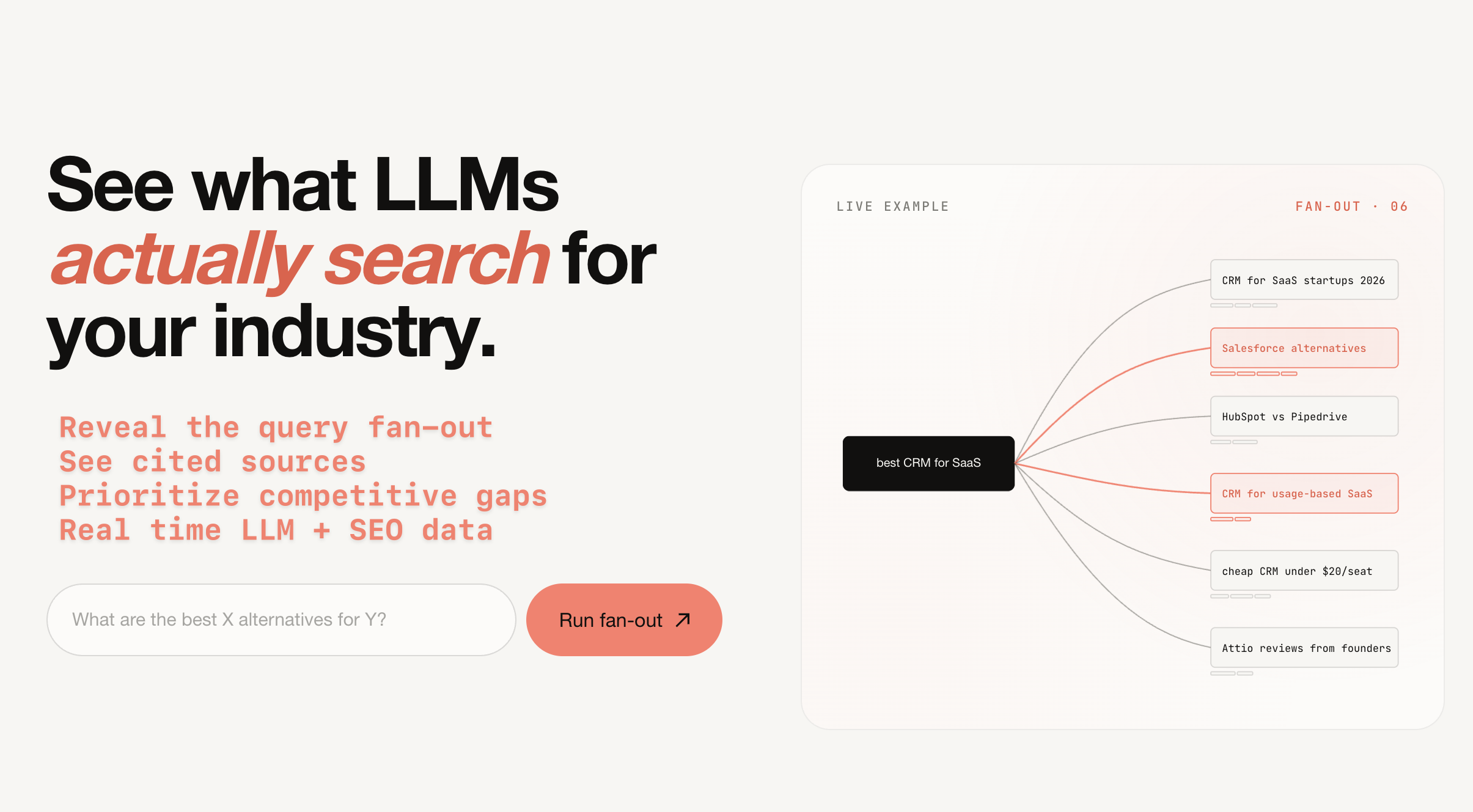
One prompt becomes 8 to 12 sub-queries, classified by category and intent so you can see what the LLM is really looking for.
Score every sub-query
Volume, keyword difficulty, AI Overview presence, and a worth-building, watch, or skip verdict on each sub-query.
See the cited sources
Live web results pulled for every sub-query, with the domains AI Overviews already cite.
Priority scoring per query
Pulls volume, KD, CPC, and AI Overview presence from real search data, then labels each query worth building, watch, or skip.
AI's canonical answer
Shows the synthesized response an answer engine would write from the cited pages, with numbered citations linked to the source list.
Query Fan-Out Tool Use Cases
Find which sub-queries to build content for in AI search visibility
Spot listicles and comparison pages where your brand should be cited
Prioritize GEO topics alongside traditional SEO keyword research
Analyze commercial prompts like best CRM for SaaS or B2B marketing agencies
Query Fan-Out Tool Frequently Asked Questions
How is this different from regular keyword research?
Do all LLMs fan out the same way?
How often should I re-run a fan-out?
What happens to my email if I unlock the full report?
What is this built on?
Query Fan-Out Tool Product Background & Official Links
Query Fan-Out Tool Support Email & Customer service contact & Refund contact etc.
More Contact, visit the about us page(https://queryfanout.io/)
Query Fan-Out Tool Company Info
Query Fan-Out Tool Company name: New Chemistry
More about Query Fan-Out Tool, Please visit the about us page(https://queryfanout.io/)
Query Fan-Out Tool LinkedIn
Query Fan-Out Tool LinkedIn Link: https://www.linkedin.com/in/austin-furey/
Query Fan-Out Tool Pricing & Plans
Free
Free- Run query fan-out on any prompt
- No credit card required
- Unlock full report with email
- Weekly AI search visibility email from New Chemistry