Sponsored byNemoVideo- Pro AI video editing agent to chat your way to viral content
BAT AI TOOLSBAT AI TOOLS
  • Tools
  • Category
  • Jobs
  • Pricing
  • PromoFREE
Free Submit
Sign In
  • Home
  • /
  • Business Management
  • /
  • STORMY
STORMY

STORMY

Active
Tagline:The AI operating system for service businesses
Updated:September 6, 2026
Domain Rating:
39Domain Rating by Ahrefs
Social Media:
Business ManagementAI Customer ServiceAI Voice AssistantAI CRMAI WorkflowAI Sales AssistantAI Task ManagementAI AssistantAI Agent ReadyCloud-basedFree TrialZero SetupReal-timeFor EnterpriseTeam CollaborationWeb App
Open Website
STORMY
Visit Website
|
  • About
  • Pricing

What is STORMY?

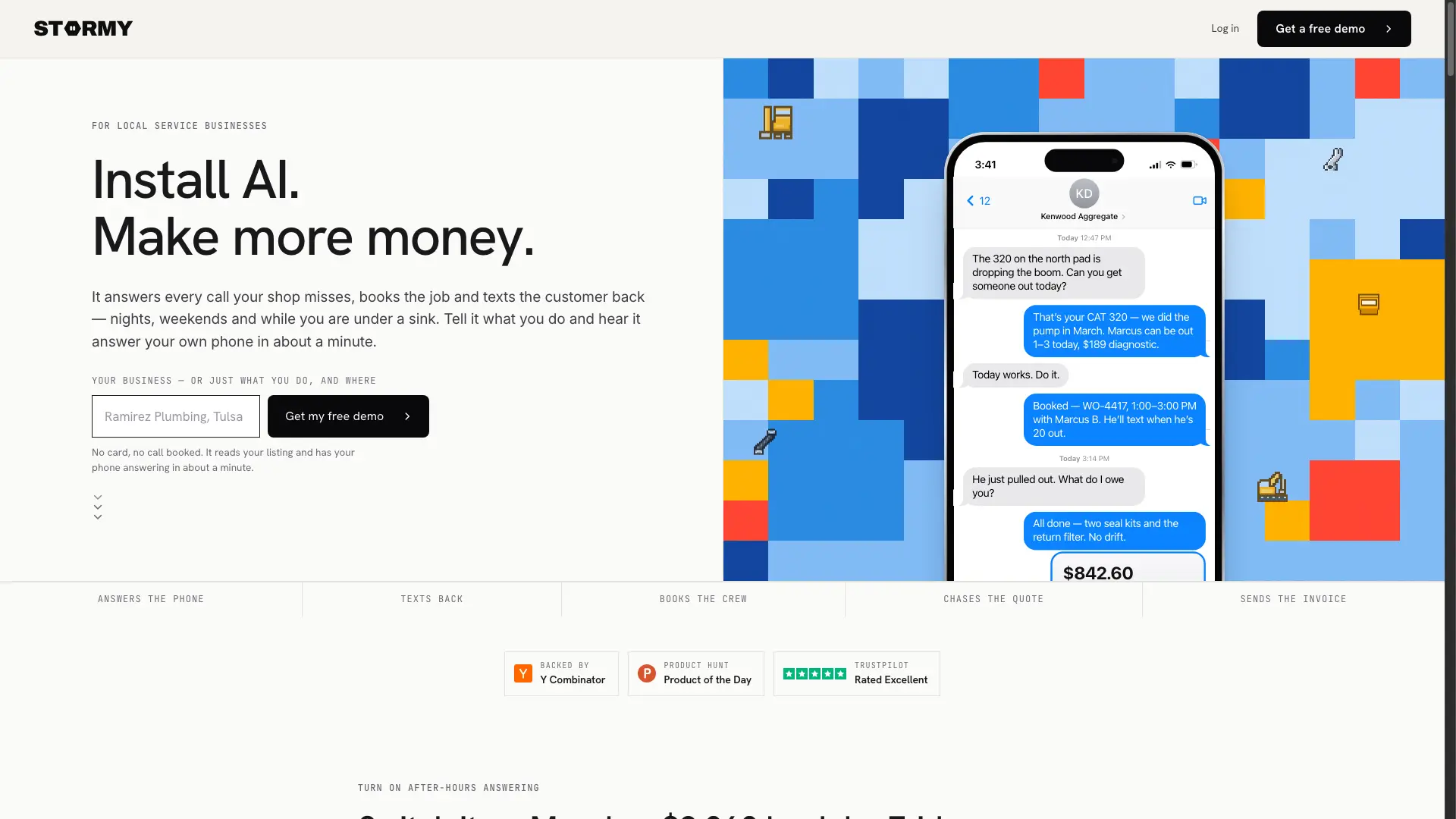
STORMY is the AI operating system for service businesses. It runs your marketing and inbound leads, answers the calls, books the jobs, sends quotes and invoices, tracks inventory, and gives everyone on your team their own AI agent.

STORMY video 1

How to use STORMY?

1. Forward your existing business phone number to STORMY without changing your number. 2. STORMY immediately answers calls after hours, books jobs, and texts confirmation. 3. Quotes, invoices, and parts reservations are tracked automatically per work order.

STORMY Core Features

01

AI Phone Receptionist & After-Hours Answering

Picks up missed calls on the first ring, captures customer symptoms, books jobs directly to the calendar, and texts confirmations.

02

Automated SMS Follow-ups & Quoting

Follows up on outstanding quotes via text, confirms scheduling, and texts customers invoices until payment is completed.

03

Shop Floor & Inventory Integration

Technicians photograph parts from the aisle, and the system identifies and reserves stock against the work order before rolling trucks.

04

AI Agent for Every Team Member

Gives everyone on your team their own AI agent operating from the same unified job record across phone, email, and dispatch.

STORMY Use Cases

After-hours call answering and immediate dispatch for commercial trades

Heavy equipment and forklift repair shops tracking parts and mobile technicians

Automating quote follow-up and same-day invoice collection for field service businesses

STORMY Frequently Asked Questions

How does STORMY answer after-hours calls?

Forward your existing business phone number to STORMY. It answers incoming calls on the first ring, collects problem details, schedules jobs, and sends text confirmations.

Do technicians or crew members need to install a special app?

No new app is required for your crew. Technicians interact via standard SMS or existing phone channels, such as photographing parts from the aisle.

How does invoice payment work?

Invoices are sent directly over the same text message thread where the job was booked, allowing customers to tap and pay by card or ACH.

STORMY Product Background & Official Links

STORMY Support Email & Customer service contact & Refund contact etc.

STORMY Support Email: founders@stormy.ai

More Contact, visit the about us page(https://stormy.ai)

STORMY Company Info

STORMY Company name: One Interface Inc

STORMY Developer Type: company

More about STORMY, Please visit the about us page(https://stormy.ai)

STORMY Pricing & Plans

Free Demo

Free
Free
  • Instant setup without a credit card
  • AI receptionist demo answering for your listing
  • Test call handling and job booking
Subscribe & upgrade now
Most Popular

Service Shop

contact
Contact sales
  • 24/7 after-hours call answering and dispatch
  • Automated quoting, follow-ups, and invoicing
  • Inventory and parts holding per work order
  • Dedicated AI agents for crew and front desk
Subscribe & upgrade now

STORMY Tags

AI Agent ReadyCloud-basedFree TrialZero SetupReal-timeFor EnterpriseTeam CollaborationWeb App

Best Suited Occupations for STORMY

Small Business OwnersCustomer Support TeamsSales & Business DevelopmentFreelancersProject & Program Managers

Top Product Categories

LLMs & AI Agents

  • AI Chatbots
  • AI Agents
  • Prompt Engineering
  • AI Search Engine

Engineering & Code

  • AI Code Assistant
  • AI Code Generator
  • AI Developer Tools
  • No-Code & Low-Code

Image & Creative

  • AI Image Generator
  • AI Design Generator
  • AI Art Generator
  • Image-to-Image

Video & Animation

  • AI Video Generator
  • AI Short Video Maker
  • Digital Humans
  • AI Video Editor

Productivity & Office

  • AI Meeting Assistant
  • AI PDF Tools
  • AI Workflow
  • AI PPT Generator

Marketing & Sales

  • AI SEO Tools
  • AI Copywriting
  • AI Lead Generation
  • AI Sales Assistant

Audio & Voice

  • AI Voice Cloning
  • AI Text-to-Speech
  • AI Music Generator
  • AI Podcast Tools

Research & Data

  • AI Research Tools
  • AI Data Analytics
  • AI Knowledge Base
  • See All Categories >>
BAT AI TOOLS
  • Submit your AI tool
  • Pricing
  • Partnership
  • Feedback
  • About
  • A2A Compatible
WeChat QR
Scan QR code with WeChat
hi@bataitools.comClick icon to auto-copy email
English简体中文繁體中文EspañolالعربيةBahasa IndonesiaPortuguêsFrançais日本語РусскийDeutsch한국어TürkçeTiếng ViệtItalianoNederlandsPolskiไทยहिन्दीУкраїнськаفارسیবাংলাاردوSvenskaNorskDanskSuomiעברית

Copyright © 1970 BAT AI TOOLS. All Rights Reserved.

·Partnership·Privacy Policy·Terms of Service·Refund Policy