Sponsored byMyWebSEO.AI- AI-Powered SEO Audit Tool & Website Optimizer
BAT AI TOOLSBAT AI TOOLS
  • Tools
  • Category
  • Jobs
  • Pricing
  • PromoFREE
Free Submit
Sign In
  • Home
  • /
  • AI Agent
  • /
  • Hyperagent
Hyperagent

Hyperagent

Active
Tagline:The system of agents that does real work across your team
Updated:September 5, 2026
Domain Rating:
56Domain Rating by Ahrefs
Social Media:
AI AgentAI WorkflowAI AssistantAI Developer ToolsAI Knowledge BaseCoding & DevelopmentOffice & ProductivityAI Agent ReadyTeam CollaborationCloud-basedMulti-languageAPI AvailableHighly CustomizableWeb App
Open Website
Hyperagent
Visit Website
|
  • About
  • Pricing

What is Hyperagent?

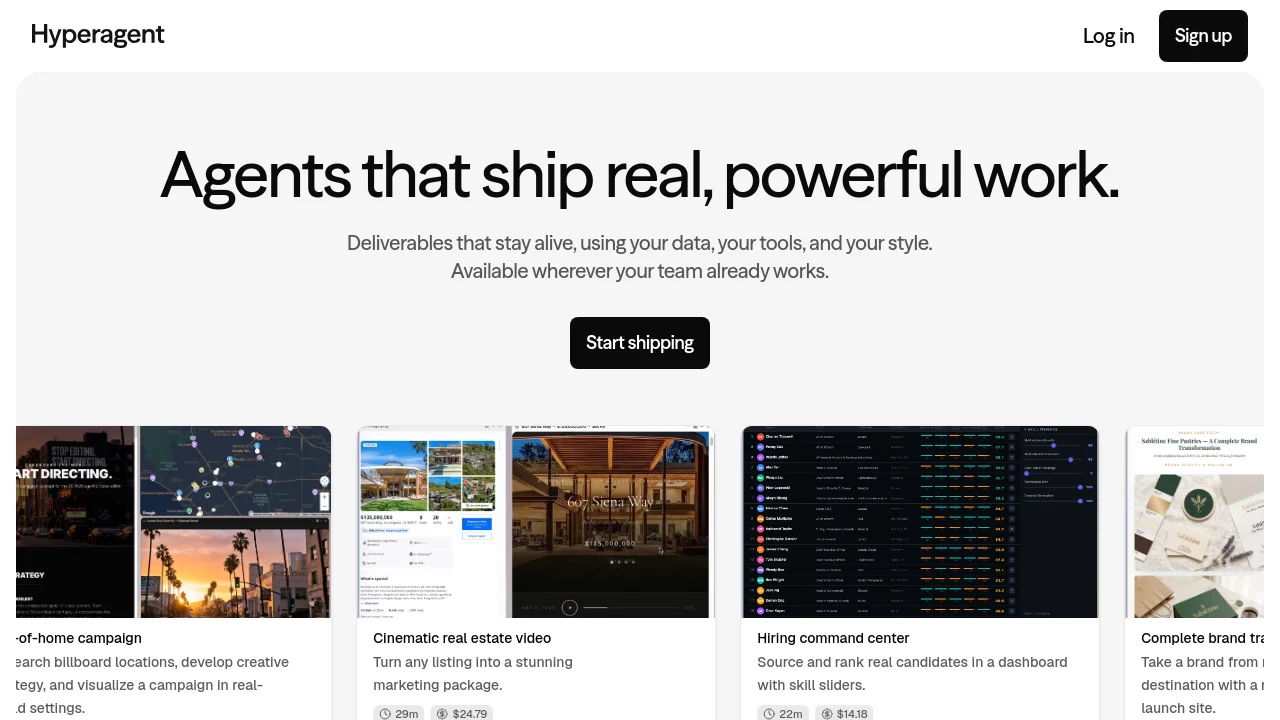
Hyperagent (formerly Superagent) is an AI agent platform that enables teams to configure, deploy, and manage autonomous AI teammates equipped with custom tools, persistent memory, and reusable skills across Slack, Telegram, webhooks, and automated schedules.

Hyperagent screenshot 1

How to use Hyperagent?

1. Define agent role, instructions, and model settings. 2. Attach tools, skills, and memories. 3. Deploy via threads, Slack, Telegram, email, webhooks, or scheduled triggers.

Hyperagent Core Features

01

Multi-Channel Invocations

Trigger agent runs through interactive threads, Slack, Telegram, email, webhooks, automated schedules, Live Mode monitoring, or MCP server clients.

02

Reusable Agent Skills

Define repeatable methods for research, data review, and report generation once, allowing any agent across the organization to compound and reuse them.

03

Persistent Memories and Context

Equip agents with global or agent-scoped persistent facts that automatically surface relevant context across conversations without repetitive briefings.

04

Artifact Library

Automatically collect all agent-generated artifacts including documents, tables, webpages, images, and code in a centralized, searchable gallery.

Hyperagent Use Cases

Automating recurring operations and weekly executive briefings on automated schedules

Deploying responsive internal and customer support agents across Slack and Telegram

Triaging incoming webhook events and CRM pipeline changes autonomously

Hyperagent Frequently Asked Questions

What are the ways an agent run can start?

A run can start from an interactive thread, Slack, Telegram, a scheduled timer, Live Mode monitoring, email, an incoming webhook, an MCP client, or another agent through delegation.

What is the difference between tools and integrations?

Tools are built-in platform capabilities like web search, code execution, and image generation. Integrations are connected external services such as Slack, Gmail, and GitHub.

How do agents retain memory across multiple runs?

Agents utilize global or agent-scoped memories that persist across threads and automatically surface relevant context whenever related topics arise.

Hyperagent Product Background & Official Links

Hyperagent Support Email & Customer service contact & Refund contact etc.

More Contact, visit the about us page(https://www.hyperagent.com/docs)

Hyperagent Twitter

Hyperagent Twitter Link: https://x.com/hyperagentapp

Hyperagent Pricing & Plans

Contact Sales

contact
Contact sales
  • Custom agent deployments
  • Team workspaces and shared skills
  • Slack, Telegram, and webhook integrations
  • Enterprise security and access controls
Subscribe & upgrade now

Hyperagent Tags

AI Agent ReadyTeam CollaborationCloud-basedMulti-languageAPI AvailableHighly CustomizableWeb App

Best Suited Occupations for Hyperagent

Software DevelopersIndie HackersProduct ManagersProject & Program ManagersIT Ops & SecurityExecutives & Decision Makers

Top Product Categories

LLMs & AI Agents

  • AI Chatbots
  • AI Agents
  • Prompt Engineering
  • AI Search Engine

Engineering & Code

  • AI Code Assistant
  • AI Code Generator
  • AI Developer Tools
  • No-Code & Low-Code

Image & Creative

  • AI Image Generator
  • AI Design Generator
  • AI Art Generator
  • Image-to-Image

Video & Animation

  • AI Video Generator
  • AI Short Video Maker
  • Digital Humans
  • AI Video Editor

Productivity & Office

  • AI Meeting Assistant
  • AI PDF Tools
  • AI Workflow
  • AI PPT Generator

Marketing & Sales

  • AI SEO Tools
  • AI Copywriting
  • AI Lead Generation
  • AI Sales Assistant

Audio & Voice

  • AI Voice Cloning
  • AI Text-to-Speech
  • AI Music Generator
  • AI Podcast Tools

Research & Data

  • AI Research Tools
  • AI Data Analytics
  • AI Knowledge Base
  • See All Categories >>
BAT AI TOOLS
  • Submit your AI tool
  • Pricing
  • Partnership
  • Feedback
  • About
  • A2A Compatible
WeChat QR
Scan QR code with WeChat
hi@bataitools.comClick icon to auto-copy email
English简体中文繁體中文EspañolالعربيةBahasa IndonesiaPortuguêsFrançais日本語РусскийDeutsch한국어TürkçeTiếng ViệtItalianoNederlandsPolskiไทยहिन्दीУкраїнськаفارسیবাংলাاردوSvenskaNorskDanskSuomiעברית

Copyright © 1970 BAT AI TOOLS. All Rights Reserved.

·Partnership·Privacy Policy·Terms of Service·Refund Policy