Sponsored byAsInstant- Automating your business through advanced AI Solutions
BAT AI TOOLSBAT AI TOOLS
  • Tools
  • Category
  • Jobs
  • Pricing
  • PromoFREE
Free Submit
Sign In
  • Home
  • /
  • AI Translation
  • /
  • TransGull
TransGull

TransGull

Active
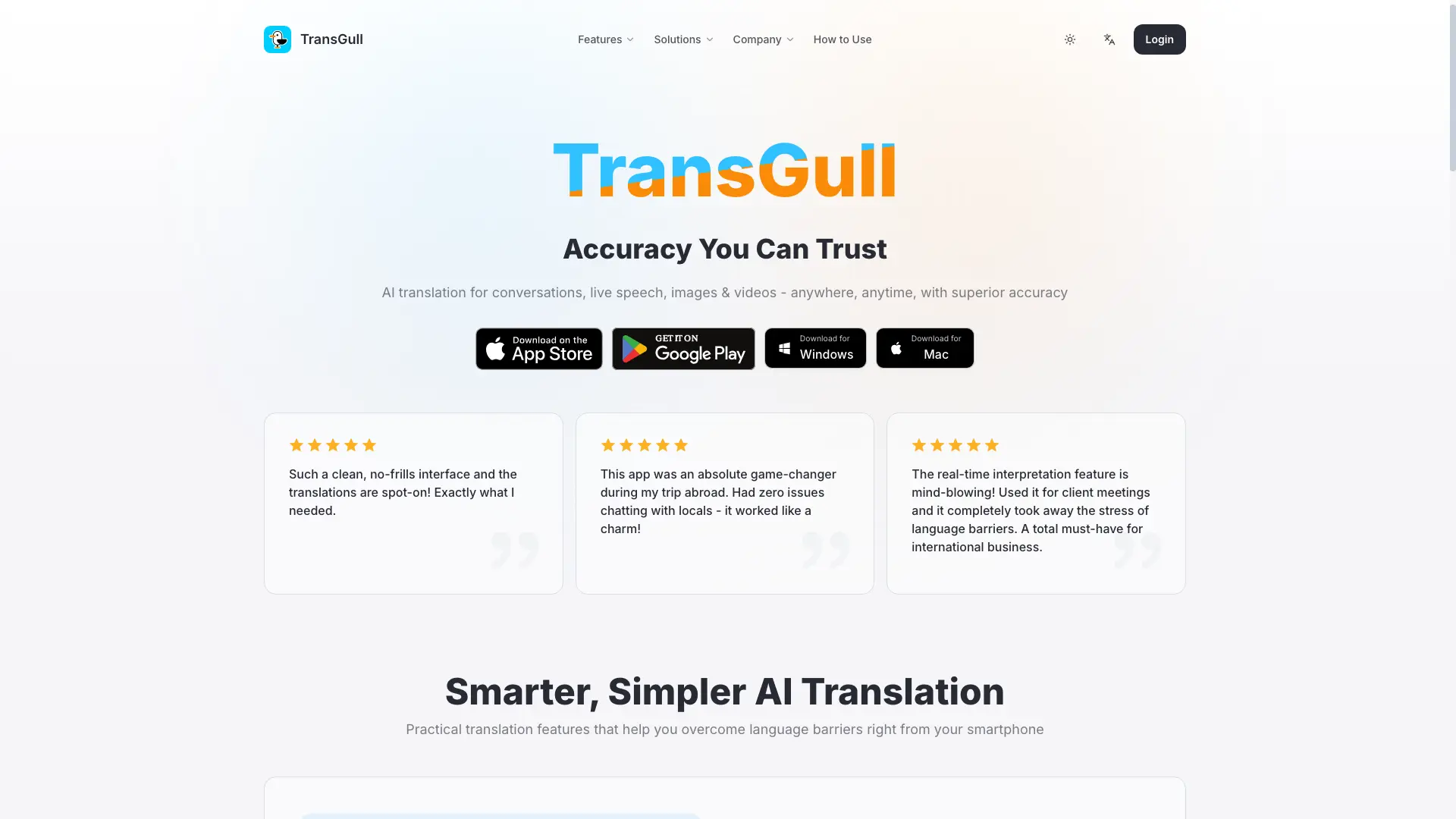
Tagline:AI translation for conversations, live speech, images & videos — with superior accuracy
Updated:-
Social Media:
AI TranslationAI Speech-to-TextAI Text-to-Speech / VoiceoverAI Video TranslatorAI Language LearningMobile AppFreeSubscriptionMulti-languageReal-time
Open Website
TransGull
Visit Website
|
  • About
  • Pricing

What is TransGull?

TransGull is a mobile AI translation app for conversations, live speech, images, and videos. It delivers context-aware dialog translation, real-time simultaneous interpretation, image and video translation with bilingual subtitles, and supports translation across 33 languages. Free daily quotas cover conversation and image translation; pay-as-you-go credits cover interpretation, video, audio, document, and phone-call translation with no subscription required.
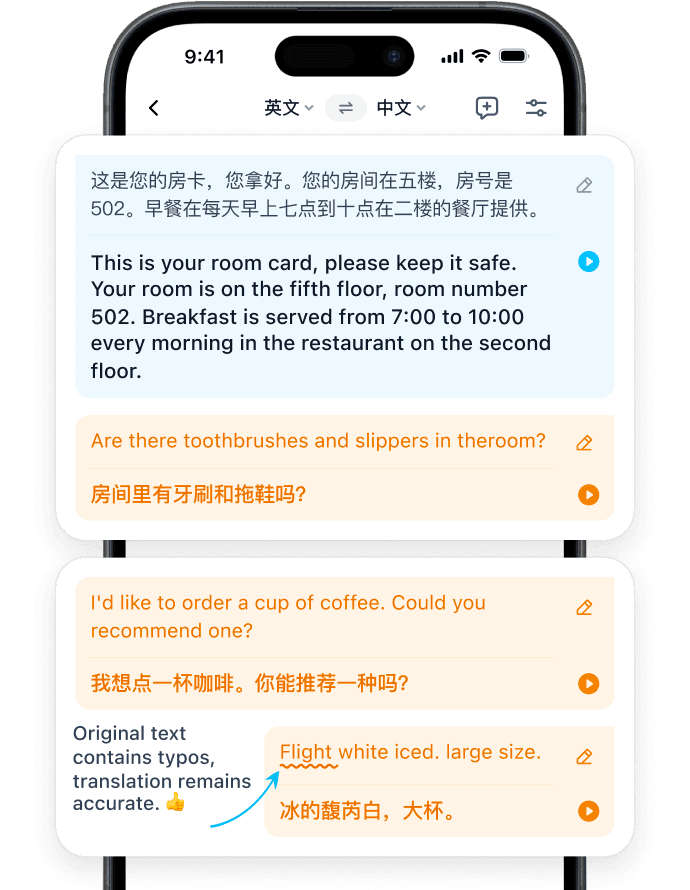
TransGull screenshot 1
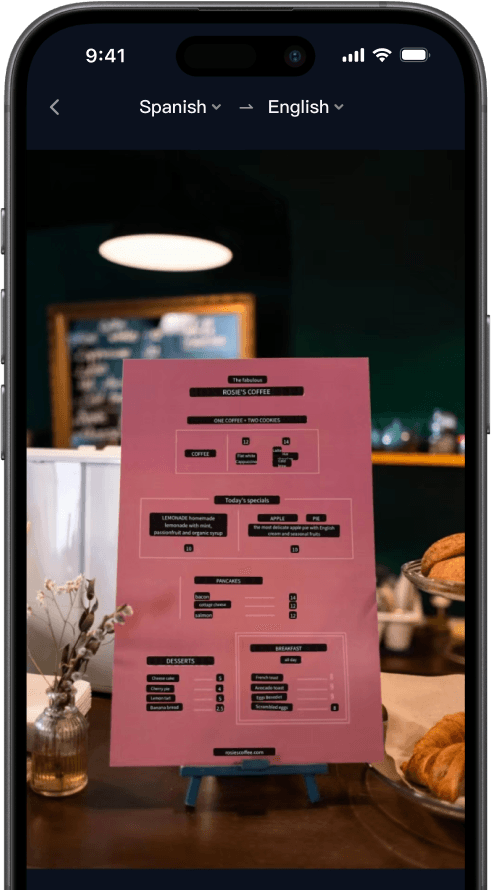
TransGull screenshot 2
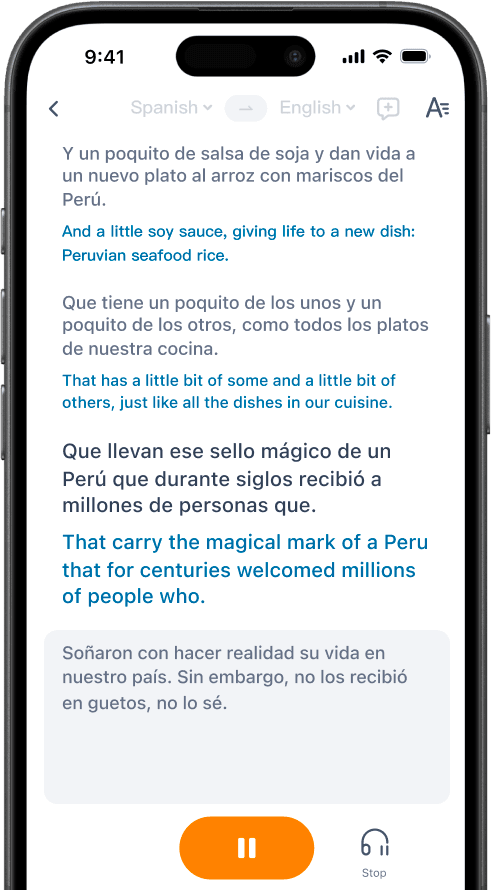
TransGull screenshot 3
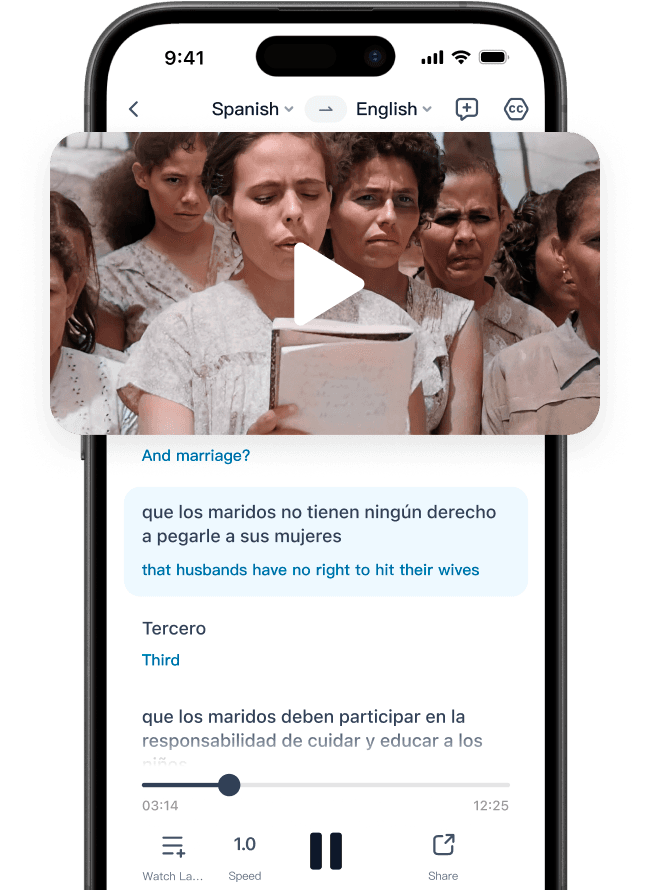
TransGull screenshot 4

How to use TransGull?

Download TransGull from the App Store or Google Play, open the app, and pick a mode: Dialog Translation for voice and text conversations, Simultaneous Interpretation for live meetings and lectures, Image Translation for photos and menus, or Video Translation for YouTube and local video files. Free daily credits cover basic translation; buy Shells for paid features with no expiry.

TransGull Core Features

01

Context-aware dialog translation

Translate conversations seamlessly with voice and text support. Context-aware AI understands your dialog for more accurate, natural translations, with a generous free daily quota of 30,000 translated characters.

02

Accurate image translation

Translate text from photos, menus, and signs. TransGull supports vertical text recognition and true AI translation that goes beyond basic machine translation for clearer, more comprehensible results.

03

Real-time simultaneous interpretation

Ongoing recognition and translation with instant on-screen results and headphone audio. Designed for lectures, classrooms, live streams, and meetings, with one-way and two-way interpretation modes.

04

Video & audio translation

Generate bilingual subtitles for YouTube videos or local video files in a few taps. Audio translation and document translation (by page) follow the same pay-as-you-go credit model.

05

Pay-as-you-go credits

No subscription required and no fixed costs. Prepaid Shells never expire and can be used for all paid translation features, while subscription Fries reset monthly.

TransGull Use Cases

Ask for directions and order at restaurants while traveling abroad

Translate menus, signs, and attraction descriptions on the spot

Run real-time interpretation for client meetings and international business

Generate bilingual subtitles for YouTube or local videos to share with friends

Study abroad or settle in a new country and communicate without barriers

TransGull Frequently Asked Questions

How much free translation do I get each day?

TransGull provides a free daily quota of 30,000 translated characters shared across dialog, image, and selection translation. The quota resets at 0:00 UTC every day. Beyond the free quota, 1 translation credit is deducted for every 350 characters.

How are simultaneous interpretation and video translation billed?

Simultaneous interpretation is charged by duration (one-way 720 credits/hour, two-way 900 credits/hour). Video translation is billed by video duration, from free for built-in subtitles up to about 7 credits per minute for full AI recognition and translation. Audio translation follows the same model as Mode 4 video translation.

Do my purchased translation credits expire?

Shells are prepaid translation credits purchased separately and never expire. TransGull Personal subscription benefits (Fries) reset automatically every month and unused Fries do not carry over. Both have the same value when used for paid translation features.

How do I check my credit balance and spending history?

You can check your Shells and Fries balances anytime on the "Me" page in the TransGull app. Tap the question mark next to the balance, then open Purchase and Spending History to view your recharge and consumption records.

TransGull Product Background & Official Links

TransGull Support Email & Customer service contact & Refund contact etc.

TransGull Support Email: support@transgull.com

More Contact, visit the about us page(https://transgull.com/about/ourstory)

TransGull Company Info

TransGull Company name: Say Wow, Inc.

TransGull Developer Type: company

More about TransGull, Please visit the about us page(https://transgull.com/about/ourstory)

TransGull Pricing

TransGull Pricing Link: https://transgull.com/faq/shells-spending-rules

TransGull Pricing & Plans

Free Daily Quota

Free
Free (30,000 characters/day)
  • Dialog, image, and selection translation
  • 30,000 translated characters per day, resets at 0:00 UTC
  • Up to 33 supported languages
  • No subscription required
Subscribe & upgrade now

Shells (Pay-as-you-go)

flat
Prepaid credits, never expire
  • 1 credit per 350 characters beyond free quota
  • Simultaneous interpretation billed by duration
  • Video translation billed by duration, audio & document by page
  • Shells balance never expires
Subscribe & upgrade now

TransGull Personal

Recurring
Subscription with monthly Fries
  • Fries translation credits included in subscription benefits
  • Fries reset monthly and do not carry over
  • Fries and Shells have equal value for paid features
  • Cancel anytime
Subscribe & upgrade now

TransGull Tags

Mobile AppFreeSubscriptionMulti-languageReal-time

Best Suited Occupations for TransGull

General ConsumersStudentsExecutives & Decision Makers

Top Product Categories

LLMs & AI Agents

  • AI Chatbots
  • AI Agents
  • Prompt Engineering
  • AI Search Engine

Engineering & Code

  • AI Code Assistant
  • AI Code Generator
  • AI Developer Tools
  • No-Code & Low-Code

Image & Creative

  • AI Image Generator
  • AI Design Generator
  • AI Art Generator
  • Image-to-Image

Video & Animation

  • AI Video Generator
  • AI Short Video Maker
  • Digital Humans
  • AI Video Editor

Productivity & Office

  • AI Meeting Assistant
  • AI PDF Tools
  • AI Workflow
  • AI PPT Generator

Marketing & Sales

  • AI SEO Tools
  • AI Copywriting
  • AI Lead Generation
  • AI Sales Assistant

Audio & Voice

  • AI Voice Cloning
  • AI Text-to-Speech
  • AI Music Generator
  • AI Podcast Tools

Research & Data

  • AI Research Tools
  • AI Data Analytics
  • AI Knowledge Base
  • See All Categories >>
BAT AI TOOLS
  • Submit your AI tool
  • Pricing
  • Partnership
  • Feedback
  • About
WeChat QR
Scan QR code with WeChat
hi@bataitools.comClick icon to auto-copy email
English简体中文繁體中文EspañolالعربيةBahasa IndonesiaPortuguêsFrançais日本語РусскийDeutsch한국어TürkçeTiếng ViệtItalianoNederlandsPolskiไทยहिन्दीУкраїнськаفارسیবাংলাاردوSvenskaNorskDanskSuomiעברית

Copyright © 1970 BAT AI TOOLS. All Rights Reserved.

·Partnership·Privacy Policy·Terms of Service·Refund Policy