Sponsored bySpringbase- Every model. Every meeting. Every agent. One workspace.
BAT AI TOOLSBAT AI TOOLS
  • Tools
  • Category
  • Jobs
  • Pricing
  • PromoFREE
Free Submit
Sign In
  • Home
  • /
  • AI Agent
  • /
  • Compass
Compass

Compass

Active
Tagline:Set the destination. AI runs the campaign.
Updated:-
Social Media:
AI AgentMarketing & AdvertisingAI Digital MarketingAI Email MarketingBusiness ManagementFreeFreemiumSubscriptionFree TrialCloud-basedTeam CollaborationAI Agent Ready
Open Website
Compass
Visit Website
|
  • About
  • Pricing

What is Compass?

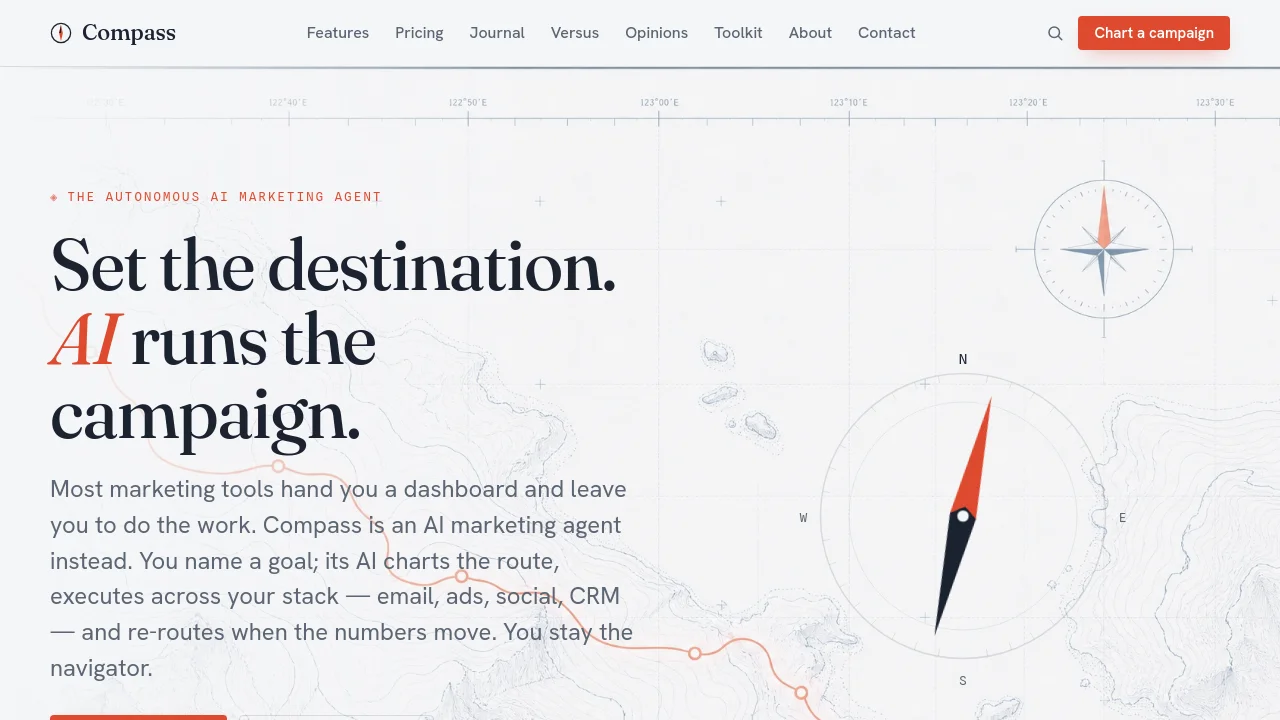
Compass is an autonomous AI marketing agent. You name a goal and the AI charts the route, executes across email, ads, social and CRM, and re-routes when metrics move. You stay the navigator with approvable moves at every checkpoint.
Compass screenshot 1
Compass screenshot 2

How to use Compass?

Name a destination in plain words, approve the route Compass charts, connect your email, ads, social or CRM channels, then launch manually on Dinghy or enable autonomous execution on paid plans.

Compass Core Features

01

Set a destination

Describe the goal in plain words. The AI reads intent — a real objective, not just a task to schedule.

02

Auto-charted route

It plots the whole campaign: brief, audience, creative, channels, sequence and the checkpoints to measure against.

03

Executes across your stack

Connect email, ads, social and CRM. Compass takes the helm and acts — it doesn't just leave you suggestions.

04

Budget by bearing

It allocates spend across channels toward the goal, and shifts the mix as legs over- or under-perform.

05

Re-route on signal

When metrics move, Compass corrects course automatically — pausing a leg, doubling another, reworking the creative.

06

You stay the navigator

Every move is approvable. Compass proposes the heading; you keep the helm.

Compass Use Cases

Launch a product campaign across email and paid social from one route

Re-route weekly spend when channel ROAS shifts mid-quarter

Orchestrate multi-brand marketing with approval workflows on Clipper

Compass Frequently Asked Questions

What does autonomous AI actually mean here?

Compass is an AI agent — it doesn't just recommend, it acts. Once you approve a route, the AI drafts assets, schedules sends, allocates budget across channels and adjusts as results come in. You set the approval level: review every move or let the AI run the legs you trust.

Which tools does it connect to?

Over 40 integrations across email, ads, social, CRM and analytics — the stack most teams already run. Compass steers them from one chart instead of you juggling twelve tabs.

Do I lose control if it runs the campaign?

No. You stay the navigator. Compass proposes the heading and every move is approvable; you can pause, adjust or take the helm at any checkpoint. It removes the busywork, not the command.

How is this different from a marketing dashboard?

A dashboard shows you numbers and leaves the work to you. Compass is an AI agent that plans the route, executes it across your tools, and re-routes on signal. One heading instead of a dozen disconnected views.

How fast can I chart a first campaign?

Minutes. Name a destination, approve the route Compass charts, connect a channel or two, and it's underway. You can hand over more of the helm as you build trust.

Compass Product Background & Official Links

Compass Support Email & Customer service contact & Refund contact etc.

Compass Support Email: contact@trycompass.co

More Contact, visit the about us page(https://trycompass.co/about)

Compass Team Info

Compass Team name: Compass Labs

Compass Developer Type: team

More about Compass, Please visit the about us page(https://trycompass.co/about)

Compass Pricing

Compass Pricing Link: https://trycompass.co/pricing

Compass Twitter

Compass Twitter Link: https://x.com/trycompass

Compass Pricing & Plans

Dinghy

Free
Free
  • One active campaign
  • Route planner and brief
  • 3 channel integrations
  • Manual launch
Subscribe & upgrade now
Most Popular

Cutter

Recurring
$49 /month
  • Unlimited campaigns
  • Autonomous execution
  • 40+ integrations
  • Budget allocation and re-routing
  • Checkpoint analytics
Subscribe & upgrade now

Clipper

Recurring
$149 /month
  • Everything in Cutter
  • Multi-brand routes
  • Approval workflows and roles
  • Priority support and SLA
Subscribe & upgrade now

Compass Tags

FreeFreemiumSubscriptionFree TrialCloud-basedTeam CollaborationAI Agent Ready

Best Suited Occupations for Compass

Writers & MarketersSmall Business OwnersSales & Business DevelopmentExecutives & Decision MakersProduct Managers

Top Product Categories

LLMs & AI Agents

  • AI Chatbots
  • AI Agents
  • Prompt Engineering
  • AI Search Engine

Engineering & Code

  • AI Code Assistant
  • AI Code Generator
  • AI Developer Tools
  • No-Code & Low-Code

Image & Creative

  • AI Image Generator
  • AI Design Generator
  • AI Art Generator
  • Image-to-Image

Video & Animation

  • AI Video Generator
  • AI Short Video Maker
  • Digital Humans
  • AI Video Editor

Productivity & Office

  • AI Meeting Assistant
  • AI PDF Tools
  • AI Workflow
  • AI PPT Generator

Marketing & Sales

  • AI SEO Tools
  • AI Copywriting
  • AI Lead Generation
  • AI Sales Assistant

Audio & Voice

  • AI Voice Cloning
  • AI Text-to-Speech
  • AI Music Generator
  • AI Podcast Tools

Research & Data

  • AI Research Tools
  • AI Data Analytics
  • AI Knowledge Base
  • See All Categories >>
BAT AI TOOLS
  • Submit your AI tool
  • Pricing
  • Partnership
  • Feedback
  • About
WeChat QR
Scan QR code with WeChat
hi@bataitools.comClick icon to auto-copy email
English简体中文繁體中文EspañolالعربيةBahasa IndonesiaPortuguêsFrançais日本語РусскийDeutsch한국어TürkçeTiếng ViệtItalianoNederlandsPolskiไทยहिन्दीУкраїнськаفارسیবাংলাاردوSvenskaNorskDanskSuomiעברית

Copyright © 1970 BAT AI TOOLS. All Rights Reserved.

·Partnership·Privacy Policy·Terms of Service·Refund Policy