

Sponsored byRoshi- Custom lessons in seconds.
BAT AI TOOLSBAT AI TOOLS
  • Tools
  • Category
  • Jobs
  • Pricing
  • PromoFREE
Free Submit
Sign In
  • Home
  • /
  • AI Speech-to-Text
  • /
  • Spoke
Spoke

Spoke

Active
Tagline:Dictate into any Mac app. Hold a key. Speak. Done.
Updated:-
Social Media:
AI Speech-to-TextAI Voice AssistantAI AssistantAI Developer ToolsAI WorkflowDesktop AppMac CompatiblePrivacy-FocusedOffline SupportReal-timeOne-time PurchaseFor DevelopersFor Creators
Open Website
Spoke
Visit Website
|
  • About
  • Pricing

What is Spoke?

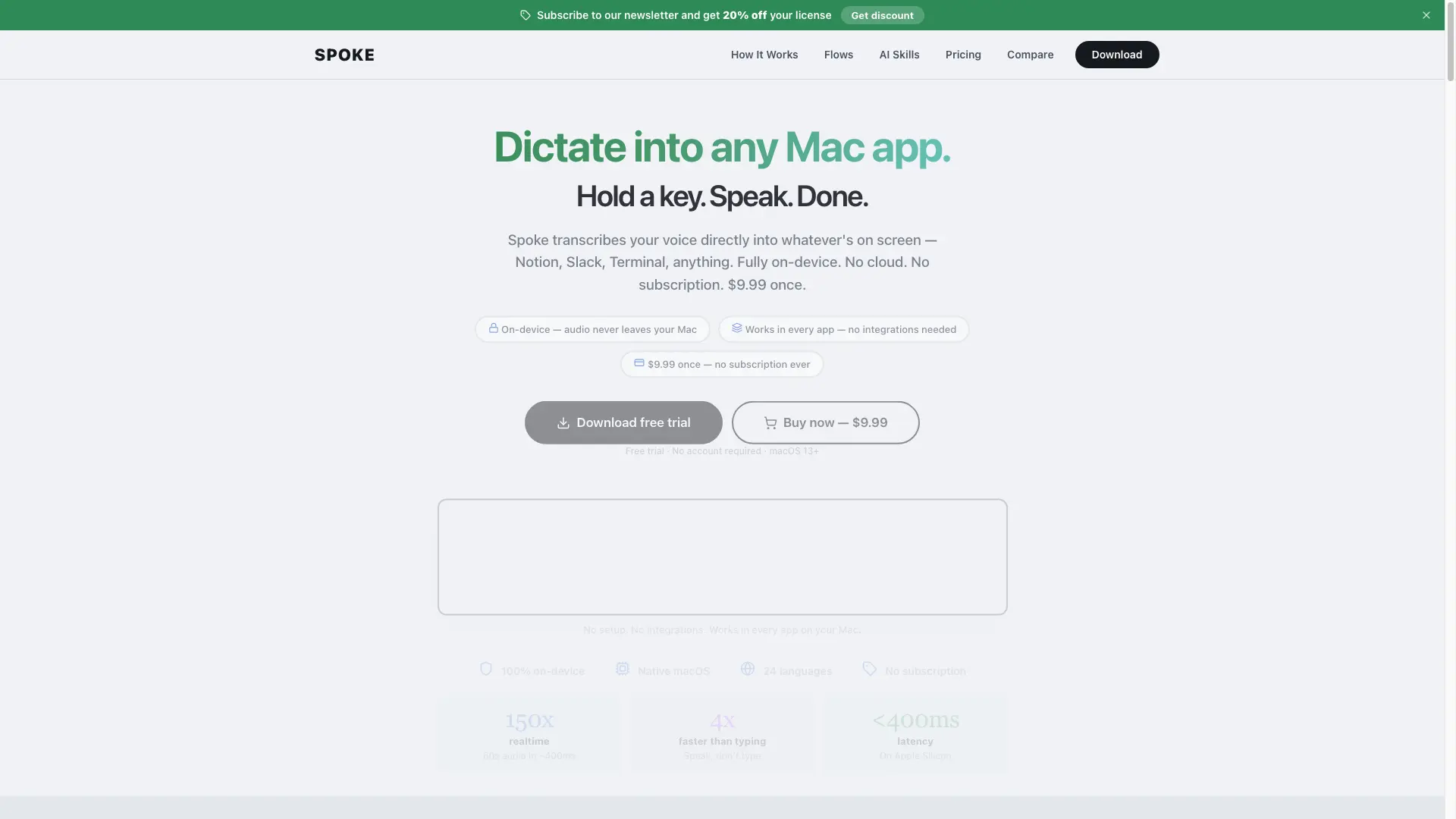
Spoke transcribes voice directly into whatever is on screen — Notion, Slack, Terminal, any Mac app. Runs fully on-device using a 600M parameter neural network with no cloud processing. No account required. $9.99 one-time purchase with no subscription.

How to use Spoke?

Download Spoke, install it on macOS 13+, and assign a shortcut key. Hold the key, speak, and release to insert transcribed text at the cursor in any app. Build Flows to chain AI post-processing, text transforms, app switching, and webhooks into multi-step voice workflows.

Spoke Core Features

01

Push-to-Talk Dictation

Hold a customizable shortcut key, speak, and release. Speech is transcribed on-device by a 600M parameter neural network and inserted at the cursor in any Mac app. <400ms latency.

02

Flow Builder

Design multi-step voice workflows by chaining 14 node types: AI Skills, text transforms, app switching, key presses, webhooks, AppleScript, Shortcuts, Save to File, and more.

03

100% On-Device Privacy

Audio never leaves your Mac. No cloud transcription, no analytics, no telemetry on your voice. API keys stored in macOS Keychain. No screenshots captured.

04

AI Post-Processing

Route transcribed text through AI Skills using Apple Intelligence, OpenAI, Anthropic, Gemini, or Ollama. Fix grammar, format text, translate, or turn speech into dev prompts.

05

Works in Every App

Compatible with Mail, Notes, Messages, Slack, Discord, VS Code, Cursor, Terminal, Xcode, Notion, Google Docs, Obsidian, ChatGPT, Claude Code, Chrome, Safari, and Firefox.

Spoke Use Cases

Dictate first drafts, Notion pages, and email replies as a writer or blogger

Write docstrings, commit messages, Slack threads, and PR descriptions as a developer

Speed up everyday typing for anyone who sends more than 20 messages per day

Spoke Frequently Asked Questions

Is Spoke really on-device?

Yes. The 600M parameter speech engine runs entirely on your Mac. Audio never leaves your computer. No cloud transcription, no analytics, no telemetry on your voice.

What apps does Spoke work with?

Spoke works in any Mac app with a text field: Mail, Notes, Messages, Slack, Discord, VS Code, Cursor, Terminal, Xcode, Notion, Google Docs, Obsidian, ChatGPT, Claude Code, Safari, Chrome, Firefox, and more.

How much does Spoke cost?

$9.99 one-time purchase. No subscription, no recurring fees. A free trial is available before purchase.

Spoke Product Background & Official Links

Spoke Support Email & Customer service contact & Refund contact etc.

More Contact, visit the about us page(https://usespoke.app)

Spoke Individual Info

Spoke Individual name: Marek Serafin

Spoke Developer Type: individual

More about Spoke, Please visit the about us page(https://usespoke.app)

Spoke Pricing & Plans

Free Trial

Free
Free trial
  • Time-limited free trial
  • No account required
  • Full access to all features during trial
Subscribe & upgrade now
Most Popular

Full License

flat
$9.99 once
  • Lifetime access
  • On-device transcription in 24 languages
  • Flow Builder with 14 node types
  • AI post-processing with any provider
  • Works in every Mac app
  • Auto-updates included
Subscribe & upgrade now

Spoke Tags

Desktop AppMac CompatiblePrivacy-FocusedOffline SupportReal-timeOne-time PurchaseFor DevelopersFor CreatorsNo-CodeZero SetupAI Agent Ready

Best Suited Occupations for Spoke

Software DevelopersWriters & MarketersIndie HackersFreelancersStudentsGeneral Consumers

Top Product Categories

LLMs & AI Agents

  • AI Chatbots
  • AI Agents
  • Prompt Engineering
  • AI Search Engine

Engineering & Code

  • AI Code Assistant
  • AI Code Generator
  • AI Developer Tools
  • No-Code & Low-Code

Image & Creative

  • AI Image Generator
  • AI Design Generator
  • AI Art Generator
  • Image-to-Image

Video & Animation

  • AI Video Generator
  • AI Short Video Maker
  • Digital Humans
  • AI Video Editor

Productivity & Office

  • AI Meeting Assistant
  • AI PDF Tools
  • AI Workflow
  • AI PPT Generator

Marketing & Sales

  • AI SEO Tools
  • AI Copywriting
  • AI Lead Generation
  • AI Sales Assistant

Audio & Voice

  • AI Voice Cloning
  • AI Text-to-Speech
  • AI Music Generator
  • AI Podcast Tools

Research & Data

  • AI Research Tools
  • AI Data Analytics
  • AI Knowledge Base
  • See All Categories >>
BAT AI TOOLS
  • Submit your AI tool
  • Pricing
  • Partnership
  • Feedback
  • About
WeChat QR
Scan QR code with WeChat
hi@bataitools.comClick icon to auto-copy email
English简体中文繁體中文EspañolالعربيةBahasa IndonesiaPortuguêsFrançais日本語РусскийDeutsch한국어TürkçeTiếng ViệtItalianoNederlandsPolskiไทยहिन्दीУкраїнськаفارسیবাংলাاردوSvenskaNorskDanskSuomiעברית

Copyright © 1970 BAT AI TOOLS. All Rights Reserved.

·Partnership·Privacy Policy·Terms of Service·Refund Policy