Sponsored byAnilyst- An AI-Analyst you can talk to
BAT AI TOOLSBAT AI TOOLS
  • Tools
  • Category
  • Jobs
  • Pricing
  • PromoFREE
Free Submit
Sign In
  • Home
  • /
  • Coding & Development
  • /
  • ZenMulti
ZenMulti

ZenMulti

Active
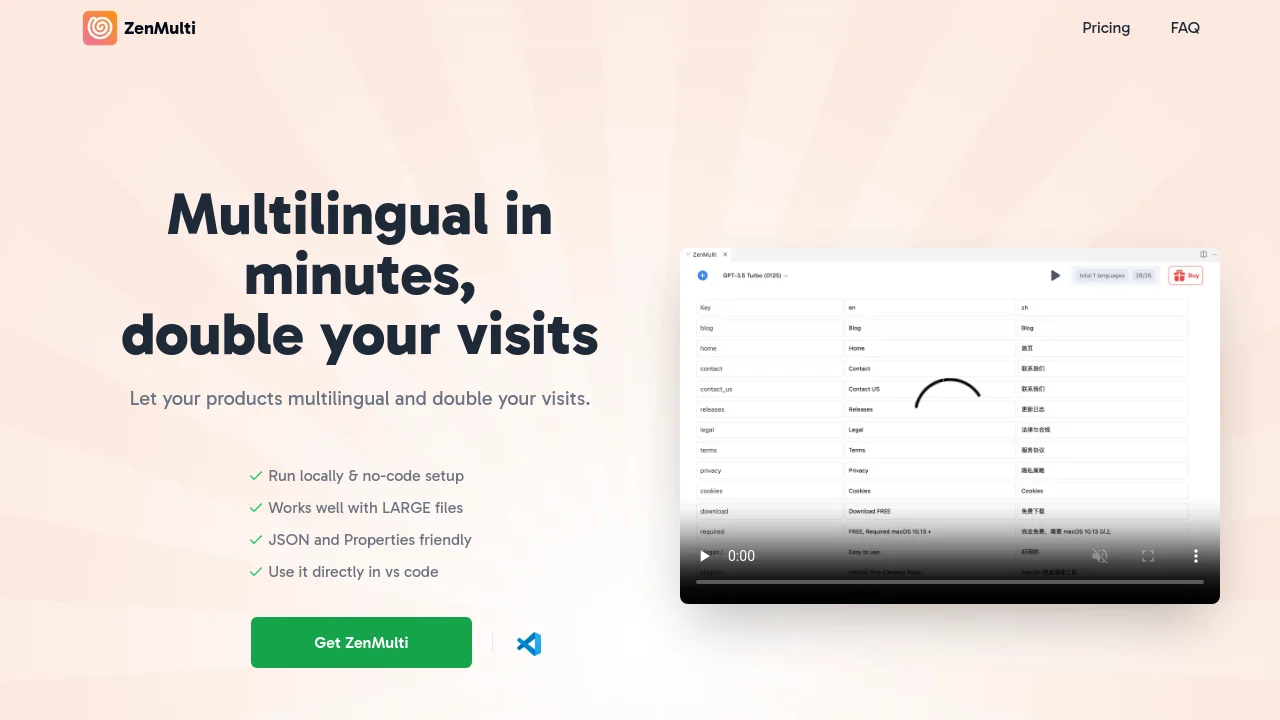
Tagline:Multilingual in minutes, double your visits
Updated:September 9, 2026
Domain Rating:
1Domain Rating by Ahrefs
Social Media:
Coding & DevelopmentAI Developer ToolsAI Code AssistantLearning & TranslationAI TranslationOffice & ProductivityAI AssistantVS Code ExtensionFreemiumOne-time PurchaseMulti-languageBulk ProcessingFor DevelopersFor StartupsSolopreneur
Open Website
ZenMulti
Visit Website
|
  • About
  • Pricing

What is ZenMulti?

ZenMulti is a VS Code extension that uses GPT to handle i18n and l10n for software products. It runs locally with a no-code setup, parses large JSON and Properties resource files, and connects directly with your OpenAI API key.
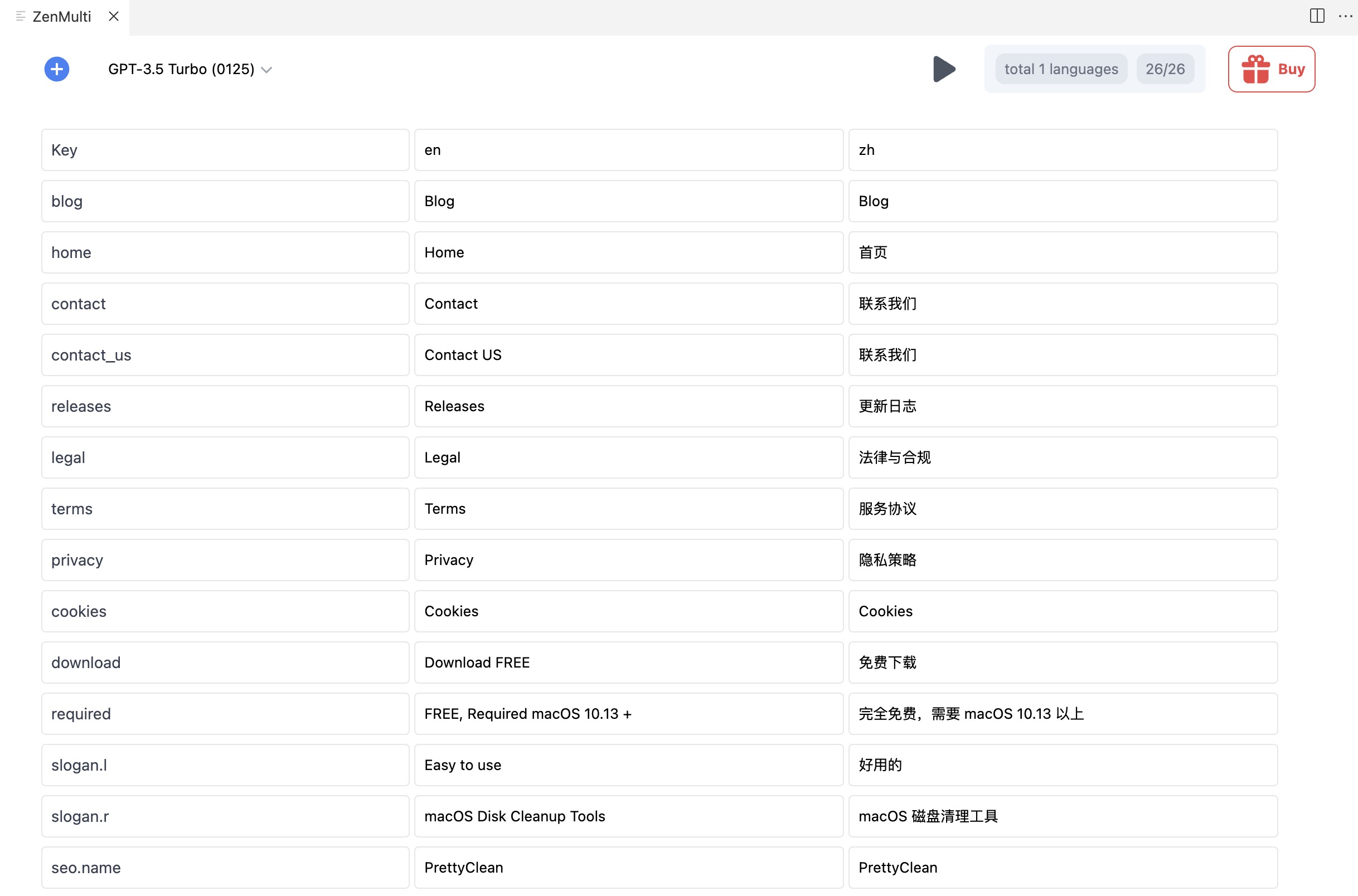
ZenMulti screenshot 1
ZenMulti screenshot 2
ZenMulti screenshot 3

How to use ZenMulti?

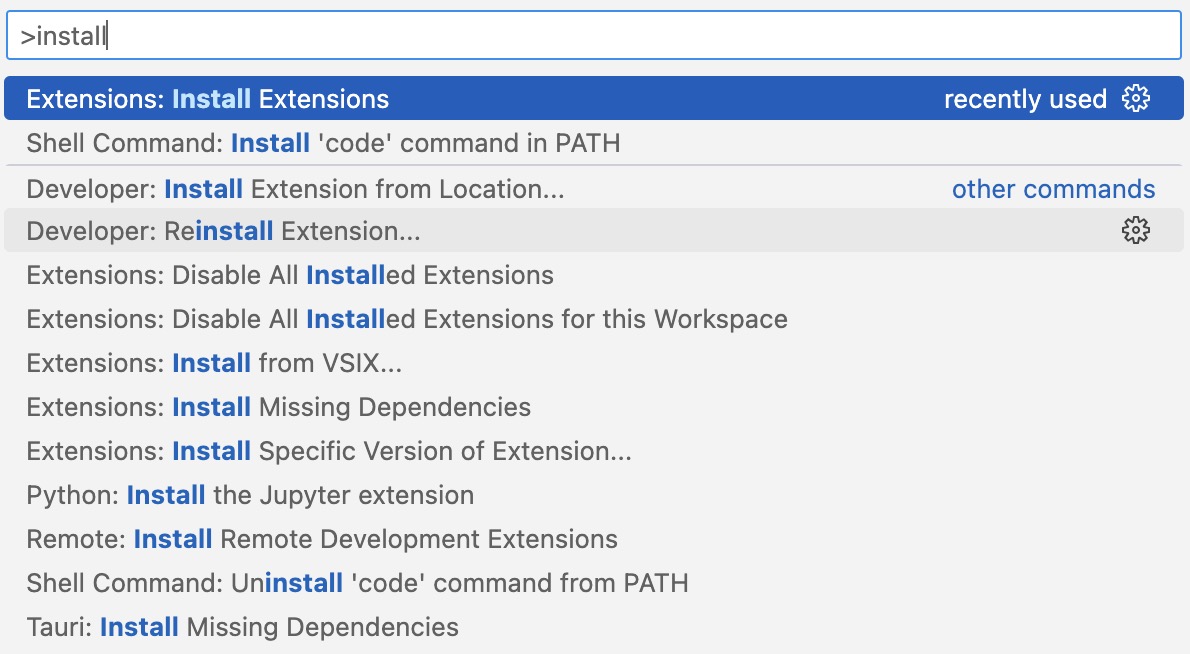
1. Open extension marketplace in VS Code (Press F1 or CMD + Shift + P and type install. Pick Extensions: Install Extensions). 2. Install the ZenMulti VS Code extension. 3. Select your resource file (JSON or Properties). 4. Right-click and open ZenMulti to translate.

ZenMulti Core Features

01

Directly in VS Code

Run locally and translate your localization files directly inside VS Code without context switching.

02

JSON & Properties Friendly

Seamlessly parse, maintain structured keys, and localize both JSON and Properties files.

03

Works with Large Files

Translate large resource files reliably with your own OpenAI API key.

04

Local & Secure Architecture

Operates as a static extension with no backend server; API keys and project data remain stored safely on your machine.

ZenMulti Use Cases

Translate JSON and Properties i18n files for web and mobile applications directly in VS Code

Localize software products into global languages to increase international website visits and revenue

Batch translate large localization bundles using your own OpenAI API key without monthly subscriptions

ZenMulti Frequently Asked Questions

Is this app free?

ZenMulti is free to use with some basic features. You will need to have a working OpenAI API Key in order to use the app. When you use the API Key, you pay directly to OpenAI for the amount of credits/tokens you use. ZenMulti has premium features that can be unlocked with a one-time purchase.

Is the License Key one-time purchase? Do I need to renew it?

Yes, license key is one-time purchase and valid forever. It is not a subscription and you don't need to renew it.

Where can I get an OpenAI API Key?

You can signup directly with OpenAI at https://platform.openai.com/signup

Do I need to pay for ChatGPT Plus ($20/month) to use ZenMulti?

No! A ChatGPT Plus subscription is not needed. You just need to have an OpenAI's API Key.

How does this app work?

This is a static vscode extension, it doesn't have any backend server. When you enter your API key, it will be stored locally and securely on your vscode. All API requests are sent directly from your vscode to OpenAI server to interact with ChatGPT.

Can I get a refund?

Yes. We offer a 14-day money-back guarantee. If you're not satisfied, let us know within 14 days and we'll give you a full refund.

ZenMulti Product Background & Official Links

ZenMulti Support Email & Customer service contact & Refund contact etc.

ZenMulti Support Email: support@zenmulti.cc

More Contact, visit the about us page(https://www.zenmulti.cc/#faq)

ZenMulti Team Info

ZenMulti Team name: NinetyH Studio

ZenMulti Developer Type: team

More about ZenMulti, Please visit the about us page(https://www.zenmulti.cc/#faq)

ZenMulti Pricing

ZenMulti Pricing Link: https://www.zenmulti.cc/#pricing

ZenMulti Pricing & Plans

Free

Free
Free
  • Basic i18n translation features
  • Bring your own OpenAI API key
  • Runs locally in VS Code
  • Community support
Subscribe & upgrade now
Most Popular

Lifetime License

flat
$39 one-time
  • 1 minute no-code setup
  • Unlimited resource files
  • Unlimited languages
  • Use on up to 5 devices
  • All future updates included
  • 14-day money-back guarantee
Subscribe & upgrade now

ZenMulti Tags

VS Code ExtensionFreemiumOne-time PurchaseMulti-languageBulk ProcessingFor DevelopersFor StartupsSolopreneurPrivacy-FocusedZero SetupMac CompatibleWindows CompatibleLinux Compatible

Best Suited Occupations for ZenMulti

Software DevelopersIndie HackersProduct ManagersWriters & MarketersFreelancersSmall Business Owners

Top Product Categories

LLMs & AI Agents

  • AI Chatbots
  • AI Agents
  • Prompt Engineering
  • AI Search Engine

Engineering & Code

  • AI Code Assistant
  • AI Code Generator
  • AI Developer Tools
  • No-Code & Low-Code

Image & Creative

  • AI Image Generator
  • AI Design Generator
  • AI Art Generator
  • Image-to-Image

Video & Animation

  • AI Video Generator
  • AI Short Video Maker
  • Digital Humans
  • AI Video Editor

Productivity & Office

  • AI Meeting Assistant
  • AI PDF Tools
  • AI Workflow
  • AI PPT Generator

Marketing & Sales

  • AI SEO Tools
  • AI Copywriting
  • AI Lead Generation
  • AI Sales Assistant

Audio & Voice

  • AI Voice Cloning
  • AI Text-to-Speech
  • AI Music Generator
  • AI Podcast Tools

Research & Data

  • AI Research Tools
  • AI Data Analytics
  • AI Knowledge Base
  • See All Categories >>
BAT AI TOOLS
  • Submit your AI tool
  • Pricing
  • Partnership
  • Feedback
  • About
  • A2A Compatible
WeChat QR
Scan QR code with WeChat
hi@bataitools.comClick icon to auto-copy email
English简体中文繁體中文EspañolالعربيةBahasa IndonesiaPortuguêsFrançais日本語РусскийDeutsch한국어TürkçeTiếng ViệtItalianoNederlandsPolskiไทยहिन्दीУкраїнськаفارسیবাংলাاردوSvenskaNorskDanskSuomiעברית

Copyright © 1970 BAT AI TOOLS. All Rights Reserved.

·Partnership·Privacy Policy·Terms of Service·Refund Policy