

Sponsored byAI Video Cut- Turn long videos into catchy YouTube Shorts, TikToks, viral ads, and trailers effortlessly.
BAT AI TOOLSBAT AI TOOLS
  • Tools
  • Category
  • Jobs
  • Pricing
  • PromoFREE
Free Submit
Sign In
  • Home
  • /
  • Voice Generation & Conversion
  • /
  • Ztalk.ai
Ztalk.ai

Ztalk.ai

Active
Tagline:Real-time Voice Translation for Every Meeting
Updated:-
Social Media:
Voice Generation & ConversionAI Text-to-Speech / VoiceoverAI Speech-to-TextFreemiumSubscriptionOpen SourceDesktop AppReal-timePrivacy-FocusedFree TrialFor Enterprise
Open Website
Ztalk.ai
Visit Website
|
  • About
  • Pricing

What is Ztalk.ai?

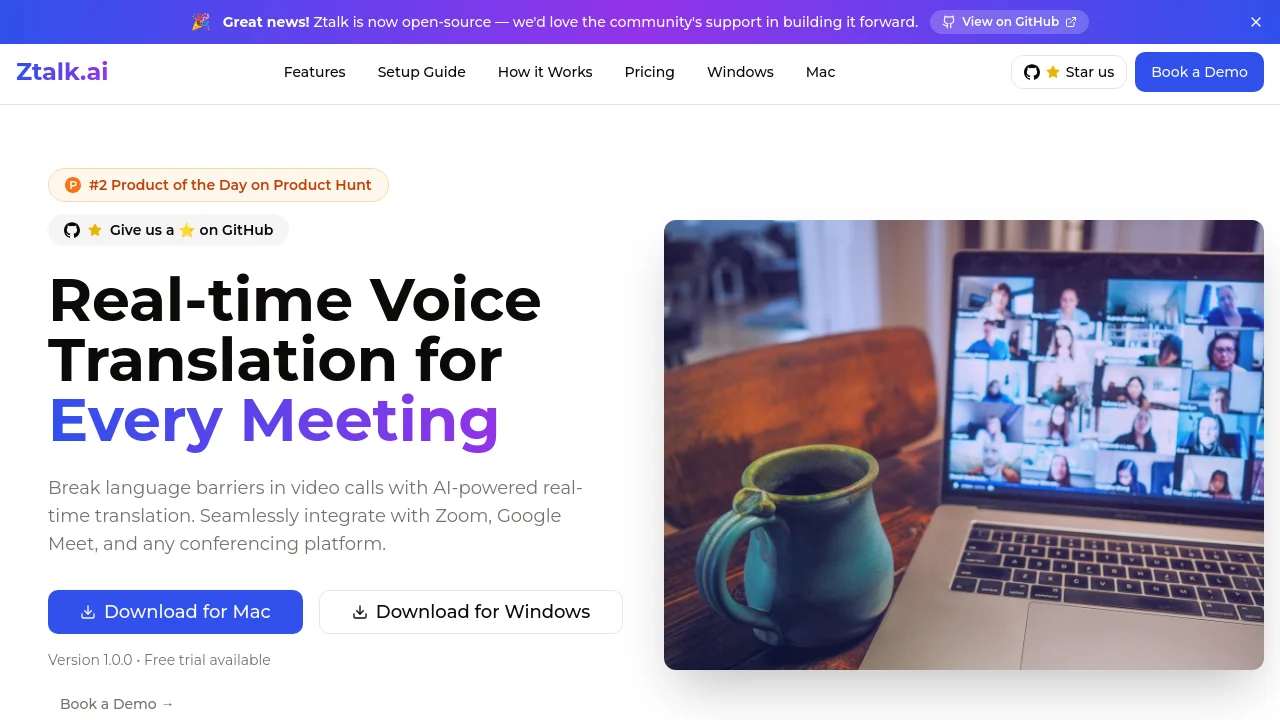
Ztalk.ai breaks language barriers in video calls with AI-powered real-time voice translation. Download the desktop app, route audio through a virtual driver, and speak naturally in Zoom, Google Meet, Microsoft Teams, and other conferencing platforms. Supports 30+ languages with noise cancellation, caption support, and enterprise-grade security.
Ztalk.ai screenshot 1

How to use Ztalk.ai?

1. Download and install Ztalk.ai for Windows or Mac. On Windows, install the VB-Audio virtual audio driver first. 2. Open Ztalk, set your input and output languages, and click Start. 3. In your meeting app (Zoom, Google Meet, or Teams), open audio settings and select CABLE Output (VB-Audio Virtual Cable) as the microphone and CABLE Input as the speaker. 4. Speak naturally; Ztalk translates your voice in real time during the call.

Ztalk.ai Core Features

01

Real-time Translation

Instant voice-to-voice translation in over 30 languages powered by advanced AI, with less than 100ms latency.

02

Universal Platform Compatibility

Works with any video conferencing platform including Zoom, Google Meet, and Microsoft Teams via a virtual audio driver.

03

Noise Cancellation

Advanced background noise removal and voice isolation technology for clearer communication in busy environments.

04

Enterprise Security

End-to-end encryption, SOC 2 compliance, and GDPR compliance. No conversation data is stored; all processing happens in real time.

05

Caption Support

Caption support in your native language, plus custom AI prompts and audio mixing controls during calls.

Ztalk.ai Use Cases

Multilingual sales calls and client meetings across global teams

International team standups on Zoom or Google Meet without switching platforms

Executive meetings with participants speaking different languages in real time

Ztalk.ai Frequently Asked Questions

Which video conferencing platforms does Ztalk.ai support?

Ztalk works with Zoom, Google Meet, Microsoft Teams, and other conferencing apps by routing audio through a virtual audio driver. Select Ztalk or the VB-Audio Virtual Cable as your microphone and speaker in the meeting app's audio settings.

Is my conversation data stored?

No. Ztalk processes voice data in real time for translation and does not store voice recordings unless explicitly requested and consented to. All voice data is encrypted in transit and at rest.

What are the system requirements?

Ztalk requires a desktop computer (Windows or Mac), 500MB free disk space, and a virtual audio driver. On Windows, install the VB-Audio driver separately; on Mac, required drivers are included with the Ztalk installer.

Is Ztalk.ai open source?

Yes. Ztalk is open source on GitHub at github.com/kshitijdixit/ztalk-realtime-voice-translator. The community can contribute to building the project forward.

Ztalk.ai Product Background & Official Links

Ztalk.ai Support Email & Customer service contact & Refund contact etc.

Ztalk.ai Support Email: kshitij@ztalk.ai

More Contact, visit the about us page(https://ztalk.ai/)

Ztalk.ai Pricing

Ztalk.ai Pricing Link: https://ztalk.ai/#pricing

Ztalk.ai GitHub

Ztalk.ai GitHub Link: https://github.com/kshitijdixit/ztalk-realtime-voice-translator

Ztalk.ai Pricing & Plans

Basic

Free
Free
  • 40 minutes of translation per month
  • 2 languages
  • Basic noise cancellation
  • Community support
Subscribe & upgrade now
Most Popular

Pro

Recurring
$499 /month
  • 20 hours of translation per month
  • All languages supported
  • Advanced noise cancellation
  • Priority support
  • Custom AI prompts
  • Caption support
Subscribe & upgrade now

Enterprise

contact
Contact sales
  • Everything in Pro
  • Custom deployment options
  • Advanced security features
  • 24/7 dedicated support
  • SLA guarantees
  • Custom integrations
Subscribe & upgrade now

Ztalk.ai Tags

FreemiumSubscriptionOpen SourceDesktop AppReal-timePrivacy-FocusedFree TrialFor Enterprise

Best Suited Occupations for Ztalk.ai

Sales & Business DevelopmentExecutives & Decision MakersProject & Program ManagersSmall Business OwnersCustomer Support Teams

Top Product Categories

LLMs & AI Agents

  • AI Chatbots
  • AI Agents
  • Prompt Engineering
  • AI Search Engine

Engineering & Code

  • AI Code Assistant
  • AI Code Generator
  • AI Developer Tools
  • No-Code & Low-Code

Image & Creative

  • AI Image Generator
  • AI Design Generator
  • AI Art Generator
  • Image-to-Image

Video & Animation

  • AI Video Generator
  • AI Short Video Maker
  • Digital Humans
  • AI Video Editor

Productivity & Office

  • AI Meeting Assistant
  • AI PDF Tools
  • AI Workflow
  • AI PPT Generator

Marketing & Sales

  • AI SEO Tools
  • AI Copywriting
  • AI Lead Generation
  • AI Sales Assistant

Audio & Voice

  • AI Voice Cloning
  • AI Text-to-Speech
  • AI Music Generator
  • AI Podcast Tools

Research & Data

  • AI Research Tools
  • AI Data Analytics
  • AI Knowledge Base
  • See All Categories >>
BAT AI TOOLS
  • Submit your AI tool
  • Pricing
  • Partnership
  • Feedback
  • About
WeChat QR
Scan QR code with WeChat
hi@bataitools.comClick icon to auto-copy email
English简体中文繁體中文EspañolالعربيةBahasa IndonesiaPortuguêsFrançais日本語РусскийDeutsch한국어TürkçeTiếng ViệtItalianoNederlandsPolskiไทยहिन्दीУкраїнськаفارسیবাংলাاردوSvenskaNorskDanskSuomiעברית

Copyright © 1970 BAT AI TOOLS. All Rights Reserved.

·Partnership·Privacy Policy·Terms of Service·Refund Policy