


Cencurity
Active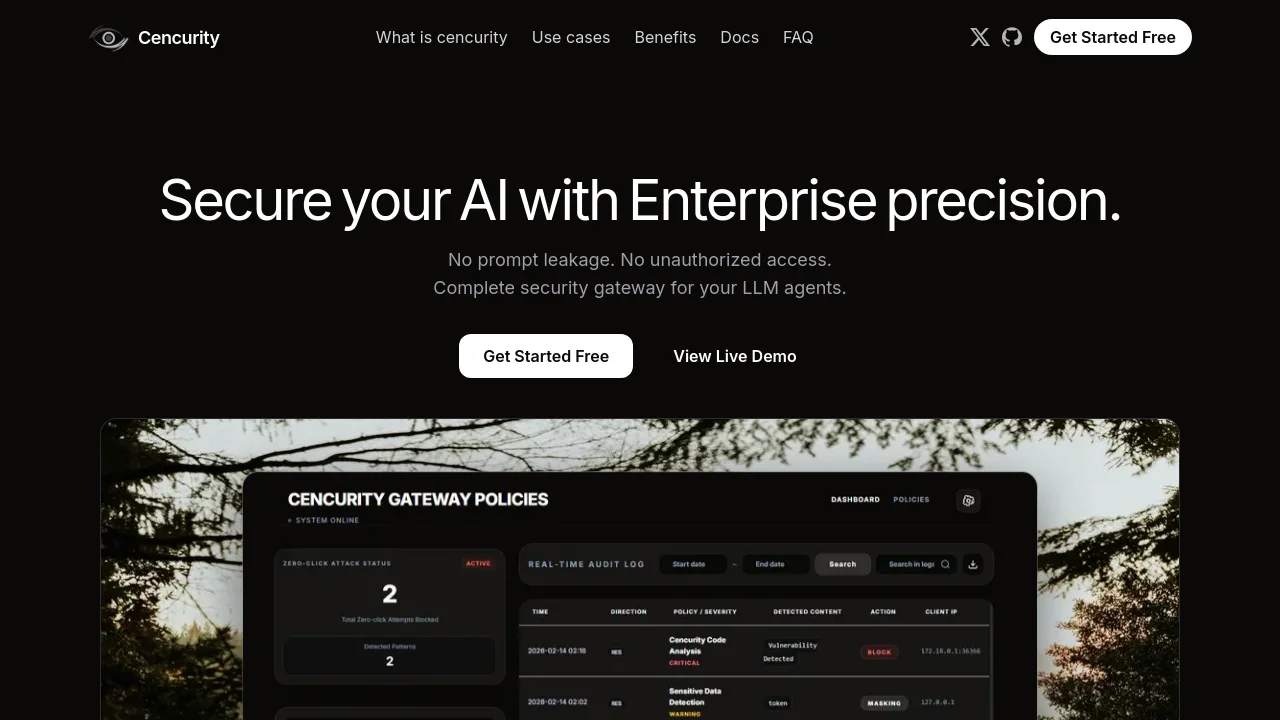
What is Cencurity?
How to use Cencurity?
Cencurity Core Features
Centralized Security Dashboard
One pane of glass for every agent call—requests, responses, latency, policy hits, redactions, and blocks in real time.
Real-time protection
Stop leakage at the edge: automatically detect and block secrets, PII, and risky output before it reaches users or models.
Real-time log analysis
Trace every agent interaction end-to-end. Search, filter, and correlate requests, responses, and policy decisions to pinpoint risk in seconds.
LLM proxy + redaction
Proxy LLM traffic and automatically redact sensitive data before responses reach the editor.
Audit-ready reporting
Generate clear evidence for compliance and audits without disrupting developer workflows.
Dry-run rollout
Measure impact before enforcement, then roll out safely with policy-first detection.
Cencurity Use Cases
Real-time threat monitoring from frontend interactions to backend API calls
Safe, governed AI coding in VS Code with local security scanning
Compliance and audit evidence generation for LLM agent workflows
Cencurity Frequently Asked Questions
How does getting started work?
Which teams is cencurity for?
How do you keep AI coding safe?
How long does it take to roll out?
Where can I read the Terms?
Cencurity Product Background & Official Links
Cencurity Support Email & Customer service contact & Refund contact etc.
More Contact, visit the about us page(https://cencurity.com/docs)
Cencurity Pricing
Cencurity Pricing Link: https://cencurity.com/pricing
Cencurity Twitter
Cencurity Twitter Link: https://x.com/cencurity
Cencurity GitHub
Cencurity GitHub Link: https://github.com/cencurity
Cencurity Pricing & Plans
Free
Free- Open-source on GitHub
- VS Code extension with local security gateway
- Supports OpenAI, Anthropic, Gemini, OpenRouter, and OpenAI-compatible LLMs
- API key stays inside the IDE