

GPT Realtime 2
ActiveTagline:Transform text into natural-sounding speech — no registration required
Updated:October 22, 2026
Domain Rating:
Social Media:-
What is GPT Realtime 2?
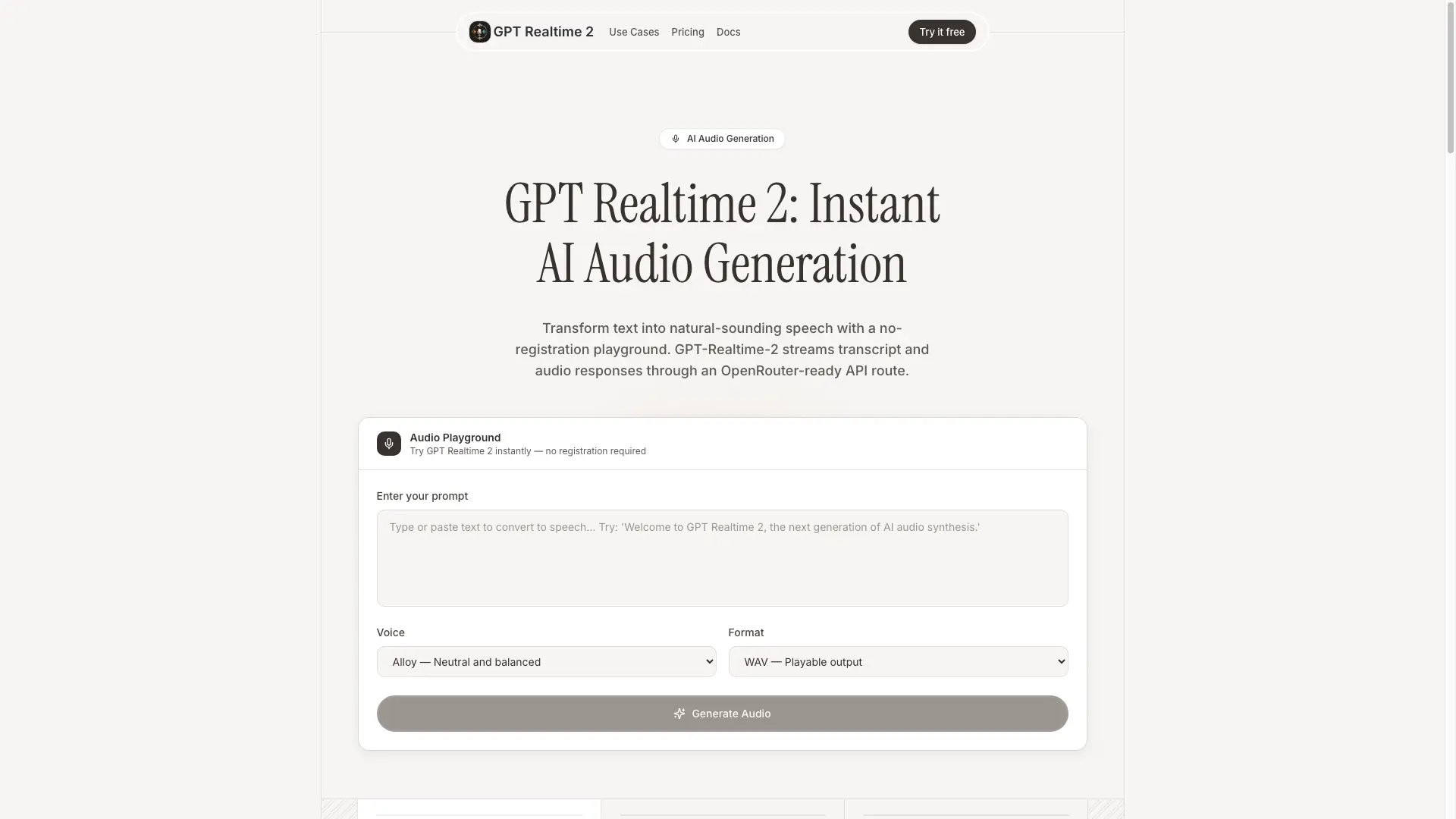
GPT Realtime 2 turns text into streamed, natural-sounding speech through a no-registration browser playground and a private server route. The playground calls OpenRouter's openai/gpt-audio model and returns transcript plus audio, so teams can move from a quick browser test to a real API integration without signing up.
How to use GPT Realtime 2?
1. Paste the prompt, script, or product message you want spoken. 2. Pick a voice and output format, then send the request through the local /api/generate route. 3. When OPENROUTER_API_KEY is configured, the route streams PCM16 audio chunks via OpenRouter and wraps them as WAV. 4. Play the returned audio, inspect the transcript, and reuse the JSON response in your app.
GPT Realtime 2 Core Features
01
Audio Playground
Try GPT Realtime 2 instantly with no registration; enter a prompt, pick a voice and format, and hear the result in the browser.
02
Natural voices
Six distinct AI voices with human-like intonation and emotion.
03
Instant generation
Streaming audio responses with transcript feedback as the audio is produced.
04
Developer ready
A simple REST API with SDKs for every major language and a server route you can inspect and extend.
GPT Realtime 2 Use Cases
Voice prototypes — turn product copy, onboarding scripts, and notification text into listenable voice drafts
Support audio — generate concise spoken answers for help centers, chat flows, and multilingual support queues
Narration drafts — create podcast intros, course narration, and short-form voiceover concepts before studio recording
Realtime agents — pair GPT-Realtime-2 with chat workflows that need streamed transcript and audio output
Creative testing — compare voice, tone, and pacing quickly without signing up before the first generation
Developer demos — use the OpenRouter model route to validate GPT Realtime 2 audio UX inside your own app shell
GPT Realtime 2 Frequently Asked Questions
What is GPT Realtime 2?
Is GPT-Realtime-2 connected to real audio generation?
Which model does the API route use?
Do I need to register to try it?
Where should I keep the OpenRouter API key?
Can I use the API response in my own app?
GPT Realtime 2 Product Background & Official Links
GPT Realtime 2 Support Email & Customer service contact & Refund contact etc.
More Contact, visit the about us page(https://gptrealtime2.ai)
GPT Realtime 2 Pricing & Plans
Demo
FreeFree
- Prompt-to-transcript browser demo
- Voice and format controls
- No account gate
- Clear demo-mode disclosure
OpenRouter
contactUsage-based (billed by OpenRouter)
- Provider billing via your OpenRouter account
- openai/gpt-audio model route
- Server-side API key
- Streaming audio chunks
- Transcript plus audio JSON
Production
contactCustom
- Rate limiting
- Prompt templates
- Usage logging
- Fallback and error handling