Sponsored byAI Video Cut- Turn long videos into catchy YouTube Shorts, TikToks, viral ads, and trailers effortlessly.
BAT AI TOOLSBAT AI TOOLS
  • Tools
  • Category
  • Jobs
  • Pricing
  • PromoFREE
Free Submit
Sign In
  • Home
  • /
  • AI Image Editor
  • /
  • HeyPhoto
HeyPhoto

HeyPhoto

Active
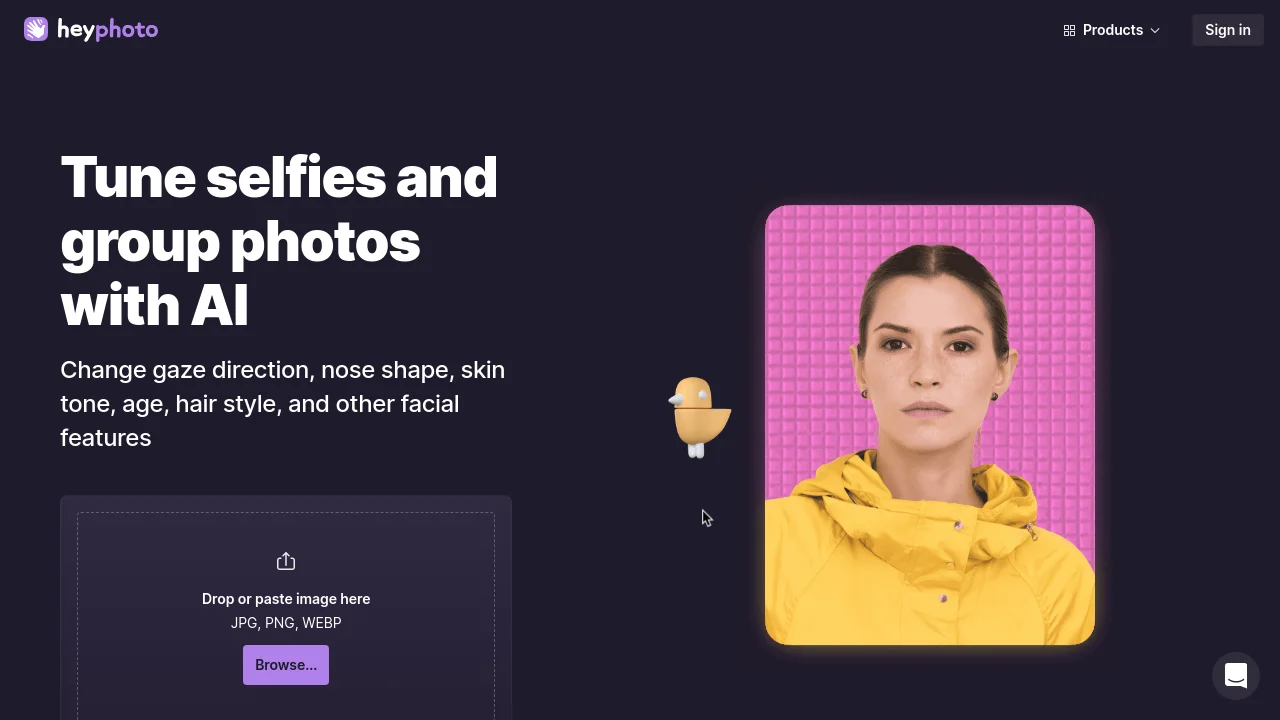
Tagline:Tune selfies and group photos with AI — change gaze, nose, skin tone, age, hair, and other facial features
Updated:-
Social Media:
AI Image EditorImage Generation & EditingAI Face AnalysisFreeWeb AppFor DesignersFor CreatorsAI Agent Ready
Open Website
HeyPhoto
Visit Website
|
  • About
  • Pricing

What is HeyPhoto?

HeyPhoto is a free AI photo editor for changing faces online. Upload JPG, PNG, or WEBP images and adjust eye direction, expressions, gender appearance, age, skin tone, and more. Supports photos up to 5 MB with faces up to 1024×1024 px; output matches source size and quality.
HeyPhoto screenshot 1
HeyPhoto screenshot 2
HeyPhoto screenshot 3
HeyPhoto screenshot 4

How to use HeyPhoto?

Drop or paste an image (JPG, PNG, WEBP), then pick a face-editing tool such as change gaze, smile, anonymize, change gender, change age, tweak emotions, or adjust skin tone.

HeyPhoto Core Features

01

Look at bird

Change eyes direction by dragging a bird — a fun way to adjust where someone is looking.

02

Anonymize me

Keep your identity private and become invisible to face recognition systems.

03

Gimme a smile

Set the required level of happiness on a face, from subtle to grin like a pro.

04

Change gender

Make a face appear more masculine or more feminine.

05

Change my age

Meet your future self or recapture your youth by adjusting apparent age.

06

Tweak emotions

Change facial expression to match any mood you want.

07

Adjust skin tone

Get the skin tone you want with an on-page skin-tone adjustment tool.

HeyPhoto Use Cases

Great for Tinder profile photos

Tune selfies and group photos before sharing

Anonymize faces to stay private from recognition systems

HeyPhoto Frequently Asked Questions

How does it work?

HeyPhoto uses artificial intelligence to detect faces in photos and make changes depending on the selected tool. The service is intuitive and requires no special skills.

Do you store the images I upload? What about privacy?

We securely store the images you upload so you can quickly access them when needed. However, you are free to delete them at any time.

What images work best with HeyPhoto?

For better results, use quality photos with people directly facing the camera. Slight rotation is OK. You can modify photos up to 5 MB with faces up to 1024×1024 px. HeyPhoto returns images of the same size and quality as the source.

Is HeyPhoto free to use?

Yep. HeyPhoto is free to use. In return we put a watermark on the resulting photos. You get a free service; we get promotion.

HeyPhoto Product Background & Official Links

HeyPhoto Support Email & Customer service contact & Refund contact etc.

More Contact, visit the about us page(https://icons8.com/about)

HeyPhoto Company Info

HeyPhoto Company name: Icons8 LLC

HeyPhoto Developer Type: company

More about HeyPhoto, Please visit the about us page(https://icons8.com/about)

HeyPhoto Pricing

HeyPhoto Pricing Link: https://icons8.com/pricing

HeyPhoto Youtube

HeyPhoto Youtube Link: https://www.youtube.com/channel/UCRXYx6Qg7kgH0EAqa-Gl0HA

HeyPhoto Twitter

HeyPhoto Twitter Link: https://twitter.com/icons_8

HeyPhoto Facebook

HeyPhoto Facebook Link: https://www.facebook.com/Icons8

HeyPhoto Instagram

HeyPhoto Instagram Link: https://www.instagram.com/icons8

HeyPhoto LinkedIn

HeyPhoto LinkedIn Link: https://www.linkedin.com/company/icons8-llc/

HeyPhoto TikTok

HeyPhoto TikTok Link: https://www.tiktok.com/@icons8_creators

HeyPhoto Pricing & Plans

Free

Free
Free
  • Free to use with watermark on resulting photos
  • Upload JPG, PNG, or WEBP up to 5 MB
  • Face size up to 1024×1024 px
  • Output matches source image size and quality
Subscribe & upgrade now

Paid License

contact
Paid license
  • Icons8 paid license for watermark-free results
  • See icons8.com/pricing for plan details
Subscribe & upgrade now

HeyPhoto Tags

FreeWeb AppFor DesignersFor CreatorsAI Agent Ready

Best Suited Occupations for HeyPhoto

General ConsumersSelf-Media & InfluencersWriters & Marketers

Top Product Categories

LLMs & AI Agents

  • AI Chatbots
  • AI Agents
  • Prompt Engineering
  • AI Search Engine

Engineering & Code

  • AI Code Assistant
  • AI Code Generator
  • AI Developer Tools
  • No-Code & Low-Code

Image & Creative

  • AI Image Generator
  • AI Design Generator
  • AI Art Generator
  • Image-to-Image

Video & Animation

  • AI Video Generator
  • AI Short Video Maker
  • Digital Humans
  • AI Video Editor

Productivity & Office

  • AI Meeting Assistant
  • AI PDF Tools
  • AI Workflow
  • AI PPT Generator

Marketing & Sales

  • AI SEO Tools
  • AI Copywriting
  • AI Lead Generation
  • AI Sales Assistant

Audio & Voice

  • AI Voice Cloning
  • AI Text-to-Speech
  • AI Music Generator
  • AI Podcast Tools

Research & Data

  • AI Research Tools
  • AI Data Analytics
  • AI Knowledge Base
  • See All Categories >>
BAT AI TOOLS
  • Submit your AI tool
  • Pricing
  • Partnership
  • Feedback
  • About
WeChat QR
Scan QR code with WeChat
hi@bataitools.comClick icon to auto-copy email
English简体中文繁體中文EspañolالعربيةBahasa IndonesiaPortuguêsFrançais日本語РусскийDeutsch한국어TürkçeTiếng ViệtItalianoNederlandsPolskiไทยहिन्दीУкраїнськаفارسیবাংলাاردوSvenskaNorskDanskSuomiעברית

Copyright © 1970 BAT AI TOOLS. All Rights Reserved.

·Partnership·Privacy Policy·Terms of Service·Refund Policy