Sponsored byAI Video Cut- Turn long videos into catchy YouTube Shorts, TikToks, viral ads, and trailers effortlessly.
BAT AI TOOLSBAT AI TOOLS
  • Tools
  • Category
  • Jobs
  • Pricing
  • PromoFREE
Free Submit
Sign In
  • Home
  • /
  • AI Diagram Generator
  • /
  • Image to Drawio
Image to Drawio

Image to Drawio

Active
Tagline:Convert Images to Draw.io Diagrams
Updated:-
Social Media:
AI Diagram GeneratorOffice & ProductivityImage Recognition & AnalysisFreemiumWeb AppPrivacy-FocusedFor DesignersFor DevelopersPaid
Open Website
Image to Drawio
Visit Website
|
  • About
  • Pricing

What is Image to Drawio?

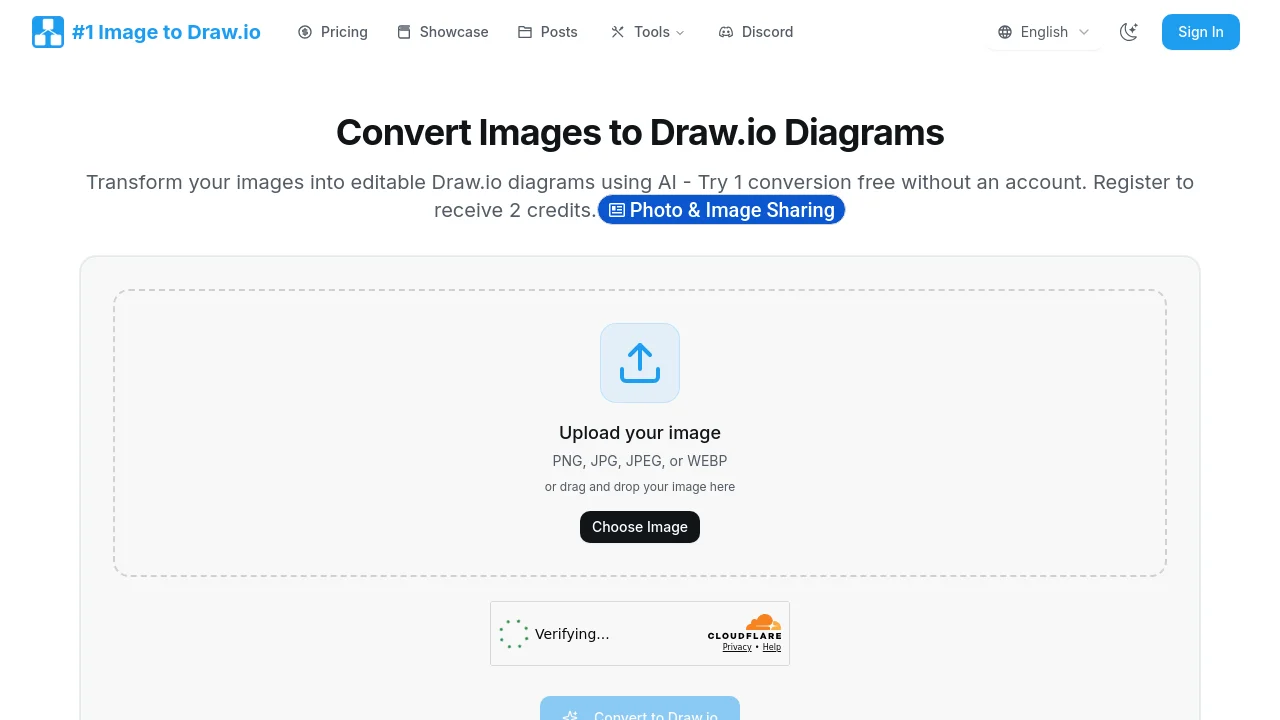
Transform images into editable Draw.io diagrams using AI. Upload PNG, JPG, JPEG, or WEBP files and get mxGraph XML output you can edit in Draw.io on the web, desktop, or VS Code. Try one conversion free without an account; register to receive 2 credits.
Image to Drawio screenshot 1

How to use Image to Drawio?

Upload a diagram image (drag and drop or choose file), click Convert to Draw.io, then edit the result in the embedded Draw.io editor. Export as PNG, PDF, or download the .drawio file.

Image to Drawio Core Features

01

AI-Powered Accuracy

Recognizes shapes, preserves text, maintains connections, and handles colors. Even hand-drawn sketches convert into editable diagram objects.

02

Your Layout Stays Put

Arrows, text inside shapes, and spatial relationships are preserved so converted diagrams stay aligned with the original image.

03

Instant Online Editing

After conversion, your diagram opens in an embedded Draw.io editor with no download required. Export to PNG, PDF, or .drawio anytime.

04

Your Conversion Data Stays Private

Uploaded images are processed securely and deleted after conversion. Conversions are saved to your account for re-download without using extra credits.

Image to Drawio Use Cases

Recover lost Draw.io source files from PNG exports

Turn whiteboard photos and hand-drawn sketches into editable diagrams

Adapt diagram screenshots from blogs or PDFs into customizable Draw.io templates

Image to Drawio Frequently Asked Questions

What kind of images can I convert to drawio?

PNG, JPG, JPEG, and WEBP images with diagrams work best—including screenshots, whiteboard photos, and scanned sketches. Cleaner images produce cleaner Draw.io files.

What's the max file size for conversion?

The upload limit is 10MB per image. Most diagram screenshots are well under 1MB.

How do credits work?

One credit equals one image-to-drawio conversion. You get one free anonymous conversion, 2 credits when you register, and can buy credit packs or subscribe to Pro for unlimited monthly conversions. Re-downloading past conversions does not use credits.

Image to Drawio Product Background & Official Links

Image to Drawio Support Email & Customer service contact & Refund contact etc.

Image to Drawio Support Email: support@imagetodrawio.com

More Contact, visit the about us page(https://imagetodrawio.com/)

Image to Drawio Pricing

Image to Drawio Pricing Link: https://imagetodrawio.com/pricing

Image to Drawio Pricing & Plans

Free

Free
Free
  • 1 free anonymous conversion
  • 2 credits when you register
  • AI-powered diagram recognition
  • Download files with watermark
  • No credit card required
Subscribe & upgrade now
Most Popular

Credit Pack

flat
$4.99 one-time
  • 10 conversion credits
  • No watermark on downloads
  • Credits never expire
  • Priority processing
  • Download editable files anytime
Subscribe & upgrade now

Pro Monthly

Recurring
$7.99 /month
  • Unlimited conversions every month
  • No watermark on any downloads
  • Access to all advanced converter tools
  • Priority processing queue
  • Email support
  • Cancel anytime
Subscribe & upgrade now

Image to Drawio Tags

FreemiumWeb AppPrivacy-FocusedFor DesignersFor DevelopersPaid

Best Suited Occupations for Image to Drawio

Software DevelopersProduct ManagersProject & Program ManagersWriters & Marketers

Top Product Categories

LLMs & AI Agents

  • AI Chatbots
  • AI Agents
  • Prompt Engineering
  • AI Search Engine

Engineering & Code

  • AI Code Assistant
  • AI Code Generator
  • AI Developer Tools
  • No-Code & Low-Code

Image & Creative

  • AI Image Generator
  • AI Design Generator
  • AI Art Generator
  • Image-to-Image

Video & Animation

  • AI Video Generator
  • AI Short Video Maker
  • Digital Humans
  • AI Video Editor

Productivity & Office

  • AI Meeting Assistant
  • AI PDF Tools
  • AI Workflow
  • AI PPT Generator

Marketing & Sales

  • AI SEO Tools
  • AI Copywriting
  • AI Lead Generation
  • AI Sales Assistant

Audio & Voice

  • AI Voice Cloning
  • AI Text-to-Speech
  • AI Music Generator
  • AI Podcast Tools

Research & Data

  • AI Research Tools
  • AI Data Analytics
  • AI Knowledge Base
  • See All Categories >>
BAT AI TOOLS
  • Submit your AI tool
  • Pricing
  • Partnership
  • Feedback
  • About
WeChat QR
Scan QR code with WeChat
hi@bataitools.comClick icon to auto-copy email
English简体中文繁體中文EspañolالعربيةBahasa IndonesiaPortuguêsFrançais日本語РусскийDeutsch한국어TürkçeTiếng ViệtItalianoNederlandsPolskiไทยहिन्दीУкраїнськаفارسیবাংলাاردوSvenskaNorskDanskSuomiעברית

Copyright © 1970 BAT AI TOOLS. All Rights Reserved.

·Partnership·Privacy Policy·Terms of Service·Refund Policy