Sponsored byKita- Underwrite borrowers anywhere in the world in minutes
BAT AI TOOLSBAT AI TOOLS
  • Tools
  • Category
  • Jobs
  • Pricing
  • PromoFREE
Free Submit
Sign In
  • Home
  • /
  • AI UI/UX Design
  • /
  • Make Real
Make Real

Make Real

Active
Tagline:Draw a ui and make it real with tldraw.
Updated:September 6, 2026
Domain Rating:
72Domain Rating by Ahrefs
Social Media:
AI UI/UX DesignAI Code GeneratorAI Website BuilderFreeOpen SourceWeb AppFor DevelopersFor DesignersNo-Code
Open Website
Make Real
Visit Website
|
  • About
  • Pricing

What is Make Real?

Make Real turns hand-drawn UI wireframes on a tldraw canvas into working HTML prototypes. Select your drawing, click Make Real, and GPT-4 Vision generates a single responsive HTML file with Tailwind CSS and JavaScript, shown in an iframe on the canvas. Annotate the result and run Make Real again to iterate. You bring your own OpenAI API key.
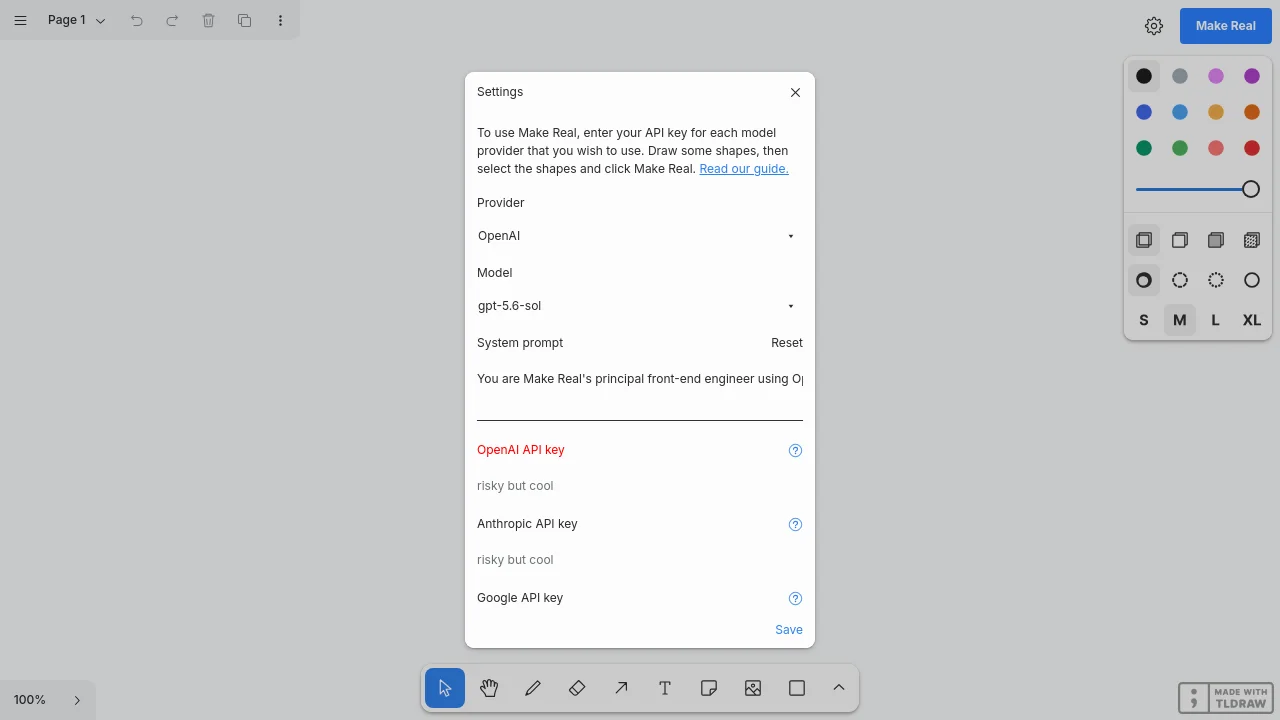
Make Real screenshot 1

How to use Make Real?

1. Get an OpenAI developer API key with GPT-4 Vision access. 2. Visit makereal.tldraw.com. 3. Paste your API key in the input at the bottom of the screen. 4. Draw your user interface on the canvas. 5. Select your drawing. 6. Click the blue Make Real button. 7. In a few seconds, your website appears on the canvas — move, resize, or draw on top and click Make Real again to refine.

Make Real Core Features

01

Sketch to working HTML

Capture a drawing selection and send it to GPT-4 Vision to generate a single self-contained HTML file with Tailwind CSS and JavaScript.

02

Live iframe preview on canvas

Generated prototypes render in an iframe on the tldraw canvas so you can interact with them, resize to test breakpoints, and arrange iterations side by side.

03

Iterative design loop

Draw annotations on top of a generated site, select the area, and click Make Real again to update the prototype with your notes.

04

Copy HTML output

Copy the generated HTML from the preview menu to use the prototype outside the canvas.

05

Open-source starter

Fork the make-real-starter template on GitHub to build your own Make Real-style apps with the tldraw SDK.

Make Real Use Cases

Turn low-fidelity wireframes into clickable UI prototypes

Explore responsive layouts by resizing generated sites on the canvas

Workshop product ideas with iterative sketch-and-generate loops

Prototype simple interactive apps like calculators or games from drawings

Make Real Frequently Asked Questions

Do I need an OpenAI API key?

Yes. Make Real uses the OpenAI GPT-4 Vision API. You must have a developer API key with access to GPT-4 Vision and paste it into the input at the bottom of makereal.tldraw.com.

What does Make Real generate?

It returns a single HTML file with Tailwind CSS and JavaScript that implements your sketch as a responsive, interactive prototype displayed in an iframe on the canvas.

How do I iterate on a result?

Draw on top of the generated iframe, select your drawing together with the site, and click Make Real again. The model receives your annotations and the previous HTML to refine the prototype.

Is Make Real free to use?

The Make Real web app is free. You pay OpenAI directly for API calls made with your own key.

Make Real Product Background & Official Links

Make Real Support Email & Customer service contact & Refund contact etc.

Make Real Support Email: hello@tldraw.com

More Contact, visit the about us page(https://tldraw.dev/blog/product/make-real-the-story-so-far/)

Make Real Company Info

Make Real Company name: tldraw

Make Real Company address: London, GB

More about Make Real, Please visit the about us page(https://tldraw.dev/blog/product/make-real-the-story-so-far/)

Make Real Twitter

Make Real Twitter Link: https://x.com/tldraw

Make Real LinkedIn

Make Real LinkedIn Link: https://www.linkedin.com/company/tldraw

Make Real GitHub

Make Real GitHub Link: https://github.com/tldraw/make-real

Make Real Pricing & Plans

Free

Free
Free
  • No charge to use Make Real on makereal.tldraw.com
  • Requires your own OpenAI API key
  • OpenAI API usage billed pay-as-you-go by OpenAI
  • Open-source code available on GitHub
Subscribe & upgrade now

Make Real Tags

FreeOpen SourceWeb AppFor DevelopersFor DesignersNo-Code

Best Suited Occupations for Make Real

Software DevelopersProduct ManagersFreelancersIndie Hackers

Top Product Categories

LLMs & AI Agents

  • AI Chatbots
  • AI Agents
  • Prompt Engineering
  • AI Search Engine

Engineering & Code

  • AI Code Assistant
  • AI Code Generator
  • AI Developer Tools
  • No-Code & Low-Code

Image & Creative

  • AI Image Generator
  • AI Design Generator
  • AI Art Generator
  • Image-to-Image

Video & Animation

  • AI Video Generator
  • AI Short Video Maker
  • Digital Humans
  • AI Video Editor

Productivity & Office

  • AI Meeting Assistant
  • AI PDF Tools
  • AI Workflow
  • AI PPT Generator

Marketing & Sales

  • AI SEO Tools
  • AI Copywriting
  • AI Lead Generation
  • AI Sales Assistant

Audio & Voice

  • AI Voice Cloning
  • AI Text-to-Speech
  • AI Music Generator
  • AI Podcast Tools

Research & Data

  • AI Research Tools
  • AI Data Analytics
  • AI Knowledge Base
  • See All Categories >>
BAT AI TOOLS
  • Submit your AI tool
  • Pricing
  • Partnership
  • Feedback
  • About
  • A2A Compatible
WeChat QR
Scan QR code with WeChat
hi@bataitools.comClick icon to auto-copy email
English简体中文繁體中文EspañolالعربيةBahasa IndonesiaPortuguêsFrançais日本語РусскийDeutsch한국어TürkçeTiếng ViệtItalianoNederlandsPolskiไทยहिन्दीУкраїнськаفارسیবাংলাاردوSvenskaNorskDanskSuomiעברית

Copyright © 1970 BAT AI TOOLS. All Rights Reserved.

·Partnership·Privacy Policy·Terms of Service·Refund Policy