BAT AI TOOLSBAT AI TOOLS
  • Tools
  • Category
  • Submit
  • Partnership
Sign In
  • Home
  • /
  • Coding & Development
  • /
  • PinMe
PinMe

PinMe

Active
Tagline:Publish Sites in Seconds
Updated:-
Social Media:
Coding & DevelopmentAI Developer ToolsNo-Code & Low-Code DevelopmentAI App BuilderAI Website BuilderWeb AppNo-CodeLow-CodeFor DevelopersCloud-basedAI Agent ReadyFree
Open Website
PinMe
Visit Website
Promote this product|Update this product
  • About
  • Pricing

What is PinMe?

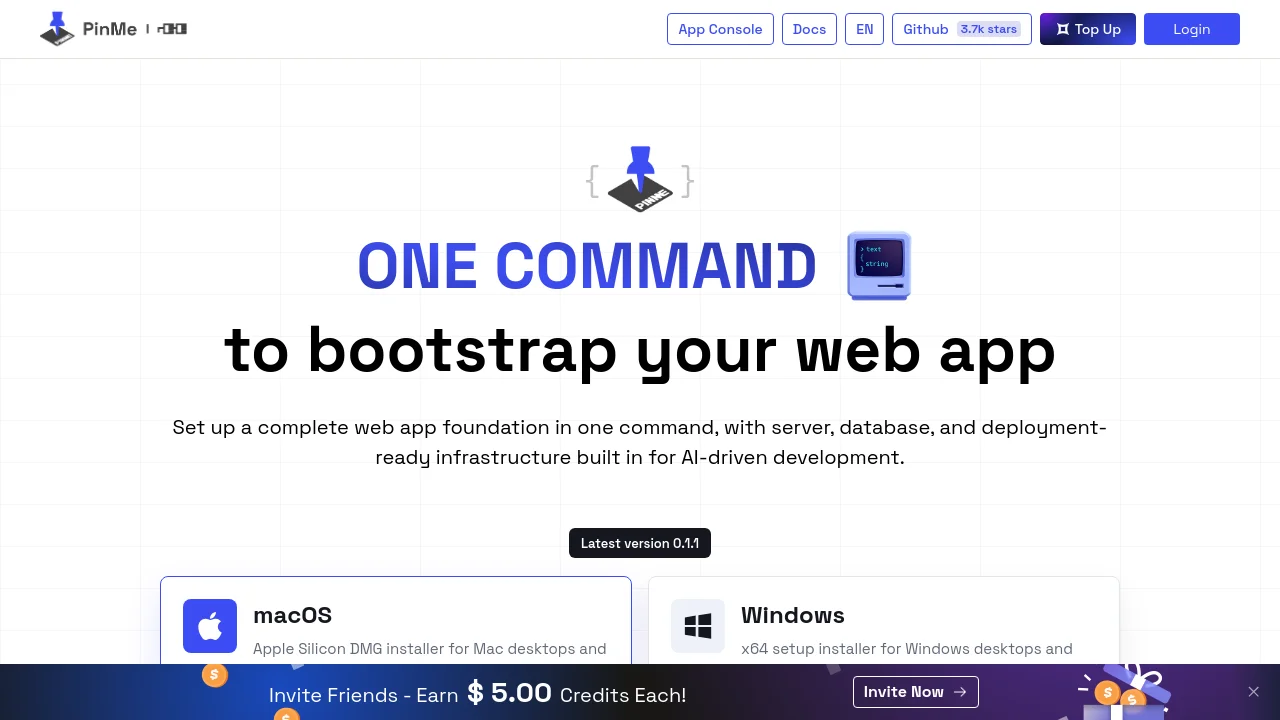
PinMe is a zero-config deployment CLI for creating and publishing web apps in one command. Set up a full-stack foundation with frontend, Worker backend, and database—no domain, SSL, or server setup required. Upload static builds or scaffold complete projects for AI-driven development.
PinMe screenshot 1

How to use PinMe?

Install the CLI with npm install -g pinme, run pinme login, then pinme create my-app to scaffold a project or pinme upload dist to publish a static build. Deploy everything from the project root with pinme save.

PinMe Core Features

01

Zero-Setup Deploy

Launch your own website with a single command—no domain, SSL certificate, or server setup required.

02

Trustless & Secure

A deployment solution powered by decentralization and cryptography, ensuring end-to-end security and protection against tampering.

03

All-in-One Stack

A fully integrated suite including servers, databases, and AI—everything you need, bundled into one seamless platform.

04

Full-Stack Project Workflow

pinme create scaffolds a Worker backend, D1 database, and React frontend; pinme save deploys Worker code, SQL migrations, and frontend/dist in one run.

05

Static Upload & IPFS Hosting

Upload dist, build, out, or public folders with pinme upload to publish static sites to IPFS and get a shareable pinme.dev URL.

PinMe Use Cases

Deploy AI-generated landing pages and demos with a live URL in seconds

Bootstrap full-stack web apps with Worker backend and database from one CLI

Share static frontend builds without managing servers or SSL certificates

PinMe Frequently Asked Questions

What does pinme create set up?

It creates platform Worker and database resources, downloads the official template, writes pinme.toml, installs dependencies, builds the Worker, uploads Worker code and SQL files, and deploys the frontend.

What are the default upload size limits?

Single-file uploads are limited to 100MB and directory uploads to 500MB by default. These limits can be overridden with environment variables.

When do I need wallet credits?

Domain binding requires wallet balance. Use pinme bind or pinme upload --domain for custom domains; pinme.dev subdomains work without extra payment.

PinMe Product Background & Official Links

PinMe Support Email & Customer service contact & Refund contact etc.

PinMe Support Email: pinme@glitterprotocol.io

More Contact, visit the about us page(https://pinme.eth.limo/#/docs)

PinMe Company Info

PinMe Company name: Glitter Network

More about PinMe, Please visit the about us page(https://pinme.eth.limo/#/docs)

PinMe Twitter

PinMe Twitter Link: https://x.com/pinme_eth

PinMe GitHub

PinMe GitHub Link: https://github.com/glitternetwork/pinme

PinMe Pricing & Plans

Free

Free
Free
  • Static site upload to pinme.dev subdomain
  • Full-stack project scaffolding with pinme create
  • Desktop apps for macOS and Windows
  • Claude Code Skills integration
Subscribe & upgrade now

Credits

contact
Top up wallet
  • Wallet credits for custom domain binding
  • DNS domain support via pinme upload --domain
  • Invite friends to earn $5.00 credits each
Subscribe & upgrade now

PinMe Tags

Web AppNo-CodeLow-CodeFor DevelopersCloud-basedAI Agent ReadyFree

Best Suited Occupations for PinMe

Software DevelopersProduct Managers

Top Product Categories

LLMs & AI Agents

  • AI Chatbots
  • AI Agents
  • Prompt Engineering
  • AI Search Engine

Engineering & Code

  • AI Code Assistant
  • AI Code Generator
  • AI Developer Tools
  • No-Code & Low-Code

Image & Creative

  • AI Image Generator
  • AI Design Generator
  • AI Art Generator
  • Image-to-Image

Video & Animation

  • AI Video Generator
  • AI Short Video Maker
  • Digital Humans
  • AI Video Editor

Productivity & Office

  • AI Meeting Assistant
  • AI PDF Tools
  • AI Workflow
  • AI PPT Generator

Marketing & Sales

  • AI SEO Tools
  • AI Copywriting
  • AI Lead Generation
  • AI Sales Assistant

Audio & Voice

  • AI Voice Cloning
  • AI Text-to-Speech
  • AI Music Generator
  • AI Podcast Tools

Research & Data

  • AI Research Tools
  • AI Data Analytics
  • AI Knowledge Base
  • See All Categories >>
BAT AI TOOLS
  • Submit your AI tool
  • Pricing
  • About
  • Privacy Policy
  • Terms of Service
WeChat QR
Scan QR code with WeChat
contact@bataitools.comClick icon to auto-copy email
English简体中文繁體中文EspañolالعربيةBahasa IndonesiaPortuguêsFrançais日本語РусскийDeutsch한국어TürkçeTiếng ViệtItalianoNederlandsPolskiไทยहिन्दीУкраїнськаفارسیবাংলাاردوSvenskaNorskDanskSuomiעברית

Copyright © 2026 BAT AI TOOLS. All Rights Reserved.