

Sponsored byBrowserBash- Free, open-source plain-English browser automation CLI
BAT AI TOOLSBAT AI TOOLS
  • Tools
  • Category
  • Jobs
  • Pricing
  • PromoFREE
Free Submit
Sign In
  • Home
  • /
  • AI Video Generator
  • /
  • SlidesToVideos
SlidesToVideos

SlidesToVideos

Active
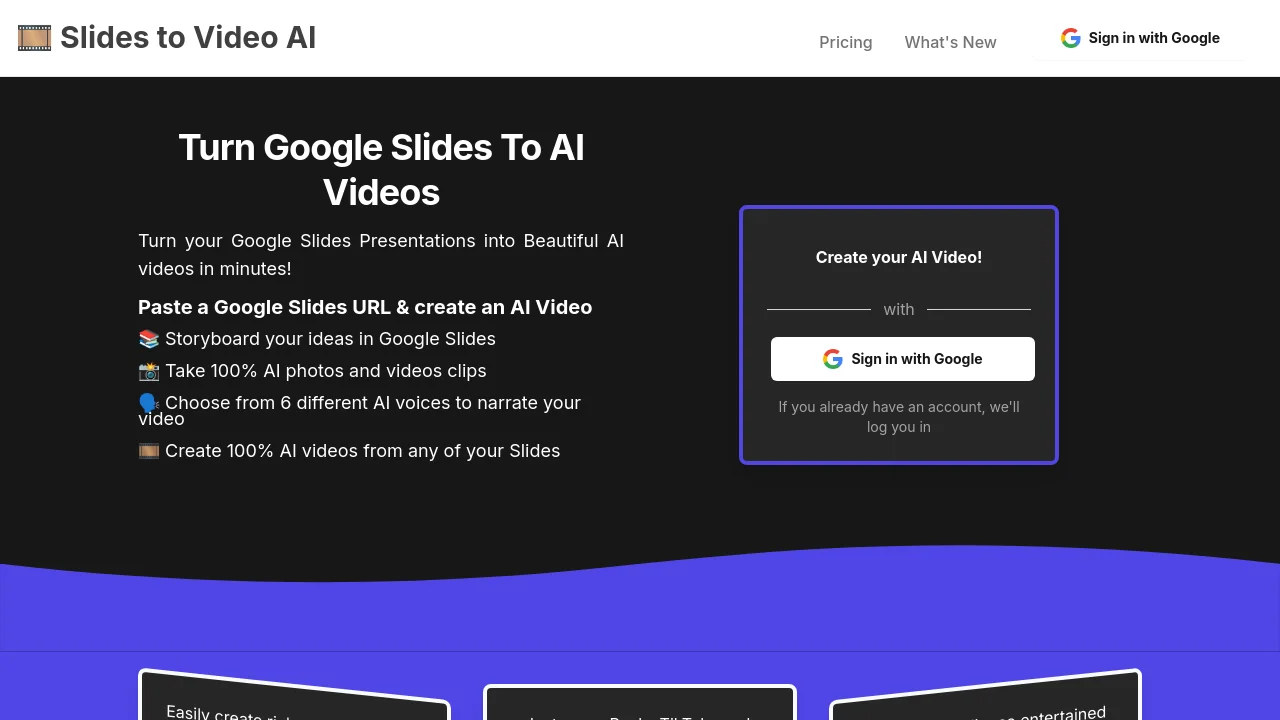
Tagline:Turn your Google Slides presentations into beautiful AI videos in minutes
Updated:-
Social Media:
AI Video GeneratorAI Script-to-Video GeneratorAI Short Video GeneratorVideo & AnimationMarketing & AdvertisingSubscriptionPaidWeb AppCloud-basedFor CreatorsFor StudentsHigh DefinitionNo-Code
Open Website
SlidesToVideos
Visit Website
Promote this product|Claim this product
  • About
  • Pricing

What is SlidesToVideos?

SlidesToVideos turns Google Slides presentations into AI videos. Paste a Google Slides URL, storyboard in Slides, generate AI photos and video clips, pick from six AI voices, and export videos sized for Instagram, TikTok, YouTube, and more.

How to use SlidesToVideos?

Sign in with Google and grant access to Google Slides. Choose a plan and pay with Stripe, then click New Video. Paste your Google Slides URL, select a voice, style, privacy setting, and aspect ratio, and click Create Slide Show. Generate images, animations, and text-to-speech for each slide scene, then click Create Whole Video.

SlidesToVideos Core Features

01

Google Slides to AI video

Paste a Google Slides URL and turn each slide into AI-generated image or video scenes with presenter notes used for narration.

02

Six AI narration voices

Choose from Alloy, Echo, Fable, Onyx, Nova, or Shimmer to narrate your video with text-to-speech.

03

Multi-scene video production

Generate AI images and animations per slide, add zoom or shake effects, and stitch scenes into a full video.

04

Style presets and ratios

Use presets such as Plain, Cinematic, Noir, Surreal, Vintage, and Futuristic, with square, portrait, and landscape ratios for social platforms.

05

Platform-ready aspect ratios

Export square, portrait 4:3, portrait 16:9, landscape 4:3, and landscape 16:9 videos for Instagram, TikTok, YouTube, Pinterest, and blogs.

SlidesToVideos Use Cases

Turn lecture slides into short teaching videos for students

Create Instagram Reels, TikToks, and faceless YouTube videos from slide storyboards

Produce fundraising and marketing videos from existing Google Slides decks

Visualize podcast scripts and storyboards with AI-generated scenes

Generate event promotion and recap videos from presentation slides

SlidesToVideos Frequently Asked Questions

How do I make an AI video with SlidesToVideos?

Sign in with Google, choose a plan, click New Video, paste your Google Slides URL, select a voice, style, privacy setting, and ratio, then generate images, animations, and narration for each slide before creating the whole video.

Why do I see "User doesn't have permission for slide show"?

This usually means the Google account you signed in with did not grant Slides access, or the Slides URL belongs to a deck you cannot access. Create a copy of the presentation in your account or sign in with Google again and allow Slides permissions.

Which AI voices can narrate my video?

SlidesToVideos offers six AI voices: Alloy, Echo, Fable, Onyx, Nova, and Shimmer. Onyx is the default voice in the creation flow.

SlidesToVideos Product Background & Official Links

SlidesToVideos Support Email & Customer service contact & Refund contact etc.

SlidesToVideos Support Email: hey@slidestovideos.com

More Contact, visit the about us page(https://slidestovideos.com/how-to-make-ai-videos)

SlidesToVideos Company Info

SlidesToVideos Company name: ARMENARMEN LIMITED

SlidesToVideos Developer Type: company

SlidesToVideos Company address: Colorado, US

More about SlidesToVideos, Please visit the about us page(https://slidestovideos.com/how-to-make-ai-videos)

SlidesToVideos Pricing

SlidesToVideos Pricing Link: https://slidestovideos.com/pricing

SlidesToVideos Pricing & Plans

Most Popular

Launch - Year

Recurring
$7.50 /month (billed yearly)
  • Create up to 20 videos per month
  • AI videos in all ratios
  • AI video clips
  • Your choice of all AI voices
  • Billed yearly ($90/year, 6+ months free)
Subscribe & upgrade now

Launch

Recurring
$15 /month
  • Create up to 20 videos per month
  • AI videos in all ratios
  • AI video clips
  • Your choice of all AI voices
Subscribe & upgrade now

SlidesToVideos Tags

SubscriptionPaidWeb AppCloud-basedFor CreatorsFor StudentsHigh DefinitionNo-Code

Best Suited Occupations for SlidesToVideos

Audio & Video ProducersWriters & MarketersSelf-Media & InfluencersTeachers & InstructorsSmall Business Owners

Top Product Categories

LLMs & AI Agents

  • AI Chatbots
  • AI Agents
  • Prompt Engineering
  • AI Search Engine

Engineering & Code

  • AI Code Assistant
  • AI Code Generator
  • AI Developer Tools
  • No-Code & Low-Code

Image & Creative

  • AI Image Generator
  • AI Design Generator
  • AI Art Generator
  • Image-to-Image

Video & Animation

  • AI Video Generator
  • AI Short Video Maker
  • Digital Humans
  • AI Video Editor

Productivity & Office

  • AI Meeting Assistant
  • AI PDF Tools
  • AI Workflow
  • AI PPT Generator

Marketing & Sales

  • AI SEO Tools
  • AI Copywriting
  • AI Lead Generation
  • AI Sales Assistant

Audio & Voice

  • AI Voice Cloning
  • AI Text-to-Speech
  • AI Music Generator
  • AI Podcast Tools

Research & Data

  • AI Research Tools
  • AI Data Analytics
  • AI Knowledge Base
  • See All Categories >>
BAT AI TOOLS
  • Submit your AI tool
  • Pricing
  • Partnership
  • Feedback
  • About
WeChat QR
Scan QR code with WeChat
hi@bataitools.comClick icon to auto-copy email
English简体中文繁體中文EspañolالعربيةBahasa IndonesiaPortuguêsFrançais日本語РусскийDeutsch한국어TürkçeTiếng ViệtItalianoNederlandsPolskiไทยहिन्दीУкраїнськаفارسیবাংলাاردوSvenskaNorskDanskSuomiעברית

Copyright © 2026 BAT AI TOOLS. All Rights Reserved.

·Partnership·Privacy Policy·Terms of Service·Refund Policy