


Sponsored byZiji (咨记)- Practice management for Chinese-speaking counselors
BAT AI TOOLSBAT AI TOOLS
  • Tools
  • Category
  • Jobs
  • Pricing
  • PromoFREE
Free Submit
Sign In
  • Home
  • /
  • AI Speech-to-Text
  • /
  • Supavoice
Supavoice

Supavoice

Active
Tagline:Voice to Text App for macOS Powered by OpenAI
Updated:October 22, 2026
Domain Rating:
0Domain Rating by Ahrefs
Social Media:
AI Speech-to-TextAI Voice AssistantVoice Generation & ConversionOffice & ProductivityAI AssistantAI Note TakerAI Email AssistantDesktop AppMac CompatiblePrivacy-FocusedOne-time PurchasePaidReal-timeSecure DataFor Creators
Open Website
Supavoice
Visit Website
|
  • About
  • Pricing

What is Supavoice?

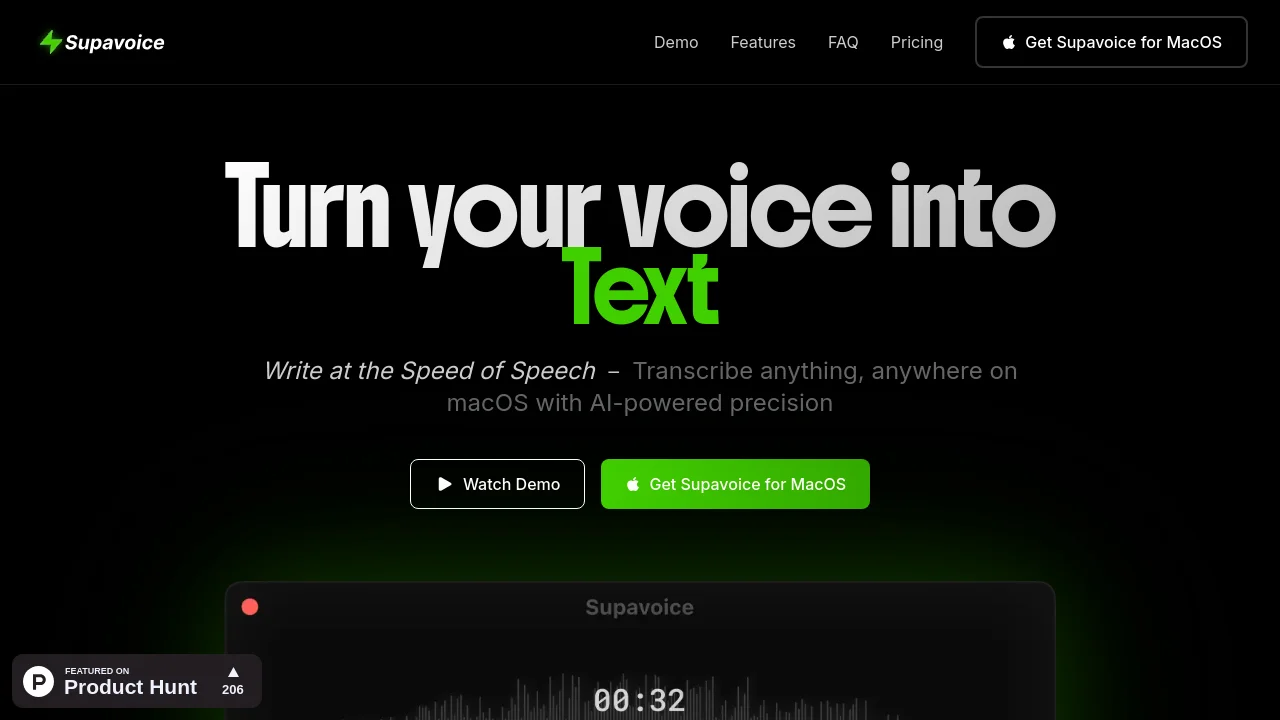
Supavoice is a lightweight voice-to-text app for macOS that converts speech into context-ready text across any desktop application. It connects directly to OpenAI models using your personal API key, keeping transcription data private and eliminating recurring subscription fees. Features include multiple transcription modes, custom vocabulary, and global keyboard shortcuts.

How to use Supavoice?

1. Download the macOS DMG installer and move Supavoice to your Applications folder. 2. Open Settings from the macOS menu bar and enter your personal OpenAI API key. 3. Grant microphone access and enable accessibility permissions in System Settings for auto-paste. 4. Press Command+Option+V anywhere to start dictating, and press it again to insert text directly into your active app.

Supavoice Core Features

01

Multiple Transcription Modes

Includes Simple Format for clean verbatim dictation, Email Mode for formatted messages with greetings and sign-offs, Note Mode for structured bullet points, and Message Mode for conversational chats.

02

Bring Your Own OpenAI Key

Connects directly from your Mac to OpenAI audio models using your personal API key, ensuring zero data storage on third-party servers and pay-as-you-go pricing.

03

Universal macOS Integration

Operates as a lightweight menu bar app under 5MB, inserting text directly into any application via a global Command+Option+V keyboard shortcut.

04

Custom Vocabulary

Lets you define specialized industry jargon, technical names, acronyms, and proper nouns to increase transcription accuracy.

05

History & Privacy Control

Stores past transcriptions locally for quick reference without passing sensitive audio data through intermediary servers.

Supavoice Use Cases

Drafting structured emails with automated greetings, paragraphs, and sign-offs

Dictating quick updates and replies in Slack, Microsoft Teams, and WhatsApp

Composing complex prompts for AI tools like Claude, ChatGPT, and Cursor

Capturing meeting notes and research thoughts without switching away from current tasks

Drafting blog posts, social content, and technical documentation via voice

Supavoice Frequently Asked Questions

How does Supavoice work?

Supavoice captures audio from your microphone, sends it directly to OpenAI's audio API using your personal API key, and pastes the resulting transcription into your active application.

Do I need an OpenAI API key?

Yes, Supavoice requires your personal OpenAI API key. This ensures you only pay OpenAI directly for actual usage, keep full control over usage limits, and prevent audio data from passing through third-party servers.

Is my data private and secure?

Yes. Because you supply your own OpenAI API key, audio is transmitted straight from your Mac to OpenAI without being stored or logged on intermediary servers. OpenAI does not use API inputs to train models.

What transcription modes are supported?

Supavoice provides Simple Format for verbatim text, Email Mode for professional emails, Note Mode for organized notes, and Message Mode for casual chat. Users can also configure custom modes for specific workflows.

Is Supavoice available for Windows or Linux?

Currently Supavoice is available exclusively for macOS. Support for other operating systems is evaluated based on community demand.

What is the refund policy?

Because Supavoice is digital software with instant license delivery, all sales are final. Customers are advised to review compatibility and feature requirements before purchasing.

Supavoice Product Background & Official Links

Supavoice Support Email & Customer service contact & Refund contact etc.

Supavoice Support Email: supavoice@yesss.design

More Contact, visit the about us page(https://supavoice.app/quickstart)

Supavoice Individual Info

Supavoice Individual name: Ajith R

Supavoice Developer Type: individual

Supavoice Individual address: Kerala, India

More about Supavoice, Please visit the about us page(https://supavoice.app/quickstart)

Supavoice Pricing

Supavoice Pricing Link: https://ajithr.gumroad.com/l/supavoice

Supavoice Twitter

Supavoice Twitter Link: https://x.com/yesssdesign

Supavoice LinkedIn

Supavoice LinkedIn Link: https://www.linkedin.com/company/supavoice

Supavoice Pricing & Plans

Most Popular

Lifetime License

flat
$19 one-time
  • One-time payment with lifetime access
  • Use your own OpenAI API key with no recurring markup
  • Multiple transcription modes (Simple, Email, Note, Message, and custom modes)
  • Custom vocabulary for technical jargon and names
  • Local transcription history for fast reference
  • 1 year of free updates and new features included
  • Lightweight macOS native app under 5MB
  • Works across all macOS desktop applications
Subscribe & upgrade now

Supavoice Tags

Desktop AppMac CompatiblePrivacy-FocusedOne-time PurchasePaidReal-timeSecure DataFor CreatorsFor DevelopersSolopreneurInstant DownloadHighly Customizable

Best Suited Occupations for Supavoice

Software DevelopersWriters & MarketersProduct ManagersIndie HackersFreelancersExecutives & Decision MakersGeneral Consumers

Top Product Categories

LLMs & AI Agents

  • AI Chatbots
  • AI Agents
  • Prompt Engineering
  • AI Search Engine

Engineering & Code

  • AI Code Assistant
  • AI Code Generator
  • AI Developer Tools
  • No-Code & Low-Code

Image & Creative

  • AI Image Generator
  • AI Design Generator
  • AI Art Generator
  • Image-to-Image

Video & Animation

  • AI Video Generator
  • AI Short Video Maker
  • Digital Humans
  • AI Video Editor

Productivity & Office

  • AI Meeting Assistant
  • AI PDF Tools
  • AI Workflow
  • AI PPT Generator

Marketing & Sales

  • AI SEO Tools
  • AI Copywriting
  • AI Lead Generation
  • AI Sales Assistant

Audio & Voice

  • AI Voice Cloning
  • AI Text-to-Speech
  • AI Music Generator
  • AI Podcast Tools

Research & Data

  • AI Research Tools
  • AI Data Analytics
  • AI Knowledge Base
  • See All Categories >>
BAT AI TOOLS
  • Submit your AI tool
  • Pricing
  • Partnership
  • Feedback
  • About
  • A2A Compatible
WeChat QR
Scan QR code with WeChat
hi@bataitools.comClick icon to auto-copy email
English简体中文繁體中文EspañolالعربيةBahasa IndonesiaPortuguêsFrançais日本語РусскийDeutsch한국어TürkçeTiếng ViệtItalianoNederlandsPolskiไทยहिन्दीУкраїнськаفارسیবাংলাاردوSvenskaNorskDanskSuomiעברית

Copyright © 1970 BAT AI TOOLS. All Rights Reserved.

·Partnership·Privacy Policy·Terms of Service·Refund Policy