Sponsored byMyWebSEO.AI- AI-Powered SEO Audit Tool & Website Optimizer
BAT AI TOOLSBAT AI TOOLS
  • Tools
  • Category
  • Jobs
  • Pricing
  • PromoFREE
Free Submit
Sign In
  • Home
  • /
  • Learning & Translation
  • /
  • Translingo
Translingo

Translingo

Active
Tagline:Accurate live translations and transcriptions for events in 60+ languages
Updated:September 6, 2026
Domain Rating:
18Domain Rating by Ahrefs
Social Media:
Learning & TranslationAI TranslationVoice Generation & ConversionAI Speech-to-TextOffice & ProductivityAI Meeting AssistantAI Note TakerAI Content SummarizerReal-timeMulti-languageWeb AppCloud-basedFree TrialZero SetupMobile FriendlyTeam Collaboration
Open Website
Translingo
Visit Website
|
  • About
  • Pricing

What is Translingo?

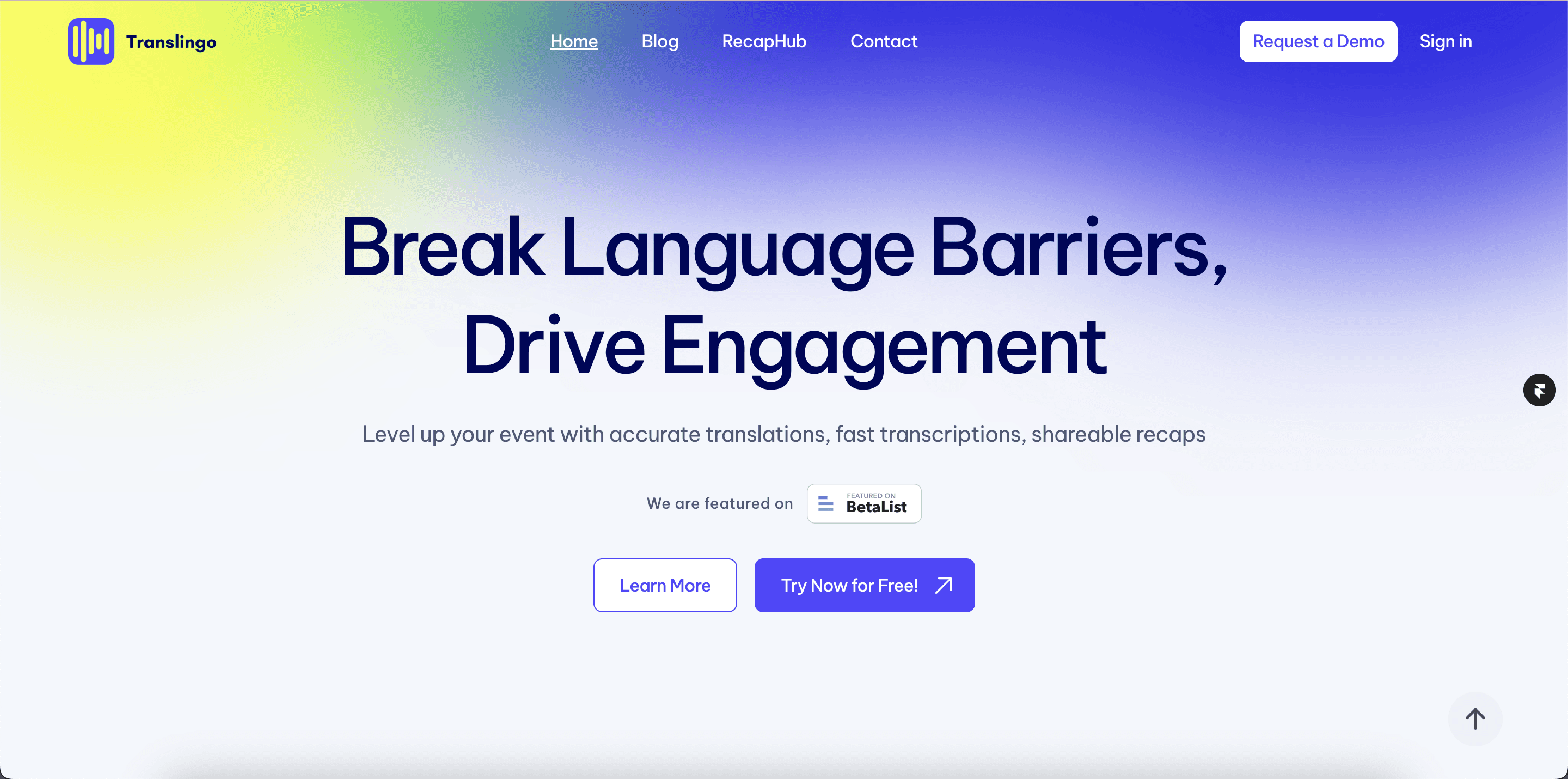
Translingo provides real-time spoken and written translations along with transcriptions for events, conferences, and meetings. Attendees access live audio and subtitles in 60+ languages via a web link without installing an app, connecting to existing A/V equipment in under 2 minutes.
Translingo screenshot 3

How to use Translingo?

1. Sign up for a Translingo account using your work email or Google Workspace. 2. Create an Event and set up translation sessions from your dashboard. 3. Connect your microphone or audio feed using the speaker link. 4. Share the listener link or QR code with attendees for instant live translations.

Translingo Core Features

01

Real-Time Translation in 60+ Languages

Delivers concurrent spoken audio and written subtitles in more than 60 languages for in-person and virtual attendees.

02

Zero-Install Web Access

Speakers and participants join instantly via a direct browser link or QR code without downloading an app.

03

Rapid A/V Setup

Integrates with existing microphones, sound systems, and video conferencing software in under 2 minutes.

04

Automated Post-Event Summaries

Transcribes entire sessions and generates actionable summaries, key takeaways, and transcripts ready to export.

Translingo Use Cases

International conferences and keynote seminars requiring multilingual audio and captions

Global corporate all-hands meetings and employee training sessions

Webinars and panel discussions with attendees speaking different languages

Translingo Frequently Asked Questions

Do participants need to download an app?

No, participants do not need to install any software. They can access live spoken and written translations directly by opening the listener web link on their own smartphones, tablets, or laptops.

Can Translingo be used for both online and offline events?

Yes, Translingo works across online webinars, hybrid gatherings, and in-person conferences, connecting directly to your audio feed or microphone setup in under two minutes.

What happens to session audio and data after the event?

Translingo does not store raw audio at any point during or after the session; only the generated transcription and translated text are retained for post-event insights and export.

Translingo Product Background & Official Links

Translingo Support Email & Customer service contact & Refund contact etc.

Translingo Support Email: build@niron.ai

More Contact, visit the about us page(https://translingo.cc/support)

Translingo Company Info

Translingo Company name: Niron B.V.

Translingo Developer Type: company

Translingo Company address: South Holland, NL

More about Translingo, Please visit the about us page(https://translingo.cc/support)

Translingo Pricing & Plans

Free Trial

Free
Free
  • 10 minutes of live translation trial
  • Real-time speech transcription
  • Support for 60+ languages
  • Instant access via web link
Subscribe & upgrade now
Most Popular

Enterprise

contact
Contact sales
  • Unlimited event translation sessions
  • Custom A/V setup and audio routing integration
  • Dedicated onboarding and custom demo
  • Multi-session conference management with post-event recaps
Subscribe & upgrade now

Translingo Tags

Real-timeMulti-languageWeb AppCloud-basedFree TrialZero SetupMobile FriendlyTeam CollaborationPrivacy-FocusedFor EnterpriseFor Startups

Best Suited Occupations for Translingo

Executives & Decision MakersProject & Program ManagersCustomer Support TeamsSales & Business DevelopmentHR Professionals & RecruitersTeachers & InstructorsAcademic ResearchersSmall Business Owners

Top Product Categories

LLMs & AI Agents

  • AI Chatbots
  • AI Agents
  • Prompt Engineering
  • AI Search Engine

Engineering & Code

  • AI Code Assistant
  • AI Code Generator
  • AI Developer Tools
  • No-Code & Low-Code

Image & Creative

  • AI Image Generator
  • AI Design Generator
  • AI Art Generator
  • Image-to-Image

Video & Animation

  • AI Video Generator
  • AI Short Video Maker
  • Digital Humans
  • AI Video Editor

Productivity & Office

  • AI Meeting Assistant
  • AI PDF Tools
  • AI Workflow
  • AI PPT Generator

Marketing & Sales

  • AI SEO Tools
  • AI Copywriting
  • AI Lead Generation
  • AI Sales Assistant

Audio & Voice

  • AI Voice Cloning
  • AI Text-to-Speech
  • AI Music Generator
  • AI Podcast Tools

Research & Data

  • AI Research Tools
  • AI Data Analytics
  • AI Knowledge Base
  • See All Categories >>
BAT AI TOOLS
  • Submit your AI tool
  • Pricing
  • Partnership
  • Feedback
  • About
  • A2A Compatible
WeChat QR
Scan QR code with WeChat
hi@bataitools.comClick icon to auto-copy email
English简体中文繁體中文EspañolالعربيةBahasa IndonesiaPortuguêsFrançais日本語РусскийDeutsch한국어TürkçeTiếng ViệtItalianoNederlandsPolskiไทยहिन्दीУкраїнськаفارسیবাংলাاردوSvenskaNorskDanskSuomiעברית

Copyright © 1970 BAT AI TOOLS. All Rights Reserved.

·Partnership·Privacy Policy·Terms of Service·Refund Policy