Sponsored byZiji (咨记)- Practice management for Chinese-speaking counselors
BAT AI TOOLSBAT AI TOOLS
  • Tools
  • Category
  • Jobs
  • Pricing
  • PromoFREE
Free Submit
Sign In
  • Home
  • /
  • AI Speech-to-Text
  • /
  • VoiceInk
VoiceInk

VoiceInk

Active
Tagline:Dictate anywhere on your Mac with fast, private voice-to-text
Updated:October 22, 2026
Domain Rating:
52Domain Rating by Ahrefs
Social Media:
AI Speech-to-TextAI AssistantAI Note TakerOffice & ProductivityDesktop AppMac CompatibleOne-time PurchaseOpen SourcePrivacy-FocusedOffline SupportFree TrialReal-time
Open Website
VoiceInk
Visit Website
|
  • About
  • Pricing

What is VoiceInk?

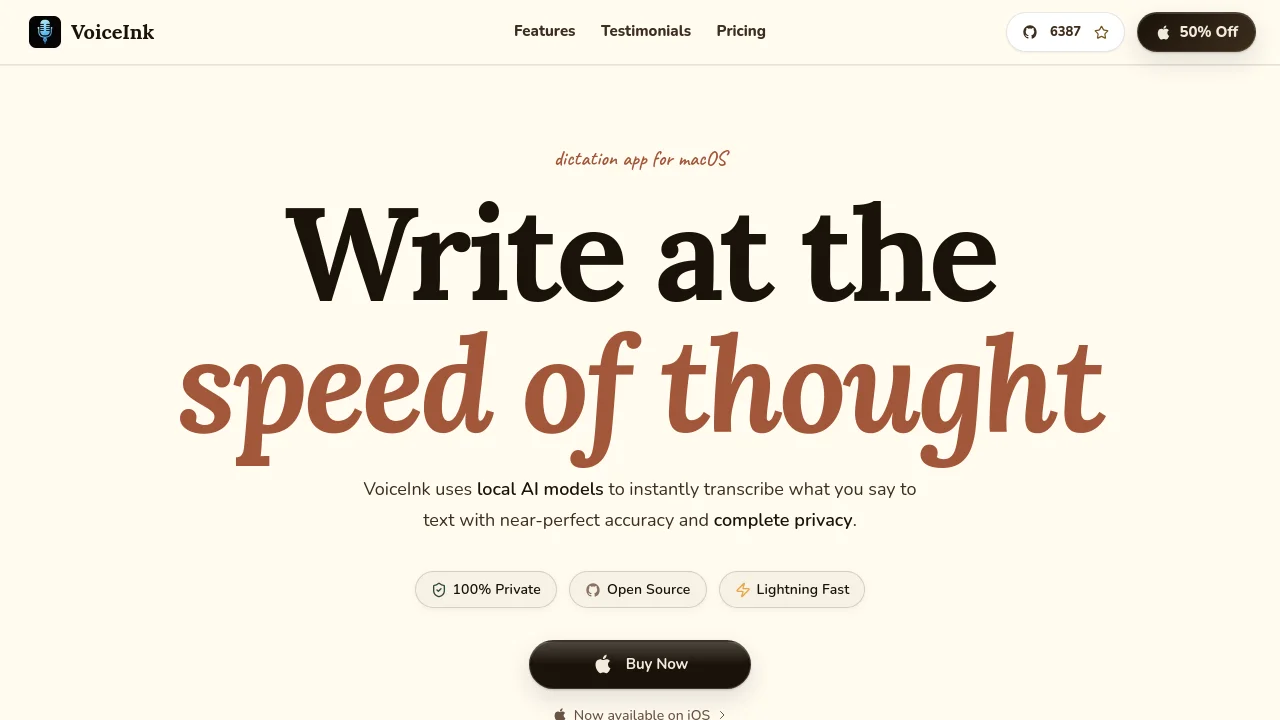
VoiceInk is a macOS dictation app powered by local AI models for fast, private voice-to-text. It operates directly on Apple Silicon Neural Engine across desktop applications with a one-time purchase, ensuring voice processing stays entirely on-device without monthly subscriptions.
VoiceInk screenshot 1

How to use VoiceInk?

1. Launch VoiceInk from your Applications folder and locate the icon in your menu bar. 2. Grant microphone and accessibility permissions during initial onboarding. 3. Press your configured global keyboard shortcut to begin voice dictation. 4. Speak naturally while VoiceInk transcribes locally using Apple Silicon Neural Engine. 5. The finalized text automatically pastes directly at your active cursor.

VoiceInk Core Features

01

Local On-Device Transcription

Runs transcription locally on Apple Silicon using the Neural Engine, ensuring minimal latency and keeping voice data private without cloud servers.

02

Cross-App Dictation

Works across any macOS application, allowing users to dictate emails, write notes, and enter text in AI tools with system-wide shortcuts.

03

Custom Vocabulary & Replacements

Learns specialized terminology, personal names, and technical keywords, with automatic text expansion and instant word replacement.

04

Modes & Context-Aware AI Enhancement

Applies tailored prompts, removes filler words, and leverages clipboard or selected text context to refine outputs for specific workflows.

VoiceInk Use Cases

Dictate emails and messages in Mail, Slack, or browser tabs without typing

Draft notes and documentation directly into Obsidian, Notion, or Markdown journals

Speak prompts and instructions directly into AI assistants and code editors

VoiceInk Frequently Asked Questions

How does VoiceInk protect my privacy?

VoiceInk processes all voice transcription locally on your device. Your voice data never leaves your Mac. Cloud Enhancement is entirely optional, and only transcribed text is processed if you choose to enable it.

What happens after I purchase?

You receive a license key for lifetime access to all current features and future updates. No subscriptions, no recurring fees.

What are the system requirements?

VoiceInk requires Apple Silicon and macOS 14.4 or later. Local models use the Neural Engine for fast, private processing. 8GB RAM recommended.

Do you offer student discounts?

Yes. Contact me with your student ID for details.

VoiceInk Product Background & Official Links

VoiceInk Support Email & Customer service contact & Refund contact etc.

VoiceInk Support Email: support@tryvoiceink.com

More Contact, visit the about us page(https://tryvoiceink.com/docs/introduction)

VoiceInk Individual Info

VoiceInk Individual name: Pax

VoiceInk Developer Type: individual

More about VoiceInk, Please visit the about us page(https://tryvoiceink.com/docs/introduction)

VoiceInk Pricing

VoiceInk Pricing Link: https://tryvoiceink.com/pricing

VoiceInk Youtube

VoiceInk Youtube Link: https://youtube.com/@tryvoiceink

VoiceInk Twitter

VoiceInk Twitter Link: https://x.com/tryvoiceink

VoiceInk GitHub

VoiceInk GitHub Link: https://github.com/Beingpax/VoiceInk

VoiceInk Pricing & Plans

Solo

flat
$25 one-time
  • Works on 1 macOS device
  • One-time purchase, lifetime access
  • Lifetime of updates
  • 14-day money-back guarantee
Subscribe & upgrade now
Most Popular

Personal

flat
$39 one-time
  • Works on up to 2 macOS devices
  • One-time purchase, lifetime access
  • Lifetime of updates
  • 14-day money-back guarantee
Subscribe & upgrade now

Extended

flat
$49 one-time
  • Works on up to 3 macOS devices
  • One-time purchase, lifetime access
  • Lifetime of updates
  • 14-day money-back guarantee
Subscribe & upgrade now

VoiceInk Tags

Desktop AppMac CompatibleOne-time PurchaseOpen SourcePrivacy-FocusedOffline SupportFree TrialReal-timeMulti-languageSecure Data

Best Suited Occupations for VoiceInk

Writers & MarketersSoftware DevelopersStudentsIndie HackersFreelancersAcademic ResearchersGeneral Consumers

Top Product Categories

LLMs & AI Agents

  • AI Chatbots
  • AI Agents
  • Prompt Engineering
  • AI Search Engine

Engineering & Code

  • AI Code Assistant
  • AI Code Generator
  • AI Developer Tools
  • No-Code & Low-Code

Image & Creative

  • AI Image Generator
  • AI Design Generator
  • AI Art Generator
  • Image-to-Image

Video & Animation

  • AI Video Generator
  • AI Short Video Maker
  • Digital Humans
  • AI Video Editor

Productivity & Office

  • AI Meeting Assistant
  • AI PDF Tools
  • AI Workflow
  • AI PPT Generator

Marketing & Sales

  • AI SEO Tools
  • AI Copywriting
  • AI Lead Generation
  • AI Sales Assistant

Audio & Voice

  • AI Voice Cloning
  • AI Text-to-Speech
  • AI Music Generator
  • AI Podcast Tools

Research & Data

  • AI Research Tools
  • AI Data Analytics
  • AI Knowledge Base
  • See All Categories >>
BAT AI TOOLS
  • Submit your AI tool
  • Pricing
  • Partnership
  • Feedback
  • About
  • A2A Compatible
WeChat QR
Scan QR code with WeChat
hi@bataitools.comClick icon to auto-copy email
English简体中文繁體中文EspañolالعربيةBahasa IndonesiaPortuguêsFrançais日本語РусскийDeutsch한국어TürkçeTiếng ViệtItalianoNederlandsPolskiไทยहिन्दीУкраїнськаفارسیবাংলাاردوSvenskaNorskDanskSuomiעברית

Copyright © 1970 BAT AI TOOLS. All Rights Reserved.

·Partnership·Privacy Policy·Terms of Service·Refund Policy