


Sponsored byVibecode- Build mobile and web apps with AI.
BAT AI TOOLSBAT AI TOOLS
  • Tools
  • Category
  • Jobs
  • Pricing
  • PromoFREE
Free Submit
Sign In
  • Home
  • /
  • AI Image Editor
  • /
  • PhotoCat AI Image Extender
PhotoCat AI Image Extender

PhotoCat AI Image Extender

Active
Tagline:Uncrop and expand photos with AI — no quality loss
Updated:October 22, 2026
Domain Rating:
44Domain Rating by Ahrefs
Social Media:
AI Image EditorImage Generation & EditingFreemiumWeb AppMobile AppCloud-based
Open Website
PhotoCat AI Image Extender
Visit Website
|
  • About
  • Pricing

What is PhotoCat AI Image Extender?

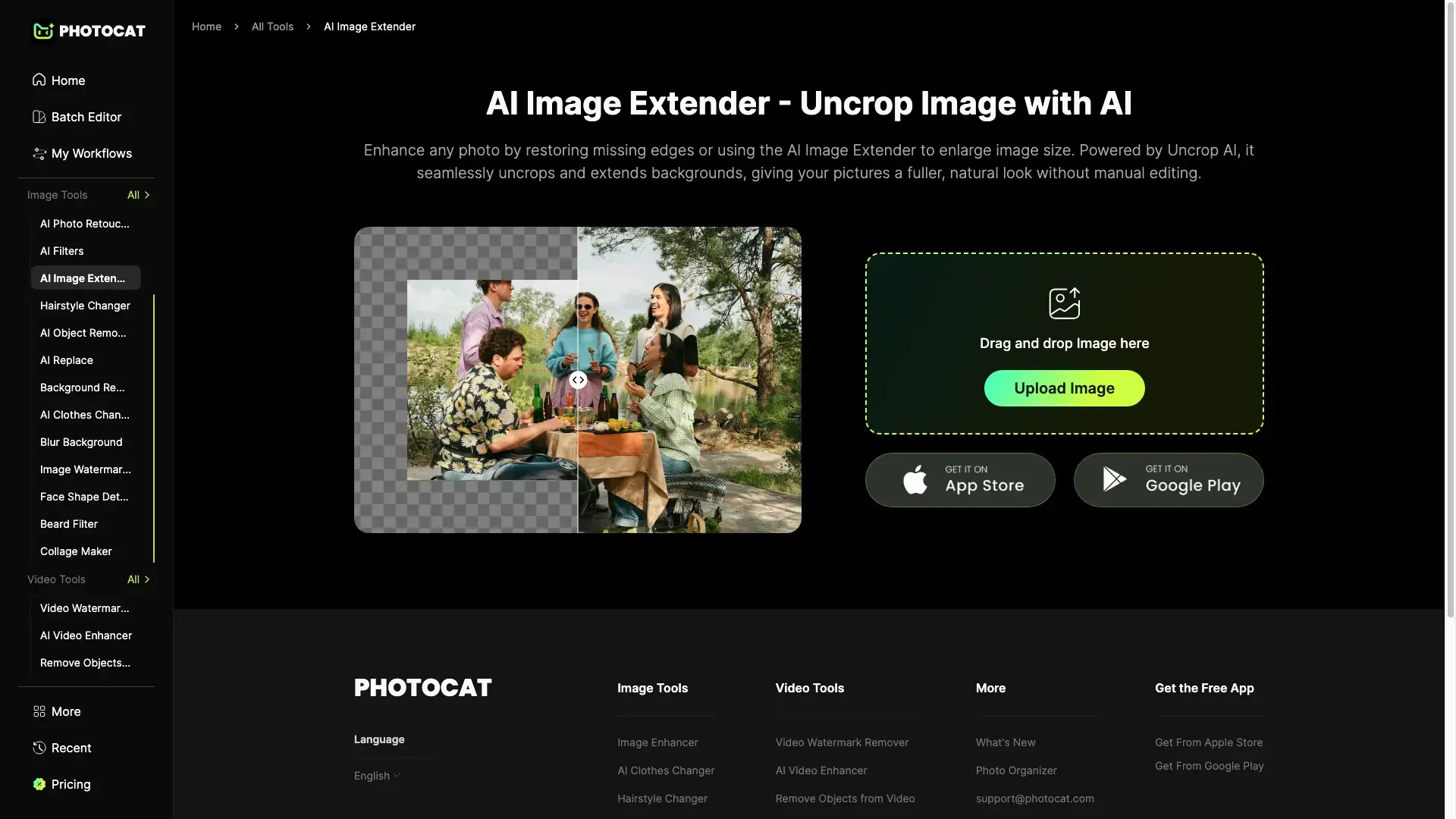
PhotoCat's AI Image Extender, powered by Uncrop AI, enlarges photos by restoring missing edges and extending backgrounds. Upload an image and the tool generates a fuller, natural frame without manual cropping or editing. A free tier includes 5 credits (called 'Snacks'); the Pro plan adds 100 Snacks per week. The PhotoCat platform is rated 4.9/5 across 587 user reviews.

How to use PhotoCat AI Image Extender?

Open the AI Image Extender page, drag and drop or upload an image, then let Uncrop AI restore missing edges and extend the background. Download the expanded photo when it is ready.

PhotoCat AI Image Extender Core Features

01

AI Uncrop & Extend

Powered by Uncrop AI, it seamlessly uncrops and extends backgrounds, giving pictures a fuller, natural look without manual editing.

02

Restore Missing Edges

Enhance any photo by rebuilding missing or cut-off edges so the subject fits comfortably within the frame.

03

No Quality Loss

Extends and enlarges backgrounds cleanly using generative AI, preserving detail with no visible degradation.

04

Enlarge Image Size

Grow the canvas beyond the original bounds to make room for layouts, banners, or social posts without cropping the subject.

PhotoCat AI Image Extender Use Cases

Fix portraits where the subject was cropped too tight by extending the frame outward

Add breathing room to product photos for marketplace or ad listings

Resize social-media images to the right aspect ratio without cutting off the subject

Recover edges on scanned or old photos that were cut during scanning

PhotoCat AI Image Extender Frequently Asked Questions

How do my credits work?

Credits, called 'Snacks' in PhotoCat, are used to run AI tools. Generating images, running workflows, and using premium features consume credits.

How can I cancel my PhotoCat subscription?

Contact the support team by email at support@photocat.com with your registered email or account information, and the team will assist with cancellation.

What is the AI Image Extender?

It is an online tool powered by Uncrop AI that enlarges photos by restoring missing edges and extending backgrounds, producing a fuller, natural look with no quality loss.

PhotoCat AI Image Extender Product Background & Official Links

PhotoCat AI Image Extender Support Email & Customer service contact & Refund contact etc.

PhotoCat AI Image Extender Support Email: support@photocat.com

More Contact, visit the about us page(https://photocat.com/image-extender)

PhotoCat AI Image Extender Company Info

PhotoCat AI Image Extender Company name: Pixocial Technology (Singapore) Ltd. Pte

PhotoCat AI Image Extender Developer Type: company

More about PhotoCat AI Image Extender, Please visit the about us page(https://photocat.com/image-extender)

PhotoCat AI Image Extender Pricing

PhotoCat AI Image Extender Pricing Link: https://photocat.com/pricing/

PhotoCat AI Image Extender Pricing & Plans

Free

Free
Free
  • 5 free credits ('Snacks')
  • 1 Snack per image edit
  • 1 Snack per second of video
  • Basic AI image tools
Subscribe & upgrade now
Most Popular

Pro

Recurring
100 Snacks / week
  • 100 Snacks per week
  • 1 Snack per image edit
  • 1 Snack per second of video
  • Premium AI features and workflows
Subscribe & upgrade now

PhotoCat AI Image Extender Tags

FreemiumWeb AppMobile AppCloud-based

Best Suited Occupations for PhotoCat AI Image Extender

General ConsumersSelf-Media & InfluencersFreelancersE-commerce Merchants

Top Product Categories

LLMs & AI Agents

  • AI Chatbots
  • AI Agents
  • Prompt Engineering
  • AI Search Engine

Engineering & Code

  • AI Code Assistant
  • AI Code Generator
  • AI Developer Tools
  • No-Code & Low-Code

Image & Creative

  • AI Image Generator
  • AI Design Generator
  • AI Art Generator
  • Image-to-Image

Video & Animation

  • AI Video Generator
  • AI Short Video Maker
  • Digital Humans
  • AI Video Editor

Productivity & Office

  • AI Meeting Assistant
  • AI PDF Tools
  • AI Workflow
  • AI PPT Generator

Marketing & Sales

  • AI SEO Tools
  • AI Copywriting
  • AI Lead Generation
  • AI Sales Assistant

Audio & Voice

  • AI Voice Cloning
  • AI Text-to-Speech
  • AI Music Generator
  • AI Podcast Tools

Research & Data

  • AI Research Tools
  • AI Data Analytics
  • AI Knowledge Base
  • See All Categories >>
BAT AI TOOLS
  • Submit your AI tool
  • Pricing
  • Partnership
  • Feedback
  • About
  • A2A Compatible
WeChat QR
Scan QR code with WeChat
hi@bataitools.comClick icon to auto-copy email
English简体中文繁體中文EspañolالعربيةBahasa IndonesiaPortuguêsFrançais日本語РусскийDeutsch한국어TürkçeTiếng ViệtItalianoNederlandsPolskiไทยहिन्दीУкраїнськаفارسیবাংলাاردوSvenskaNorskDanskSuomiעברית

Copyright © 1970 BAT AI TOOLS. All Rights Reserved.

·Partnership·Privacy Policy·Terms of Service·Refund Policy