BAT AI TOOLSBAT AI TOOLS
  • Tools
  • Category
  • Submit
  • Partnership
Sign In
  • Home
  • /
  • AI Translation
  • /
  • LocalizeBot
LocalizeBot

LocalizeBot

Active
Tagline:Translate your app in 1 click
Updated:-
Social Media:
AI TranslationAI Developer ToolsCoding & DevelopmentDesktop AppFreemiumFree TrialFor DevelopersOffline Support
Open Website
LocalizeBot
Visit Website
Promote this product|Update this product
  • About
  • Pricing

What is LocalizeBot?

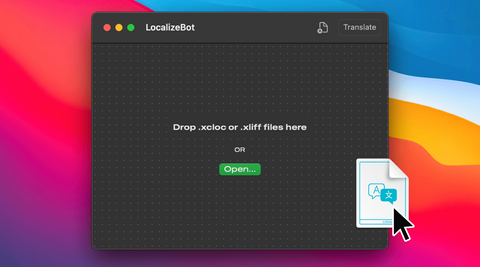
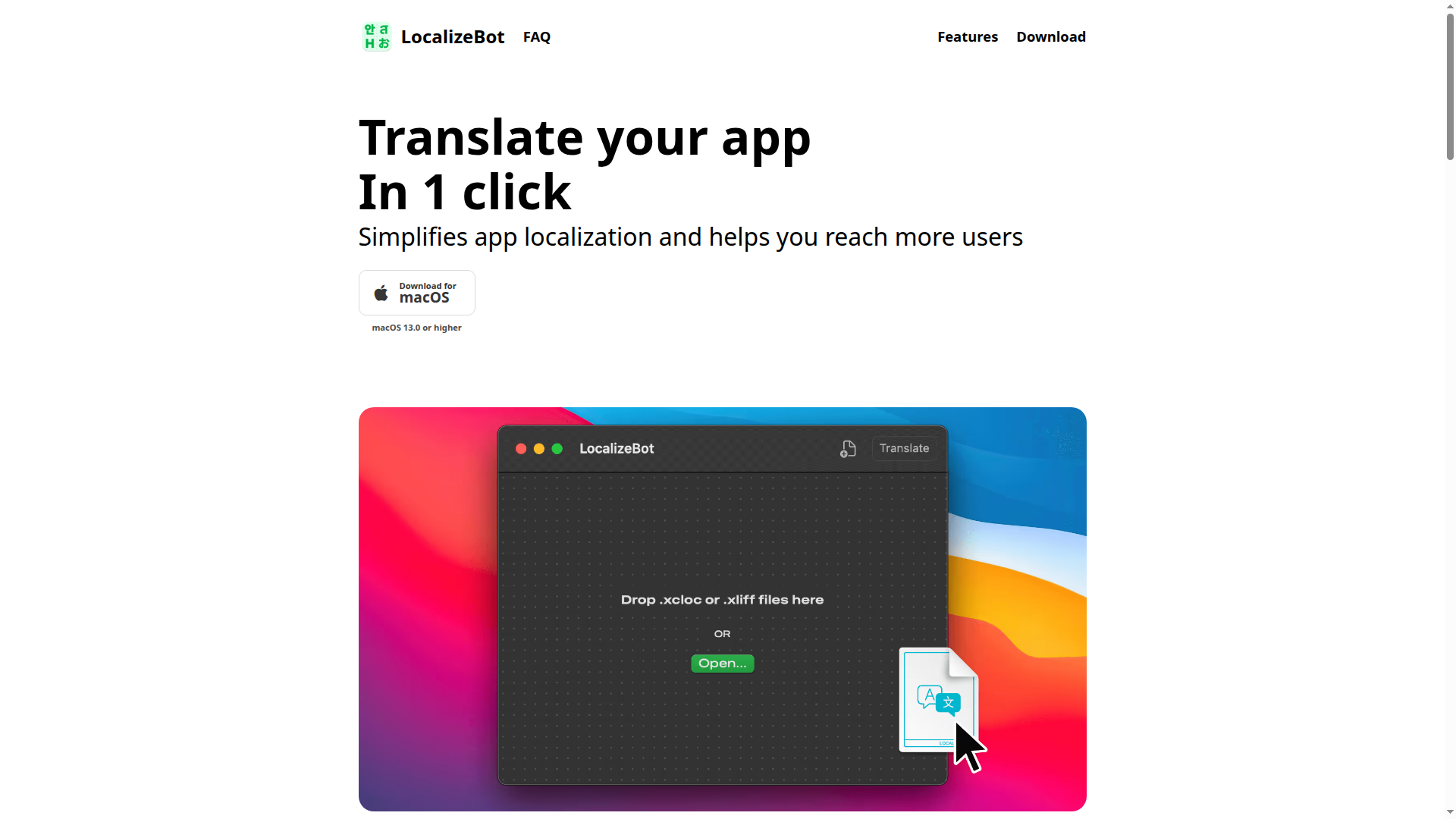
LocalizeBot is a macOS app that simplifies app localization and helps you reach more users. Drop .xliff or .xcloc files, choose OpenAI or Google Cloud Translation, and translate in one click. Supports standard Xcode workflows, Apple Glossaries for common UI strings, app context descriptions, and translator comments.
LocalizeBot screenshot 1
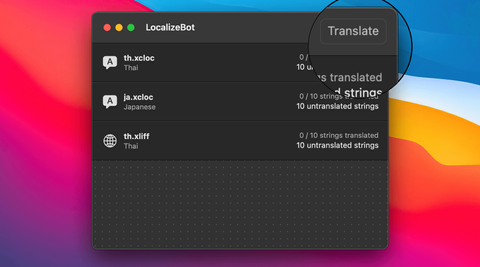
LocalizeBot screenshot 2
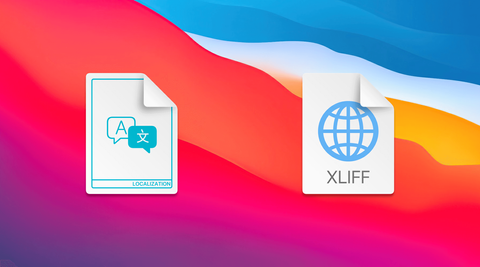
LocalizeBot screenshot 3

How to use LocalizeBot?

Export .xcloc files from Xcode (Product > Export Localizations), drag and drop them into LocalizeBot, click Translate, then import the translated files back via Product > Import Localizations.

LocalizeBot Core Features

01

Drag and Drop

Drop .xliff or .xcloc files to LocalizeBot to start localization.

02

One-Click Translation

Translate all files in one click using OpenAI or Google Cloud Translation services.

03

XLIFF and XCLOC Support

Integrates with the standard Xcode localization workflow for iOS and macOS apps.

04

Apple Glossaries

Automatically translates common UI texts such as OK, Save, Cancel, and Done using Apple's system translations.

05

Context-Aware Translation

Add a brief app description to give AI translation more context for better results.

LocalizeBot Use Cases

Translate Xcode .xcloc exports for iOS and macOS app localization

Batch-translate .xliff string files without sending them to external translators

Keep common UI strings consistent with Apple system translations via Apple Glossaries

LocalizeBot Frequently Asked Questions

How do I translate an iOS app using an XCLOC file?

Add languages in Xcode, export localizations (Product > Export Localizations), drag the .xcloc files into LocalizeBot and click Translate, then import the translated files back with Product > Import Localizations.

What is an XCLOC file?

XCLOC (Xcode Localization Catalog) is Apple's localization format introduced in Xcode 10 for exporting and importing translations in Xcode projects.

Do I need a subscription to use LocalizeBot?

LocalizeBot is free to download, but a subscription is required to access all translation features. Subscriptions are processed and managed by Apple.

LocalizeBot Product Background & Official Links

LocalizeBot Support Email & Customer service contact & Refund contact etc.

LocalizeBot Support Email: hello@sarunw.com

More Contact, visit the about us page(https://localizebot.com/posts/how-to-translate-xcloc/)

LocalizeBot Individual Info

LocalizeBot Individual name: Sarun Wongpatcharapakorn

LocalizeBot Developer Type: individual

More about LocalizeBot, Please visit the about us page(https://localizebot.com/posts/how-to-translate-xcloc/)

LocalizeBot Pricing

LocalizeBot Pricing Link: https://apps.apple.com/us/app/localizebot/id6448173982

LocalizeBot Twitter

LocalizeBot Twitter Link: https://twitter.com/sarunw

LocalizeBot Pricing & Plans

Free

Free
Free
  • Free download on Mac App Store
  • Requires macOS 13.0 or later
  • Subscription needed to access all translation features
Subscribe & upgrade now

Weekly Plan

Recurring
$2.99 /week
  • Access all translation features
  • XLIFF and XCLOC support
  • OpenAI, Google Cloud Translation, and DeepL
  • Apple Glossaries and context-aware translation
Subscribe & upgrade now

Flexible Plan

Recurring
$4.99
  • Access all translation features
  • XLIFF and XCLOC support
  • OpenAI, Google Cloud Translation, and DeepL
Subscribe & upgrade now
Most Popular

All-Year Plan

Recurring
$39.99 /year
  • Access all translation features for one year
  • XLIFF and XCLOC support
  • OpenAI, Google Cloud Translation, and DeepL
Subscribe & upgrade now

LocalizeBot Tags

Desktop AppFreemiumFree TrialFor DevelopersOffline Support

Best Suited Occupations for LocalizeBot

Software DevelopersIndie Hackers

Top Product Categories

LLMs & AI Agents

  • AI Chatbots
  • AI Agents
  • Prompt Engineering
  • AI Search Engine

Engineering & Code

  • AI Code Assistant
  • AI Code Generator
  • AI Developer Tools
  • No-Code & Low-Code

Image & Creative

  • AI Image Generator
  • AI Design Generator
  • AI Art Generator
  • Image-to-Image

Video & Animation

  • AI Video Generator
  • AI Short Video Maker
  • Digital Humans
  • AI Video Editor

Productivity & Office

  • AI Meeting Assistant
  • AI PDF Tools
  • AI Workflow
  • AI PPT Generator

Marketing & Sales

  • AI SEO Tools
  • AI Copywriting
  • AI Lead Generation
  • AI Sales Assistant

Audio & Voice

  • AI Voice Cloning
  • AI Text-to-Speech
  • AI Music Generator
  • AI Podcast Tools

Research & Data

  • AI Research Tools
  • AI Data Analytics
  • AI Knowledge Base
  • See All Categories >>
BAT AI TOOLS
  • Submit your AI tool
  • Pricing
  • About
  • Privacy Policy
  • Terms of Service
WeChat QR
Scan QR code with WeChat
contact@bataitools.comClick icon to auto-copy email
English简体中文繁體中文EspañolالعربيةBahasa IndonesiaPortuguêsFrançais日本語РусскийDeutsch한국어TürkçeTiếng ViệtItalianoNederlandsPolskiไทยहिन्दीУкраїнськаفارسیবাংলাاردوSvenskaNorskDanskSuomiעברית

Copyright © 2026 BAT AI TOOLS. All Rights Reserved.